
1. Product Overview
The Inkbird ITDS-01 is a versatile 3-in-1 digital water quality tester designed to accurately measure Total Dissolved Solids (TDS), Electrical Conductivity (EC), and temperature of various water sources. Its compact design, backlit LCD, and automatic temperature compensation (ATC) make it an essential tool for monitoring water quality in diverse applications.
Key Features:
- High Accuracy: Utilizes a food-grade stainless steel probe and ATC for precise readings across various temperatures.
- 3-in-1 Function: Measures TDS (0~4995 ppm), EC (0~9990 µs/cm), and temperature.
- Auto-off Function: Automatically shuts down after 5 minutes of inactivity to conserve battery life.
- Data-Hold Function: Locks readings for easy recording.
- Backlit Display: Advanced LCD backlight for clear readings in any lighting condition.
- Wide Application: Suitable for drinking water, aquariums, swimming pools, hydroponics, and more.
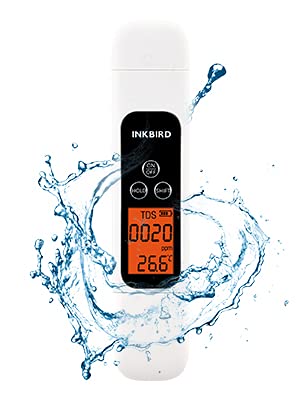
Figure 1.1: Inkbird TDS Meter ITDS-01
This image displays the Inkbird TDS Meter, a white handheld device with a black control panel and an orange backlit digital display, surrounded by a dynamic water splash, symbolizing its use in water quality testing.

Figure 1.2: 3-in-1 Testing Capabilities
This image shows three identical Inkbird TDS meters, each immersed in a glass of water, demonstrating their ability to measure TDS, EC, and temperature, with close-up views of the respective readings on their screens.

Figure 1.3: Product Components
This diagram illustrates the internal and external components of the Inkbird TDS Meter, including the battery compartment for 2x AAA batteries, ON/OFF, HOLD, and SHIFT buttons, backlit LCD, temperature probe, and EC/TDS probes, along with a protective cap that can hold test water.

Figure 1.4: Selectable Display Modes
This image demonstrates the four selectable display modes of the Inkbird TDS Meter: TDS in ppm, EC in µs/cm, and temperature in both Celsius and Fahrenheit, providing flexibility for different measurement preferences.
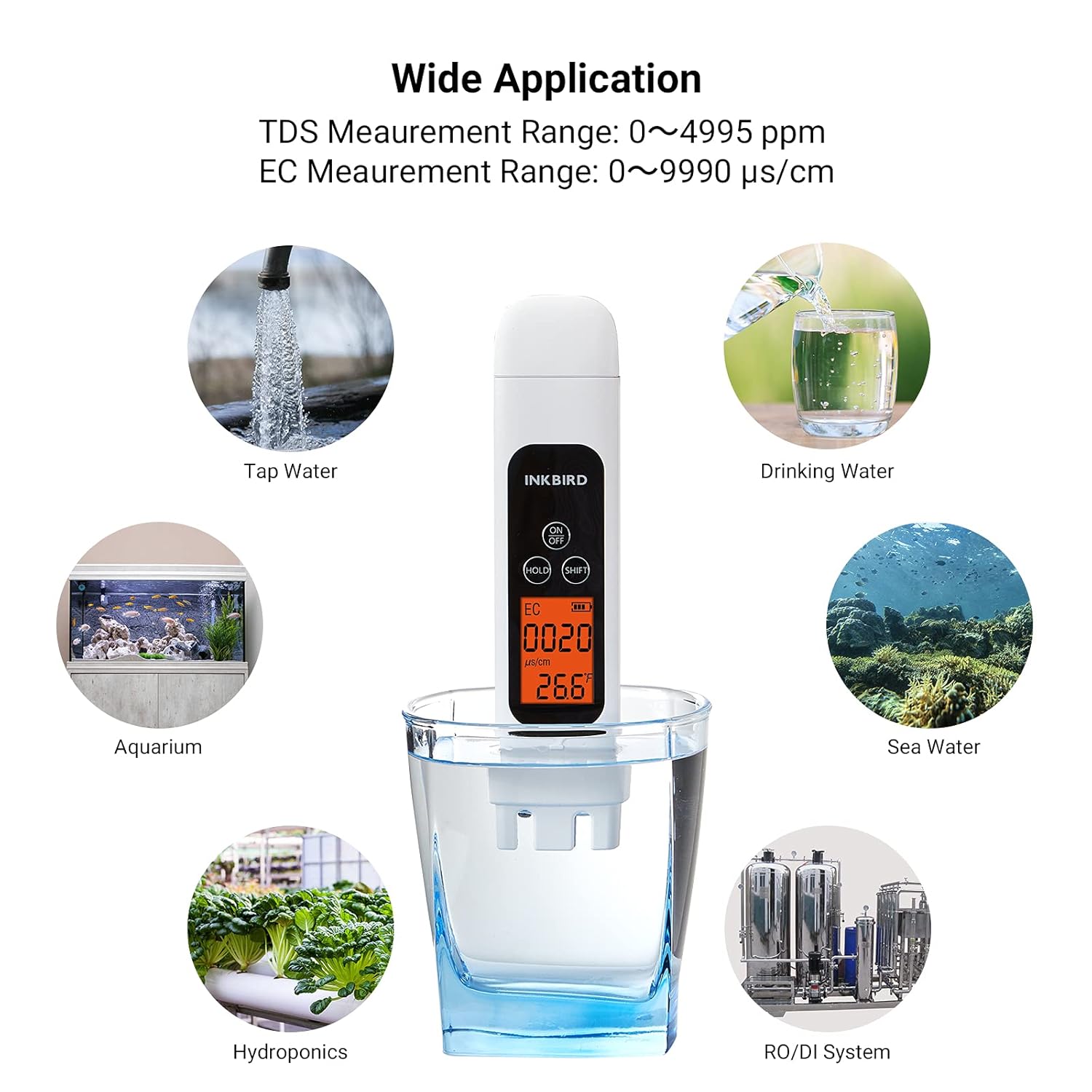
Figure 1.5: Wide Application
This image showcases the wide range of applications for the Inkbird TDS Meter, including testing tap water, drinking water, aquariums, sea water, hydroponic setups, and water from RO/DI systems.

Figure 1.6: TDS Level Chart
This chart provides a visual guide to TDS levels (PPM) and their corresponding water types, ranging from 0-9 ppm for pure water to 300+ ppm for super polluted water, helping users interpret their readings.

Figure 1.7: Automatic Temperature Compensation (ATC)
This image highlights the Automatic Temperature Compensation (ATC) system within the Inkbird TDS Meter, showing a circuit board graphic to represent the technology that ensures accurate measurements regardless of water temperature fluctuations.
2. Safety Precautions
Please read and understand all safety instructions before using the Inkbird TDS Meter. Failure to follow these instructions may result in inaccurate readings or damage to the device.
- Do not immerse the entire device in water; only the probe section should be submerged up to the immersion line.
- Keep the device out of reach of children.
- Avoid exposing the device to extreme temperatures or direct sunlight for prolonged periods.
- Do not attempt to disassemble or modify the device, as this will void the warranty.
- Ensure the battery compartment is sealed properly after battery installation to prevent water ingress.
- Clean the probe gently after each use to maintain accuracy.
3. Setup
3.1 Battery Installation
The Inkbird TDS Meter requires 2 AAA batteries (not included). Follow these steps to install the batteries:
- Prepare 2 new AAA batteries.
- Gently remove the cover of the battery compartment located at the top of the device. Ensure the device remains upright during this process.
- Insert the batteries one by one, ensuring they are placed in the correct direction according to the polarity markings (+/-) inside the compartment.
- Carefully replace the battery compartment cover until it clicks securely into place.

Figure 3.1: Battery Installation Steps
This image illustrates the four steps for battery installation: 1. Prepare 2 AAA batteries. 2. Remove the battery compartment cover. 3. Install batteries correctly. 4. Replace the cover.
4. Operating Instructions
4.1 Basic Measurement
Follow these steps to perform a water quality measurement:
- Remove the protective cap from the bottom of the tester.
- Press the ON/OFF button to turn on the device. The backlit LCD screen will illuminate.
- Immerse the EC/TDS probes into the test water up to the immersion line. Do not submerge the entire device.
- Gently stir the meter to remove any air bubbles from the probe.
- Wait for the reading to stabilize on the display.
- Press the HOLD button to lock the current reading for easy recording. Press it again to release the hold.
- To switch between TDS, EC, and Temperature (Celsius/Fahrenheit) display modes, press the SHIFT button.
- After use, remove the tester from the water, wipe the probes clean with a soft cloth, and replace the protective cap.
- Press and hold the ON/OFF button for 3 seconds to turn off the device. The device will automatically shut off after 5 minutes of inactivity.

Figure 4.1: Operating Steps
This image illustrates the four steps for using the meter: 1. Remove protective cap and turn on. 2. Immerse probe in water. 3. Press HOLD for stable reading, SHIFT to change mode. 4. Wipe clean and press ON/OFF to turn off.
5. Maintenance
5.1 Cleaning the Probe
Regular cleaning of the probes is crucial for maintaining the accuracy and longevity of your Inkbird TDS Meter.
- After each use, rinse the probes thoroughly with distilled or deionized water to remove any residue.
- Gently wipe the probes with a soft, lint-free cloth. Do not use abrasive materials or harsh chemicals.
- If the probes are heavily soiled, you may use a mild soap solution, followed by a thorough rinse with distilled water.
- Ensure the probes are completely dry before replacing the protective cap and storing the device.
5.2 Storage
- Store the meter in a cool, dry place, away from direct sunlight and extreme temperatures.
- Always replace the protective cap when the meter is not in use.
- If storing for an extended period, it is recommended to remove the batteries to prevent leakage.
6. Troubleshooting
If you encounter issues with your Inkbird TDS Meter, refer to the following common problems and solutions:
| Problem | Possible Cause | Solution |
|---|---|---|
| Meter does not turn on. | Dead or incorrectly installed batteries. | Check battery polarity or replace with new AAA batteries. |
| Inaccurate readings. | Dirty probes; air bubbles on probes; calibration needed (though not user-calibratable for this model); expired test solution. | Clean probes thoroughly; gently stir to remove bubbles; ensure proper immersion; if persistent, contact customer support. |
| Display is dim or flickering. | Low battery power. | Replace batteries. |
| Readings fluctuate excessively. | Unstable water sample; electrical interference. | Ensure water sample is still; move away from strong electrical fields. |
If the problem persists after trying these solutions, please contact Inkbird customer support for further assistance.
7. Specifications
| Parameter | Value |
|---|---|
| Model | ITDS-01 |
| TDS Measurement Range | 0 ~ 4995 ppm |
| EC Measurement Range | 0 ~ 9990 µs/cm |
| Temperature Range | 0.1 ~ 80.0 °C (32.0 ~ 176.0 °F) |
| Accuracy | ±2% F.S. |
| Automatic Temperature Compensation (ATC) | Yes |
| Power Supply | 2 x 1.5V AAA Batteries (not included) |
| Auto Shut-off | 5 minutes |
| Dimensions | 17.8 x 6.9 x 2.2 cm |
| Weight | 70 g |
8. Warranty and Support
Inkbird provides a standard warranty for this product against defects in materials and workmanship under normal use. The specific warranty period may vary by region and retailer. Please retain your purchase receipt as proof of purchase for warranty claims.
For technical support, troubleshooting assistance, or warranty inquiries, please visit the official Inkbird website or contact their customer service directly. You can find more information and contact details on the Inkbird Store on Amazon.