
1. Product Overview
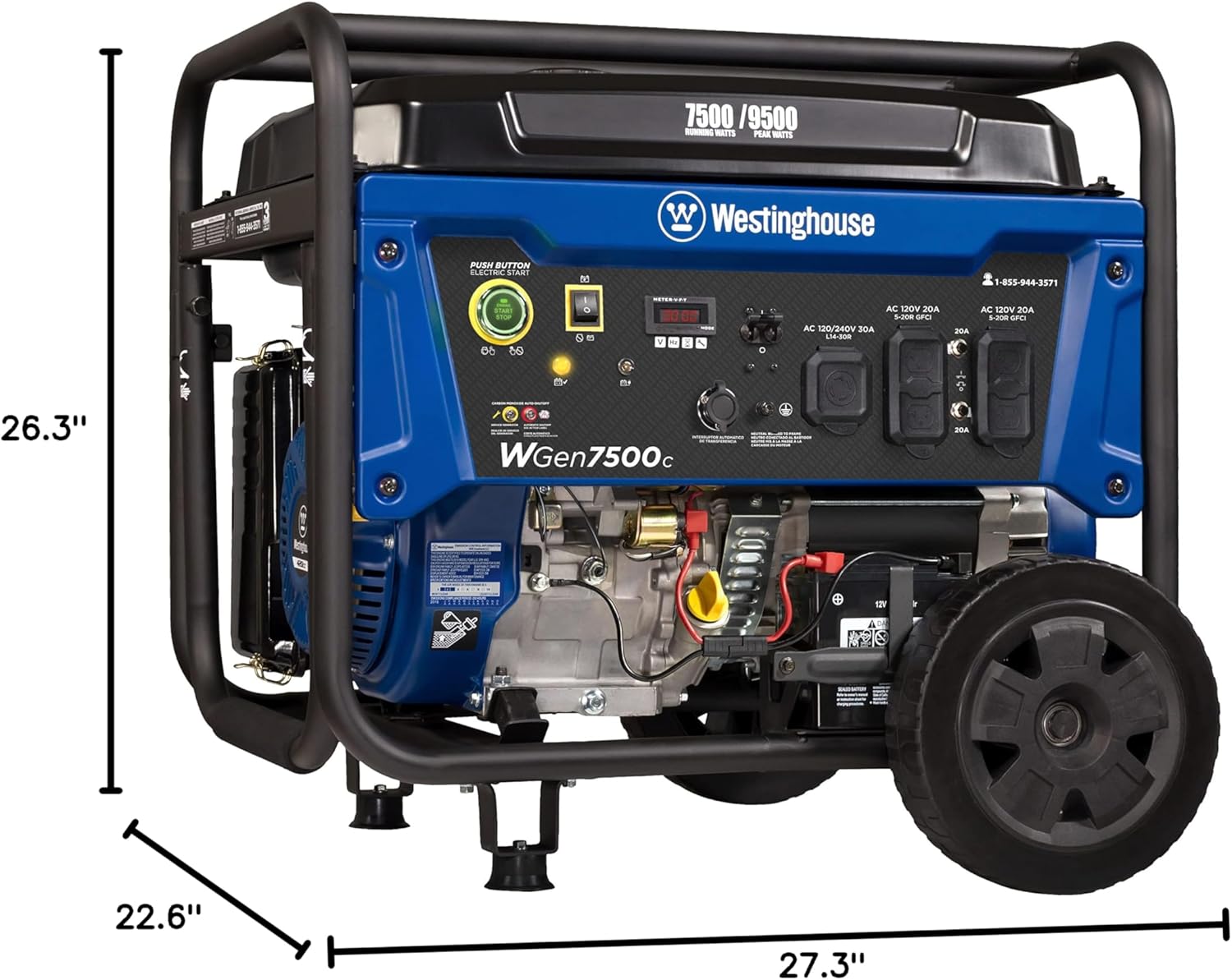
The Westinghouse WGen7500c Portable Generator is engineered to provide reliable backup power for your home during outages. This gas-powered unit delivers 9,500 peak watts and 7,500 running watts, capable of operating for up to 11 hours on a single 6.6-gallon fuel tank. Designed for durability and ease of use, it features a robust 420cc 4-Stroke OHV Westinghouse Engine with a cast iron sleeve.
Key features include:
- Power Output: 7500 Running Watts / 9500 Peak Watts.
- Starting Options: Remote Start with included Key Fob, Electric Start, and Recoil Start.
- Fuel Efficiency: Up to 11 hours of run time on a 6.6 Gallon (25 L) gasoline fuel tank with a built-in fuel gauge.
- Outlets: Two GFCI 5-20R 120V 20A Household Duplex Receptacles and one L14-30R 120/240V 30A Twist-Lock Receptacle. All outlets are equipped with rubber covers for enhanced safety.
- Engine: Durable 420cc Westinghouse 4-Stroke OHV Engine with a long-lasting cast iron sleeve.
- Safety Features: Automatic Low Oil Shutdown and Carbon Monoxide (CO) Sensor with automatic shutdown.
- Monitoring: Digital Hour Meter and VFT Data Center for real-time maintenance information.
- Portability: Hardened-steel frame with roll bars, foam grip handle, and never-flat wheels for easy transport.
- Transfer Switch Ready: L14-30R 30A outlet designed for direct connection to a home transfer switch.

2. Setup and Assembly
Your Westinghouse WGen7500c generator requires minimal assembly before its first use. Follow these steps carefully to ensure safe and proper operation.
- Unboxing: Carefully remove the generator and all components from the packaging. Inspect for any shipping damage.
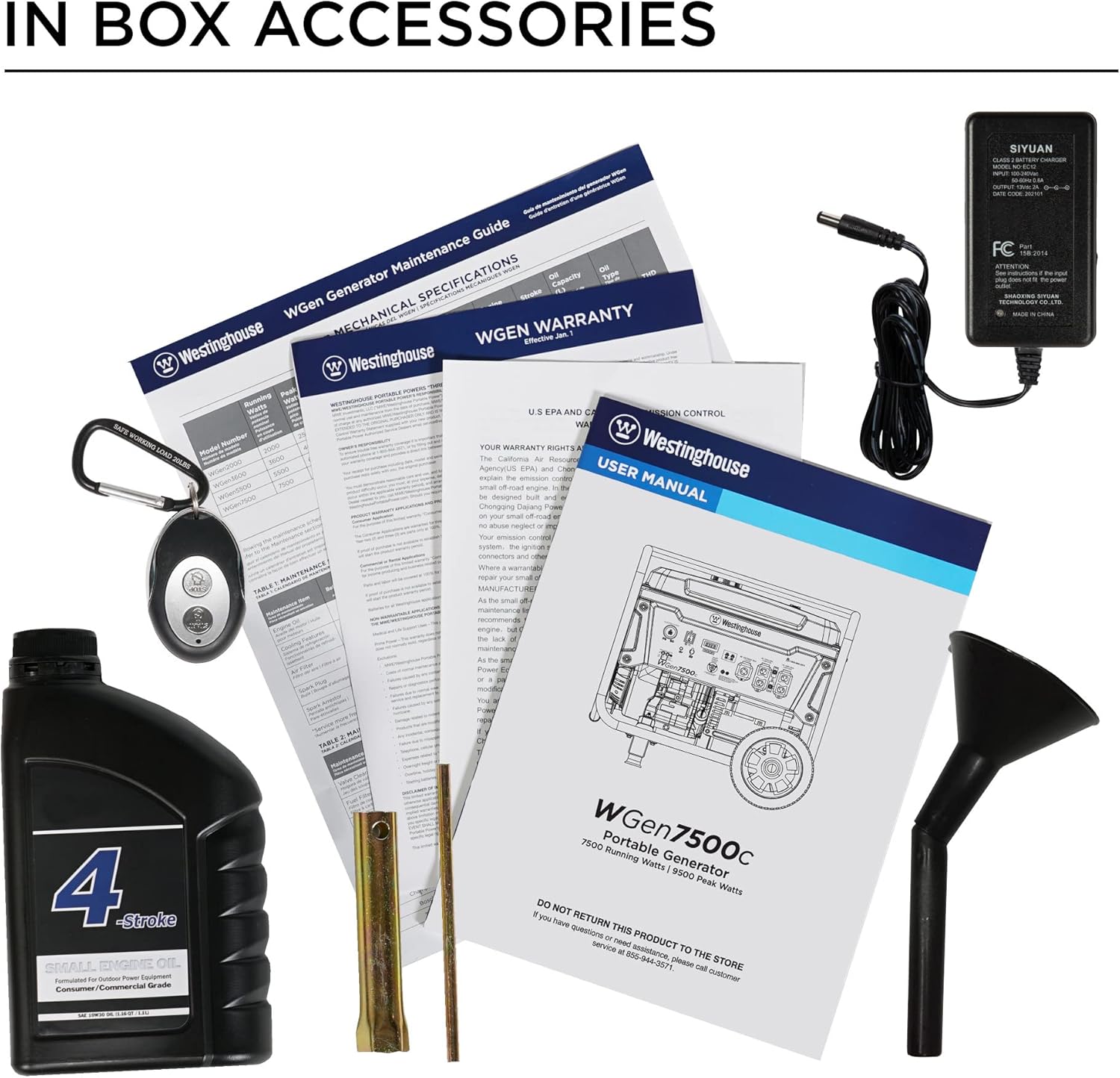
- Wheel and Handle Assembly: Attach the never-flat wheels and the foam grip handle to the generator frame. Tools for assembly are included in the box.
- Add Engine Oil: The engine is shipped without oil. Locate the oil fill cap/dipstick and add the provided engine oil using the included funnel. Ensure the oil level is at the upper mark on the dipstick. Failure to add oil will prevent the engine from starting due to the automatic low oil shutdown feature.
- Connect Battery: Connect the battery cables to the battery terminals. Ensure connections are secure.
- Add Fuel: Fill the 6.6-gallon fuel tank with fresh, unleaded gasoline. Do not overfill. Use fuel stabilizer if storing for extended periods.
- Initial Checks: Before starting, ensure all connections are secure, the fuel valve is open, and the generator is placed on a level, outdoor surface away from windows and doors to prevent carbon monoxide accumulation.

3. Operating Instructions
The WGen7500c offers multiple convenient starting methods.
3.1. Push-Button Electric Start
- Ensure the generator is on a level surface and the fuel valve is open.
- Turn the main power switch to the "ON" position.
- Press and hold the "ENGINE START/STOP" button until the engine starts.
- Allow the engine to warm up for a few minutes before connecting loads.
3.2. Remote Electric Start (Key Fob)
- Ensure the generator is on a level surface and the fuel valve is open.
- Turn the main power switch to the "ON" position.
- From a safe distance, press the "START" button on the remote key fob.
- The generator will automatically start.
3.3. Recoil Start (Manual Pull Start)
- Ensure the generator is on a level surface and the fuel valve is open.
- Turn the main power switch to the "ON" position.
- Pull the recoil starter handle firmly and steadily until the engine starts.
3.4. Connecting Appliances
Once the generator is running and warmed up:
- Plug in your appliances or connect to your transfer switch.
- Do not overload the generator. Monitor the wattage display on the VFT Data Center.
- For household appliances, use the 120V 20A GFCI outlets.
- For whole-home backup via a transfer switch, use the L14-30R 120/240V 30A Twist-Lock Receptacle.
WARNING: Always operate the generator outdoors in a well-ventilated area to prevent carbon monoxide poisoning. Never operate indoors or in enclosed spaces.
Video 1: Official Westinghouse video demonstrating the features and operation of the WGen7500c Portable Generator with CO Sensor.
4. Maintenance
Regular maintenance ensures the longevity and optimal performance of your generator. Refer to the VFT Data Center for real-time maintenance updates.
- Oil Changes: Perform the first oil change after 5 hours of operation, and subsequent changes every 50 hours or annually.
- Air Filter: Inspect and clean the air filter every 50 hours or annually. Replace if damaged.
- Spark Plug: Inspect the spark plug every 100 hours or annually. Clean or replace as needed.
- Fuel System: Drain the fuel system if storing the generator for more than 30 days, or use a fuel stabilizer.
- Battery: Keep the battery charged, especially during storage. A 12V battery charger is included.
- General Cleaning: Keep the generator clean and free of debris. Ensure cooling fins are clear.

5. Troubleshooting
If your generator encounters issues, consult the following common troubleshooting tips:
| Problem | Possible Cause | Solution |
|---|---|---|
| Engine will not start | Low oil level, no fuel, stale fuel, battery discharged, fuel valve closed, choke not set. | Check oil level and add if necessary. Add fresh fuel. Charge battery. Open fuel valve. Adjust choke. |
| No power output | Circuit breaker tripped, overloaded, CO sensor activated. | Reset circuit breakers. Reduce load. Move generator to a well-ventilated area. |
| Engine runs rough | Stale fuel, dirty air filter, fouled spark plug. | Drain and replace with fresh fuel. Clean/replace air filter. Clean/replace spark plug. |
| CO Sensor light on | High carbon monoxide levels detected. | Immediately move generator to an open, well-ventilated outdoor area. Allow to cool and ventilate. |

6. Specifications
| Feature | Detail |
|---|---|
| Brand | Westinghouse |
| Model Name | WGen7500c |
| Running Wattage | 7500 Watts |
| Starting Wattage | 9500 Watts |
| Fuel Type | Gasoline |
| Engine Type | 420cc 4-Stroke OHV |
| Tank Volume | 6.6 Gallons |
| Run Time (at 25% load) | Up to 11 Hours |
| Voltage | 120 Volts / 240 Volts |
| Total Power Outlets | 5 (2x 120V 20A GFCI, 1x L14-30R 120/240V 30A) |
| Item Weight | 197.1 Pounds |
| Product Dimensions | 27.2"L x 26.1"W x 26"H |
| Sound Level | 72 Decibels |
| Special Features | Automatic Voltage Regulation, CO Sensor, Electric Start, Fuel Gauge, Hour Meter, Overload Protection |
7. Warranty and Support
The Westinghouse WGen7500c Portable Generator comes with a 3-Year Limited Warranty covering service, labor, and parts. Additionally, customers receive Lifetime Technical Support backed by Westinghouse's nationwide customer service network.
For technical assistance or warranty claims, please contact Westinghouse customer service at 1-855-944-3571.
All Westinghouse Portable Generators are functionally tested at the factory and may contain minimum residual oil and/or fuel odor. This is normal and does not indicate a defect.