
1. Product Overview
The BePURE Ace Water Purifier is designed to provide purified and mineralized water, featuring both hot and normal water dispensing functions. It incorporates an 8-stage ultra-purification process to ensure water quality. This manual provides essential information for the safe and efficient use of your water purifier.

Figure 1: Front view of the BePURE Ace Water Purifier, showing the hot and normal water dispensing taps.

Figure 2: Key features of the BePURE Ace Water Purifier, including hot/normal taps, 8-liter regular water storage, 1-liter hot water storage, Copper Alkaline technology, and an LED display for operational monitoring.
2. Key Features
- Instant Hot Water: Provides hot water at a rate of 2 liters per minute, with temperatures ranging from 80 to 90 degrees Celsius.
- Alkaline Mineralized Water: Delivers water with an alkaline pH between 7.5 and 8.5, enriched with essential minerals such as copper, calcium, and magnesium.
- Superior 8-Stage Filtration: Utilizes an 8-stage ultra-purification process, including RO, UV, UF, TDS, and Copper Alkaline Technology, for comprehensive water treatment.
- Dual Storage Capacity: Features an 8-liter regular water storage tank and a 1-liter hot water storage tank.
- Convenience Features: Equipped with 3 LED functions to monitor operations and maintenance status.
- Wide Water Source Compatibility: Effectively purifies water from various sources, including municipal, borewell, and tanker water, supporting up to 3000 ppm TDS.

Figure 3: Visual representation of the 8 stages of ultra-purification, detailing how water passes through various advanced layers for optimal purity and health.

Figure 4: Explanation of Copper+ Technology, illustrating how the filter enriches water with copper, calcium, and magnesium, balances pH, and provides antimicrobial and antioxidant benefits.

Figure 5: A pH scale illustrating the balanced alkaline water produced by the purifier, highlighting the ideal pH range for drinking water.
3. What's in the Box
Upon unboxing, ensure all components are present and undamaged.
- BePURE Ace Water Purifier Unit
- Fittings for installation
- User Manual (this document)
4. Setup and Installation
Professional installation is recommended for optimal performance and safety. The installation cost is typically Rs. 500/- extra.
4.1 Site Selection
- Choose a clean, dry, and well-ventilated location.
- Ensure the purifier is placed on a stable, flat surface or mounted securely on a wall.
- Keep away from direct sunlight, heat sources, and areas prone to freezing.
- Ensure proximity to a water inlet and a drainage point.
- An electrical outlet (230V AC, 50Hz) must be within reach.
4.2 Connecting Water Supply
- Turn off the main water supply.
- Connect the inlet pipe from the water source to the purifier's inlet port.
- Connect the drain pipe to a suitable drainage point.
4.3 Electrical Connection
- Plug the power cord into a grounded electrical outlet.
- Ensure the power switch on the purifier is in the OFF position before plugging in.
5. Operating Instructions
5.1 Initial Start-up
- Turn on the main water supply.
- Turn on the power switch of the purifier.
- Allow the storage tanks to fill completely. This may take some time.
- Dispense and discard the first 2-3 liters of purified water to flush the system.
5.2 Dispensing Water
- Normal Water: Place a container under the normal water tap and press the lever.
- Hot Water: Ensure the hot water function is activated (refer to the side switch if applicable). Place a heat-resistant container under the hot water tap and press the lever. Exercise caution as the water is hot (80-90°C).
5.3 LED Indicators
The 3 LED functions provide status updates on the purifier's operation and maintenance needs. Consult the specific LED guide in the quick start guide for detailed interpretations.
Video 1: Demonstration of the BePURE Ace Water Purifier's hot water dispensing function and ease of use.
6. Maintenance
Regular maintenance is crucial for the longevity and efficiency of your water purifier.
6.1 Filter Replacement
The average annual maintenance cost for filter refills is approximately Rs. 2500/-, which includes changing the Pre-Filter, Sediment filter, Carbon filter, and Copper Alkaline module.
- Pre-Filter: Replace every 3-6 months, depending on water quality.
- Sediment Filter: Replace every 6-12 months.
- Carbon Filter: Replace every 6-12 months.
- RO Membrane: Replace every 12-24 months, or as indicated by reduced water flow or taste changes.
- UF Membrane: Replace as part of routine maintenance or if water quality deteriorates.
- Copper Alkaline Module: Replace annually to ensure continued mineralization and pH balance.
- UV System: UV lamp typically requires replacement every 12 months.
6.2 Cleaning
- Wipe the exterior of the purifier with a soft, damp cloth. Do not use harsh chemicals or abrasive cleaners.
- Clean the water dispensing area regularly to prevent buildup.
7. Troubleshooting
| Problem | Possible Cause | Solution |
|---|---|---|
| No water dispensing | No power; Water supply off; Tanks empty | Check power connection; Turn on water supply; Wait for tanks to fill |
| Slow water flow | Clogged filters; Low water pressure | Replace filters; Check household water pressure |
| Unusual taste/odor | Expired carbon filter; Contamination | Replace carbon filter; Contact service for inspection |
| Water leakage | Loose fittings; Damaged components | Tighten fittings; Contact service for repair |
| Hot water not working | Hot water switch off; Heating element issue | Turn on hot water switch; Contact service for inspection |
For issues not listed or if solutions do not resolve the problem, please contact customer support.
8. Specifications
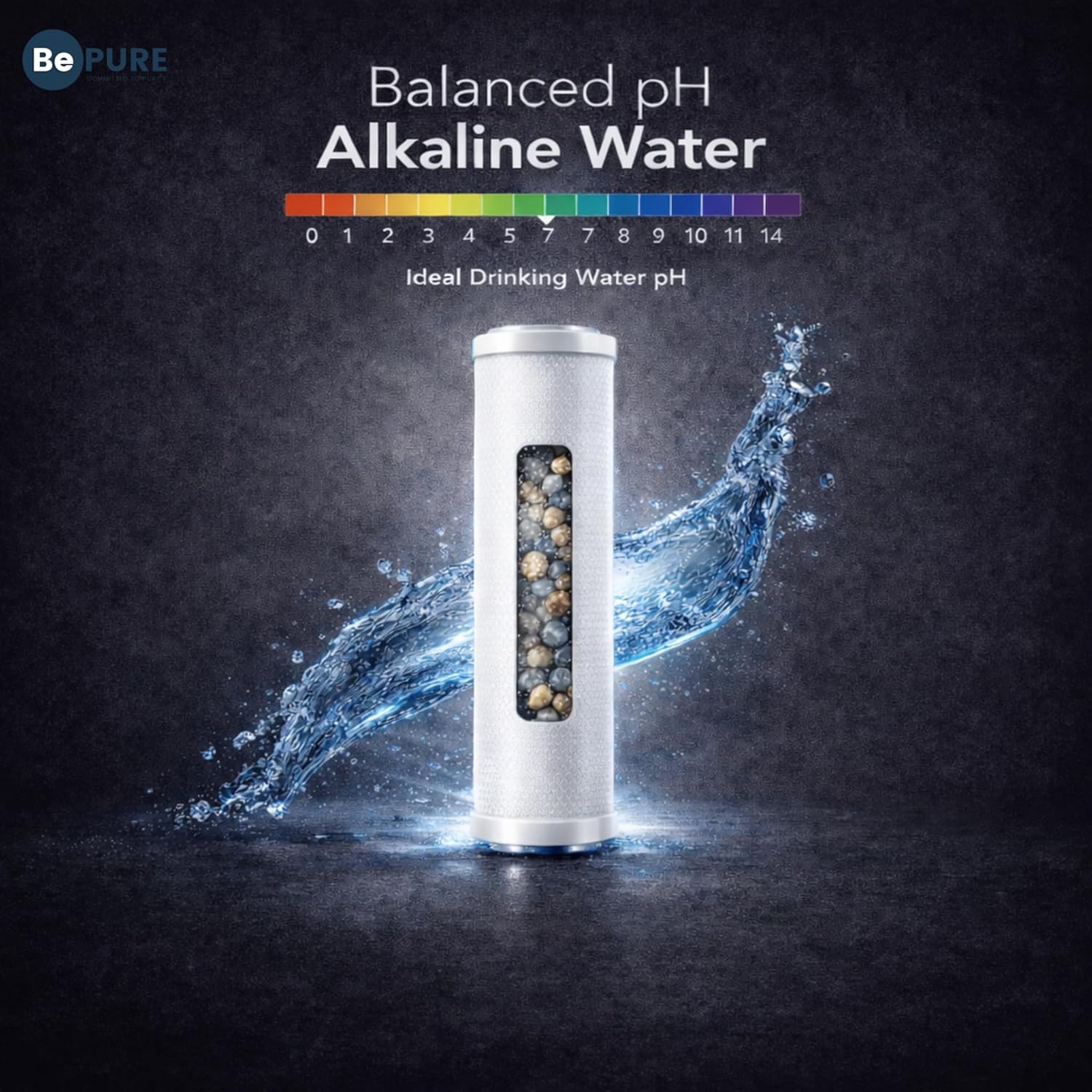
Figure 6: Product dimensions of the BePURE Ace Water Purifier, indicating a length of 48 cm, depth of 34 cm, and height of 50 cm.
| Feature | Detail |
|---|---|
| Brand | BePURE |
| Model Name | ACE- RO+UV+UF+TDS+Copper Alkaline |
| Special Feature | RO, UF, UV, TDS, Copper Alkaline, Hot Water Function |
| Product Dimensions (L x W x H) | 48L x 34W x 50H Centimeters |
| Installation Type | Countertop |
| Power Source | Electric |
| Item Weight | 12 Kilograms |
| Lower Temperature Rating | 10 Degrees Celsius |
| Upper Temperature Rating | 80 Degrees Celsius |
| Maximum Flow Rate | 2 Liters Per Minute (Hot Water) |
| Supported Water TDS Level Maximum | 3000 ppm |
| Wattage | 60 Watts |
| Material | Plastic |
| Capacity | 9 litres (8L Regular, 1L Hot) |
| Country of Origin | India |
9. Warranty and Support
The BePURE Ace Water Purifier comes with a 1-year assurance on all electrical components and the hot water system.
9.1 Extended Warranty Options
- 1 Year Extended Warranty Plan by Onsitego: Available for purchase.
- 2 Year Extended Warranty Plan by Onsitego: Available for purchase.
9.2 Customer Support
For installation, service, or any queries, please contact BePURE customer support:
- Manufacturer: Bepure Tech Pvt Ltd.
- Phone: 8448440117
- Email: sales@bepuretech.com

Figure 7: BePURE's commitment to quality, highlighted by ISI certification (IS:14724 code), ISO 9001:2015 certification, and a 4.7 Google customer review rating, affirming its 'Made in India' quality.