
Introduction
Thank you for purchasing the Accuweight Digital Pocket Scale AW255 1000g. This high-precision electronic scale is designed for accurate measurements from 0.1g up to 1000g. Its compact size and versatile functions make it ideal for various applications, including weighing jewelry, cooking ingredients, medicines, powdered milk, coffee, pet food, and verifying postage fees. This manual provides essential information for proper setup, operation, and maintenance to ensure optimal performance and longevity of your scale.

Image: The Accuweight Digital Pocket Scale AW255 1000g demonstrating its use for various items, emphasizing its wide range of applications.
Safety Precautions
- The scale is a precision instrument. Do not drop it or subject it to strong impacts, as this may cause malfunction.
- Place items gently on the weighing pan. Dropping items forcefully can cause damage to the scale.
- The main unit is not washable. Do not expose the main unit to water or immerse it in water.
- When storing, do not place objects on the weighing pan or apply any load to it.
- When using the protective cover, ensure it is properly placed on the weighing pan.
- Always use the scale on a flat, stable surface. Using it on an unstable surface may result in inaccurate readings or risk of falling.
- Do not insert fingers into the gaps of the scale.
- Do not place the scale in high-temperature environments.
- Avoid leaving the scale near stoves or in direct sunlight.
- Do not place the scale in humid or magnetic environments.
- Do not heat, disassemble, modify, or use the scale underwater.
Setup
1. Battery Installation
- Open the battery compartment cover located on the underside of the scale.
- Insert two AAA batteries, ensuring correct polarity (+/-).
- Close the battery compartment cover securely.
2. Initial Placement
Place the scale on a firm, flat, and stable surface, free from vibrations or drafts, to ensure accurate measurements.

Image: The Accuweight Digital Pocket Scale AW255 1000g, illustrating its compact dimensions and the two AAA batteries required for operation.
Operating Instructions
1. Power On/Off
Press the ON/OFF button to turn the scale on. The display will light up. To turn off the scale, press and hold the ON/OFF button. The scale features an automatic shut-off function, turning off after 90 seconds of inactivity to conserve battery life.
2. Weighing
With the scale powered on and displaying "0.0g", gently place the item to be weighed onto the center of the weighing pan. The weight will be displayed on the LCD screen.
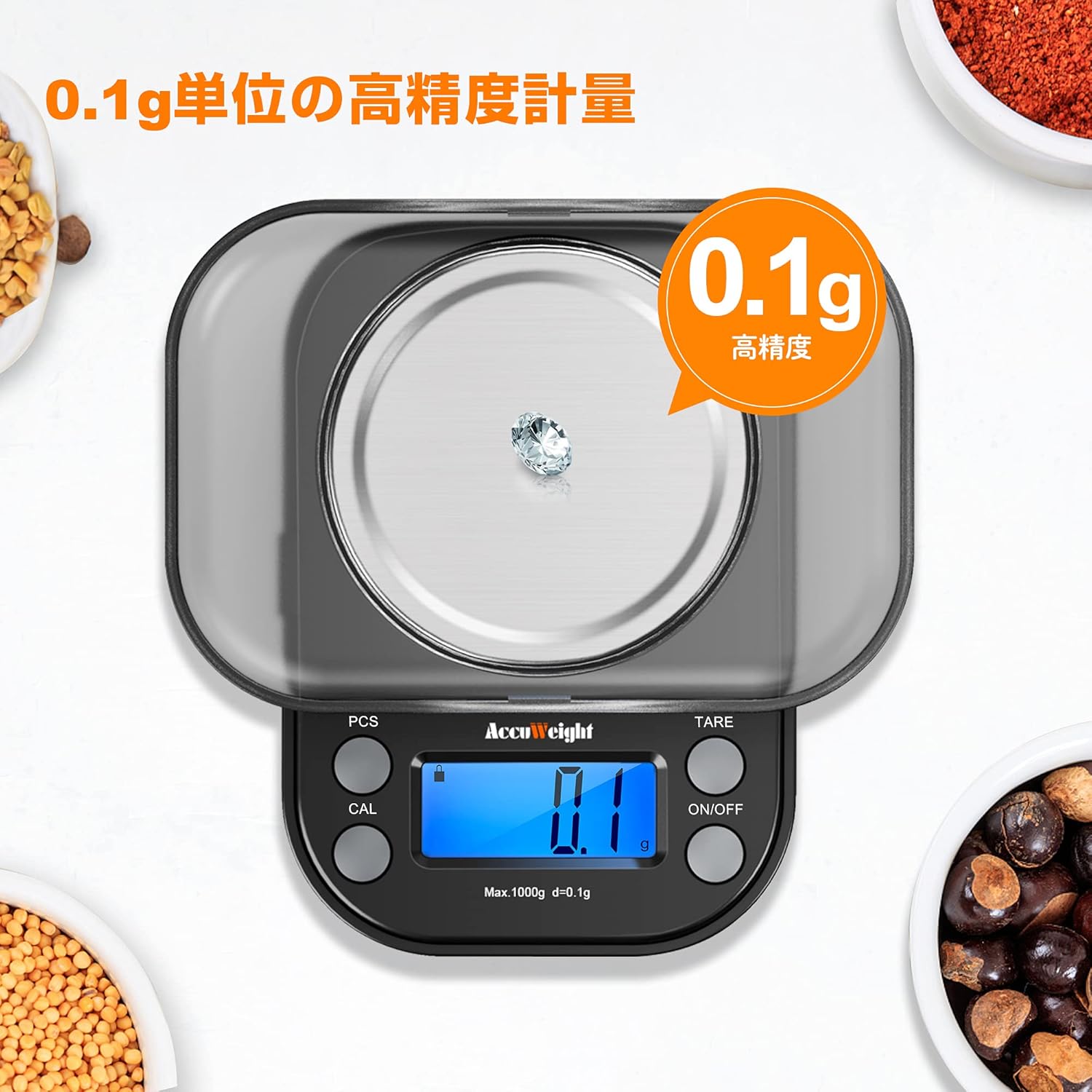
Image: The Accuweight Digital Pocket Scale AW255 1000g demonstrating its 0.1g precision by accurately weighing a small diamond.
3. Tare Function
The tare function allows you to subtract the weight of a container, so you can weigh only the contents. Place an empty container on the weighing pan, then press the TARE button. The display will reset to "0.0g". You can now add items to the container, and only their weight will be measured.
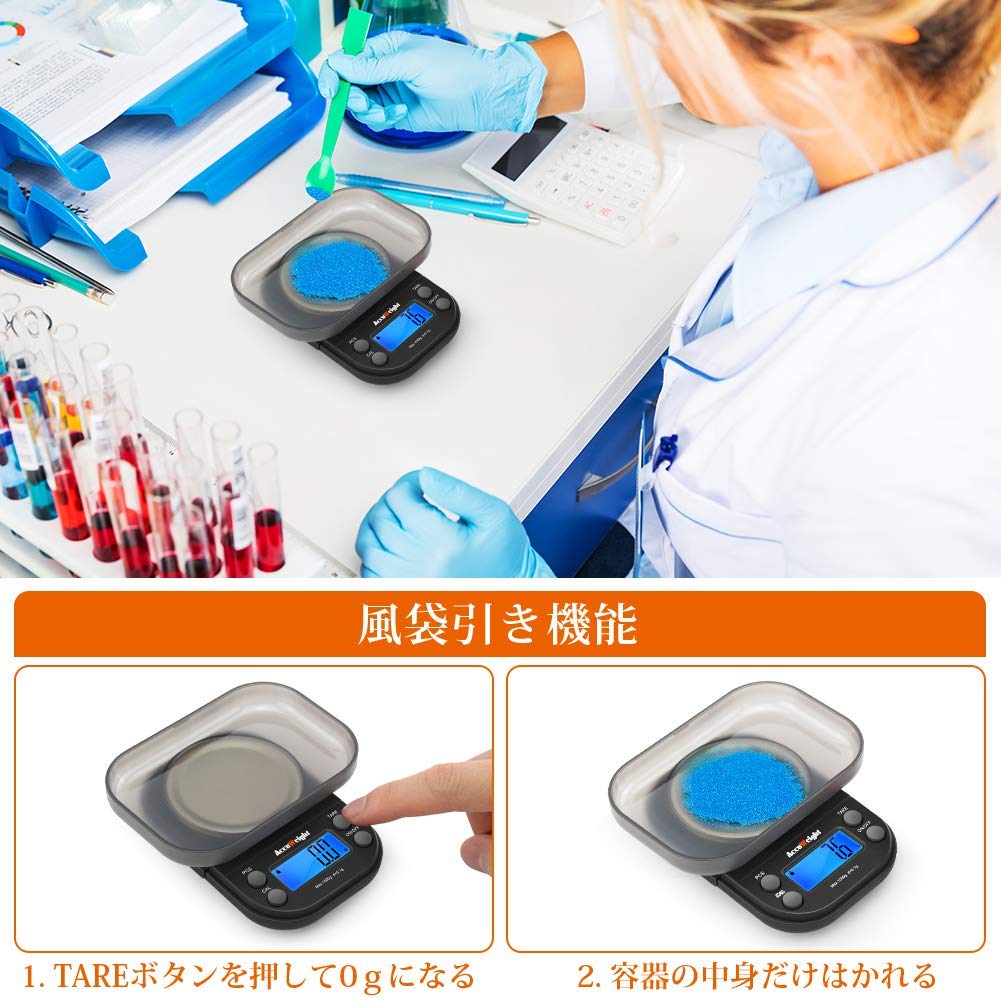
Image: The Accuweight Digital Pocket Scale AW255 1000g illustrating the tare function. A container is placed on the scale, and the display is reset to 0g before adding the substance to be weighed.
4. Counting Function (PCS)
- Short press the PCS button to enter counting mode. If using a container, perform the tare function first.
- Long press the PCS button. The "PCS" indicator will flash.
- Use the UNITS button to select a sample quantity (25, 50, 75, or 100 pieces).
- Place the selected number of sample items on the weighing pan and press PCS again to confirm.
- You can now add more items, and the scale will display the total count.
Video: A demonstration of the counting function on a precision kitchen scale, showing how to set a sample quantity and count multiple items.
5. Calibration (CAL)
Calibration ensures the accuracy of your scale. It is recommended to calibrate regularly or if you suspect inaccurate readings.
- Press the ON/OFF button to turn on the scale.
- Press and hold the CAL button until "CAL" appears on the display, then release. The display will then show "100.00".
- Place a 100g calibration weight on the center of the weighing pan. The display will change to "200.00".
- Place a 200g calibration weight on the weighing pan. The display will show "PASS" once calibration is complete. Remove the weights.

Image: The Accuweight Digital Pocket Scale AW255 1000g illustrating the four-step calibration procedure using standard weights.
6. Unit Conversion
Press the UNITS button to cycle through the available weighing units (e.g., grams (g), ounces (oz), carats (ct), grains (gn), troy ounces (ozt), pennyweights (dwt)).
Video: A demonstration of a pocket digital scale, showcasing its compact design and various weighing applications for small items like jewelry and food.
Maintenance
- Cleaning: Wipe the scale with a soft, damp cloth. Do not use abrasive cleaners or immerse the scale in water.
- Storage: Store the scale in a clean, dry environment. Avoid extreme temperatures, humidity, and magnetic fields. Do not place heavy objects on the weighing pan during storage.
- Battery Replacement: Replace batteries when the low battery indicator appears on the display to ensure continued accurate operation.
Troubleshooting
| Problem | Possible Cause | Solution |
|---|---|---|
| Scale does not turn on | Dead or incorrectly installed batteries. | Check battery polarity or replace with new AAA batteries. |
| Inaccurate readings | Unstable surface, scale not calibrated, or overload. | Place scale on a flat, stable surface. Perform calibration. Ensure weight does not exceed 1000g. |
| "Lo" or low battery indicator | Low battery power. | Replace both AAA batteries. |
| "O-Ld" or overload indicator | Weight exceeds maximum capacity (1000g). | Remove excess weight immediately to prevent damage. |
| Display is dim or flickering | Low battery power. | Replace both AAA batteries. |
Specifications
- Brand: ACCUWEIGHT
- Model: AW255 1000g (Manufacturer Model Number: IC255 1000g-JP)
- Capacity: 1000 grams (1kg)
- Accuracy: 0.1 gram
- Weighing Units: g, oz, ct, gn, tl, ozt, dwt (selectable via UNITS button)
- Display: LCD with backlight
- Power Source: 2 x AAA batteries (included)
- Auto-Off: 90 seconds of inactivity
- Material: ABS plastic, Stainless Steel weighing pan
- Features: Tare function, Counting function (PCS), Calibration function, Low battery indicator, Overload indicator
- Product Weight: Approximately 140 grams
Warranty Information
Accuweight products are manufactured to high-quality standards. This product comes with a standard manufacturer's warranty against defects in materials and workmanship. Please retain your proof of purchase for warranty claims. For specific warranty terms and conditions, please refer to the documentation included with your purchase or contact customer support.
Support
If you have any questions, concerns, or require assistance with your Accuweight Digital Pocket Scale AW255 1000g, please do not hesitate to contact our customer support team. We are committed to providing satisfactory service and solutions to our customers.
For support, please visit the Accuweight store on Amazon or refer to the contact information provided in your product packaging.


