
1. Introduction
This manual provides essential information for the safe and efficient operation of your Samsung WA10T5260BY/TL 10.0 Kg Fully-Automatic Top Loading Washing Machine. Please read it thoroughly before using the appliance and keep it for future reference.
The Samsung WA10T5260BY/TL is designed for household laundry, featuring a 10.0 Kg capacity suitable for large families. It incorporates Wooble Technology for effective washing and a Digital Inverter Motor for enhanced durability and energy efficiency.
2. Safety Information
Always follow basic safety precautions when using this appliance to reduce the risk of fire, electric shock, or injury to persons.
- Electrical Safety: Ensure the washing machine is connected to a properly grounded outlet. Do not use extension cords or adapters. Disconnect power before cleaning or servicing.
- Water Supply: Connect the water inlet hoses securely to prevent leaks. Ensure water pressure is within the recommended range.
- Child Safety: Keep children away from the appliance during operation. Use the Child Lock feature to prevent accidental changes to settings.
- Flammable Materials: Do not wash items that have been soiled with flammable substances (e.g., cooking oil, gasoline).
- Installation: Ensure the machine is installed on a firm, level surface. Do not install in areas exposed to freezing temperatures.
3. Product Overview
3.1 Key Features
- Digital Inverter Technology: Provides greater energy efficiency, reduced noise, and long-lasting performance.
- Wooble Pulsator: Generates a dynamic, multi-directional washing flow that helps prevent tangles, twists, and knots in laundry.
- Diamond Drum: Features a unique 'soft curl' design with smooth, diamond-shaped ridges that are gentle on clothes while effectively washing.
- Magic Dispenser: Designed to create a powerful water vortex that dissolves detergent and disperses it evenly before the wash cycle begins, minimizing residue.
- Smart Check: An error-monitoring system that detects and diagnoses problems at an early stage and provides easy troubleshooting solutions using a smartphone app.
- 9 Wash Programs: Offers a variety of cycles to suit different fabric types and soil levels.
- 5-Star Energy Efficiency: Indicates high energy savings during operation.
3.2 Components
The washing machine includes the main unit, an outlet pipe, clamps, bolts, and an installation guide.

Figure 1: Front view of the Samsung WA10T5260BY/TL 10.0 Kg Fully-Automatic Top Loading Washing Machine.

Figure 2: Close-up view highlighting the Diamond Drum, Magic Dispenser, and Smart Check features.
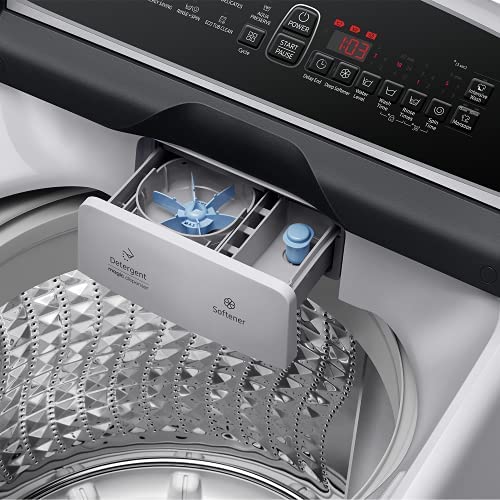
Figure 3: View of the detergent and softener dispenser drawer.
4. Installation & Setup
Proper installation is crucial for the performance and longevity of your washing machine. It is recommended to have the appliance installed by a qualified technician.
4.1 Unpacking
Carefully remove all packaging materials. Inspect the machine for any damage incurred during transit. Keep packaging materials away from children.
4.2 Location
Place the washing machine on a solid, level floor. Avoid direct sunlight or areas with high humidity. Ensure there is adequate space around the machine for ventilation and maintenance.
4.3 Leveling
Use a spirit level to ensure the machine is perfectly level. Adjust the leveling feet at the bottom of the machine as needed. An unlevel machine can cause excessive vibration and noise.
4.4 Water Connection
Connect the water inlet hose(s) to the water supply taps and to the corresponding inlet on the back of the washing machine. Ensure all connections are tight to prevent leaks. The machine requires both hot and cold water connections for optimal performance, though it can operate with only cold water.
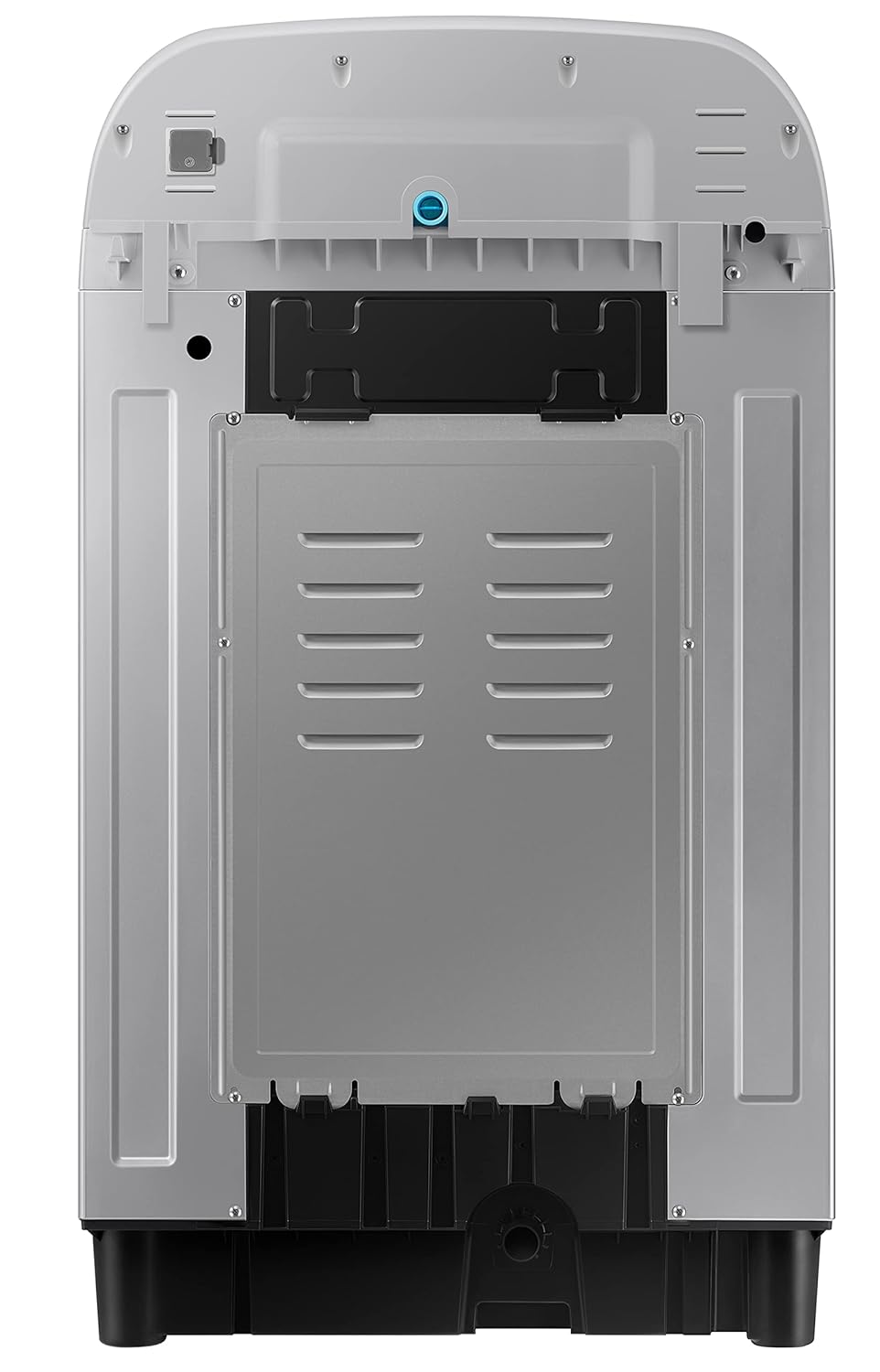
Figure 4: Rear view of the washing machine, showing connections for water inlet and drain hose.
4.5 Drain Hose Installation
Securely attach the drain hose to the machine and route it to a suitable drain point (e.g., a sink or standpipe). Ensure the drain hose is not kinked or blocked and is positioned at the correct height as specified in the installation guide.
4.6 Power Connection
Plug the power cord into a grounded electrical outlet. Do not overload the circuit.
5. Operating Instructions
Your Samsung washing machine offers various wash cycles and options for different laundry needs.
5.1 Control Panel Overview

Figure 5: Close-up of the washing machine control panel with various program selections and options.
The control panel features a digital display and touch controls for selecting wash programs, options, and starting/pausing cycles. Key controls include:
- Power: Turns the machine on/off.
- Start/Pause: Starts or pauses the selected wash cycle.
- Cycle Selector: Allows you to choose from 9 available wash programs.
- Delay End: Sets a delayed end time for the wash cycle.
- Water Level: Adjusts the water level for the selected cycle.
- Rinse Times: Selects the number of rinses.
- Spin Speed: Adjusts the spin speed.
5.2 Wash Programs
The machine offers 9 wash programs, including:
- Normal: For everyday laundry.
- Quick Wash: For lightly soiled items or small loads requiring a fast wash.
- Delicates: For sensitive fabrics.
- Soak + Normal: Adds a pre-soak phase to the normal cycle for heavily soiled items.
- Energy Saving: Optimized for lower energy consumption.
- Eco Tub Clean: A self-cleaning cycle for the drum.
- Jeans: Specific cycle for denim.
- Bedding: For blankets and larger items.
- Rinse + Spin: For rinsing and spinning items without a full wash.
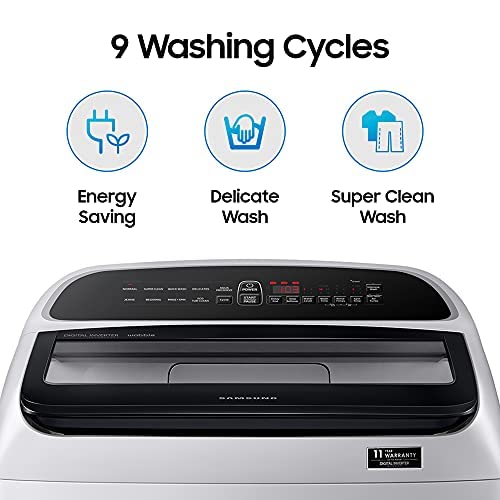
Figure 6: Illustration of some of the 9 available washing cycles.
5.3 Basic Operation Steps
- Load Laundry: Open the lid and place laundry loosely into the drum. Do not overload.
- Add Detergent & Softener: Pour appropriate amounts of detergent into the Magic Dispenser and fabric softener into its designated compartment.
- Close Lid: Ensure the lid is securely closed.
- Power On: Press the Power button.
- Select Cycle: Turn the Cycle Selector knob or press the Cycle button to choose your desired wash program.
- Adjust Options (Optional): Modify water level, rinse times, or spin speed if needed.
- Start Cycle: Press the Start/Pause button to begin the wash cycle.
6. Maintenance & Cleaning
Regular maintenance ensures optimal performance and extends the lifespan of your washing machine.
6.1 Eco Tub Clean
Use the 'Eco Tub Clean' cycle regularly (e.g., once a month) to clean the washing machine drum and remove detergent residue and bacteria. Follow the instructions on the control panel for this cycle.
6.2 Detergent Dispenser Cleaning
Periodically remove and clean the detergent and softener dispenser drawer to prevent buildup. Rinse it under running water and dry thoroughly before reinserting.
6.3 Exterior Cleaning
Wipe the exterior of the washing machine with a soft, damp cloth. Do not use abrasive cleaners or solvents.
6.4 Lint Filter Cleaning
Check and clean the lint filter regularly to ensure efficient drainage and prevent lint transfer to clothes. Refer to your installation guide for the exact location and cleaning procedure of the lint filter.
7. Troubleshooting
Before contacting service, refer to the following common issues and solutions:
| Problem | Possible Cause | Solution |
|---|---|---|
| Machine does not start | Power cord unplugged, lid not closed, power outage. | Check power connection, ensure lid is closed, check household circuit breaker. |
| Machine vibrates excessively | Machine not level, load unbalanced. | Adjust leveling feet, redistribute laundry evenly in the drum. |
| Water leaks | Hose connections loose, drain hose blocked. | Tighten hose connections, clear any blockages in the drain hose. |
| No water supply | Water taps off, water pressure too low, inlet hose kinked. | Open water taps, check household water pressure, straighten inlet hose. |
| Error code on display | Specific malfunction detected. | Refer to the full user manual for specific error code meanings or use the Smart Check feature. |
If the problem persists after attempting these solutions, please contact Samsung customer support.
8. Specifications
| Specification | Detail |
|---|---|
| Model | WA10T5260BY/TL |
| Brand | Samsung |
| Capacity | 10.0 Kilograms |
| Type | Fully-Automatic Top Loading |
| Dimensions (LxWxH) | 67.5 x 61 x 107.5 Centimeters |
| Item Weight | 41 kg |
| Material | Stainless Steel (Drum) |
| Noise Level | 48 Decibels |
| Voltage | 220 Volts |
| Maximum Rotational Speed | 700 RPM |
| Number of Wash Programs | 9 |
| Special Features | Child Lock, Diamond Drum, Inverter, Quick Wash, Wooble |
| Annual Energy Consumption | 200 Kilowatt Hours Per Year |

Figure 7: Dimensional overview of the Samsung WA10T5260BY/TL washing machine.
9. Warranty & Support
9.1 Warranty Information
For all Fully Automatic Washing Machines with Digital Inverter Motor, sold on or after 1st Dec 2022, the warranty period on the Digital Inverter Motor is 20 years. The comprehensive product warranty is 2 years.

Figure 8: Digital Inverter Motor with 20-year warranty indication.
9.2 Customer Support
For any clarifications, service requests, or support, please reach out to Samsung Customer Care:
- Toll-Free Numbers: 1-800-5-726-7864 (1-800-5-SAMSUNG) or 1-800-40-726-7864 (1-800-40-SAMSUNG)