
1. Introduction
The AODSK Mechanical Metronome (Model U0714MM) is a universal, spring-driven device designed to assist musicians in maintaining a consistent tempo and rhythm during practice. It requires no batteries, operating purely on a mechanical winding mechanism. This manual provides essential information for the proper setup, operation, and care of your metronome.

Figure 1: Front view of the AODSK Mechanical Metronome, highlighting its dimensions and key mechanical features.
2. Product Overview
Familiarize yourself with the main components of your AODSK Mechanical Metronome:
- Pendulum Hook: Secures the pendulum when not in use.
- Pendulum: The swinging arm that indicates the beat.
- Pendulum Weight: Adjustable weight on the pendulum to set the tempo.
- Meter Plate: Displays tempo markings (BPM) and musical terms.
- Spring: The internal mechanism that powers the metronome when wound.
- Beat Selector Knob: Adjusts the accent beat (e.g., 0, 2, 3, 4, 6).

Figure 2: Labeled components of the AODSK Mechanical Metronome.
3. Setup
Follow these steps to prepare your metronome for use:
- Remove the Cover: Carefully slide the transparent dust cover upwards and off the metronome.
- Release the Brake: Locate the brake mechanism, usually a small plastic or metal piece at the base of the pendulum. Gently pull it out or slide it to release the pendulum.
- Wind the Spring: Turn the winding key located on the side of the metronome clockwise until you feel resistance. Do not overwind.
- Set the Tempo: Slide the pendulum weight up or down the pendulum rod. Align the top edge of the weight with the desired beats per minute (BPM) marking on the meter plate.
- Select the Beat: Use the beat selector knob to choose the desired accent beat (e.g., 0 for no accent, 2, 3, 4, or 6 for accented beats).

Figure 3: Visual guide for initial setup and operation.
Video 1: AODSK Mechanical Metronome - Demonstrates the basic setup and winding process.
4. Operating Instructions
Once set up, operating your metronome is straightforward:
- Start the Pendulum: Gently push the pendulum to one side to initiate its swing. It will begin to tick at the set tempo.
- Adjust Tempo During Use: If you need to change the tempo, stop the pendulum, slide the pendulum weight to the new BPM, and restart the pendulum.
- Stop the Metronome: To stop the metronome, allow the pendulum to come to a natural rest, or gently hold it until it stops. Re-engage the brake mechanism and replace the dust cover for storage.
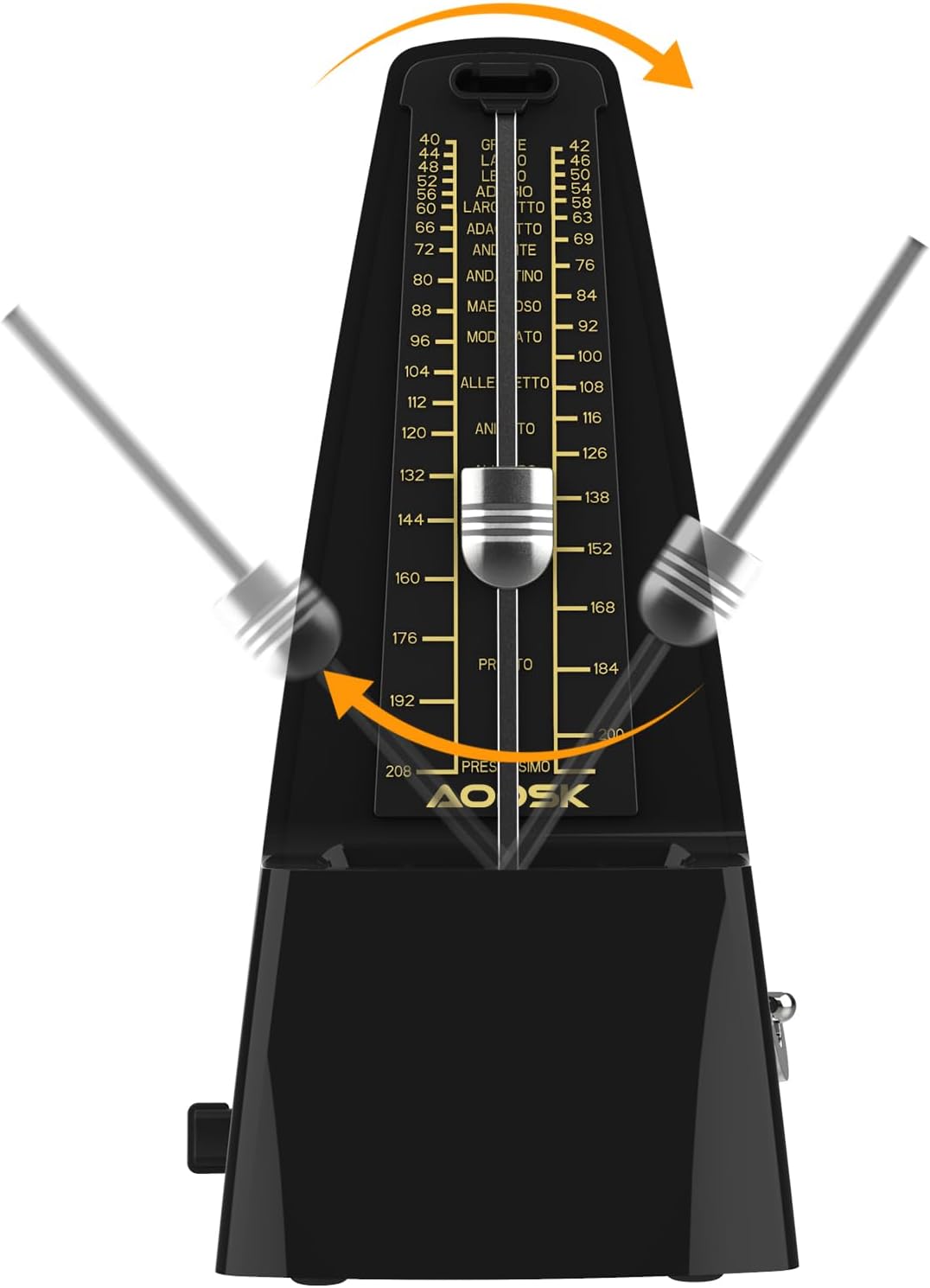
Figure 4: The metronome pendulum in motion, indicating the tempo.
Video 2: AODSK Mechanical Metronome - Shows the metronome in operation, demonstrating the pendulum swing and sound.
Video 3: Mechanical Metronome for Musical Instruments - Illustrates the metronome's use with various instruments and its simple operation.
5. Maintenance
To ensure the longevity and accurate performance of your metronome, follow these maintenance guidelines:
- Keep Clean: Wipe the exterior with a soft, dry cloth. Avoid using harsh chemicals or abrasive materials.
- Protect from Dust: Always replace the dust cover when the metronome is not in use to prevent dust accumulation in the mechanism.
- Avoid Extreme Conditions: Store the metronome in a stable environment, away from direct sunlight, extreme temperatures, and high humidity.
- Handle with Care: Mechanical metronomes contain delicate internal mechanisms. Avoid dropping or subjecting the device to strong impacts.
- Do Not Overwind: Wind the spring until you feel resistance, but do not force it further, as this can damage the internal spring.
6. Troubleshooting
If you encounter issues with your metronome, refer to the following common problems and solutions:
| Problem | Possible Cause | Solution |
|---|---|---|
| Metronome does not start or stops prematurely. | Spring is not wound or is fully unwound. Brake is engaged. | Wind the spring fully. Ensure the brake mechanism is disengaged. |
| Irregular tempo or ticking sound. | Metronome is not on a level surface. Internal mechanism obstruction. | Place the metronome on a flat, stable surface. Check for any visible obstructions; if none, contact support. |
| Pendulum weight slides too easily or is stuck. | Friction issue on the pendulum rod. | Ensure the pendulum rod is clean. If the issue persists, avoid forcing it. |
7. Specifications
- Model Number: U0714MM
- Tempo Range: 40-208 beats per minute (BPM)
- Beat Selection: 0, 2, 3, 4, 6
- Power Source: Mechanical spring (no batteries required)
- Material: Plastic body
- Dimensions: Approximately 7.99 x 3.74 x 4.76 inches (Height x Width x Depth)
- Weight: Approximately 1.17 pounds
- Color: Black

Figure 5: Metronome dimensions for reference.
8. Warranty and Support
For warranty information or technical assistance, please refer to the product packaging or contact AODSK customer support through the retailer where the product was purchased. Keep your purchase receipt as proof of purchase.