
Introduction and Overview
This manual provides instructions for the installation, operation, and maintenance of your Majestic DEC 2655AT DVB-S2 HEVC Satellite Receiver. Please read this manual carefully before using the device to ensure proper functionality and safety.
Key Features
- High-resolution TIVUSAT satellite decoder
- Smart Card HD support
- USB input for media playback
1. Setup
1.1. Unpacking and Initial Inspection
Carefully remove all components from the packaging. Ensure all items are present and undamaged. The package should contain the satellite receiver, remote control, and a Tivùsat HD card.
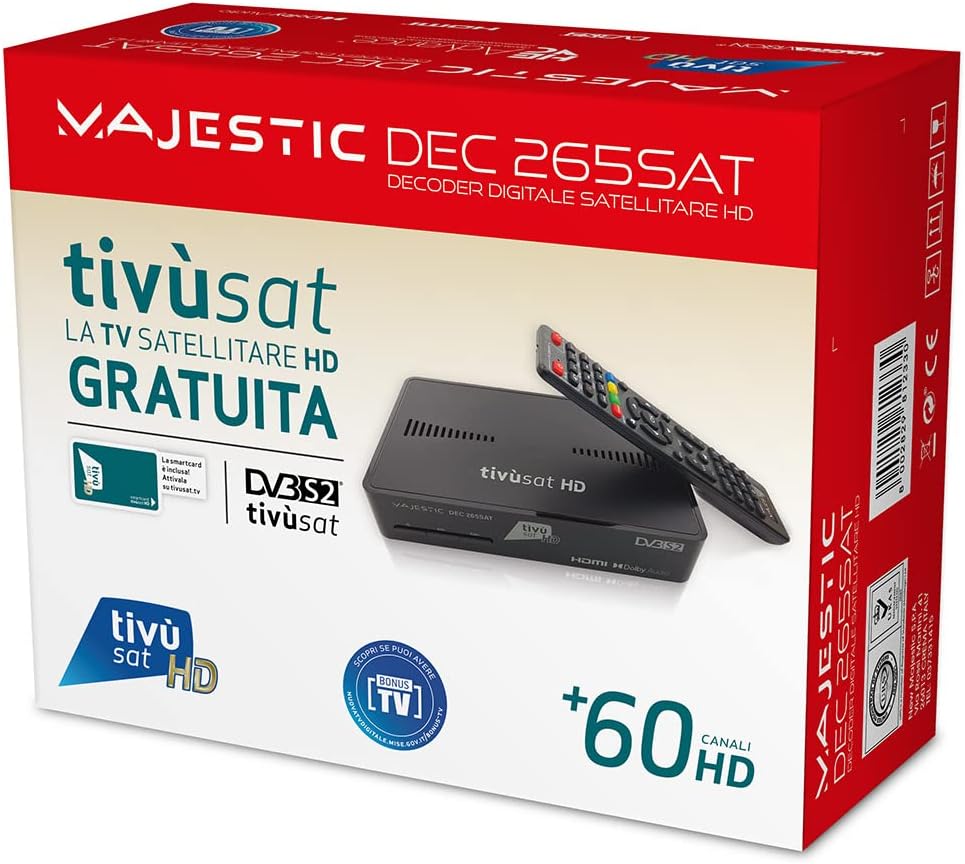
The product package includes the satellite receiver, remote control, and a Tivùsat HD card.
1.2. Connecting the Receiver
1.2.1. Satellite Antenna Connection
Connect your satellite antenna cable to the LNB IN port on the back of the receiver.
1.2.2. TV Connection
Connect the receiver to your television using an HDMI cable for optimal high-definition viewing. Insert one end into the HDMI port on the receiver and the other into an available HDMI input on your TV.
1.2.3. Power Connection
Connect the power adapter to the receiver's power input and then plug it into a wall outlet.
1.2.4. Smart Card Insertion
Insert the Tivùsat HD Smart Card into the designated slot on the receiver. Ensure the card is inserted correctly, following the orientation indicated on the device.
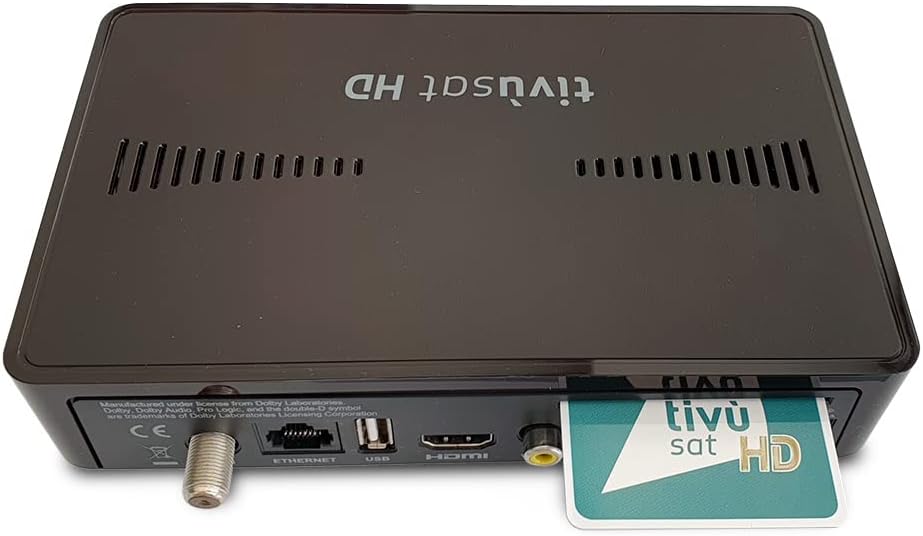
This image displays the rear panel of the receiver, highlighting the LNB IN for satellite connection, Ethernet port, USB port, HDMI output, and the slot for the Tivùsat HD Smart Card.

The front of the receiver features the power button, channel up/down buttons, and the Tivùsat HD branding.
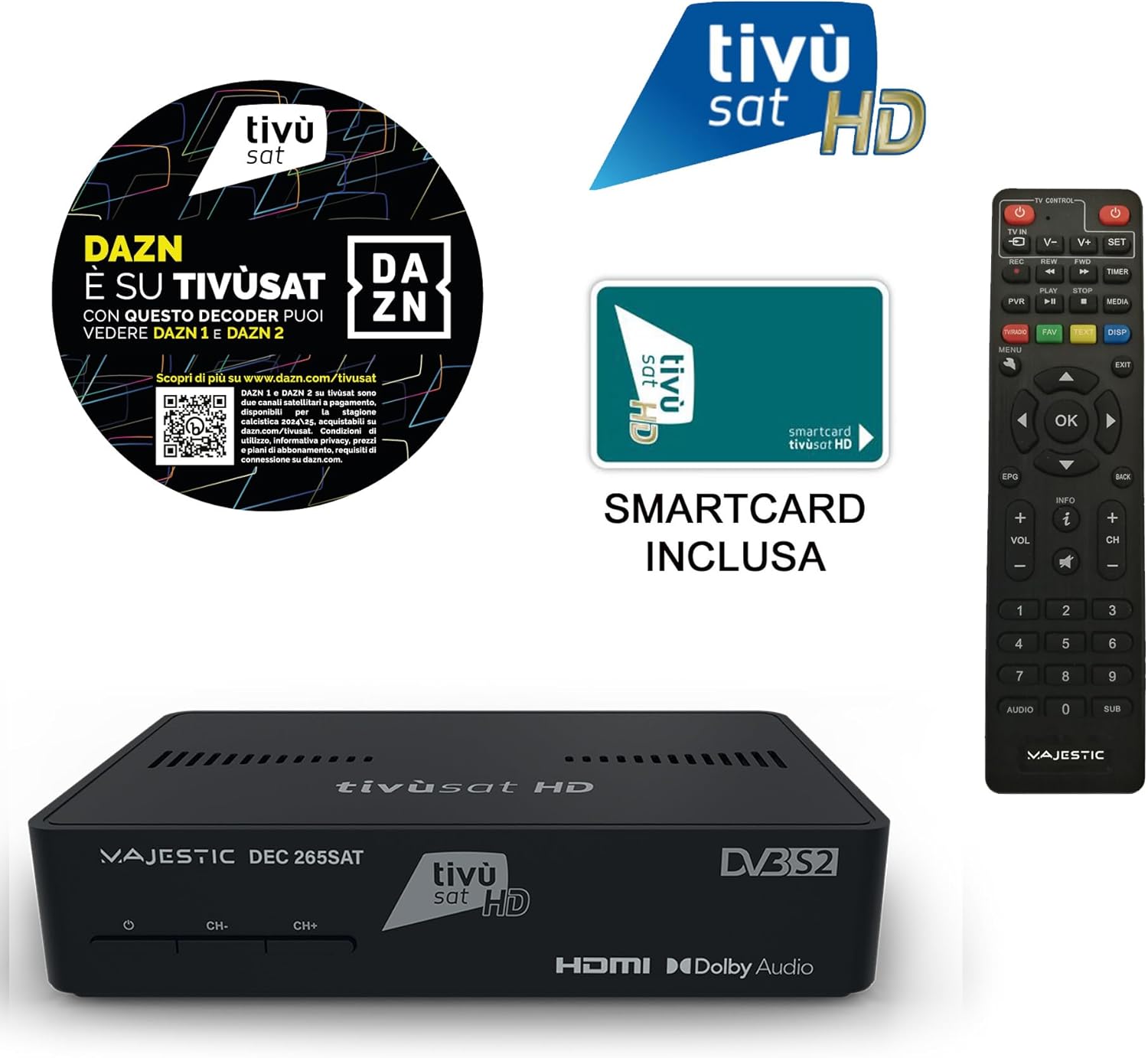
This image shows the complete set: the satellite receiver, its remote control, and the included Tivùsat HD Smart Card.
2. Operating Instructions
2.1. Powering On/Off
Press the power button on the front panel or the remote control to turn the receiver on or off.
2.2. Channel Selection
Use the CH+ and CH- buttons on the remote control or the front panel to change channels. Alternatively, enter the channel number directly using the numeric keypad on the remote.
2.3. Volume Control
Adjust the volume using the VOL+ and VOL- buttons on the remote control.
2.4. Remote Control Functions
The universal remote control allows you to manage various functions of the receiver and your TV.

The remote control features power buttons for TV and receiver, channel and volume controls, navigation keys, and colored function buttons.
2.5. Remote Control Programming (TV Control)
To program the remote control for TV functions:
- Press and hold the SET button in the TV CONTROL section for approximately 3 seconds until the red light becomes solid. This indicates programming mode.
- Press the desired function button to program (e.g., TV IN, V+, V-). The light will blink.
- Point your TV's remote control at the Majestic remote control from a distance of 3-5 cm.
- Press the corresponding function button on your TV's remote. If programmed correctly, the light on the Majestic remote will blink 3 times.
- Repeat the programming process for all buttons in the TV CONTROL section.
- Press the SET button to exit programming mode. The red light will turn off.

The back of the remote control provides instructions for programming its TV control functions.
2.6. Media Playback via USB
The receiver supports media playback from USB devices. Insert a USB drive into the USB port to access compatible audio, video, or image files.
3. Care and Maintenance
Keep the receiver clean by wiping it with a soft, dry cloth. Avoid using liquid cleaners or abrasive materials. Ensure proper ventilation by not blocking the ventilation slots on the device. Do not expose the device to extreme temperatures or humidity.
4. Troubleshooting
4.1. No Picture/Sound
- Check all cable connections (HDMI, satellite, power) to ensure they are secure.
- Ensure the TV is set to the correct HDMI input source.
- Verify the receiver is powered on and its indicator light is active.
- Check that the Smart Card is inserted correctly and fully into its slot.
4.2. Remote Control Not Working
- Replace the batteries in the remote control with new ones.
- Ensure there are no obstructions between the remote control and the receiver's infrared sensor.
- If TV functions are not responding, attempt to reprogram the remote control as described in section 2.5.
4.3. Poor Signal Quality
- Check the satellite dish alignment; even slight movements can affect signal reception.
- Inspect the satellite cable for any signs of damage or wear.
- If signal issues persist, consult a professional for antenna adjustment or system inspection.
5. Technical Specifications
| Feature | Detail |
|---|---|
| Brand | Majestic |
| Color | Black |
| Connectivity Technology | Ethernet, HDMI, USB |
| Item Weight | 250 Grams |
| Total USB Ports | 2 |
| Audio Output Mode | Surround |
| Total HDMI Ports | 1 |
| Supported Audio Formats | Dolby Digital, DTS, AAC, MP3, PCM |
| Voltage | 12 Volt (DC) |
| Recommended Uses | High-definition satellite TV viewing, home theater, RV or boat satellite systems |
| Satellite Services Description | Reception of Tivùsat and Free High Definition satellite channels |
| Total Video Outputs | 1 |
| Video Output Resolution | 1080p |
| Supported Standards | DVB-S, DVB-S2, HEVC |
| Aspect Ratio | 16:9 |
| Model | 110265 BK |
| Included Components | Tivùsat HD TV card and universal remote control |
| Item Number | 110265 BK |
| Manufacturer | Majestic |
6. Warranty and Support
For warranty information and technical support, please refer to the official Majestic website or contact your local dealer. Keep your purchase receipt as proof of purchase.
Product UPC: 8002829812330