
1. Introduction
The ULANZI FALCAM F38 Camera Quick Release Plate is designed to provide a fast and secure mounting solution for cameras and other photographic equipment. This plate is compatible with the FALCAM F38 series quick release system, as well as Peak Design (PD) Capture Clip V3 and standard 38mm Arca-Swiss devices. Its robust construction and thoughtful design ensure reliable performance across various setups.
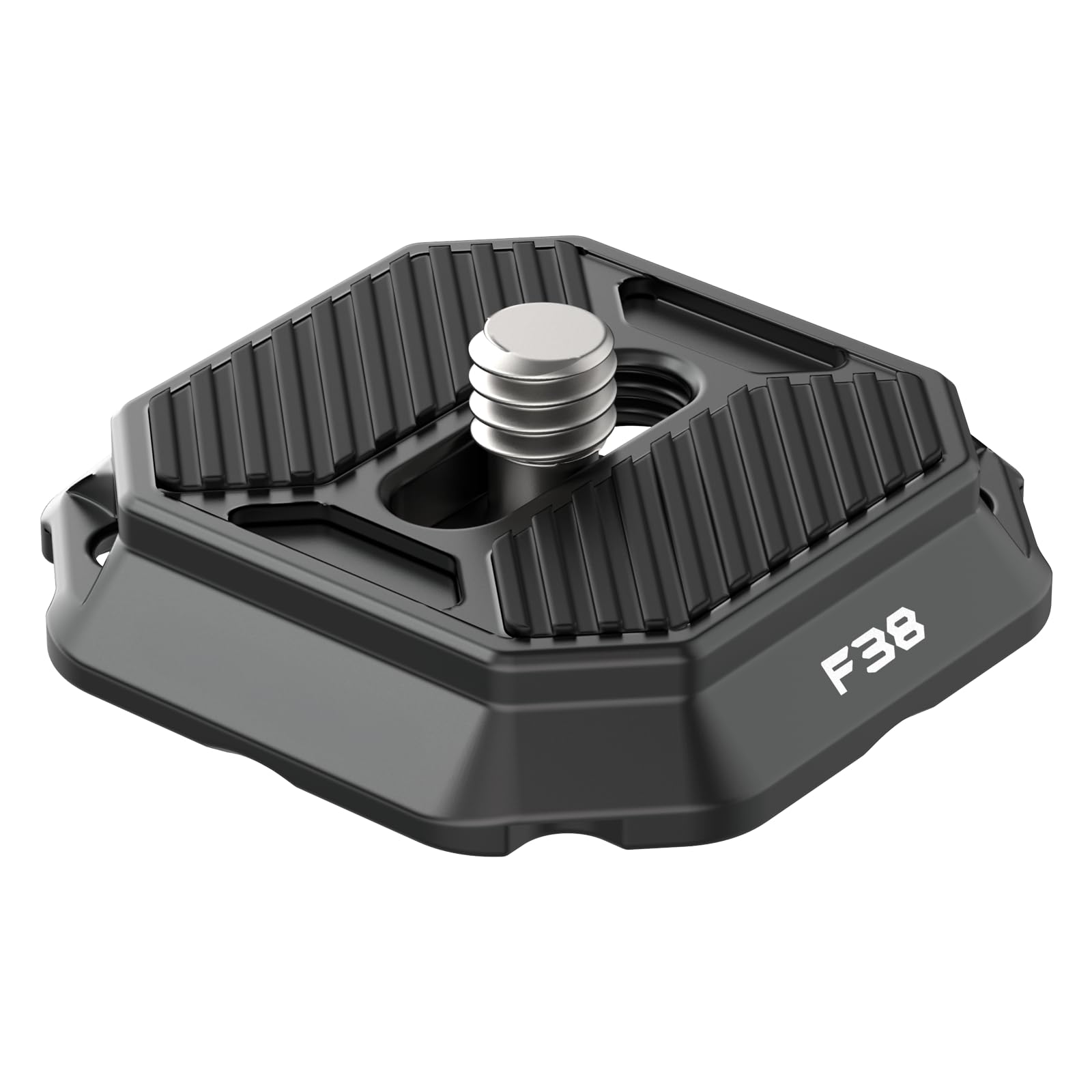
Image: ULANZI FALCAM F38 Camera Quick Release Plate, a versatile mounting accessory.
2. Product Features
- 2-in-1 Quick Release Plate: Compatible with Camera Clip V3, F38 Backpack Clip, and the entire Falcam F38 series quick release system. This design allows for broad compatibility with various mounting solutions.
- Ultra Quick Release Mechanism: The F38 series quick release top plate integrates a mechanical structure inspired by traditional mortise and tenon joints. This allows for tool-free setup and release within a second by simply pushing a button.
- Anti-slip Rubber Pad: Equipped with a silicone pad to enhance grip between the plate and mounted gear, preventing slippage and protecting equipment from potential damage during mounting.
- Considerate Design: Features a lanyard hole for attaching additional straps, offering increased security and carrying options. Each top plate includes a unique SN code for authenticity verification.
- Wide Compatibility: The 1/4" screw on the top plate fits a variety of cameras and accessories, including Sony ZV-1, DSLRs, phone mounts, and tripod ball heads. Its 38mm Arca-Swiss specification ensures compatibility with standard Arca devices.

Image: Overview of the FALCAM F38 Quick Release Ecosystem, illustrating various compatible components like QR plates, backpack strap mounts, shoulder strap base mounts, and anti-deflection QR plates.
3. Setup & Installation
3.1 Attaching to Camera
- Locate the 1/4" screw on the top of the F38 Quick Release Plate.
- Align the screw with the 1/4" tripod mounting hole on the bottom of your camera or accessory.
- Turn the screw clockwise until the plate is securely fastened to your device. Ensure it is tight enough to prevent rotation but do not overtighten.
- Verify that the anti-slip silicone pad is correctly positioned between the plate and your camera for optimal grip and protection.

Image: A camera with the ULANZI FALCAM F38 Quick Release Plate attached, demonstrating its compact and secure fit.
3.2 Attaching to Compatible Mounts
The F38 Quick Release Plate is designed for seamless integration with various mounting systems:
- FALCAM F38 Series: Slide the plate into any FALCAM F38 base mount (e.g., backpack clip, shoulder strap base, tripod base) until it clicks securely into place.
- Peak Design Capture Clip V3: Ensure the side of the F38 plate marked "For PD" is facing the Peak Design Capture Clip. Slide the plate into the clip until it locks. Note that while it slides in, the locking mechanism may not be as tight as with native PD plates.
- 38mm Arca-Swiss Devices: The plate's 38mm Arca-Swiss design allows it to fit into standard Arca-Swiss clamps. Tighten the clamp on your tripod or monopod to secure the plate.

Image: ULANZI FALCAM F38 Quick Release Plate showing compatibility with both F38 and PD series systems.
4. Operation
4.1 Quick Release Function
To release the camera from a compatible F38 base mount:
- Locate the release button or lever on the F38 base mount.
- Press or activate the release mechanism.
- Gently slide the camera with the attached F38 plate out of the base mount.
For Peak Design Capture Clip V3, operate the clip's release mechanism as per its instructions.
5. Compatibility
The ULANZI FALCAM F38 Camera Quick Release Plate offers broad compatibility:
- FALCAM F38 Ecosystem: Fully compatible with all FALCAM F38 series base mounts and accessories.
- Peak Design Capture Clip V3: The plate features a specific side designed to interface with the Peak Design Capture Clip V3. Ensure this side is used for proper fit.
- Arca-Swiss Standard: Designed to fit 38mm Arca-Swiss compatible clamps found on many tripods, monopods, and other camera support systems.
- Camera Types: The 1/4" mounting screw supports a wide range of cameras including DSLRs, mirrorless cameras (e.g., Sony ZV-1), and other devices with a standard 1/4" tripod thread.
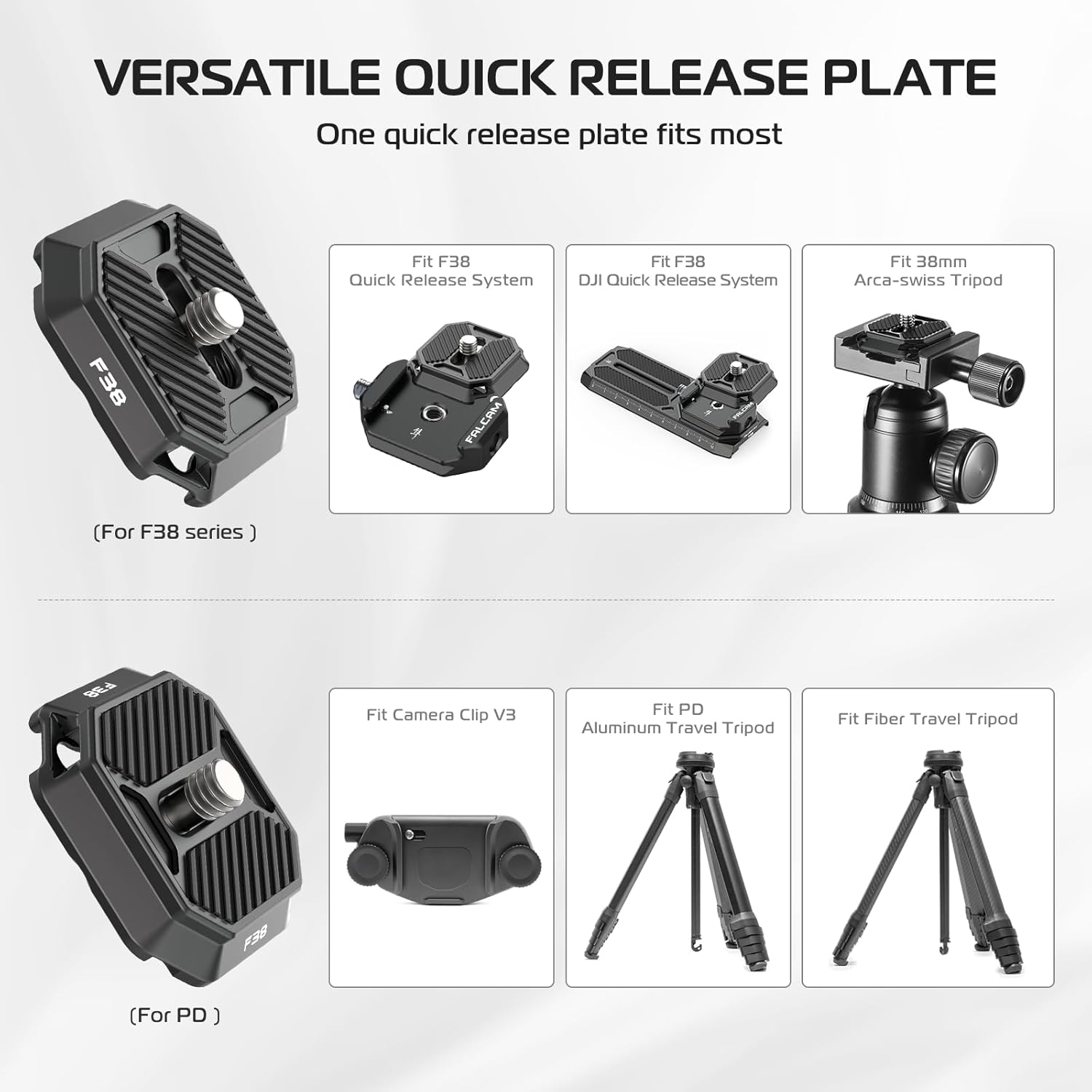
Image: Versatile mounting options for the ULANZI FALCAM F38 Quick Release Plate, including F38 Quick Release System, DJI Quick Release System, and 38mm Arca-Swiss Tripod, as well as Camera Clip V3, Aluminum Travel Tripod, and Fiber Travel Tripod.
6. Maintenance
- Cleaning: Wipe the plate with a soft, dry cloth to remove dust and debris. For stubborn dirt, use a slightly damp cloth and dry thoroughly. Avoid harsh chemicals or abrasive materials.
- Inspection: Regularly check the 1/4" screw for tightness and any signs of wear. Inspect the quick release mechanism for smooth operation and ensure no foreign objects are obstructing it.
- Storage: Store the plate in a clean, dry environment when not in use to prevent corrosion or damage.
7. Troubleshooting
- Plate feels loose in mount: Ensure the plate is fully inserted and the locking mechanism of the base mount is engaged. For Arca-Swiss clamps, ensure the clamp is tightened sufficiently. For Peak Design Capture Clip V3, confirm the correct side of the F38 plate is used.
- Difficulty inserting/removing plate: Check for any obstructions in the base mount or on the plate itself. Ensure the release mechanism is fully activated when attempting to remove the plate.
- Camera rotation on plate: Ensure the 1/4" screw is securely tightened to the camera. The anti-slip silicone pad should be clean and intact.
8. Specifications
| Attribute | Value |
|---|---|
| Brand | ULANZI |
| Model Name | F38 & PD Clip V3 (2465) |
| Compatible Devices | Camera (DSLR, Mirrorless, Sony ZV-1, Phone Mounts, Tripod Ballheads) |
| Mounting Standard | FALCAM F38, Peak Design Capture Clip V3, 38mm Arca-Swiss |
| Screw Thread | 1/4" |
| Material | Aluminum Alloy, Stainless Steel (as per product description) |
| Item Weight | 0.02 Kilograms |
| Water Resistance Level | Not Water Resistant |
9. Warranty & Support
For warranty information and customer support, please refer to the official ULANZI website or contact your retailer. Keep your purchase receipt for any warranty claims.


