
SLENPET F3901
SLENPET F3901 Portable Clip-On Fan User Manual
Model: F3901 | Brand: SLENPET
1. Introduction
Thank you for choosing the SLENPET F3901 Portable Clip-On Fan. This versatile and powerful fan is designed to provide optimal cooling and convenience in various settings, from your desk to outdoor adventures. With its long-lasting battery, multiple speed settings, and integrated light, it's the perfect companion for staying comfortable anywhere.

Figure 1.1: SLENPET F3901 Portable Clip-On Fan
2. Key Features
- Quiet but Powerful: Equipped with a brushless motor, this fan operates at less than 30dB on its lowest setting, providing a strong airflow without disruptive noise. It offers four adjustable wind speeds, from a gentle breeze to a powerful current.
- Long Lasting Battery: Featuring a 20000mAh rechargeable battery, the fan can run for up to 78 hours on a single charge (lowest speed, light off). This extended battery life supports prolonged indoor and outdoor activities.
- Integrated LED Lamp: The fan includes a 3-level brightness LED lamp, providing convenient lighting for various situations, especially useful during camping or power outages.
- Versatile Mounting Options: Designed with a built-in hook and a sturdy clip, the fan can be hung in tents, on branches, or placed on a desk. The clip allows attachment to treadmills, golf carts, strollers, and outdoor umbrellas.
- Fast Charging: Equipped with a Type-C charging port, the fan supports 2A fast charging, allowing a full charge in approximately 9 hours. It can be charged via solar chargers, car chargers, USB chargers, power banks, computers, or laptops.
- Lightweight and Portable: Its compact size makes it easy to carry in a backpack, ideal for any outdoor activity or for use indoors during emergencies.
- 360° Rotatable: The unique base allows for 360° vertical and horizontal rotation, enabling you to direct airflow precisely where needed.
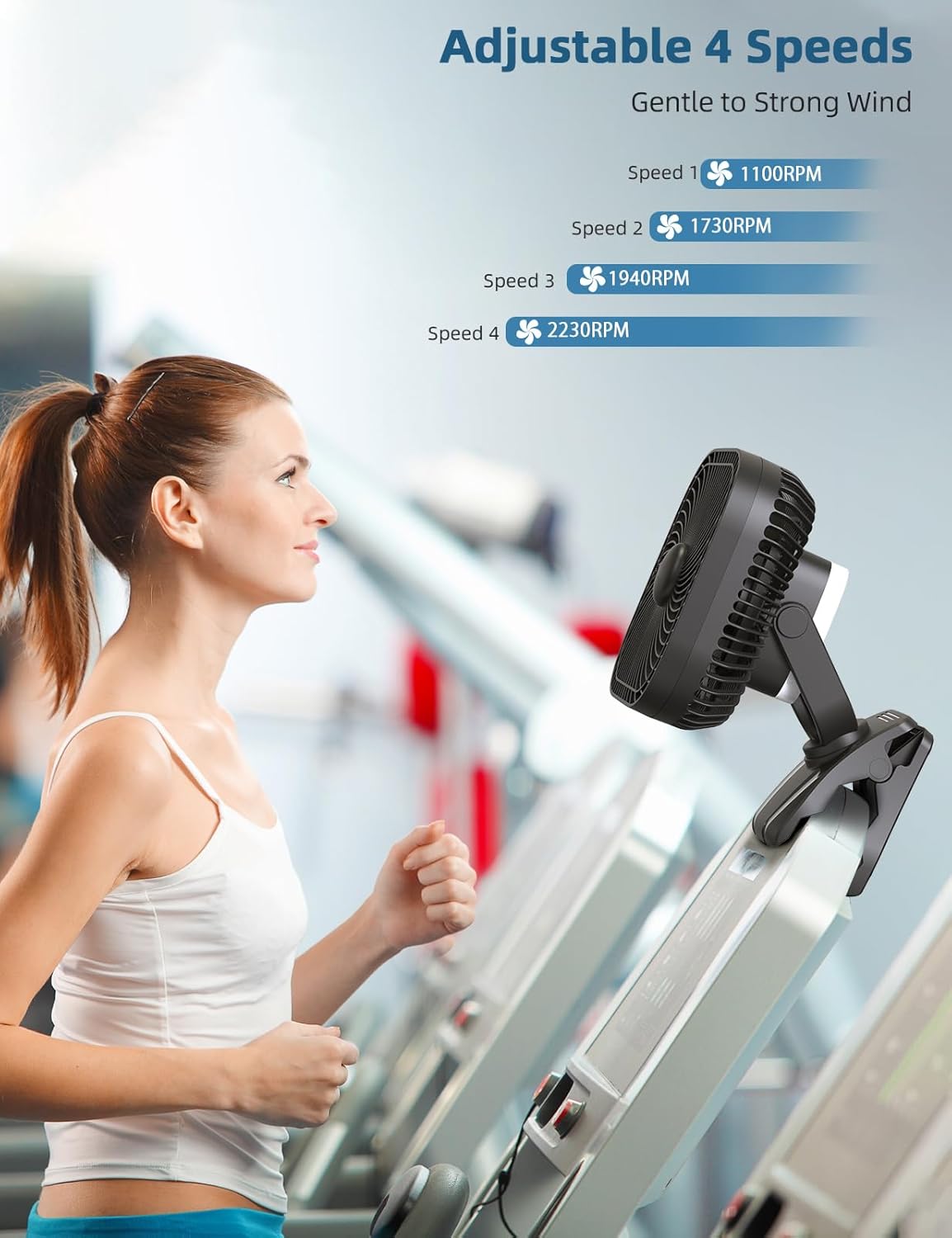
Figure 2.1: Four Adjustable Fan Speeds
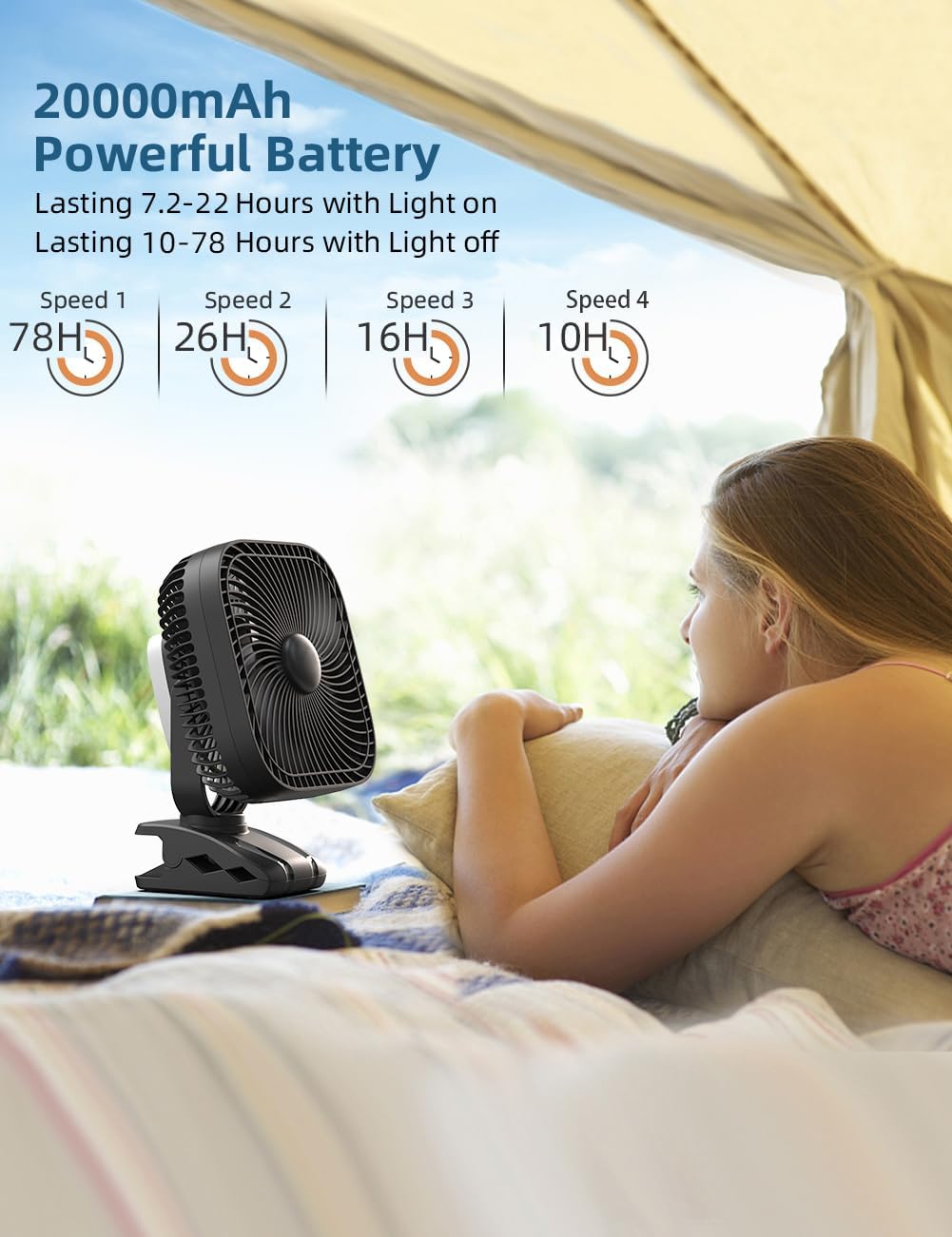
Figure 2.2: Extended Battery Life Performance
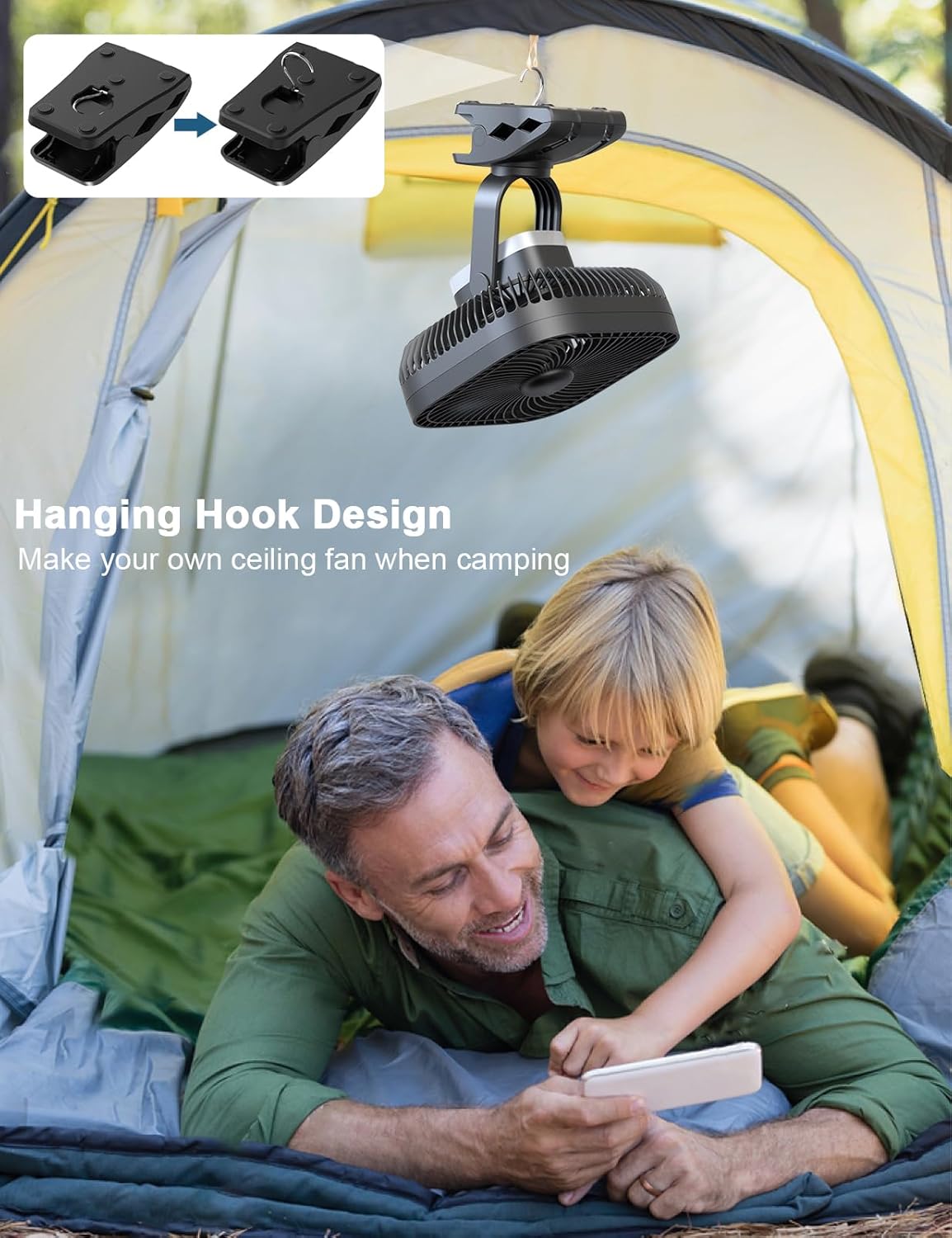
Figure 2.3: Hanging Hook Design for Camping
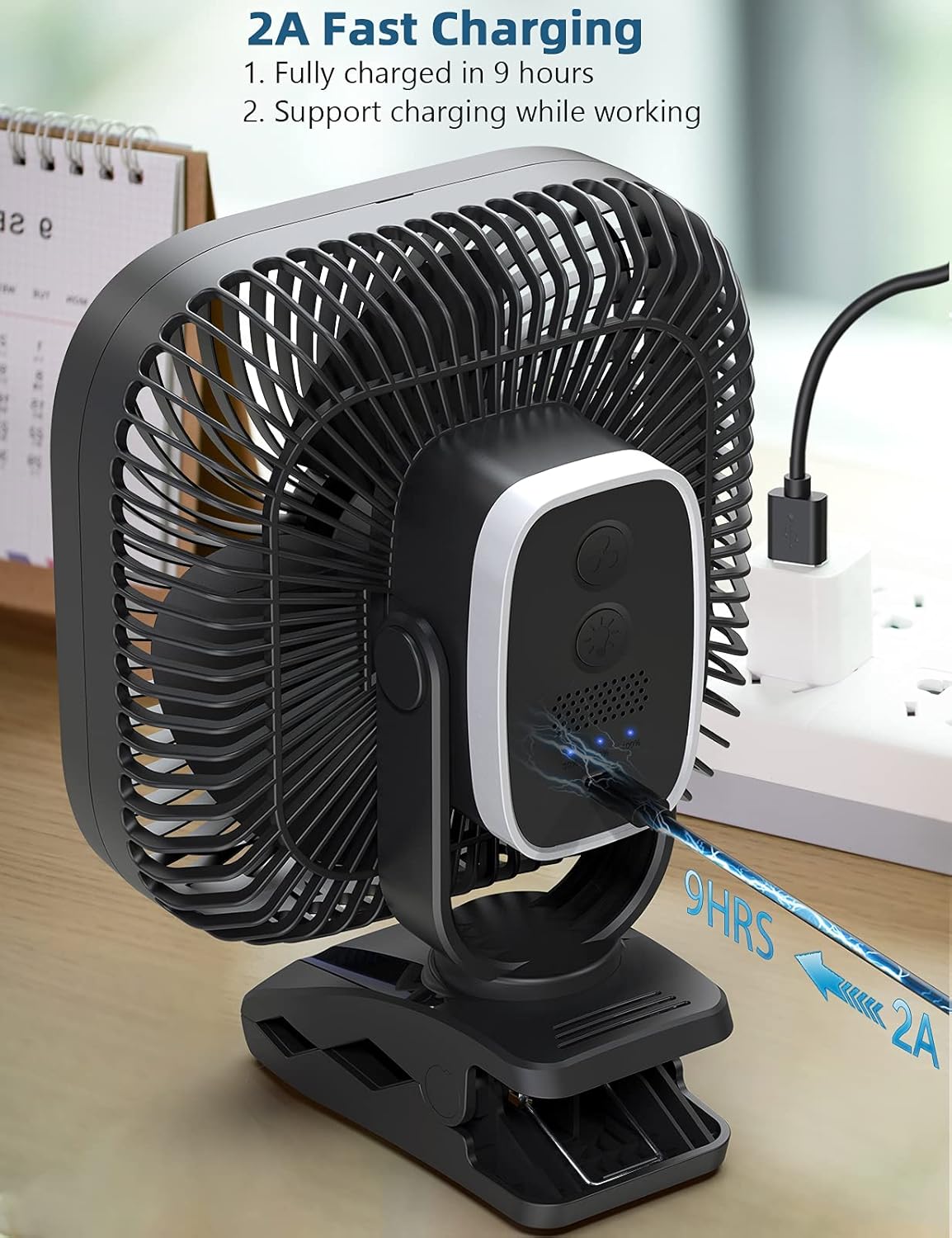
Figure 2.4: Fast Type-C Charging
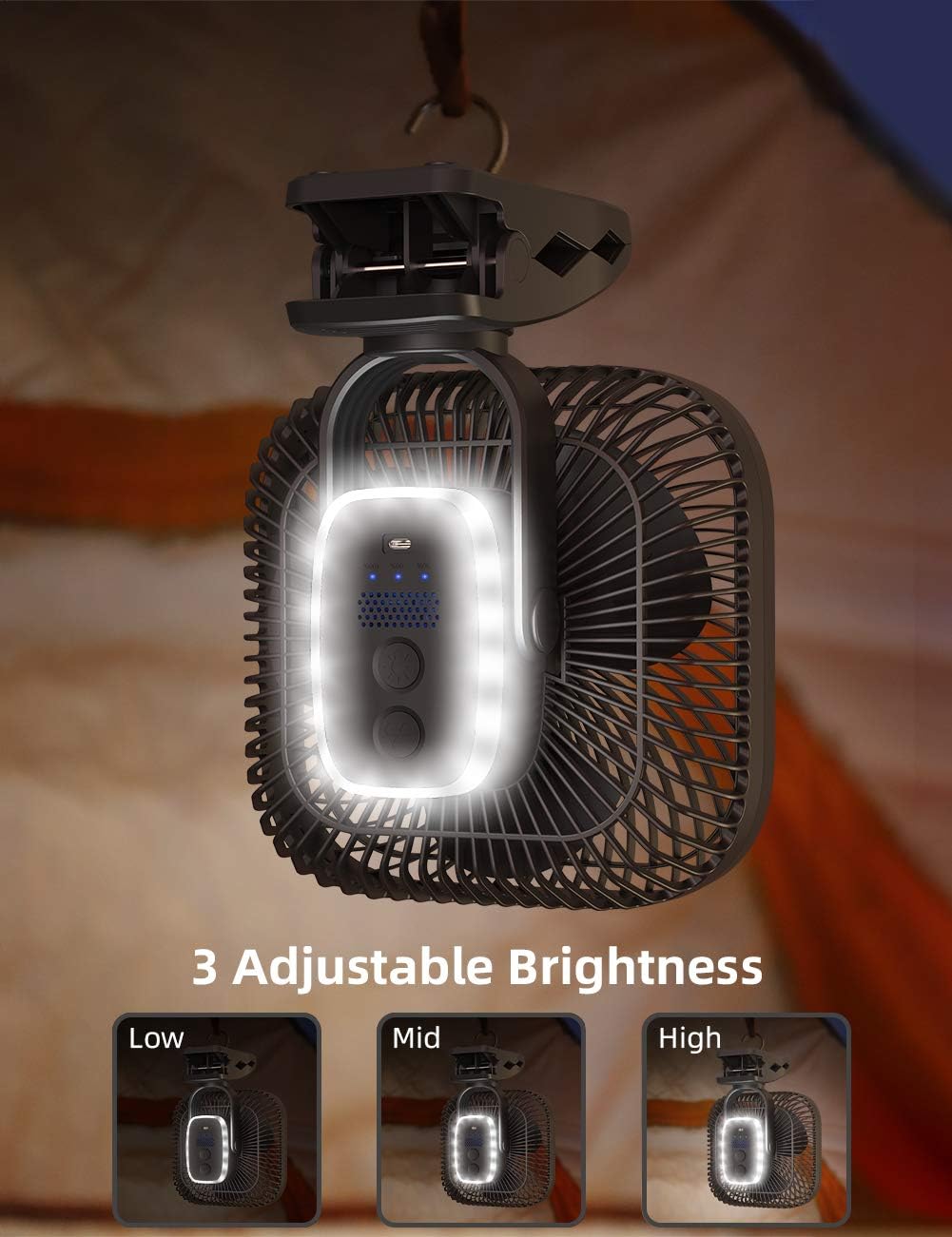
Figure 2.5: 360° Rotatable Head
3. Setup Guide
3.1 Unboxing
Carefully remove the fan and all accessories from the packaging. Ensure all components are present: the fan unit and a USB Type-C charging cable.
3.2 Initial Charging
Before first use, fully charge the fan. Connect the provided USB Type-C cable to the fan's charging port and plug the other end into a compatible 2A USB power adapter (not included), power bank, or computer USB port. The battery indicator lights will show charging progress. A full charge takes approximately 9 hours.
3.3 Placement and Mounting
- Desk/Tabletop Use: Place the fan on a flat, stable surface.
- Clip-On Use: Use the sturdy clip at the base to attach the fan to surfaces up to 3 inches thick, such as desks, shelves, or vehicle frames.
- Hanging Use: Utilize the built-in hook on the clip to hang the fan from tent poles, branches, or other suitable overhead structures.
4. Operating Instructions
4.1 Power On/Off and Fan Speed Adjustment
Locate the control panel on the back of the fan. The fan has a power button and a separate button for the LED light.
- To Power On: Press the power button once. The fan will start at the lowest speed.
- To Adjust Fan Speed: Press the power button repeatedly to cycle through the 4 available speeds (Speed 1, Speed 2, Speed 3, Speed 4).
- To Power Off: After cycling through all 4 speeds, pressing the power button one more time will turn the fan off. Alternatively, press and hold the power button for a few seconds to turn it off directly from any speed setting.
4.2 LED Light Operation
The LED lamp is located on the back of the fan, integrated into the control panel.
- To Turn On/Adjust Brightness: Press the light button once to turn on the light at its lowest brightness. Press repeatedly to cycle through the 3 brightness levels (Low, Mid, High).
- To Turn Off: After cycling through all 3 brightness levels, pressing the light button one more time will turn the light off.
4.3 Adjusting Fan Angle
The fan head can be manually rotated 360 degrees both vertically and horizontally. Gently adjust the fan head to direct the airflow to your desired position.
4.4 Operational Videos
Video 4.1: SLENPET 20000mAh Clip on Fan Rechargeable. This video demonstrates the fan's portability, clip-on functionality, speed settings, and night light feature.
Video 4.2: SLENPET Golf Cart Fan Clip on Fan 20000mAh. See how the fan can be easily clipped onto a golf cart for cooling on the go, highlighting its 360-degree circulation.
Video 4.3: SLENPET 20000mAh Clip on Fan Rechargeable 78 Working Hours. This video showcases the fan's long battery life and its use in various settings, including as a desk fan and for outdoor activities like fishing.
5. Maintenance
5.1 Cleaning the Fan
To ensure optimal performance and longevity, regularly clean your fan. The front face of the fan can be removed to allow for easy cleaning of the fan blades, which may collect dust over time. Use a soft, dry cloth to wipe down the exterior and blades. Do not use abrasive cleaners or immerse the fan in water.
6. Troubleshooting
- Fan not turning on: Ensure the battery is charged. Connect the fan to a power source and allow it to charge for at least 30 minutes before attempting to turn it on again.
- Weak airflow: Check the fan speed setting and increase it if necessary. Ensure the fan blades are clean and free from obstructions.
- LED light not working: Ensure the fan has sufficient battery charge. Press the light button to cycle through brightness levels.
- Charging issues: Verify that the USB Type-C cable is securely connected to both the fan and the power source. Try a different cable or power adapter.
7. Specifications
| Feature | Detail |
|---|---|
| Brand | SLENPET |
| Model Name | F3901 |
| Product Dimensions | 11"D x 5"W x 8"H |
| Item Weight | 2.33 pounds |
| Battery Capacity | 20000mAh Lithium Ion |
| Max Run Time | Up to 78 hours (lowest speed, light off) |
| Charging Port | USB Type-C |
| Charging Time | Approx. 9 hours (with 2A charger) |
| Fan Speeds | 4 levels |
| Noise Level | Less than 30dB (lowest speed) |
| Special Features | Portable, Clip-on, Hanging Hook, 3-level LED Light, 360° Rotation |

8. Warranty and Support
For warranty information and customer support, please refer to the documentation included with your product or visit the official SLENPET website. Keep your purchase receipt for warranty claims.
no relevant documents
Ask a question about this manual
Ask about setup, troubleshooting, compatibility, parts, safety, or missing instructions. Manuals+ will review the question and use this page’s manual context to help answer it.