
ULTRAPROLINK UL1052
ULTRAPROLINK Volo PD20L Type C to iPhone Cable Instruction Manual
Model: UL1052
Introduction
Thank you for choosing the ULTRAPROLINK Volo PD20L Type C to iPhone Cable. This high-quality, nylon braided cable is designed for fast charging and data synchronization with your compatible Apple devices. It supports Power Delivery (PD) up to 20W, ensuring efficient and reliable performance. This manual provides essential information for the proper use and maintenance of your cable.
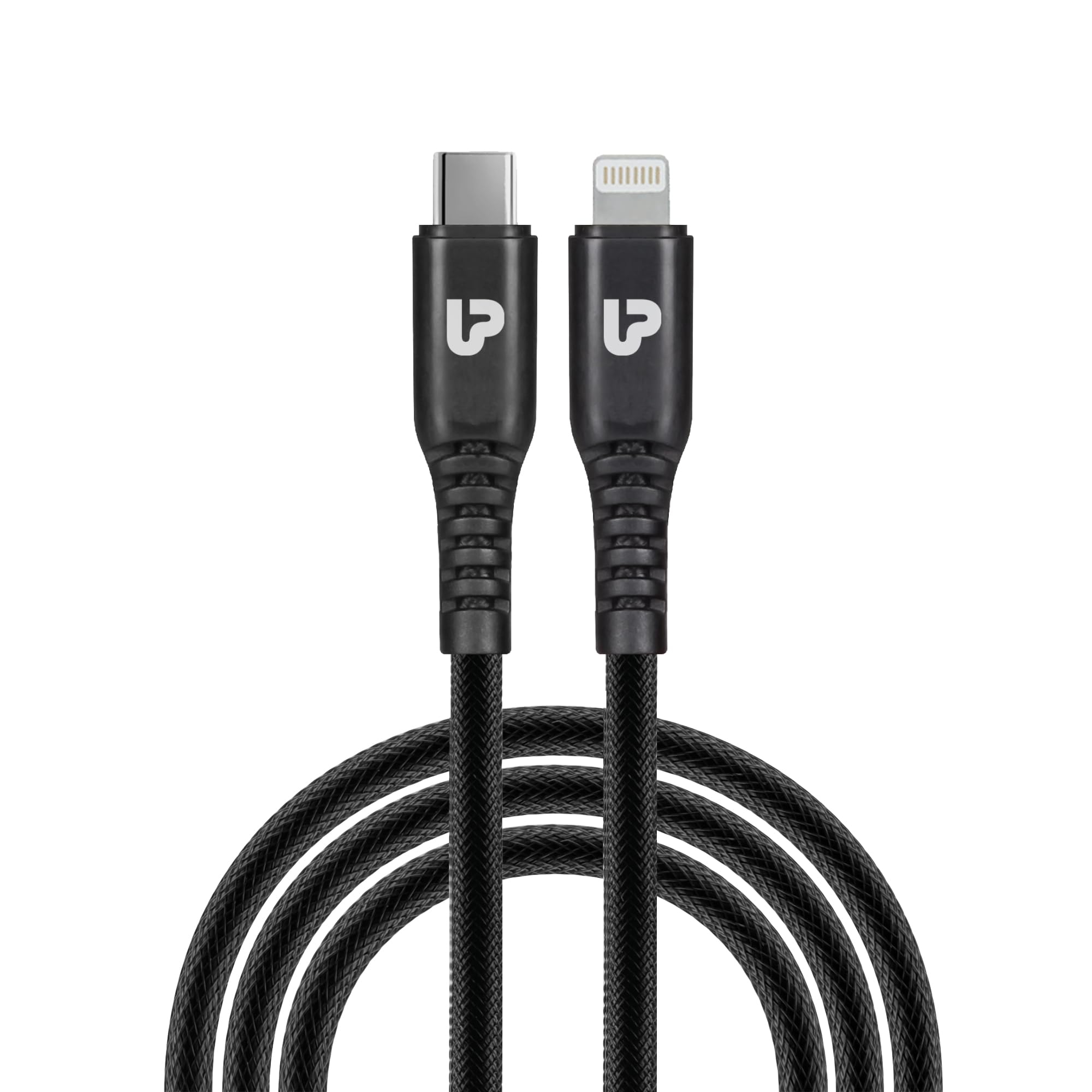
Image: The ULTRAPROLINK Volo PD20L Type C to iPhone Cable, showcasing its design and connectors.
Setup and Connection
Connecting your ULTRAPROLINK Volo PD20L cable is straightforward. Follow these steps for optimal performance:
- Identify Connectors: The cable features a USB Type-C connector on one end and a Lightning connector on the other.
- Connect to Power Adapter: Insert the USB Type-C end of the cable into a compatible Power Delivery (PD) wall charger or power bank. For 20W fast charging, ensure your adapter supports 20W PD output.
- Connect to Device: Insert the Lightning connector end into the charging port of your iPhone, iPad, or other compatible Apple device.
- Verify Connection: Your device should indicate that it is charging. For data transfer, connect the USB Type-C end to a computer's USB Type-C port and the Lightning end to your Apple device.

Image: The cable connected to a Power Delivery (PD) charger and an iPhone, illustrating faster charging compared to a normal charger.

Image: Visual representation of devices compatible with the ULTRAPROLINK Volo PD20L cable, including various iPhone models and iPad Pro.
Operating Instructions
The ULTRAPROLINK Volo PD20L cable is designed for two primary functions: fast charging and high-speed data transfer.
Charging Your Device
- Ensure the cable is securely connected to a 20W Power Delivery (PD) compatible charger and your Apple device.
- The cable supports up to 2.4 Amps of current, providing efficient charging.
- For optimal fast charging, use with a genuine 20W PD charger such as the UltraProlink Boost PD20.
Data Transfer
- Connect the USB Type-C end to your computer's USB Type-C port and the Lightning end to your Apple device.
- The cable facilitates data transfer speeds up to 480 Mbits per second, allowing for quick synchronization of files, photos, and videos.
- Follow your device's instructions for initiating data transfer or synchronization with your computer.

Image: A laptop and a smartphone connected by the ULTRAPROLINK cable, demonstrating high-speed data transfer at 480 Mbits/s.
Care and Maintenance
To ensure the longevity and optimal performance of your ULTRAPROLINK Volo PD20L cable, please follow these care instructions:
- Handle with Care: Avoid excessive bending, twisting, or pulling the cable, especially near the connectors. The cable features an extended connector sleeve and nylon braiding for enhanced durability, but proper handling is still recommended.
- Storage: When not in use, store the cable in a clean, dry place, away from direct sunlight and extreme temperatures. Avoid tightly coiling the cable.
- Cleaning: If the cable or connectors become dirty, gently wipe them with a soft, dry, lint-free cloth. Do not use liquid cleaners or abrasive materials.
- Avoid Water: Do not expose the cable to water or other liquids.
- Inspect Regularly: Periodically check the cable and connectors for any signs of damage, such as fraying, cuts, or bent pins. Discontinue use if damage is observed.

Image: A detailed view of the cable's functional design, highlighting the extended connector sleeve for durability, nylon braiding, and bend test resilience.
Troubleshooting
If you encounter issues with your ULTRAPROLINK Volo PD20L cable, refer to the following common problems and solutions:
| Problem | Possible Cause | Solution |
|---|---|---|
| Device not charging or charging slowly. |
|
|
| Data transfer not working. |
|
|
| Cable or device heating up during use. |
|
|
Product Specifications
| Feature | Detail |
|---|---|
| Brand | ULTRAPROLINK |
| Model Number | UL1052 |
| Connector Type | USB Type C to Lightning |
| Cable Type | USB |
| Compatible Devices | iPhone 13, 12/12 Pro/SE 2020/iPhone 11/11 Pro/11 Pro Max/XR/XS Max/XS/X/8Plus/8 & all AirPods, Charging Adapters |
| Special Feature | Nylon Braided, Power Delivery (PD) 20W Support |
| Data Transfer Rate | Up to 480 Megabits Per Second |
| Maximum Current | 2.4 Amps |
| Cable Length | 1.0 Meter (3.2 feet) |
| Outer Material Type | Nylon |
| Item Weight | 15 Grams |
| Manufacturer | Rca Techmart Pvt Ltd |
Warranty Information
The ULTRAPROLINK Volo PD20L Type C to iPhone Cable comes with a 6-month replacement warranty. This warranty covers manufacturing defects and ensures your product performs as expected under normal use. Please retain your proof of purchase for warranty claims.
For warranty service, please contact ULTRAPROLINK customer support using the details provided in the Support section.
Customer Support
For any questions, technical assistance, or warranty claims regarding your ULTRAPROLINK Volo PD20L cable, please contact our customer support team:
- Email: support@ultraprolink.com
- Phone: +91 9312229953
- Manufacturer Address: Rca Techmart Pvt Ltd S-28 Okhla Industrial Area Phase -11 New Delhi-110020, India
- Our support team aims to respond within 24 hours.
Ask a question about this manual
Ask about setup, troubleshooting, compatibility, parts, safety, or missing instructions. Manuals+ will review the question and use this page’s manual context to help answer it.