Introduction
This manual provides essential instructions for the safe and effective use of your AccuSure AS9 Fully Automatic Digital Blood Pressure Monitor. Designed for home use, this device offers accurate and reliable blood pressure readings, helping you monitor your health with ease. Please read this manual thoroughly before using the device and keep it for future reference.
What's in the Box
Upon opening your AccuSure AS9 package, please verify that all the following components are included:
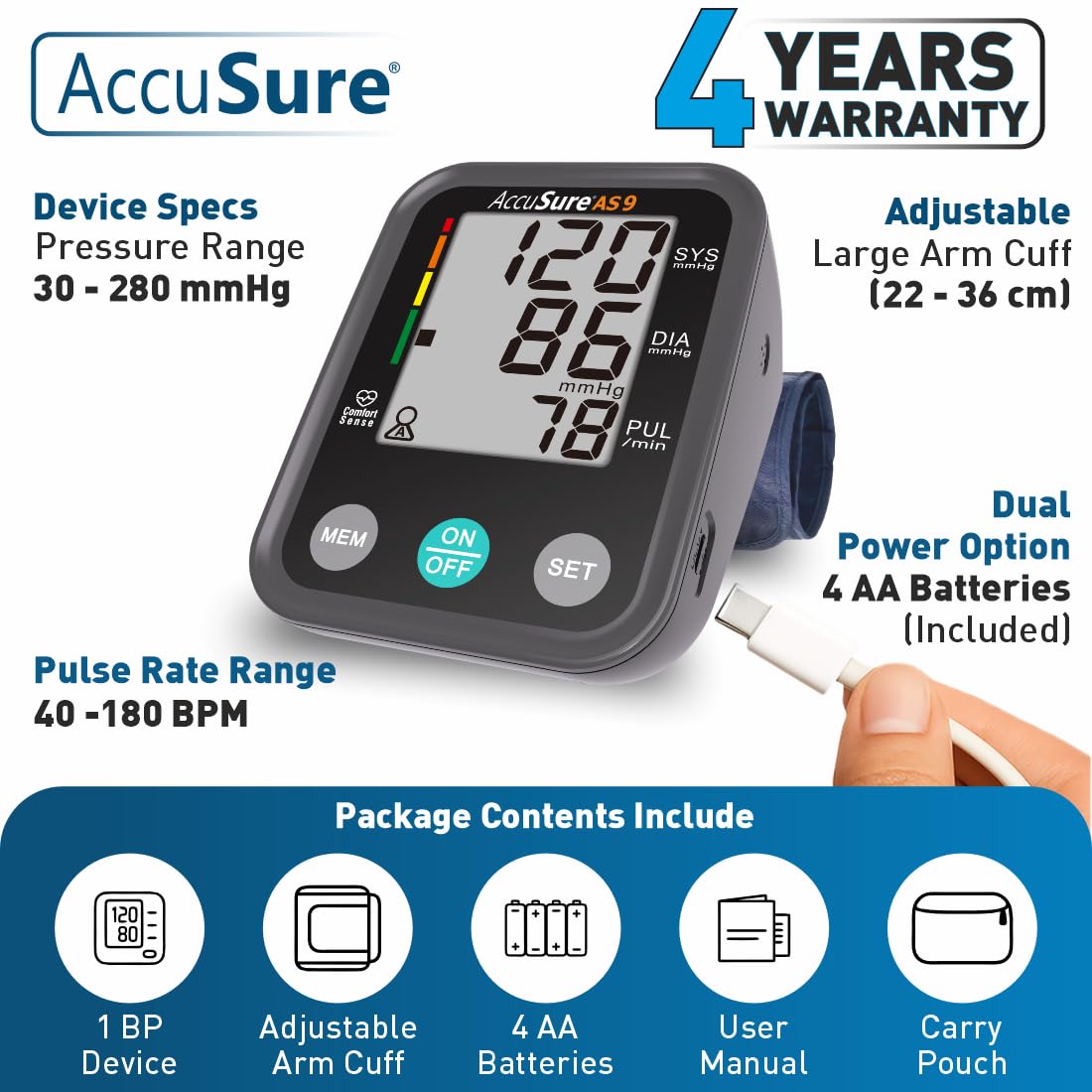
- 1 x AccuSure AS9 BP Machine Device
- 1 x Adjustable Arm Cuff (22-36 cm)
- 4 x AA Alkaline Batteries
- 1 x Water Proof Carry Pouch
- 1 x User Manual & Warranty Card
Key Features
- Large Digital LCD Display: Provides clear, easy-to-read blood pressure and pulse rate measurements.
- WHO Classification Indicator: Color-coded bar on the display helps interpret blood pressure levels according to World Health Organization guidelines.
- Irregular Heartbeat Detection: Automatically alerts the user to irregular heart rhythms during measurement.
- Advanced Motion Detection: Detects body movement during measurement and alerts the user, helping to ensure accuracy.
- Dual User Memory: Stores up to 30 readings for two separate users (total 60 readings), allowing for easy tracking of individual progress.
- Adjustable Arm Cuff: Fits arm circumferences from 22 cm to 36 cm, suitable for most adults.
- Dual Power Operation: Can be powered by 4 AA batteries (included) or a Type-C USB cable (not included).


Setup
- Install Batteries: Open the battery compartment on the back of the device. Insert the 4 AA alkaline batteries, ensuring correct polarity (+/-). Close the compartment securely.
- Connect Power (Optional): For continuous use without batteries, connect a Type-C USB cable (not included) to the USB port on the side of the monitor and plug it into a compatible power source.
- Attach Arm Cuff: Insert the air tube connector from the arm cuff firmly into the air jack on the side of the monitor.

Operating Instructions: How to Measure
For accurate blood pressure readings, follow these steps carefully:
- Preparation: Avoid eating, drinking caffeine or alcohol, smoking, and exercising for at least 30 minutes before measurement. Rest for 5 minutes before starting.
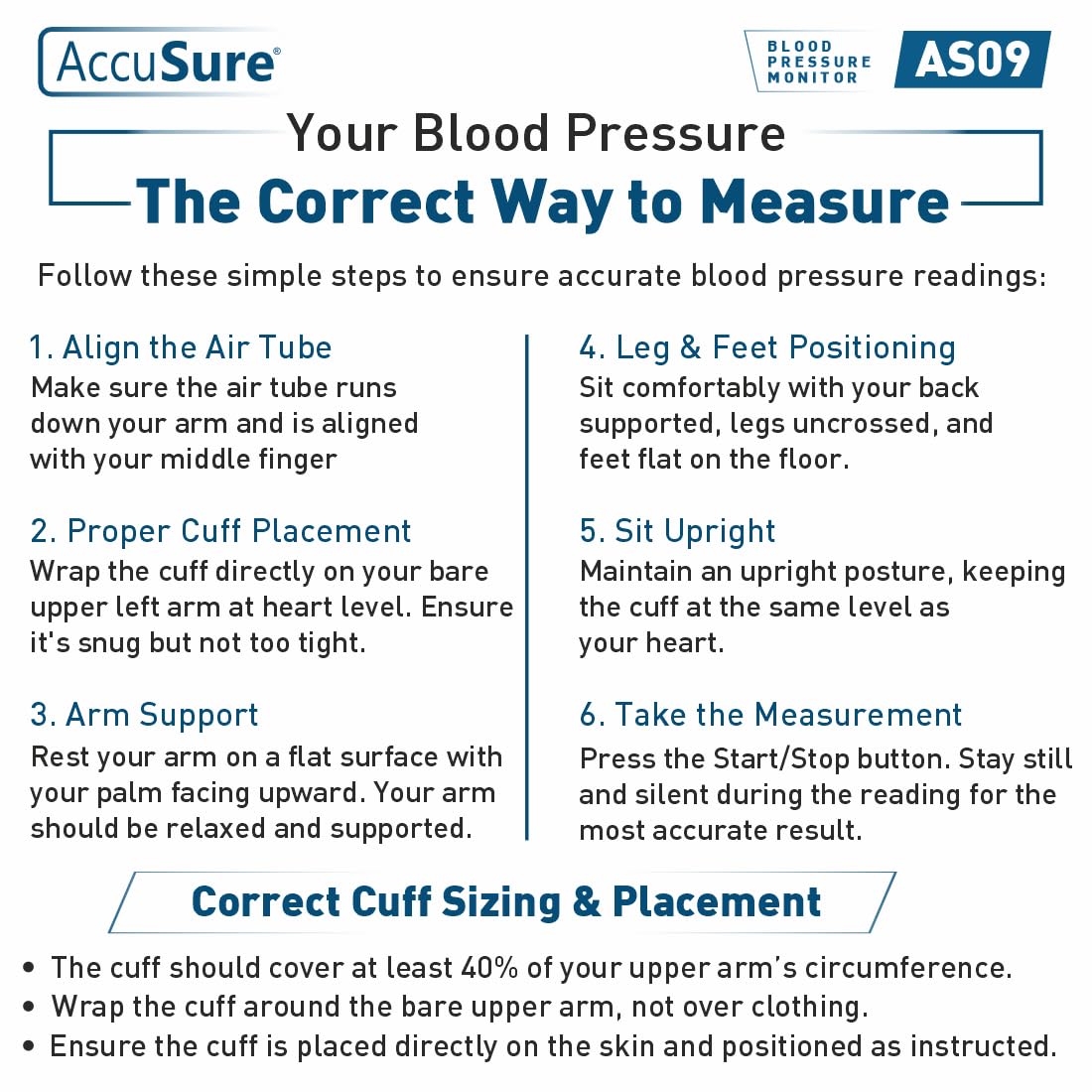
- Cuff Placement: Wrap the cuff directly on your bare upper left arm, approximately 1-2 cm above the elbow joint. Ensure the air tube runs down your arm and is aligned with your middle finger. The cuff should be snug but not too tight; you should be able to insert two fingers between the cuff and your arm.
- Arm Support: Rest your arm on a flat surface, such as a table, with your palm facing upward. Your arm should be relaxed and supported, and the cuff should be at the same level as your heart.
- Body Posture: Sit comfortably with your back supported, legs uncrossed, and feet flat on the floor. Maintain an upright posture.
- Take the Measurement: Press the 'ON/OFF' button. The cuff will automatically inflate. Remain still and silent during the reading. The measurement will be displayed on the screen, and the cuff will deflate automatically.
- Record Readings: Note down your readings or use the memory function to store them.
Best Time to Check Blood Pressure
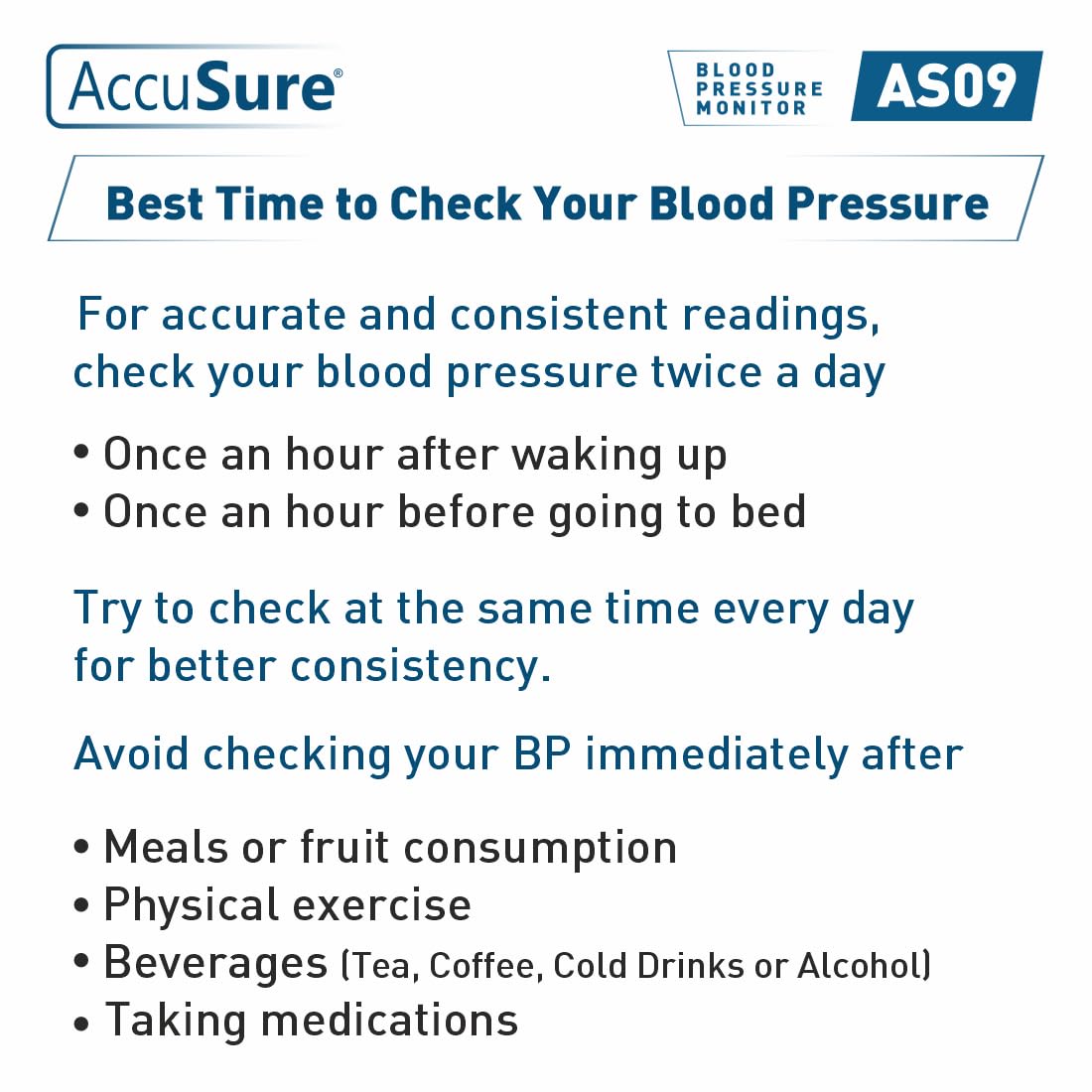
For accurate and consistent readings, it is recommended to check your blood pressure twice a day:
- Once an hour after waking up.
- Once an hour before going to bed.
Try to check at the same time every day for better consistency. Avoid checking your blood pressure immediately after:
- Meals or fruit consumption.
- Physical exercise.
- Beverages (Tea, Coffee, Cold Drinks, or Alcohol).
- Taking medications.
Understanding Your Readings
The AccuSure AS9 monitor provides clear readings and indicators to help you understand your blood pressure status.
WHO Classification Indicator
The device features a color-coded bar on the left side of the display, which categorizes your blood pressure readings based on World Health Organization (WHO) guidelines:
- Green: Normal Blood Pressure
- Yellow: Elevated Blood Pressure
- Orange: High Blood Pressure (Hypertension Stage 1)
- Red: Very High Blood Pressure (Hypertension Stage 2)
Irregular Heartbeat Detection
If an irregular heartbeat is detected during the measurement, a special symbol (heart icon with waves) will appear on the display. This indicates that your heart rhythm was irregular. If this symbol appears frequently, consult your physician.

Memory Function
The AccuSure AS9 is designed for two users, each with the capacity to store up to 30 blood pressure readings. This allows individuals or couples to track their measurements over time independently.
- Selecting User: Use the 'SET' button to switch between User A and User B before taking a measurement.
- Recalling Memory: Press the 'MEM' button to view previous readings. Repeated presses will cycle through the stored measurements.

Power Options
The AccuSure AS9 offers flexible power options for convenience:
- Battery Powered: Operates on 4 AA alkaline batteries (included). This provides portability for monitoring on the go.
- USB Type-C Powered: Can be powered directly via a Type-C USB cable (not included) connected to a suitable adapter or power bank. This is ideal for home or office use without relying on batteries.
Troubleshooting
If you encounter issues with your AccuSure AS9 monitor, please refer to the following common solutions:
- No Power/Display Not Turning On: Check if batteries are inserted correctly with proper polarity. Replace old batteries with new ones. If using USB-C, ensure the cable and power source are functioning.
- Inaccurate Readings: Ensure correct cuff placement and size. Remain still and silent during measurement. Avoid activities like eating, smoking, or exercising before measurement. Ensure the cuff is at heart level.
- Cuff Not Inflating/Deflating: Check that the air tube is securely connected to both the cuff and the monitor. Ensure there are no kinks or leaks in the air tube.
- Irregular Heartbeat Symbol Appears Frequently: This indicates consistent irregular heart rhythms. Consult a healthcare professional for advice.
- Error Codes: Refer to the detailed error code section in the printed user manual for specific meanings and solutions.
If the problem persists after attempting these solutions, please contact AccuSure customer support.
Specifications
| Model Number | AS09 |
| Measurement Method | Oscillometric |
| Pressure Range | 30 - 280 mmHg |
| Pulse Rate Range | 40 - 180 beats/minute (BPM) |
| Cuff Circumference | 22 - 36 cm (Adult) |
| Memory Storage | 2 Users x 30 Readings |
| Display Type | Large Digital LCD Display |
| Power Source | 4 AA Batteries (included) or USB Type-C (cable not included) |
| Product Dimensions | 11 x 8.99 x 5.99 cm |
| Item Weight | 1 g (device only) |
| Country of Origin | India |
Warranty and Support
The AccuSure AS9 Fully Automatic Digital Blood Pressure Monitor comes with a 4-year warranty, providing peace of mind regarding its quality and performance. For any assistance, queries, or warranty claims, please contact AccuSure Customer Care.
Customer Care Contact:
- Phone: 9810976772
- Manufacturer: Microgene Diagnostic System Private Limited
