
1. Introduction
This manual provides detailed instructions for the proper use and maintenance of your F2C CX58B 58mm Thermal Receipt Printer. This portable device utilizes advanced thermal direct technology for printing, eliminating the need for ink cartridges or ribbons. It is designed for convenience and efficiency in various environments.
Key Features:
- Advanced Thermal Direct Printing Technology
- Printing Speed: 70mm/s
- Paper Size: 58mm width, 40mm diameter (max)
- Bluetooth 4.0 Connectivity for Android devices
- Built-in 7.4V/1500mAh Rechargeable Lithium Battery
- Compact and Portable Design
2. Package Contents
Please verify that all items listed below are included in your package:
- F2C CX58B Thermal Receipt Printer
- User Manual (this document)
- Power Adaptor
- Thermal Paper Roll
3. Product Overview
Familiarize yourself with the components of your thermal receipt printer.

Figure 3.1: Labeled components of the F2C CX58B Thermal Receipt Printer. This image highlights the battery compartment, paper cover, feed button, function indicator, power button, power indicator, and USB port.
4. Setup
4.1 Battery Installation and Charging
- Open the battery compartment cover located at the bottom of the printer.
- Insert the provided lithium-ion battery, ensuring correct polarity.
- Important: Before initial use, remove the insulating glue from the battery terminals. Failure to do so will prevent the printer from powering on.
- Close the battery compartment cover.
- Connect the power adaptor to the printer's USB port and plug it into a power outlet to charge the battery. The power indicator light will show charging status.
4.2 Paper Roll Installation
Follow these steps to load a new thermal paper roll:
- Gently push the paper cover release button (if present) or lift the paper cover from the top of the printer.
- Insert the thermal paper roll into the compartment with the printing surface facing outwards. Ensure the roll is seated correctly.
- Pull a small length of paper out beyond the cutting edge.
- Close the paper cover firmly until it clicks into place.
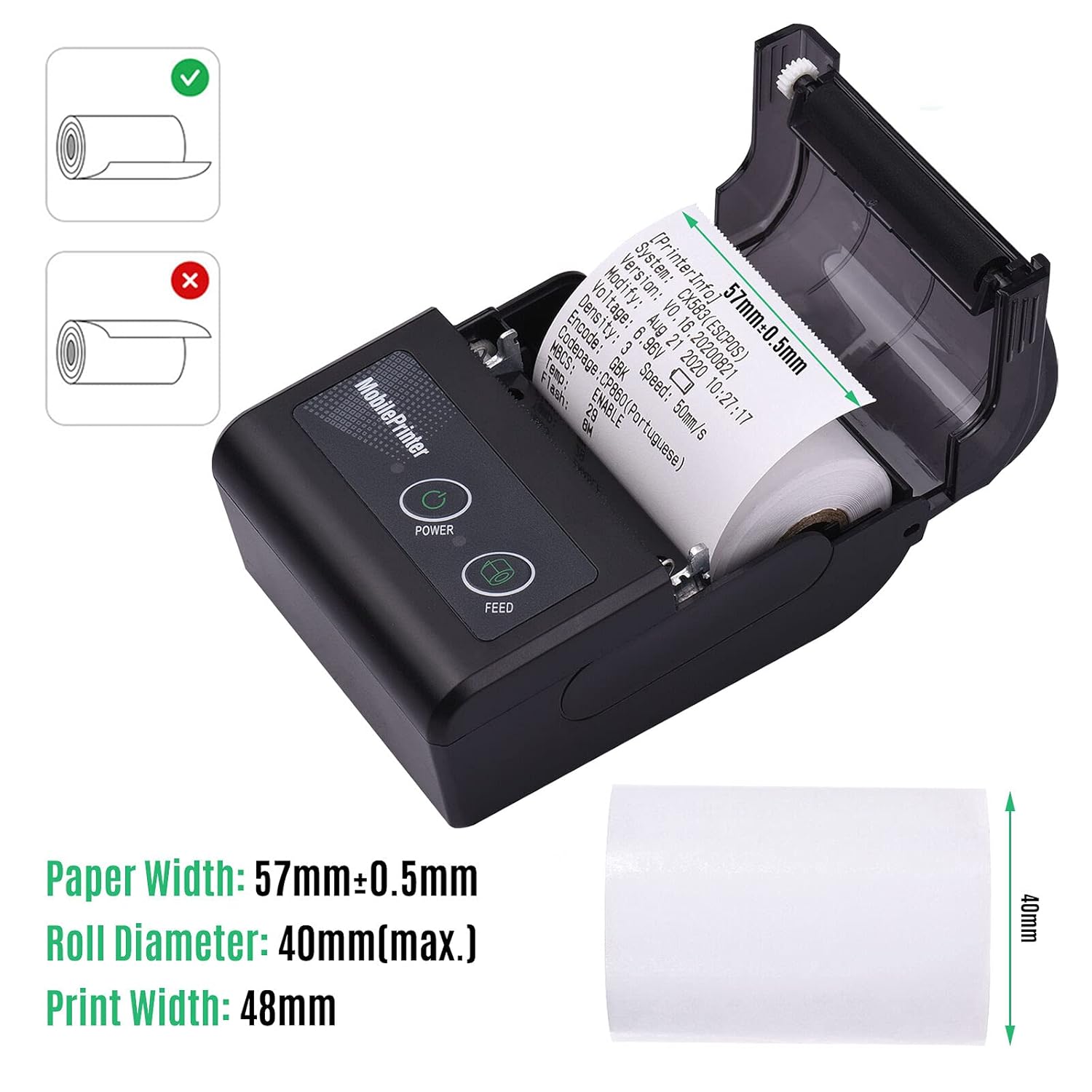
Figure 4.1: Correct thermal paper roll installation. The image also indicates the paper width (57mm ± 0.5mm) and maximum roll diameter (40mm).
5. Operating Instructions
5.1 Powering On/Off
- To power on: Press and hold the Power Button until the power indicator light illuminates.
- To power off: Press and hold the Power Button until the power indicator light turns off.
5.2 Bluetooth Connection (Android Devices)
The F2C CX58B printer supports Bluetooth connectivity with Android devices.
- Ensure the printer is powered on.
- On your Android mobile phone, navigate to the Bluetooth settings and turn Bluetooth on.
- Search for available devices and select the printer, typically named MPT-II.
- If prompted for a password, enter 1234 or 0000.
- Once successfully paired, download a compatible Bluetooth printer application from the Google Play Store.
- Open the application and connect to the printer within the app's settings to initiate printing.

Figure 5.1: Bluetooth connectivity for the F2C CX58B printer, enabling wireless printing from compatible devices.
5.3 Printing Receipts
Once connected via Bluetooth to a compatible application, you can print various documents such as receipts, post receipts, restaurant orders, barcodes, QR codes, logos, and text.

Figure 5.2: Example of clear printing quality from the F2C CX58B printer, demonstrating its capability to produce legible receipts at speeds of 50-80mm/s and 203 DPI resolution.
5.4 Supported Applications
The printer is compatible with most applications available for thermal printing. Some commonly supported applications include Vyapaar, Mybillbook, Khatabook, Zomato, Swiggy, Paytm, Phonepay, Gpay, and custom applications.
Note: Some applications are not supported. These may include APDCL, SPICEMONEY, FINO MITRA BANK, and RDSP CSP. If you have questions regarding specific application compatibility, please contact support before purchase.
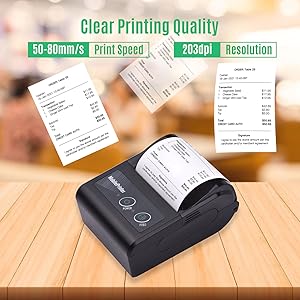
Figure 5.3: A list indicating applications that are supported and not supported by the F2C CX58B printer. Users are advised to contact support for compatibility questions.
6. Maintenance
6.1 Cleaning the Print Head
To ensure optimal print quality, regularly clean the thermal print head:
- Turn off the printer and disconnect the power adaptor.
- Open the paper cover.
- Use a soft cloth dampened with isopropyl alcohol to gently wipe the thermal print head. Avoid touching the print head with bare hands.
- Allow the print head to dry completely before closing the cover and powering on the printer.
6.2 Battery Care
- Charge the battery fully before first use.
- Avoid completely discharging the battery frequently to prolong its lifespan.
- If the printer will not be used for an extended period, charge it to about 50% and store it in a cool, dry place. Recharge every 3-6 months.
7. Troubleshooting
7.1 Printer Not Powering On
- Ensure the battery is correctly installed and the insulating glue has been removed from the battery terminals.
- Verify the battery is charged. Connect the printer to the power adaptor and check if the charging indicator lights up.
- Press and hold the power button for a few seconds to ensure it's not a brief press.
7.2 Bluetooth Connection Issues
- Ensure the printer is within range of your Android device.
- Confirm Bluetooth is enabled on your Android device.
- Delete previous pairings for the printer on your device and attempt to pair again.
- Verify the correct password (1234 or 0000) is entered if prompted.
- Restart both the printer and your Android device.
7.3 Poor Print Quality
- Check if the thermal paper roll is inserted correctly with the printing surface facing the print head.
- Clean the thermal print head as described in Section 6.1.
- Ensure you are using high-quality thermal paper.
- The battery might be low; charge the printer fully.
8. Specifications
Detailed technical specifications for the F2C CX58B Thermal Receipt Printer:
| Feature | Specification |
|---|---|
| Model Number | F2CCX58B |
| Printing Technology | Thermal Direct |
| Print Speed | 70mm/s (up to 90 pages per second) |
| Resolution | 203 x 203 DPI |
| Paper Width | 58mm |
| Max Roll Diameter | 40mm |
| Print Width | 48mm |
| Connectivity | Bluetooth 4.0, USB |
| Compatible Devices | Smartphones (Android) |
| Battery | 7.4V/1500mAh Lithium Ion (1 cell) |
| Continuous Working Time | Up to 4 hours |
| Product Dimensions | 60D x 40W x 30H Millimeters |
| Item Weight | 200 Grams |
| Power Source | Battery Powered |
| Included Components | Adaptor, Paper, Thermal Receipt Printer, User Manual |
9. Warranty and Support
9.1 Warranty Information
The F2C CX58B Thermal Receipt Printer comes with a 1-Year Manufacturer Warranty from the date of purchase. This warranty covers manufacturing defects under normal use. Please retain your proof of purchase for warranty claims.
9.2 Customer Support
For any technical assistance, troubleshooting, or warranty inquiries, please contact our customer support team:
- Phone: 96-5444-7979
Our support team is available to help you with any issues you may encounter with your F2C CX58B printer.