
AIRROBO AIRROBO T10+
AIRROBO T10+ Robot Vacuum and Mop Instruction Manual
Model: AIRROBO T10+
Brand: AIRROBO
1. Introduction
The AIRROBO T10+ is an advanced robot vacuum and mop designed to provide comprehensive floor cleaning with minimal effort. Featuring high-precision Lidar navigation, automatic dirt disposal, and smart control options, it ensures a clean home environment. This manual provides essential information for setup, operation, and maintenance of your AIRROBO T10+.
2. Safety Information
Before operating the AIRROBO T10+, please read all safety instructions carefully to prevent injury or damage. Keep this manual for future reference.
- Ensure the robot is used indoors only and on dry surfaces.
- Keep loose cables, small objects, and delicate items out of the robot's path to prevent entanglement or damage.
- Do not allow children or pets to operate the robot. Supervise children and pets when the robot is in operation.
- Use only the original charging base and power adapter provided by AIRROBO.
- Do not use the robot to pick up large debris, sharp objects, or liquids other than water for mopping.
- Regularly clean the brushes and sensors to maintain optimal performance and prevent malfunctions.
- The robot is equipped with cliff sensors to prevent falls. However, always ensure safety barriers are in place if operating near stairs or elevated areas.
3. What's in the Box
Upon unboxing your AIRROBO T10+, verify that all components are present:
- AIRROBO T10+ Robot Vacuum and Mop
- Auto-Emptying Base
- Power Adapter
- Dust Bags (2 replacement bags)
- Mopping Pads (1 reusable, several disposable)
- Side Brush (1 pre-installed, 1 extra)
- Cleaning Tool
- User Manual
- Remote Control (with 2 batteries)

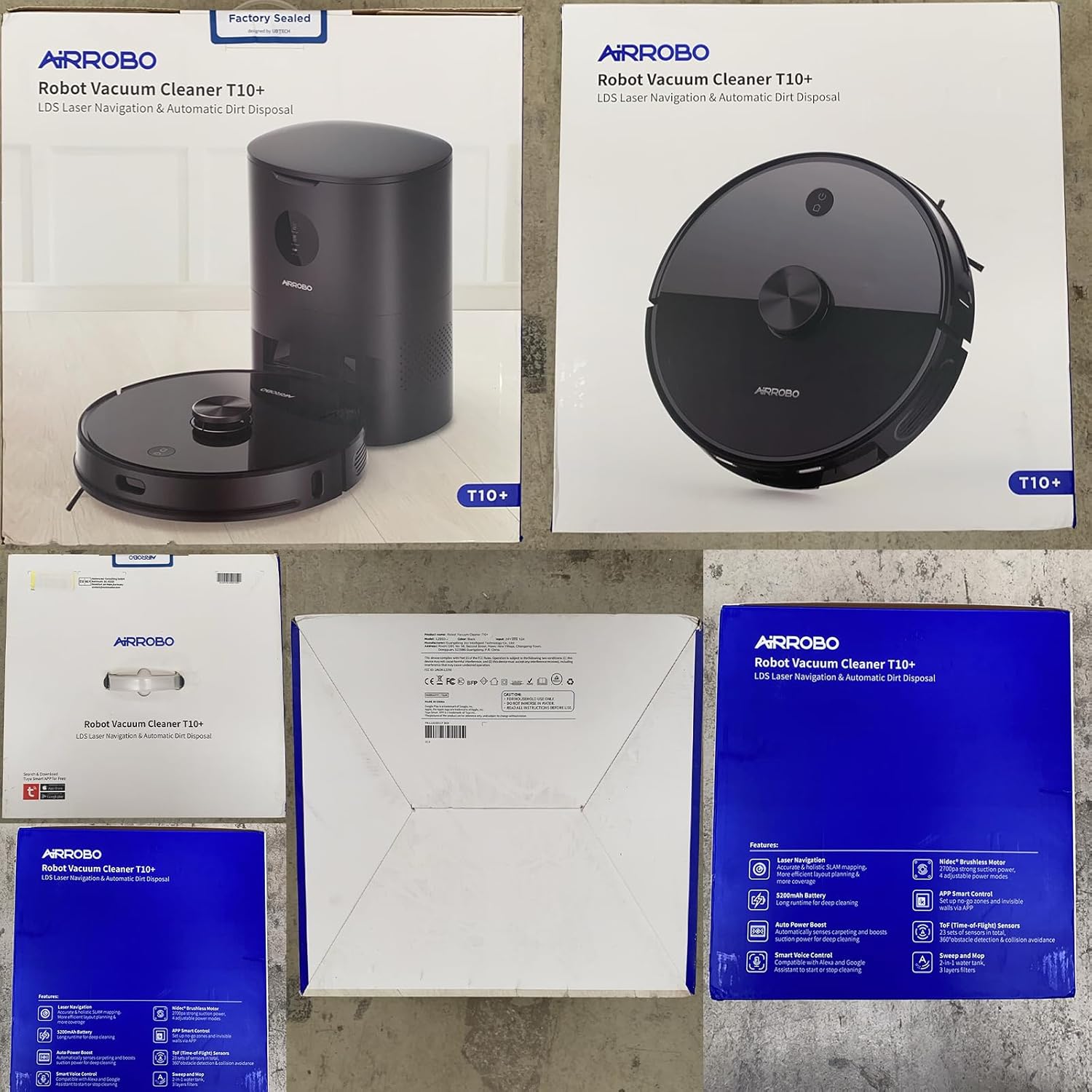
Official product video showcasing the AIRROBO T10+ robot vacuum cleaner and its features, including unboxing and components.
4. Setup Guide
4.1 Charging Base Placement
Place the auto-emptying base against a wall in an open area. Ensure there is at least 0.5 meters (1.6 feet) of clear space on both sides of the base and 1.5 meters (4.9 feet) in front of it for optimal navigation and docking.
4.2 Initial Charging
Place the robot vacuum onto the charging pins of the auto-emptying base. Ensure the robot is properly aligned. The indicator lights on the robot will illuminate, indicating it is charging. Allow the robot to fully charge before its first use (approximately 6 hours).
4.3 App Installation and Wi-Fi Connection
Download the "Tuya Smart" app from your mobile device's app store (available for Android and iOS). Follow the in-app instructions to connect your AIRROBO T10+ to your home's 2.4GHz Wi-Fi network. The app allows for advanced control, scheduling, and monitoring.

5. Operating Instructions
5.1 Lidar Navigation and Mapping
The AIRROBO T10+ utilizes high-precision Lidar navigation to scan your home and create a detailed virtual map. This allows the robot to plan the most efficient cleaning path, ensuring no areas are missed. The map can be viewed and managed within the "Tuya Smart" app.

5.2 Cleaning Modes
Select from various cleaning modes via the app or remote control:
- Auto Clean: The robot automatically cleans the entire mapped area.
- Edge Clean: The robot cleans along walls and furniture edges.
- Spot Clean: The robot focuses on a specific dirty area for intensive cleaning.
- Zigzag Clean: The robot cleans in a systematic zigzag pattern.
5.3 Suction Levels
Adjust the suction power based on your cleaning needs. The robot offers four levels: Quiet, Standard, Strong, and Max. It also features an auto-carpet power boost, automatically increasing suction when it detects carpeted surfaces.

5.4 Mopping Function
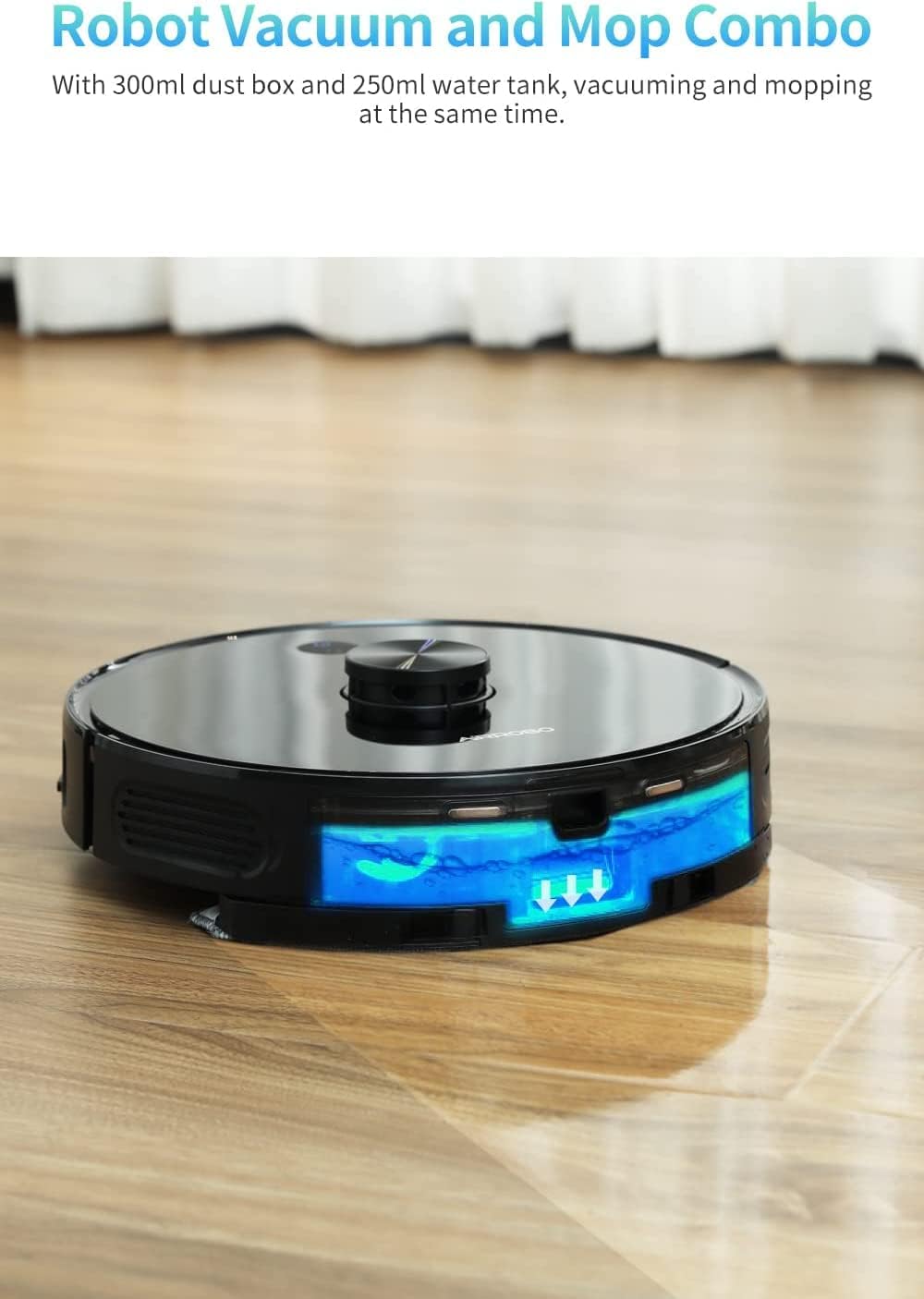
To use the mopping function, fill the 250ml water tank with clean water and attach the mopping pad. The robot can vacuum and mop simultaneously. You can adjust the water flow level (Low, Middle, High) via the app to suit different floor types and cleaning requirements.
5.5 Scheduling and Virtual Walls
Use the "Tuya Smart" app to set cleaning schedules for specific times and days. You can also define virtual walls or no-go zones on the map to restrict the robot from entering certain areas, such as pet feeding zones or delicate areas.
5.6 Voice Control and Remote Control
The AIRROBO T10+ is compatible with Amazon Alexa and Google Assistant for convenient voice commands. A remote control is also included for direct control of the robot's movements and cleaning functions without needing the app.
6. Maintenance
Regular maintenance ensures the longevity and optimal performance of your AIRROBO T10+.
6.1 Auto Dirt Disposal and Dustbin
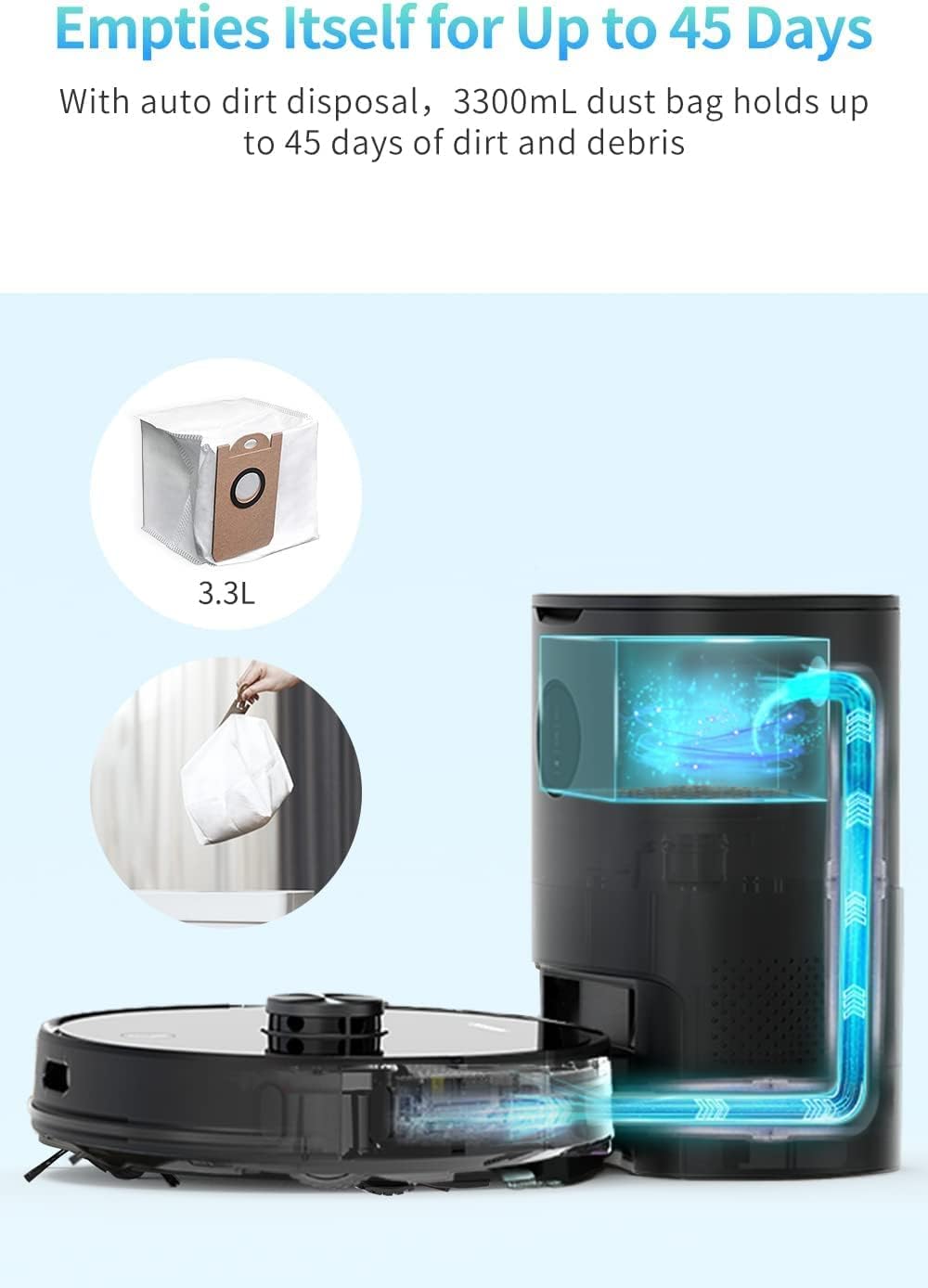
The auto-emptying base can hold up to 45 days of dirt and debris in its 3300ml dust bag. Replace the dust bag when full. The robot's internal dustbin should also be checked and cleaned periodically, especially if not using the auto-empty feature frequently.
6.2 Filter Cleaning and Replacement
The robot features a 3-layer HEPA filter. Tap off excess dirt from the filter after each cleaning cycle. Wash the filter with water as needed and allow it to air dry completely before reinserting. Replace the filter every 3-6 months depending on usage.
6.3 Brush Cleaning
Regularly remove hair and debris from the main brush and side brushes using the provided cleaning tool. This prevents entanglement and maintains effective cleaning. Replace worn brushes as needed.
6.4 Mopping Pad Care
After each mopping session, remove and clean the mopping pad. The reusable pad can be hand-washed or machine-washed. Disposable pads should be discarded after use.
6.5 Sensor Cleaning
Wipe the cliff sensors, wall sensors, and charging contacts with a clean, dry cloth periodically to ensure proper function and prevent navigation issues.
7. Troubleshooting
If you encounter issues with your AIRROBO T10+, refer to the following common problems and solutions:
- Robot not charging: Ensure the charging contacts on both the robot and base are clean and free of debris. Verify the power adapter is securely plugged in.
- Robot getting stuck frequently: Clear obstacles, loose cables, and thick rugs from the cleaning path. Use virtual walls in the app for problematic areas.
- Poor cleaning performance: Clean the main brush, side brushes, and filters. Empty the dustbin. Ensure the water tank is filled for mopping.
- Robot not connecting to Wi-Fi: Ensure your Wi-Fi network is 2.4GHz. Restart your router and the robot. Follow the app's pairing instructions carefully.
- Unusual noises: Check the main brush and side brushes for tangled hair or debris. Inspect the wheels for any obstructions.
For more detailed troubleshooting or persistent issues, please refer to the full user manual or contact AIRROBO customer support.
8. Specifications
| Feature | Detail |
|---|---|
| Brand | AIRROBO |
| Model Name | AIRROBO T10+ |
| Special Feature | Bag (Auto Dirt Disposal) |
| Product Dimensions | 5.43"L x 5.43"W x 1.55"H |
| Included Components | Collection Bag |
| Filter Type | Foam |
| Battery Life | 250 minutes |
| Voltage | 3.6E+3 Volts (DC) |
| Dustbin Capacity | 3300 Milliliters (Auto-Emptying Base) |
| Power Source | Battery Powered |
| Control Method | Voice, App, Remote Control |
| Compatible Devices | Amazon Echo, Google Home |
| Item Weight | 0.141 ounces |
9. Warranty & Support
For warranty information, technical support, or any inquiries regarding your AIRROBO T10+, please visit the official AIRROBO website or contact their customer service directly. Keep your purchase receipt as proof of purchase for warranty claims.
You can visit the AIRROBO Store on Amazon for more product information and support resources.
Ask a question about this manual
Ask about setup, troubleshooting, compatibility, parts, safety, or missing instructions. Manuals+ will review the question and use this page’s manual context to help answer it.