
GESIPOR 60x36 Horizontal LED Smart Mirror
Gesipor 60"x36" Bathroom LED Mirror User Manual
Brand: GESIPOR | Model: 60x36 Horizontal LED Smart Mirror
Introduction
This manual provides comprehensive instructions for the installation, operation, maintenance, and troubleshooting of your Gesipor 60"x36" Bathroom LED Mirror. Please read this manual thoroughly before installation and use to ensure proper function and safety. Keep this manual for future reference.

Figure 1: Gesipor 60"x36" Bathroom LED Mirror in a modern bathroom setting.
Key Features
- Dimmable LED Lighting: Adjustable brightness and color temperature (3000K Warm Light to 6000K Daylight). Features a memory function to retain last used settings.
- Anti-Fog Function: Integrated defogger button activates within 3 seconds, preventing mirror fogging.
- Wireless Speaker: Built-in Bluetooth speaker for 360-degree surround sound audio playback.
- Call Answering: Ability to answer phone calls directly from the mirror surface.
- Modern Design: Frameless design suitable for various spaces including bathrooms, living rooms, and commercial settings.
- Time and Temperature Display: Integrated display for convenience.
- Dual Installation Options: Supports both hardwire and plug-in connections for wall switch control.
- Durable Construction: Aluminum alloy frame and 5mm thick copper-free glass for longevity.
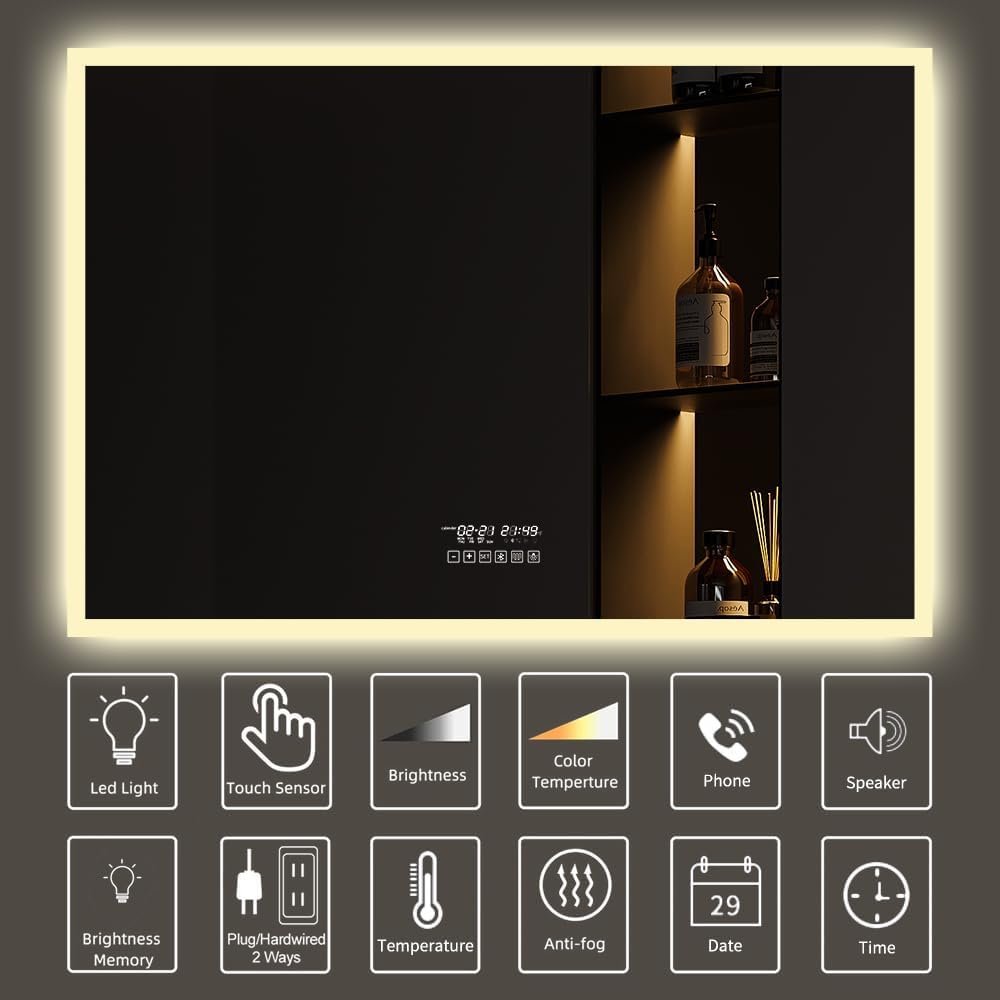
Figure 2: Overview of the mirror's smart functions and controls.
Setup and Installation
The Gesipor LED mirror is designed for wall-mounted installation and offers flexible power connection options.
Mounting the Mirror
Ensure the wall is structurally sound to support the mirror's weight (approximately 27.22 kg). Use appropriate wall anchors and screws for your wall type. The mirror's aluminum alloy frame provides a secure mounting point.
Electrical Connection
The mirror can be connected via a standard plug or hardwired directly to a wall switch for convenient control.
- Plug-in Installation: Connect the mirror's power cord to a standard electrical outlet.
- Hardwire Installation: For a seamless look and wall switch control, the mirror can be hardwired. It is recommended that this be performed by a qualified electrician to ensure compliance with local electrical codes. The mirror operates on 110V-240V.

Figure 3: Hardwire and plug-in options for mirror control via wall switch.

Figure 4: Rear view of the mirror detailing components and wiring.
Operating Instructions
Your Gesipor LED mirror features intuitive touch controls integrated into the mirror surface.
Lighting Control
- Power On/Off: Tap the designated touch button to turn the LED lights on or off.
- Brightness Adjustment (Stepless Dimming): Press and hold the brightness touch button to cycle through brightness levels from dim to bright. Release when desired brightness is achieved. The mirror will remember your last brightness setting.
- Color Temperature Change: Short press the color temperature touch button to switch between 3000K (Warm Light) and 6000K (Daylight). The mirror will remember your last color temperature setting.

Figure 5: Stepless dimming and color temperature adjustment.
Anti-Fog Function
- Activation: Tap the anti-fog touch button to activate the defogger. It will become effective approximately 3 seconds after activation.
- Defogging Time: The defogging process typically takes 3-10 minutes depending on ambient conditions.
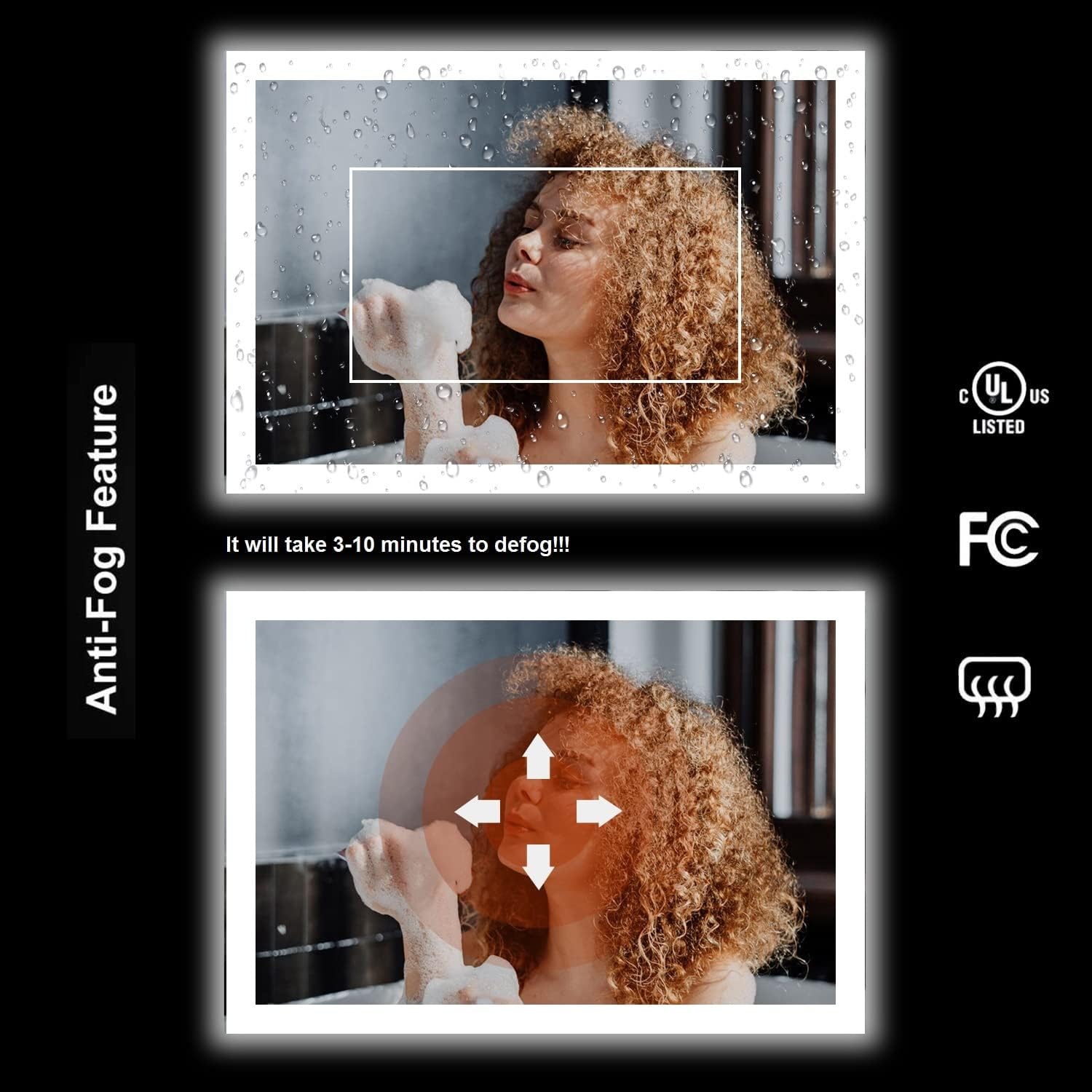
Figure 6: Anti-fog feature in operation.
Wireless Speaker and Call Function
- Bluetooth Pairing: Enable Bluetooth on your smartphone or tablet. Search for the mirror's Bluetooth name (refer to the mirror's display or packaging for the exact name) and pair.
- Audio Playback: Once paired, audio from your device will play through the mirror's speaker.
- Answering Calls: When a call comes in, press the designated phone icon on the mirror surface to answer.
Time and Temperature Display
The mirror features an integrated display for time and temperature. Refer to the on-screen prompts or specific instructions provided with the mirror for setting the time and unit of temperature display.
Maintenance
To ensure the longevity and optimal performance of your Gesipor LED mirror, follow these maintenance guidelines:
- Cleaning the Mirror Surface: Use a soft, lint-free cloth and a non-abrasive glass cleaner. Spray the cleaner onto the cloth, not directly onto the mirror, to prevent liquid from seeping into the electrical components.
- Cleaning the Frame: Wipe the aluminum alloy frame with a soft, damp cloth. Avoid harsh chemicals or abrasive cleaners that could damage the finish.
- Electrical Components: Ensure the mirror is disconnected from power before any cleaning or maintenance involving electrical parts. Do not attempt to open the sealed electrical components.
- Regular Inspection: Periodically check the mounting hardware and electrical connections for any signs of wear or loosening.
Troubleshooting
If you encounter issues with your Gesipor LED mirror, refer to the following common troubleshooting steps:
| Problem | Possible Cause | Solution |
|---|---|---|
| LED lights do not turn on. | No power supply; loose connection; faulty LED driver. | Check if the mirror is properly plugged in or hardwired. Verify the wall switch is on. Try power cycling the mirror by turning off the main breaker for a few minutes, then turning it back on. If the issue persists, contact customer support. |
| Anti-fog function not working. | Function not activated; insufficient time for defogging. | Ensure the anti-fog button is pressed. Allow 3-10 minutes for the defogger to heat up and clear the mirror. |
| Bluetooth speaker not connecting or playing audio. | Bluetooth not enabled on device; mirror not in pairing mode; already connected to another device. | Ensure Bluetooth is enabled on your device and the mirror. Disconnect from other devices if necessary. Try restarting both the mirror (by power cycling) and your Bluetooth device. |
| Touch controls are unresponsive. | Temporary software glitch; dirty sensor. | Clean the touch sensor area on the mirror surface. Try power cycling the mirror by turning off the main breaker for a few minutes, then turning it back on. |
Specifications
| Specification | Value |
|---|---|
| Product Dimensions | 152.4L x 91.4W Centimetres (60"x36") |
| Item Weight | 27.22 kg |
| Frame Material | Aluminum |
| Mirror Thickness | 5mm Copper-Free Glass |
| LED Light Type | 60 LEDs per meter, 24-26 Lumen Per Led |
| Color Temperature | 3000K (Warm Light) / 6000K (Daylight) |
| Power Input | 110V-240V (Applicable) |
| Power Cord Length | 1.1m (UL Certified 48inch) |
| Defogger | UL Certified IP67 Waterproof Defogger |
| LED Driver | UL Certified 110V-270V LED Power Driver |
| Waterproof Rating | IP44 |
| CRI | > 90 |
| Mounting Type | Wall Mount |
| Special Features | Bluetooth, Color Brightness, Dimmable, Fogless, Touch Sensor, Time/Temp Display |
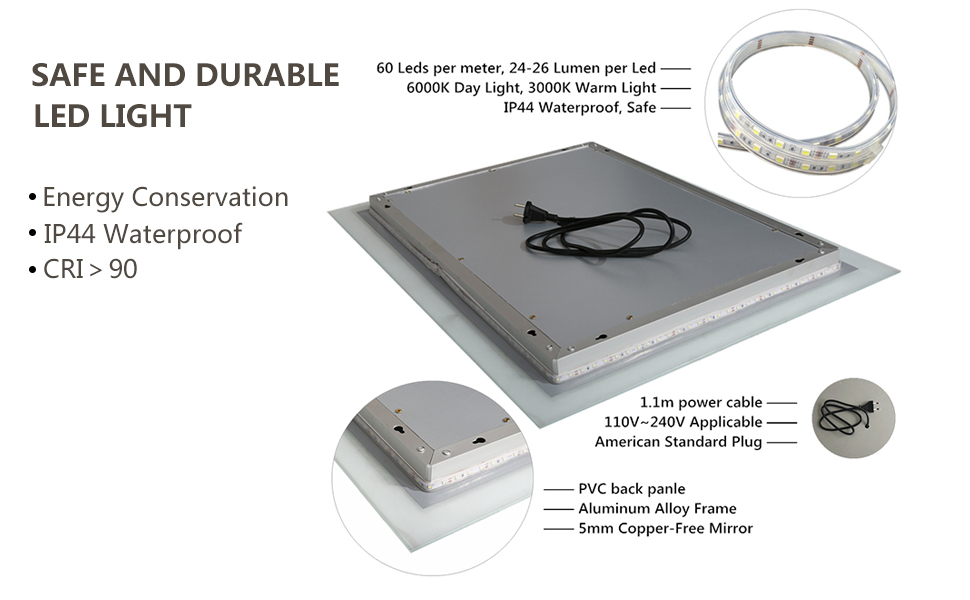
Figure 7: Internal components and safety features of the LED mirror.
Warranty and Support
Gesipor stands behind the quality of its products. This mirror comes with the following warranty:
- 3-Year Warranty: Covers any material and manufacturing defects from the date of purchase.
- Lifetime Warranty: Applies to electrical accessories and LED light strips.
For warranty claims, technical support, or any inquiries, please contact Gesipor customer service through the retailer where the product was purchased or refer to the official Gesipor website for contact information.
Ask a question about this manual
Ask about setup, troubleshooting, compatibility, parts, safety, or missing instructions. Manuals+ will review the question and use this page’s manual context to help answer it.