Introduction
Thank you for purchasing the Canal Toys My Music Creator INF 006 Unicorn Light Up Speaker. This manual provides important information for the safe and optimal use of your new speaker. Please read these instructions carefully before use and retain them for future reference.
Safety Information
WARNING: Not suitable for children under 36 months due to small parts. Choking hazard. Please remove all unnecessary packaging elements, such as plastic ties, before giving the toy to a child.
- Always supervise children during use.
- Do not expose the speaker to water or excessive moisture.
- Do not attempt to disassemble or modify the speaker.
- Use only the provided USB cable for charging.
- Keep the remote control away from small children.
Package Contents
Ensure all items are present in the package:
- 1 x Unicorn Light Up Speaker
- 1 x Remote Control
- 1 x USB Charging Cable
- 1 x Sheet of Stickers
- 1 x Instruction Manual

Figure 1: All included components.
Product Overview
Familiarize yourself with the speaker's features and controls.

Figure 2: Key features and specifications.

Figure 3: Product packaging.

Figure 4: Speaker with remote and stickers.

Figure 5: Speaker dimensions (30cm height).
Setup
1. Charging the Speaker
Before first use, fully charge the speaker. Locate the USB charge port on the back of the speaker. Connect the provided USB charging cable to the speaker and a compatible USB power source (e.g., computer USB port, USB wall adapter). The charging indicator light will show the charging status. A full charge provides up to 3 hours of autonomy.
2. Power On/Off
Press and hold the power button (usually marked with a circle and a vertical line) on the back of the speaker to turn it on or off.
Operating Instructions
1. Bluetooth Connection
- Ensure the speaker is powered on.
- Activate Bluetooth on your smartphone or tablet.
- Search for available Bluetooth devices and select "Unicorn Speaker" (or similar name) from the list.
- Once connected, you will hear an audible confirmation, and you can now play music wirelessly from your device.
2. Using the Remote Control
The included remote control allows you to manage both music playback and light functions from a distance of up to 5 meters.

Figure 6: Operating the speaker with the remote control.
- Power Button: Turns the speaker on/off.
- Light Buttons:
- Color Selection: Choose from 8 different colors (Red, Green, Blue, White, Yellow, Cyan, Pink, Orange).
- FLASH Mode: Lights flash rapidly.
- FADE Mode: Lights smoothly transition between colors.
- Brightness Adjustment: Increase or decrease light intensity.

Figure 7: 8 color options for the light-up feature.
- Music Control Buttons:
- Play/Pause: Start or pause music playback.
- Next/Previous Track: Skip to the next or previous song.
- Volume Up/Down: Adjust the speaker's volume.
3. USB Player and AUX In
The speaker features a USB player port for playing music directly from a USB key and an AUX In port for connecting external audio devices via a 3.5mm audio cable (not included).
4. Customization with Stickers
Use the provided sticker sheet to personalize your Unicorn Light Up Speaker. Ensure the speaker surface is clean and dry before applying stickers for best adhesion.
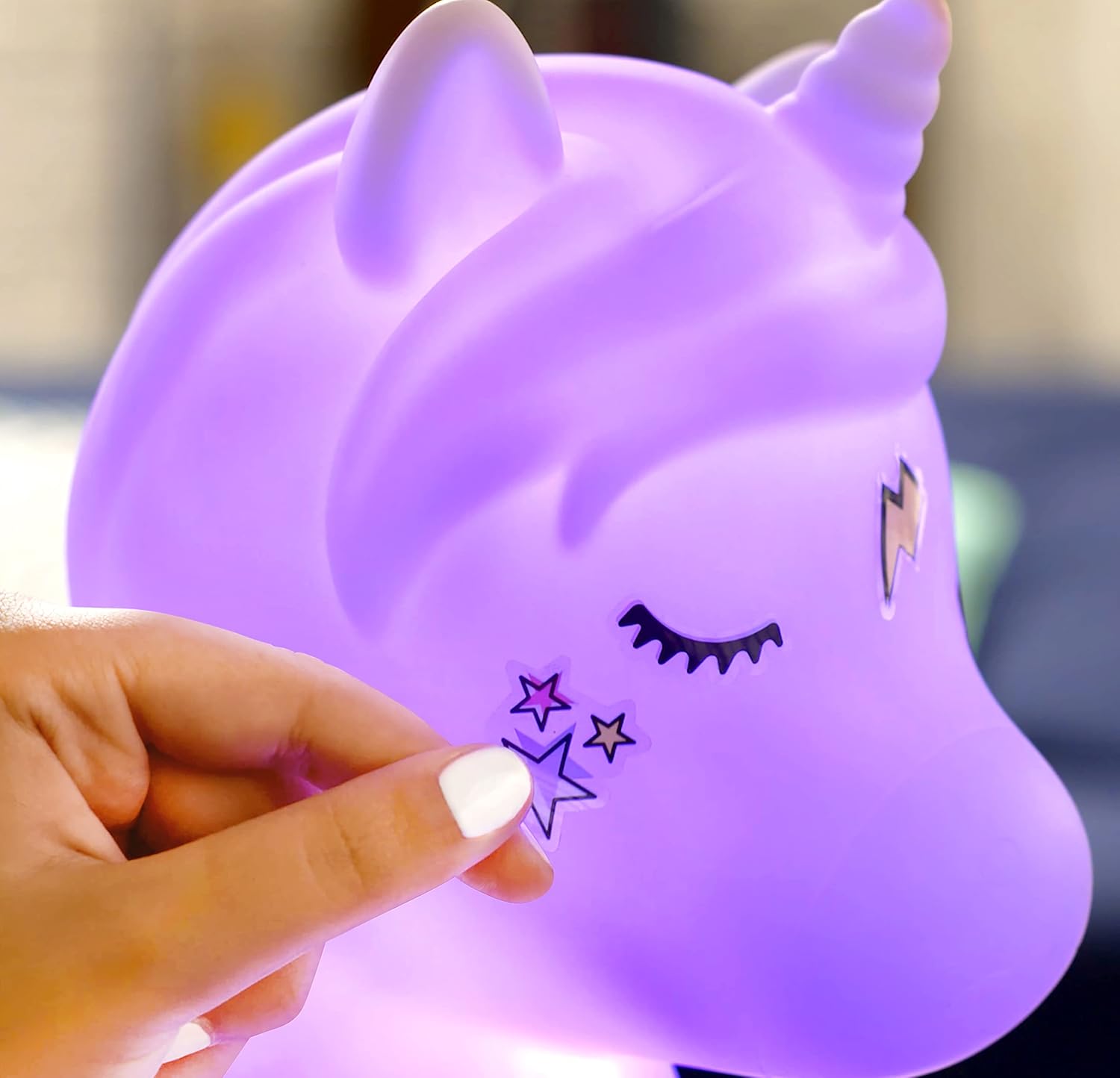
Figure 8: Personalizing the speaker with stickers.

Figure 9: Speaker in use with customized stickers and lights.
Maintenance
- Cleaning: Wipe the speaker with a soft, dry cloth. Do not use abrasive cleaners or solvents.
- Storage: Store the speaker in a cool, dry place away from direct sunlight when not in use.
- Battery Care: To prolong battery life, charge the speaker regularly, even if not in frequent use.
Troubleshooting
| Problem | Possible Cause | Solution |
|---|---|---|
| Speaker does not turn on. | Low battery. | Charge the speaker using the provided USB cable. |
| Cannot connect via Bluetooth. | Bluetooth is off on your device or speaker is not in pairing mode. | Ensure Bluetooth is enabled on your device and the speaker is powered on. Try restarting both devices. |
| Remote control not working. | Remote battery is low or depleted. Obstruction between remote and speaker. | Replace the remote control battery. Ensure a clear line of sight to the speaker's sensor. |
| Poor sound quality. | Device volume too low, speaker too far from source, or interference. | Increase device volume. Move speaker closer to the audio source. Avoid sources of interference. |
Specifications
| Feature | Detail |
|---|---|
| Model Number | INF 006 |
| Brand | Canal Toys |
| Dimensions (L x W x H) | 23.5 x 17.5 x 31 cm |
| Weight | 761 Grams |
| Speaker Output Power | 5 Watts |
| Wireless Technology | Bluetooth |
| Connectivity | USB, AUX In |
| Battery Life | Up to 3 hours |
| Control Method | Remote Control |
| Light Modes | 8 colors, Flash, Fade |
| Compatible Devices | Smartphone, Tablet |
| Material | Plastic |
| Recommended Age | 3 years and up |
Warranty and Support
This product comes with a limited warranty. For any questions, technical support, or warranty claims, please contact Canal Toys customer service.
Canal Toys3 Rue Jules Guesde
92300 Levallois Perret, France
Email: SAV@canaltoys.fr
Please retain your proof of purchase for warranty purposes. Spare parts availability is 2 years.