
GVM Great Video Maker light'battery
GVM NP-F750/770 Battery and Travel Charger User Manual
Model: light'battery
1. Introduction
This user manual provides comprehensive instructions for the safe and effective use of your GVM NP-F750/770 4400mAh Batteries and Travel Chargers. Please read this manual thoroughly before operation and retain it for future reference.
2. Product Overview
2.1 Package Contents
Your package should include the following items:
- 2 x GVM NP-F750/770 7.2V 4400mAh Li-ion Batteries
- 2 x GVM Single Battery Travel Chargers

Image: The complete package contents, including two NP-F750 batteries, two travel chargers, and their retail packaging.
2.2 Key Features
- Wide Compatibility: Designed for NP-F750/770, also compatible with Sony NP-F975, NP-F960, NP-F950, NP-F930, NP-F770, NP-F750, NP-F550 series batteries, and suitable for various DCR, DSR, HDR, FDR, HVR, HVL cameras, and LED lights.
- High Capacity: Each battery provides 4400mAh capacity for extended usage.
- Dual Charging Capability: The included travel chargers allow simultaneous and independent charging of two batteries from any USB power source (USB cable not included, charger has integrated foldable AC plug).
- Portable Design: Compact and lightweight chargers and batteries are ideal for travel.
- Safety Certified: Equipped with safety and quality certifications (CE, FCC, RoHS) to protect against overcharge, overcurrent, high temperature, and short-circuit.
- Versatile Application: Applicable to various GVM brand LED panel lights (e.g., GVM 800D, 480LS, 1200D, 1500D, 680RS, 880RS, SD80D, SD80S) and other compatible LED panel lights.
2.3 Product Components and Dimensions

Image: Overview of the GVM NP-F750/770 batteries and travel chargers.
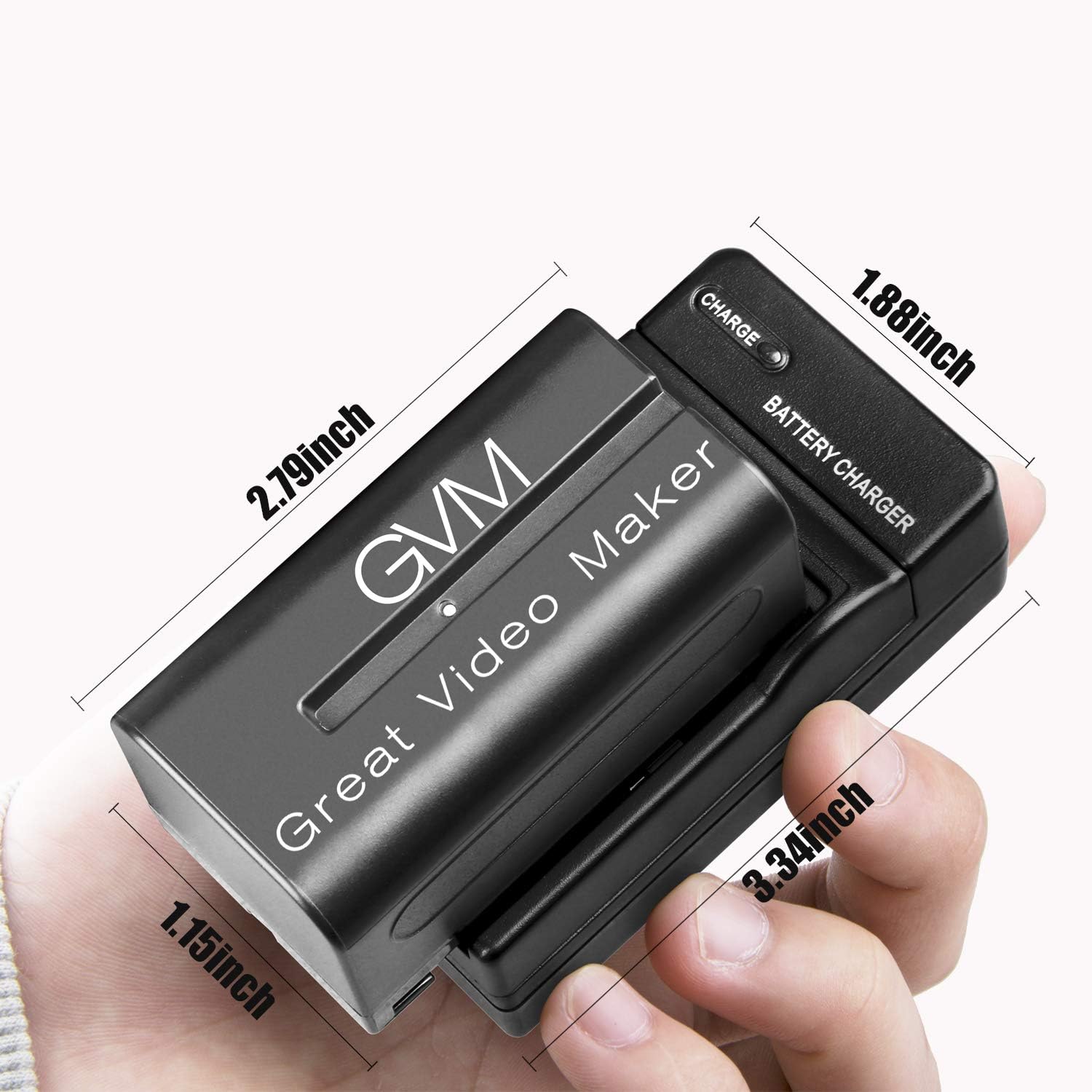
Image: Dimensions of the battery and charger unit in inches (approx. 2.79" battery length, 3.34" charger length, 1.88" charger height, 1.15" battery thickness).

Image: Dimensions of the battery and charger unit in centimeters (approx. 7cm battery length, 8.5cm charger length, 4.7cm charger height, 7cm total width).

Image: Rear view of the travel charger, displaying input (AC 100V-240V ~ 50/60Hz Max150mA) and output (DC8.4V === 600mA) specifications, along with safety warnings and certifications.

Image: Detail of the foldable AC plug on the travel charger, indicating its compact design for portability.
3. Setup
Before first use, ensure both batteries are fully charged.
- Insert Battery: Align the battery with the charging slot on the travel charger. Gently slide the battery into the slot until it clicks securely into place. Ensure the contacts on the battery align with the pins in the charger.
- Connect to Power: Fold out the AC plug from the back of the travel charger. Plug the charger directly into a standard wall outlet (AC 100V-240V).
- Charging Indicator: The "CHARGE" indicator light on the charger will illuminate to show the charging status.

Image: A close-up view demonstrating the correct orientation for inserting the battery into the charger.
4. Operating Instructions
4.1 Charging the Batteries
The travel charger is designed for efficient and safe charging.
- Once the battery is inserted and the charger is plugged into a power outlet, the "CHARGE" indicator light will turn on, typically red, indicating that charging is in progress.
- When the battery is fully charged, the "CHARGE" indicator light will change color (e.g., to green) or turn off, depending on the charger model.
- Charging time may vary based on the battery's current charge level and the power source.
- You can charge both batteries simultaneously using the two provided chargers.
4.2 Using the Batteries
These NP-F750/770 batteries are compatible with a wide range of devices:
- Cameras/Camcorders: Insert the charged battery into your compatible Sony DCR, DSR, HDR, FDR, HVR, HVL series camera or camcorder. Refer to your device's manual for specific battery insertion instructions.
- LED Lights: These batteries are suitable for powering various LED panel lights, including GVM models like 800D, 480LS, 1200D, 1500D, 680RS, 880RS, SD80D, SD80S, and other compatible brands. Ensure the LED light supports NP-F series batteries.
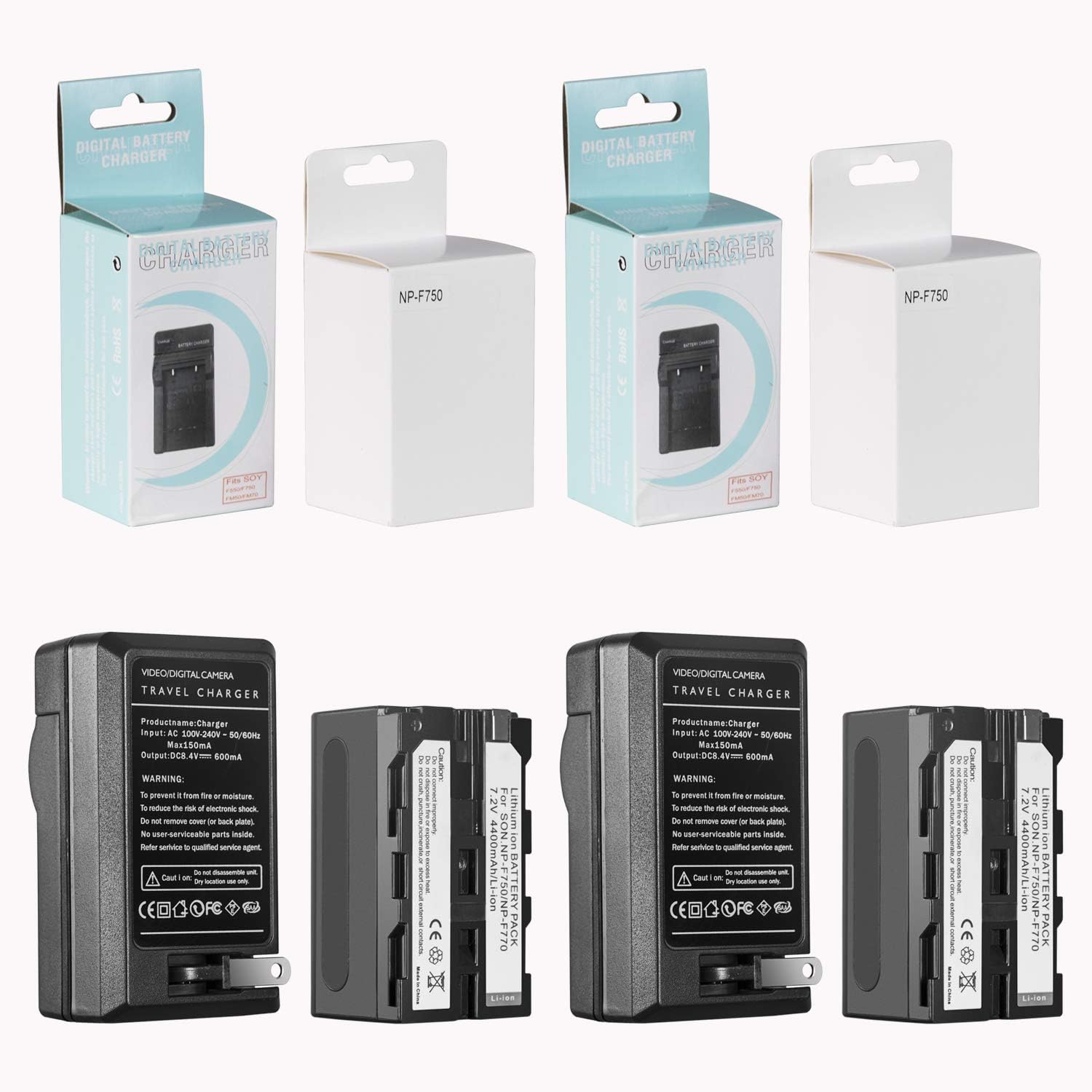
Image: A single GVM NP-F750 battery, ready for use with compatible devices.
5. Maintenance
- Cleaning: Use a soft, dry cloth to clean the battery and charger contacts. Do not use liquid cleaners or solvents.
- Storage: Store batteries in a cool, dry place away from direct sunlight and extreme temperatures. For long-term storage, charge batteries to approximately 50-60% capacity.
- Avoid Damage: Do not drop, puncture, or disassemble the batteries or chargers. Avoid exposing them to water or high humidity.
- Disposal: Dispose of old or damaged batteries according to local regulations. Do not dispose of them in household waste.
6. Troubleshooting
| Problem | Possible Cause | Solution |
|---|---|---|
| Battery not charging. |
|
|
| Battery not powering device. |
|
|
| Charger indicator light not working. |
|
|
7. Specifications
| Feature | Detail |
|---|---|
| Battery Type | Li-ion |
| Battery Model | NP-F750/770 |
| Battery Voltage | 7.2V |
| Battery Capacity | 4400mAh |
| Charger Input | AC 100V-240V ~ 50/60Hz Max150mA |
| Charger Output | DC 8.4V === 600mA |
| Product Model Number | light'battery |
| Item Weight (Total) | 1.26 pounds (approx. 0.57 kg) |
| Package Dimensions | 8.27 x 5.35 x 1.73 inches (approx. 21 x 13.6 x 4.4 cm) |
| Color | Black |
| Certifications | CE, FCC, RoHS |
8. Warranty and Support
GVM Great Video Maker products are designed for reliability and performance. For any questions, technical support, or warranty inquiries, please contact GVM customer service through their official website or the retailer where the product was purchased.
Please retain your proof of purchase for warranty claims.
Related Documents - light'battery
 |
ENEGON 4-Channel Battery Charger for SONY NP-F Series - User Manual This user manual provides essential information for the ENEGON 4-channel battery charger, designed for SONY NP-F series batteries. It includes product overview, specifications, operating and storage conditions, precautions, and safety warnings. |
 |
SmallRig NP-F970 Battery and Charger Kit User Manual User manual for the SmallRig NP-F970 Battery and Charger Kit, providing detailed information on specifications, warnings, intended use, charging instructions, and warranty service. |
 |
Viltrox DC-550 5.5-inch HD Portable Monitor User Manual User manual for the Viltrox DC-550, a 5.5-inch HD portable monitor. This guide covers installation, operation, menu functions, troubleshooting, and specifications for the monitor, designed for use with digital cameras and camcorders. |
 |
SmallRig NP-F Battery Adapter Plate Professional Edition 3168: User Guide Detailed user manual for the SmallRig NP-F Battery Adapter Plate Professional Edition (Model 3168). Covers package contents, selecting compatible dummy battery cables for various camera models, mounting procedures, operation, and charging functions for reliable camera power solutions. |
 |
TILTA TBC-LS Dual Channel Battery Charger for L-Series/NP-F User Manual User manual for the TILTA TBC-LS dual channel battery charger, compatible with L-Series and NP-F type batteries. Provides specifications, packing list, and detailed usage instructions for safe and efficient charging. |
 |
Durapro Camera Battery & Charger: Safety & Usage Guide Comprehensive safety and usage guide for Durapro camera batteries and chargers, including instructions on replacement, charging, and general care. |
Ask a question about this manual
Ask about setup, troubleshooting, compatibility, parts, safety, or missing instructions. Manuals+ will review the question and use this page’s manual context to help answer it.