
JAYEGT JY-30-B
JAYEGT Motorized Rotating Display Stand User Manual
Model: JY-30-B
1. Introduction
Thank you for choosing the JAYEGT Motorized Rotating Display Stand. This electric turntable is designed to provide smooth, consistent 360-degree rotation for product photography, live video broadcasts, and general item display. Its robust construction and versatile features make it an ideal tool for showcasing products in various settings, from e-commerce to exhibitions.
This manual provides detailed instructions on setting up, operating, and maintaining your display stand to ensure optimal performance and longevity.
2. Safety Information
Please read all safety instructions carefully before using the product. Failure to follow these instructions may result in damage to the product or personal injury.
- Do not exceed the maximum load capacity of 120 kg (300 lbs). Overloading can damage the motor and internal components.
- Ensure the power adapter is connected to a compatible power outlet (110-220V AC).
- Keep the device away from water, moisture, and extreme temperatures.
- Do not attempt to disassemble or repair the unit yourself. Contact qualified personnel for service.
- Place the turntable on a stable, flat surface to prevent tipping.
- Keep hands and loose clothing away from the rotating platform during operation.
3. Package Contents
Verify that all items are present in the package:
- 1 x JAYEGT 30cm Motorized Rotating Display Stand
- 1 x Infrared Remote Control
- 1 x Power Adapter (110-220V AC to DC 15V)
- 1 x User Manual
4. Product Overview
The JAYEGT Motorized Rotating Display Stand consists of the main turntable unit, a power adapter, and an infrared remote control for convenient operation.

Figure 4.1: The JAYEGT Motorized Rotating Display Stand with its remote control, showcasing its ability to hold various items like a handbag, kettlebell, and shoes.

Figure 4.2: The complete package contents, including the electric turntable, infrared remote control, and power adapter, alongside the product box.
Main Unit Features:
- On/Off Switch: Located on the side of the base for manual power control.
- Power Input: Port for connecting the DC 15V power adapter.
- Remote Control Sensor Light: Indicates remote signal reception.
- Non-Slip Feet: Located on the bottom for stability.

Figure 4.3: Detailed view of the turntable's underside, highlighting the non-slip feet, and close-ups of the power switch, power socket, and remote control sensor light.
Remote Control Features:
- Power Button: Turns the turntable on/off.
- Speed Adjustment Buttons (+/-): Increases or decreases rotation speed.
- Direction Buttons: Changes rotation direction (clockwise/counter-clockwise).
- Angle Buttons (45°/90°/180°): Sets intermittent rotation angles.
- Continuous Rotation Button: Activates continuous 360-degree rotation.
5. Setup
- Unpack: Carefully remove all components from the packaging.
- Placement: Place the turntable on a flat, stable, and level surface. Ensure there is enough clear space around the turntable for the items you intend to display.
- Power Connection: Connect the DC 15V power adapter to the power input port on the side of the turntable. Plug the adapter into a suitable electrical outlet.
- Power On: Flip the On/Off switch on the side of the turntable to the 'On' position. The indicator light should illuminate.
- Remote Control: Ensure the remote control has working batteries (not included, typically AAA). Point the remote towards the turntable's sensor.
6. Operating Instructions
The JAYEGT display stand offers flexible control via its infrared remote.
Basic Operation:
- Start/Stop Rotation: Press the power button on the remote control to start or stop the rotation.
- Change Direction: Use the direction buttons (clockwise/counter-clockwise arrows) on the remote to reverse the rotation.
Speed Adjustment:
The turntable offers 10 adjustable speeds, ranging from 22 seconds per circle (fastest) to 60 seconds per circle (slowest).
- Press the '+' button on the remote to increase the rotation speed.
- Press the '-' button on the remote to decrease the rotation speed.
Rotation Modes:
The turntable supports both continuous and intermittent rotation.
- Continuous Rotation: Press the dedicated continuous rotation button (often indicated by a circular arrow) on the remote for uninterrupted 360-degree movement.
- Intermittent Rotation: Use the 45°, 90°, or 180° angle buttons to set the turntable to rotate by a specific angle and then pause. This is useful for showcasing different sides of an item.

Figure 6.1: Examples of how the JAYEGT display stand can be used for various products, such as shoes, cosmetics, clothing, beverages, and food, in different display scenarios.
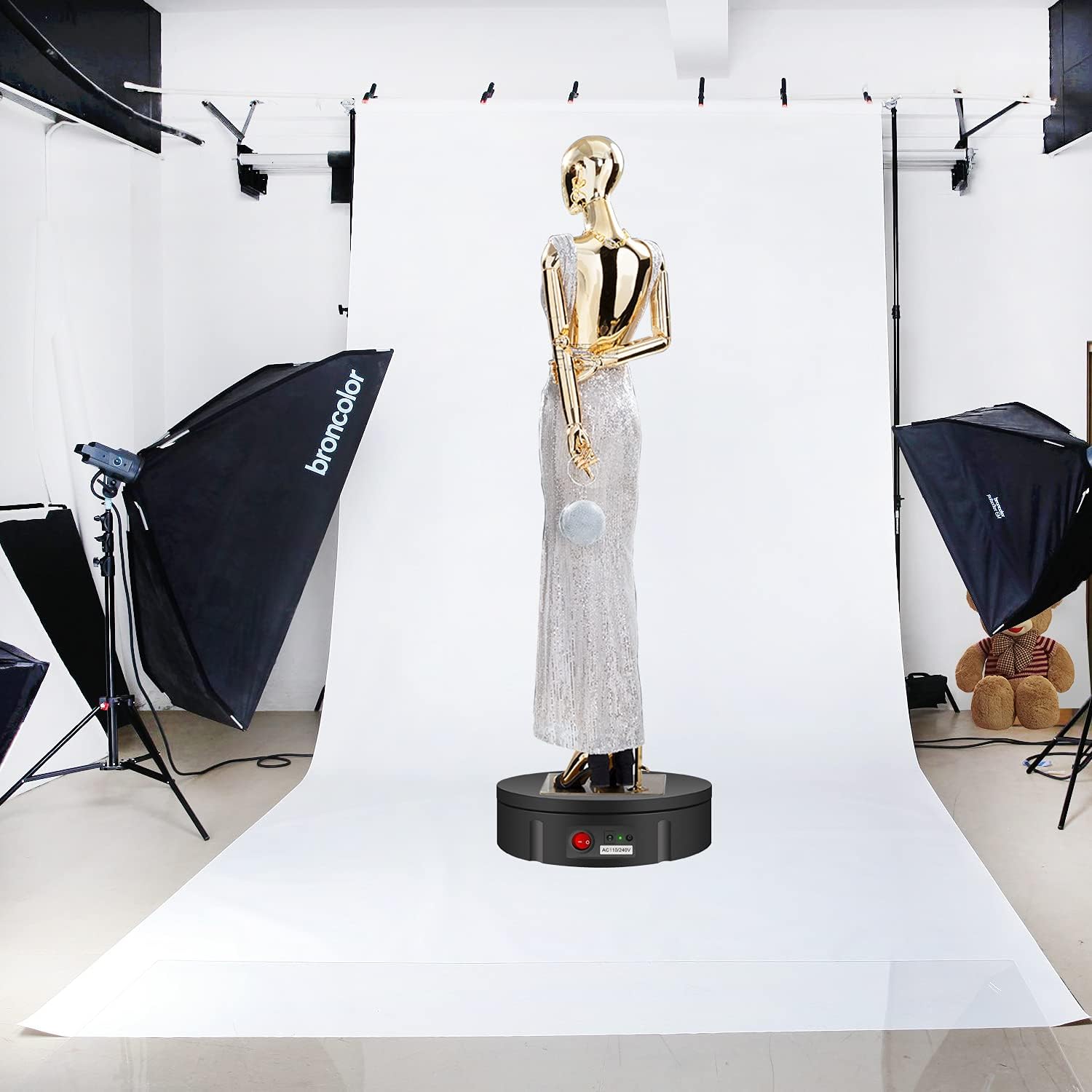
Figure 6.2: The JAYEGT display stand in a professional photography studio, showcasing a mannequin, demonstrating its utility for high-quality product visuals.
7. Maintenance
Proper maintenance will extend the life of your display stand.
- Cleaning: Wipe the surface of the turntable with a soft, dry, or slightly damp cloth. Do not use abrasive cleaners or solvents.
- Storage: When not in use, store the turntable in a cool, dry place, away from direct sunlight and dust.
- Handling: Avoid dropping or subjecting the unit to strong impacts.
8. Troubleshooting
If you encounter issues with your JAYEGT display stand, refer to the following common problems and solutions:
| Problem | Possible Cause | Solution |
|---|---|---|
| Turntable does not rotate. | Not powered on; Power adapter loose; Remote control batteries dead; Overloaded. | Ensure the side switch is ON. Check power adapter connection. Replace remote batteries. Reduce load. |
| Rotation is jerky or inconsistent. | Overloaded; Uneven surface; Obstruction. | Reduce load. Place on a flat, stable surface. Check for any obstructions. |
| Remote control not working. | Batteries dead or incorrectly inserted; Not pointing at sensor; Obstruction between remote and sensor. | Replace batteries, ensure correct polarity. Point remote directly at the sensor. Remove any obstructions. |
| Unusual noise during operation. | Overloaded; Internal issue. | Reduce load. If noise persists, discontinue use and contact support. |
9. Specifications
Detailed technical specifications for the JAYEGT Motorized Rotating Display Stand:

Figure 9.1: Visual representation of the turntable's dimensions (30cm diameter, 6cm height) and key features such as quiet operation, smooth rotation, live video capability, load capacity, and durable material.
| Feature | Specification |
|---|---|
| Model Number | JY-30-B |
| Dimensions (L x W x H) | 30 x 30 x 6 cm (11.8 x 11.8 x 2.4 inches) |
| Net Weight | 1.4 kg (3.1 lbs) |
| Maximum Load Capacity | 120 kg (300 lbs) |
| Material | Acrylonitrile Butadiene Styrene (ABS) |
| Color | Black |
| Speed Range | 22 - 60 seconds per cycle (10 adjustable speeds) |
| Rotation Control | Infrared Remote Control |
| Rotation Modes | Continuous, Intermittent (45°/90°/180° angles) |
| Power Adapter Input | 110-220V AC |
| Power Adapter Output | DC 15V |
| ASIN | B098NTG2TG |
| UPC | 714005618848 |
10. Warranty and Support
JAYEGT is committed to providing high-quality products and customer satisfaction. While specific warranty details are not provided in this manual, please retain your proof of purchase for any warranty claims.
For technical support, troubleshooting assistance, or inquiries regarding your JAYEGT Motorized Rotating Display Stand, please contact the seller or manufacturer through the platform where you purchased the product. Provide your model number (JY-30-B) and a detailed description of the issue for faster service.
Related documentsJY-30-B


Ask a question about this manual
Ask about setup, troubleshooting, compatibility, parts, safety, or missing instructions. Manuals+ will review the question and use this page’s manual context to help answer it.