
PETPNR DTC01
PETPNR Dog Training Collar DTC01 User Manual
Rechargeable Electronic Collars with Remote for 2 Dogs
Introduction
This manual provides comprehensive instructions for the PETPNR Dog Training Collar, Model DTC01. This system is designed to assist in training dogs weighing between 8 to 120 lbs, offering three distinct training modes: beep, vibration, and static correction. The package includes a remote control and two IPX7 waterproof receivers, making it suitable for training small, medium, and large dogs in various environments.

Image: The PETPNR remote control and two dog collar receivers, illustrating the complete training system.
Safety Information
- Important: Avoid leaving the receiver collar on the dog for more than 12 hours per day. It is recommended to use the collar for a maximum of 6 hours daily.
- Regularly check your dog's skin for any signs of irritation, redness, or sores. If any are found, discontinue use of the collar until the skin has healed completely.
- Ensure the collar is fitted correctly, not too tight to restrict breathing or cause discomfort, and not too loose to prevent proper contact or allow the dog to chew it.
- The static correction feature should be used responsibly and only after other training modes (beep and vibration) have been attempted. Always start at the lowest static level and increase gradually if necessary.
- This device is intended for training purposes and should not be used as a punishment tool or for aggressive behavior correction without professional guidance.
What's in the Box
Upon opening your PETPNR Dog Training Collar package, you should find the following components:
- 1 x Product Box
- 1 x Remote Control
- 2 x Receiver Collars
- 1 x User Manual (this document)
- 1 x Lanyard for Remote
- 2 x USB Charging Cables
- 2 x Decorative Covers (optional, for receiver customization)
- 1 x Teardown Piece (tool for maintenance)

Image: An exploded view of the product packaging, showing all included items: remote, two receivers, charging cables, lanyard, decorative covers, and user manual.
Product Overview
Remote Control
- Display Screen: Shows battery level, dog selection, lock status, and intensity levels.
- Keypad Lock: Prevents accidental activation of training modes.
- Static Up/Down Buttons: Adjusts the intensity level of static correction.
- Channel Switch/Match Button: Selects which receiver to control (Dog 1, Dog 2, or All) and is used for pairing.
- Beep Button: Activates an audible tone.
- Vibrate Button: Activates vibration mode.
- Static Button: Activates static correction mode.
- Micro USB Charging Port: For recharging the remote's internal battery.
- Lanyard: For convenient carrying.
Receiver Collar
- Static Electrodes: Two metal contact points that deliver static correction.
- ON/OFF Button: Powers the receiver on or off.
- LED Status Light: Indicates power, charging status, and mode activation.
- USB Charging Port & Rubber Lid: For recharging the receiver's internal battery, protected by a waterproof rubber lid.
- Adjustable Strap: Fits neck sizes for dogs 8-120 lbs.

Image: A detailed diagram labeling the various buttons and components of both the remote control and the receiver collar for easy identification and operation.
Setup
1. Charging the Devices
Before initial use, fully charge both the remote control and the receiver collars. Connect the provided USB charging cables to the respective charging ports. The remote typically takes 2-3 hours to fully charge and offers over 40 days of standby time. Each receiver also takes 2-3 hours to charge and provides up to 20 days of standby time.

Image: The remote control displaying battery indicators for both the remote and the receiver, highlighting the extended battery life of the system.
2. Attaching and Fitting the Collar
Proper fit of the receiver collar is crucial for effective operation and your dog's comfort. The collar is adjustable and suitable for dogs weighing 8 to 120 lbs.
- Place the receiver collar around your dog's neck, ensuring the contact points touch the skin.
- Adjust the strap so it is snug but not overly tight. You should be able to fit one or two fingers comfortably between the strap and your dog's neck.
- Trim any excess strap length if necessary, ensuring the cut end is sealed to prevent fraying.
- Ensure the collar is positioned centrally on your dog's neck.
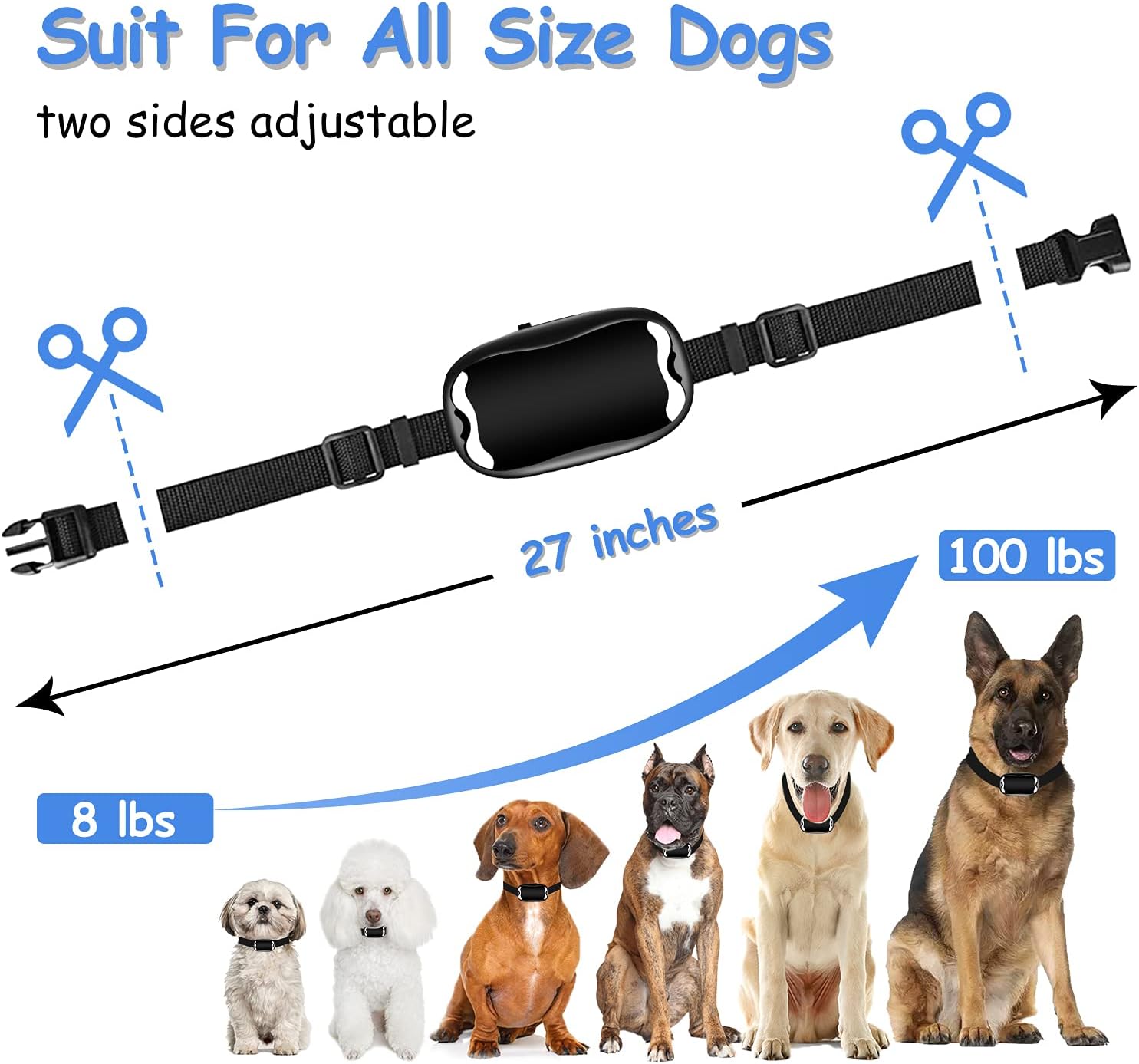
Image: A visual guide demonstrating the adjustable nature of the collar strap and its suitability for dogs ranging from 8 lbs to 100 lbs, with instructions on how to trim excess length.
3. Pairing (If Needed)
Your PETPNR training collar system typically comes pre-paired. If you need to re-pair a receiver or pair a new one:
- Turn on the remote control.
- Select the desired dog channel (1, 2, or 3) using the Channel Switch button on the remote.
- With the receiver turned off, press and hold the ON/OFF button on the receiver until the LED light flashes rapidly.
- While the receiver light is flashing, press any training mode button (Beep, Vibrate, or Static) on the remote. The receiver's LED light will stop flashing and remain solid, indicating successful pairing.
Operating Instructions
1. Turning On/Off
- Remote: Press and hold the power button until the screen illuminates. Press and hold again to turn off.
- Receiver: Press and hold the ON/OFF button until the LED light turns on/off.
2. Training Modes
The PETPNR training collar offers three distinct modes to facilitate effective training:
- Beep Mode: Delivers an audible tone. Often used as an initial warning or for positive reinforcement.
- Vibration Mode: Provides a gentle vibration. Useful for getting your dog's attention or as a stronger warning than the beep.
- Static Mode: Delivers a static correction. This mode has 15 adjustable levels (00-15). Always start at the lowest level and increase only if necessary.
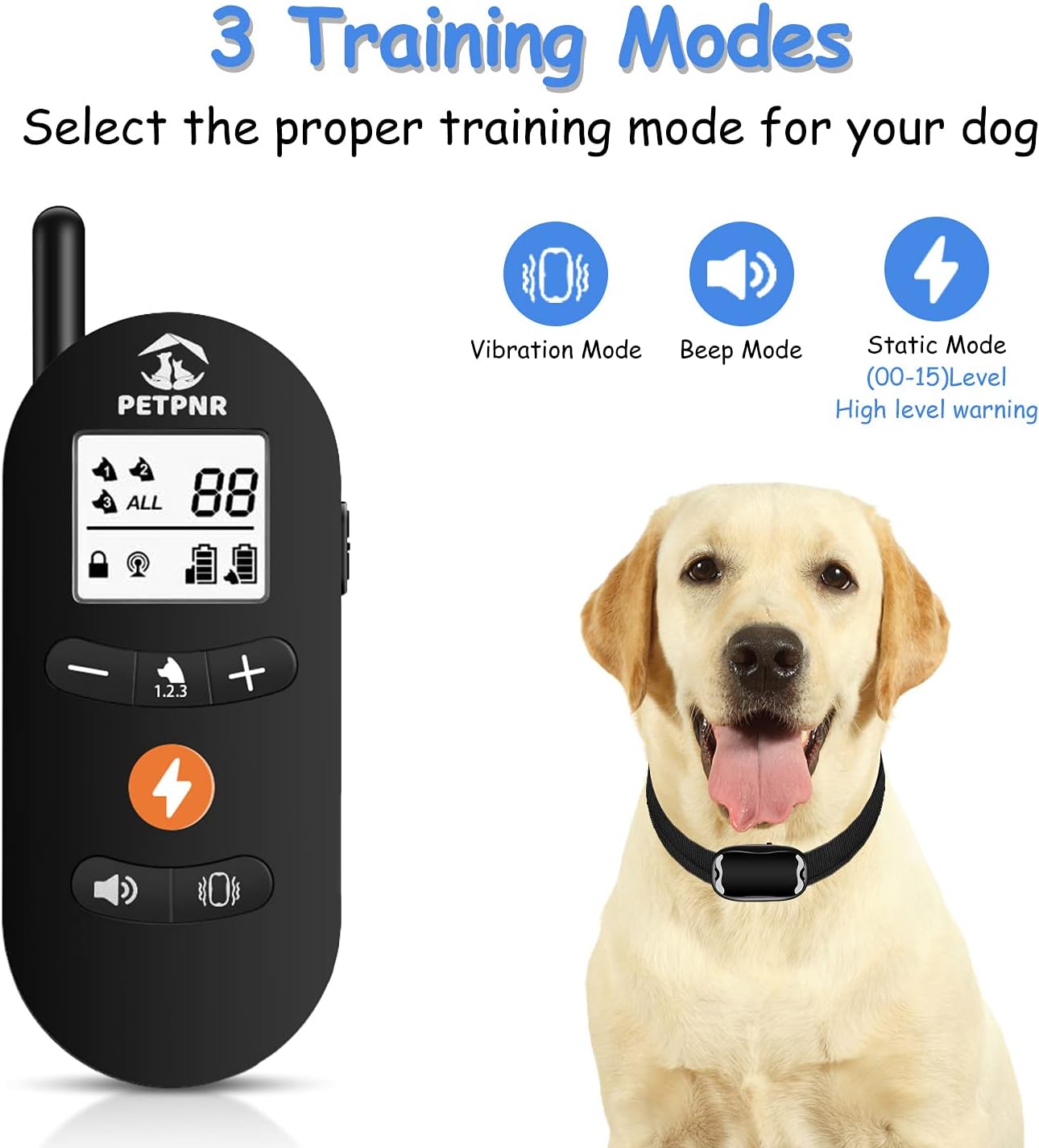
Image: The remote control interface clearly showing the icons for Vibration Mode, Beep Mode, and Static Mode, with an indication of 00-15 adjustable levels for static correction.
3. Adjusting Static Levels
Use the 'Static Up' (+) and 'Static Down' (-) buttons on the remote to select a static correction level from 00 to 15. It is crucial to find the lowest effective level for your dog.

Image: A visual representation of the 1-15 static correction levels, demonstrating how to choose the appropriate intensity for training.
4. Safety Keyboard Lock
The remote features a safety keyboard lock to prevent accidental activation of training modes. Locate the lock switch on the side of the remote and slide it to the locked position when not actively training or when carrying the remote.

Image: A close-up view of the remote control highlighting the safety keypad lock button, designed to prevent unintended commands.
5. Remote Range
The remote control offers an effective range of up to 1600 feet (approximately 533 yards) in open, unobstructed areas. Obstacles such as walls or dense foliage may reduce this range.
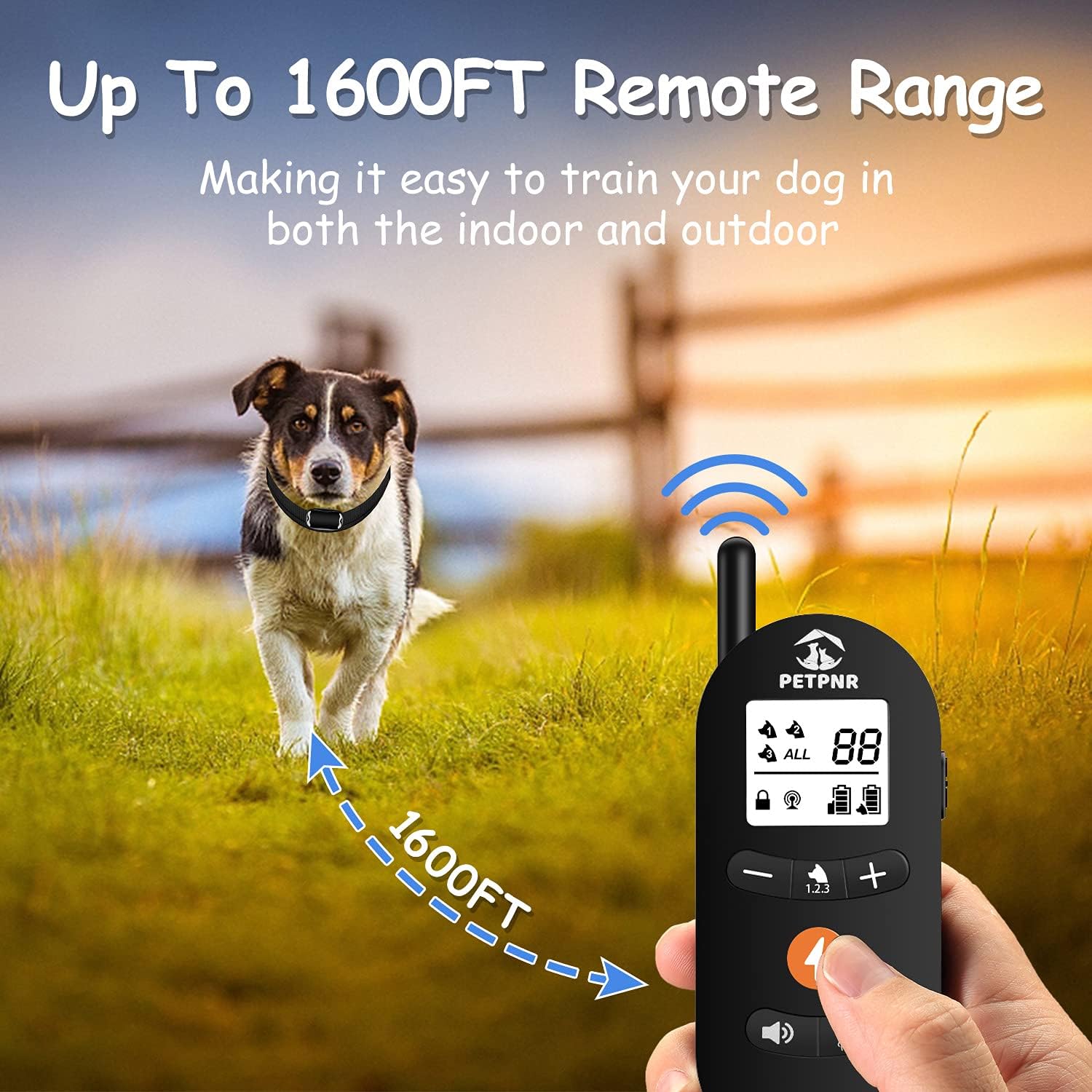
Image: A dog and handler in an open field, visually representing the remote's effective training range of up to 1600 feet.
6. Training Tips
- Build Trust: Establish a positive relationship with your dog before introducing the training collar.
- Start Early: Training younger pets can be easier as they have not yet formed specific habits.
- Consistency is Key: Use consistent training methods and commands. Repetitive training helps pets remember.
- Patience: Training is a gradual process. Be patient and provide appropriate rewards and corrections.
- Low Levels First: Always begin training with the lowest effective level for vibration or static correction.
Maintenance
1. Cleaning the Collar
Regular cleaning of the receiver collar, especially the metal contact points, is essential to prevent bacterial infections and ensure proper function. Use a damp cloth to wipe down the collar and contact points. Ensure the collar is completely dry before placing it back on your dog.
2. Skin Health
Continuously monitor your dog's neck area for any signs of irritation or sores. If a rash or sore is observed, remove the collar immediately and discontinue use until the skin has fully healed. Consult a veterinarian if the condition persists or worsens.
3. Battery Care
To prolong battery life, avoid fully discharging the devices frequently. Recharge them when the battery indicator shows low power. Store the devices in a cool, dry place when not in use for extended periods.
4. Waterproof Feature
The receiver collars are IPX7 waterproof, meaning they can withstand immersion in water up to 1 meter for 30 minutes. This allows your dog to swim or bathe freely while wearing the collar. Ensure the rubber lid over the charging port is securely closed to maintain waterproofing.
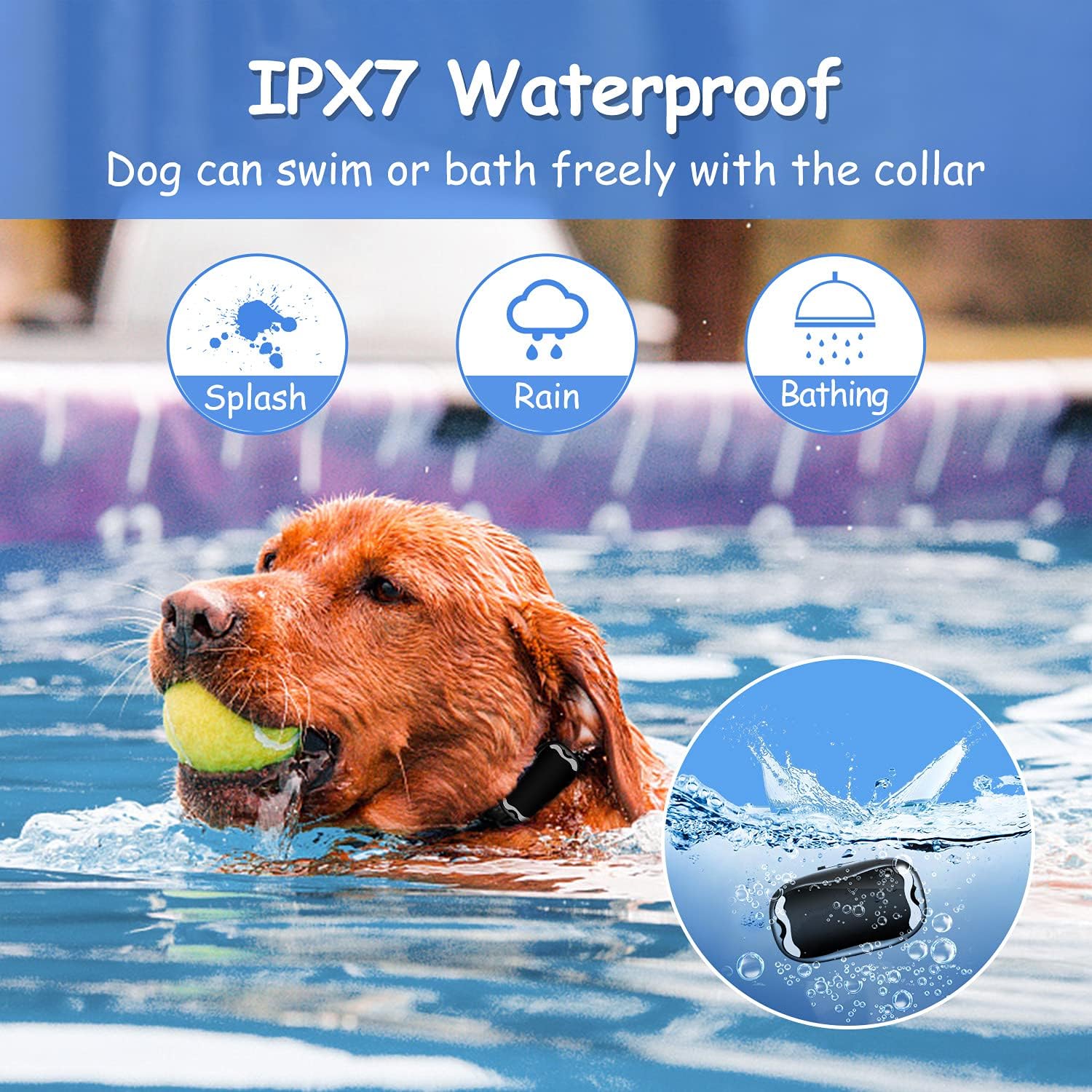
Image: A dog swimming in a pool, demonstrating the IPX7 waterproof capability of the receiver collar, suitable for splashes, rain, and bathing.
Troubleshooting
- Device Not Turning On: Ensure the device is fully charged. Connect to the charger and check for charging indicator lights.
- No Response from Receiver:
- Check if both the remote and receiver are turned on.
- Verify the remote's keypad lock is disengaged.
- Ensure the remote and receiver are paired to the correct channel. Re-pair if necessary.
- Check the receiver's battery level.
- Ensure the contact points on the receiver are making proper contact with your dog's skin.
- Remote Not Charging: Check the USB cable and charging adapter. Try a different cable or power source. Ensure the charging port is clean and free of debris.
- Reduced Remote Range: Ensure there are no significant obstructions between the remote and the receiver. Large metal objects, thick walls, or dense terrain can interfere with the signal.
- Skin Irritation: Remove the collar immediately. Clean the contact points and your dog's neck. Allow the skin to heal before reintroducing the collar, ensuring a proper fit and not leaving it on for extended periods.
Specifications
| Feature | Detail |
|---|---|
| Model Number | DTC01 |
| Brand | PETPNR |
| Training Modes | Beep, Vibration, Static (1-15 levels) |
| Waterproof Rating | IPX7 (Receiver) |
| Remote Range | Up to 1600 feet (unobstructed) |
| Dog Weight Range | 8 lbs - 120 lbs |
| Receiver Dimensions (LxWxH) | 2.48 x 1.47 x 1.02 inches |
| Item Weight | 10.6 ounces (total package) |
| Battery Type | Lithium Polymer (included) |
| Remote Standby Time | Over 40 days |
| Receiver Standby Time | Up to 20 days |
| Charging Time | 2-3 hours |
| Material | Resin (collar components) |
| Recommended Age | 3 months - 8 years (dog) |
Warranty and Support
For warranty information, technical support, or any questions regarding your PETPNR Dog Training Collar, please refer to the contact details provided on the product packaging or visit the official PETPNR website. Our customer service team is available to assist you with any issues or inquiries.