
Product Overview
This manual provides essential information for the safe and efficient operation, maintenance, and troubleshooting of your HONITURE Cordless Vacuum Cleaner, model B0989RQPGF. Please read this manual thoroughly before first use and retain it for future reference.
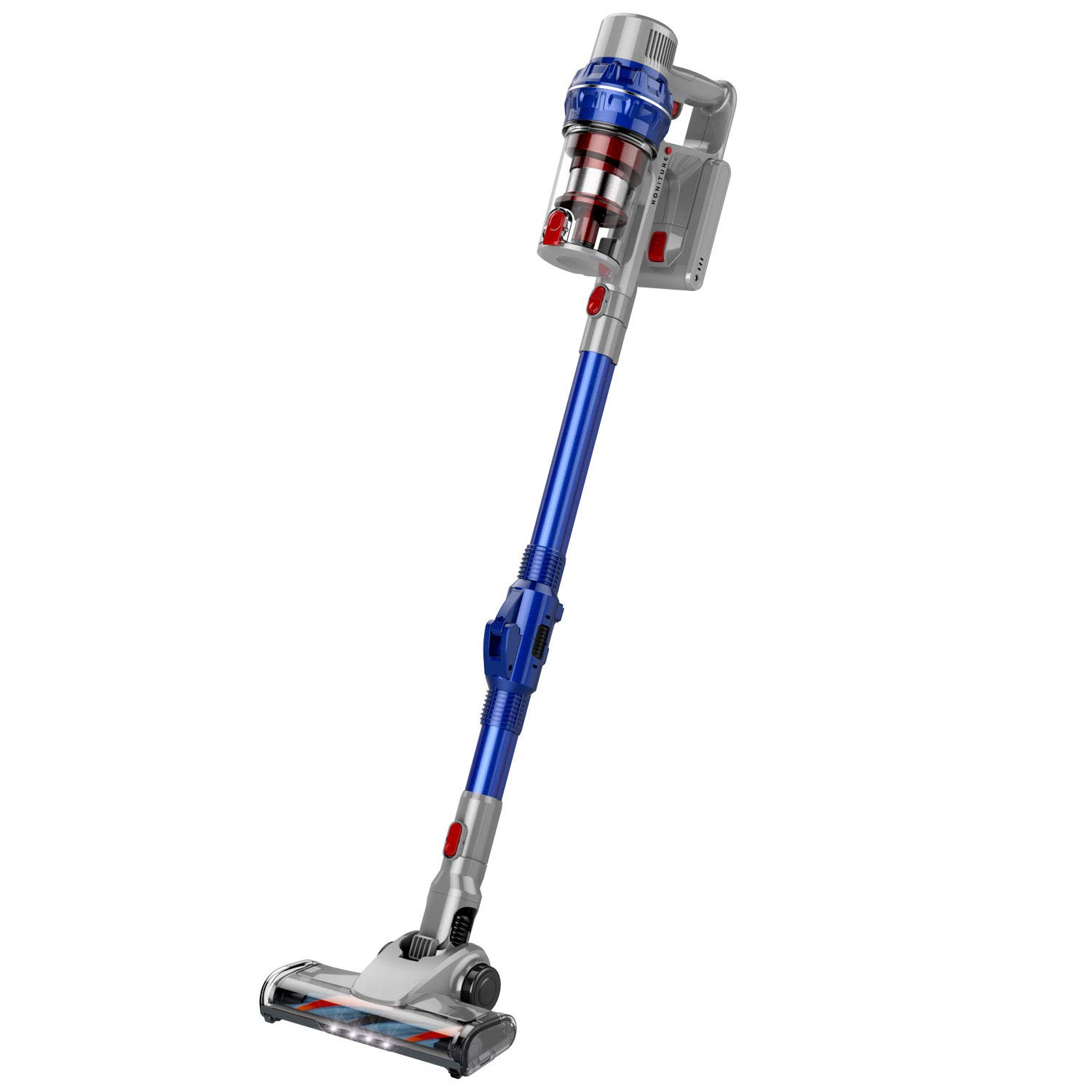
Figure 1: HONITURE Cordless Vacuum Cleaner (Model B0989RQPGF)
Setup and Assembly
Follow these steps to assemble and prepare your vacuum cleaner for first use.
- Unpack Components: Carefully remove all parts from the packaging. Verify that all components listed in the packing list are present.
- Attach Extension Tube: Connect the extension tube to the main motor unit until it clicks securely into place.
- Attach Floor Brush: Connect the floor brush head to the other end of the extension tube. Ensure it is firmly attached.
- Install Battery: Insert the battery pack into the designated slot on the main motor unit. Ensure it is fully seated.
- Initial Charging: Before first use, fully charge the vacuum cleaner. Connect the charger to the charging port and plug it into a power outlet. The charging indicator light will show the charging status.
Operating Instructions
Your HONITURE Cordless Vacuum Cleaner is designed for versatile cleaning. It features a push-button control and a 180-degree foldable tube for enhanced maneuverability.
Powering On/Off and Suction Control
- To turn the vacuum cleaner on, press the power button located on the main unit.
- To turn the vacuum cleaner off, press the power button again.
- This model operates with a single power level, providing 30Kpa of powerful suction.
Using the Foldable Tube
The 180-degree foldable tube allows for easy cleaning under furniture and in hard-to-reach areas without excessive bending.
- To fold the tube, locate the hinge mechanism and gently bend the tube at the joint.
- Adjust the angle as needed to reach under beds, sofas, or other low-clearance spaces.
- To straighten the tube, extend it until it locks back into the straight position.
Attachments and Versatility
The 4-in-1 design allows for various cleaning tasks. The included brush attachment can be used for different surfaces.

Figure 2: Versatile cleaning with the HONITURE Cordless Vacuum Cleaner, including floor, car, and curtain applications.
- Floor Cleaning: Use the main floor brush for carpets and hard floors. The integrated LED lights illuminate dust and debris.
- Handheld Mode: Detach the extension tube and floor brush to use the main unit with smaller attachments for cleaning car interiors, upholstery, or tight spaces.
- Crevice Tool: Attach the crevice tool for narrow gaps and edges.
- Brush Tool: Use the brush tool for delicate surfaces, curtains, or pet hair.
Maintenance
Regular maintenance ensures optimal performance and extends the lifespan of your vacuum cleaner.
Emptying the Dustbin
- Ensure the vacuum cleaner is turned off and disconnected from the charger.
- Locate the dustbin release button, usually near the main motor unit.
- Press the button to detach the dustbin.
- Hold the dustbin over a trash receptacle and open the bottom flap to empty the contents.
- Close the flap and reattach the dustbin to the main unit until it clicks.
Cleaning the Filter
The vacuum uses a cartridge filter. Clean the filter regularly to maintain suction power.
- With the dustbin removed, carefully extract the filter cartridge.
- Tap the filter gently over a trash can to remove loose dust.
- If necessary, rinse the filter under cold running water. Ensure it is completely dry before reinserting. Do not use detergents or hot water.
- Reinsert the dry filter into the dustbin and reattach the dustbin to the vacuum.
Cleaning the Brush Roll
- Periodically check the brush roll in the floor head for tangled hair or debris.
- Turn off the vacuum. Use scissors or a brush to carefully remove any obstructions.
Troubleshooting
Refer to this section for common issues and their solutions.
| Problem | Possible Cause | Solution |
|---|---|---|
| Vacuum does not turn on. | Battery is not charged or not properly installed. | Ensure the battery is fully charged and correctly inserted. |
| Low or no suction. |
|
|
| Brush roll not spinning. | Hair or debris tangled in the brush roll. | Turn off the vacuum and carefully remove any obstructions from the brush roll. |
| Short battery life. | Battery not fully charged or aging battery. | Ensure the battery is fully charged before use. If the issue persists, consider battery replacement. |
Specifications
| Feature | Detail |
|---|---|
| Brand | HONITURE |
| Model | B0989RQPGF |
| Special Feature | Foldable, Lightweight |
| Filter Type | Cartridge |
| Included Components | Brush |
| Cordless | Yes |
| Recommended Uses | Carpet |
| Form Factor | Stick |
| Color | Blue |
| Noise Level | 75 Decibels |
| Controller Type | Push Button |
| Motor Horsepower | 0.05 horsepower |
| Control Method | Touch |
| Portable | Yes |
| Number of Power Levels | 1 |
| Indoor/Outdoor Usage | Indoor |
| Maximum Horsepower | 0.05 Horsepower |
| Product Dimensions | 19.69 x 19.69 x 15.75 inches |
| Item Weight | 9.23 pounds |
| Surface Recommendation | Carpet |
| Power Source | Battery Powered |
Warranty Information
HONITURE products are manufactured to high-quality standards. For specific warranty details, please refer to the warranty card included with your product or visit the official HONITURE website. Keep your purchase receipt as proof of purchase for warranty claims.
Customer Support
If you encounter any issues not covered in this manual or require further assistance, please contact HONITURE customer support.
- Website: www.honiture.com
- Email: support@honiture.com
- Phone: 1-800-XXX-XXXX
When contacting support, please have your product model number (B0989RQPGF) and purchase date available.