
BrianFay BF1+
BrianFay Wireless Instrument System User Manual
Model: BF1+
Product Overview
The BrianFay Wireless Instrument System (Model BF1+) provides a high-quality, low-latency wireless connection for electric audio instruments such as guitars, basses, and keyboards. Designed for convenience and performance, this system features a compact design, a long-lasting rechargeable charging case, and stable UHF band transmission to minimize interference.

Figure 1: BrianFay Wireless Instrument System components.
What's in the Box
- 1 x Transmitter Unit
- 1 x Receiver Unit
- 1 x Rechargeable Charging Case
- 1 x USB Charging Cable
- 1 x Product Manual (this document)
Setup Guide
Initial Charge:
Before first use, ensure both the transmitter and receiver units, as well as the charging case, are fully charged. Place the units into the charging case and connect the USB charging cable to a compatible power source. The indicator lights on the case will show charging status.

Figure 2: Units placed in the charging case for automatic charging.
Connecting the Receiver:
Plug the receiver unit (marked with an amplifier icon) into the input jack of your amplifier or audio interface. Ensure it is securely seated.
Video 1: Demonstrates plugging the receiver into an amplifier. This video highlights the ease of connection and the system's low latency and stable signal.
Connecting the Transmitter:
Plug the transmitter unit (marked with a guitar icon) into the output jack of your electric instrument (guitar, bass, keyboard, etc.).

Figure 3: Transmitter unit connected to an electric guitar.
Power On and Pairing:
Long press the power button on both the transmitter and receiver units to turn them on. They will automatically pair. The indicator lights will show successful connection.
Operating Instructions
Channel Selection:
The system operates on 5 independent UHF channels. To switch channels, double-click the power button on either the transmitter or receiver. Both units will automatically synchronize to the new channel. This feature helps avoid interference from other wireless devices.
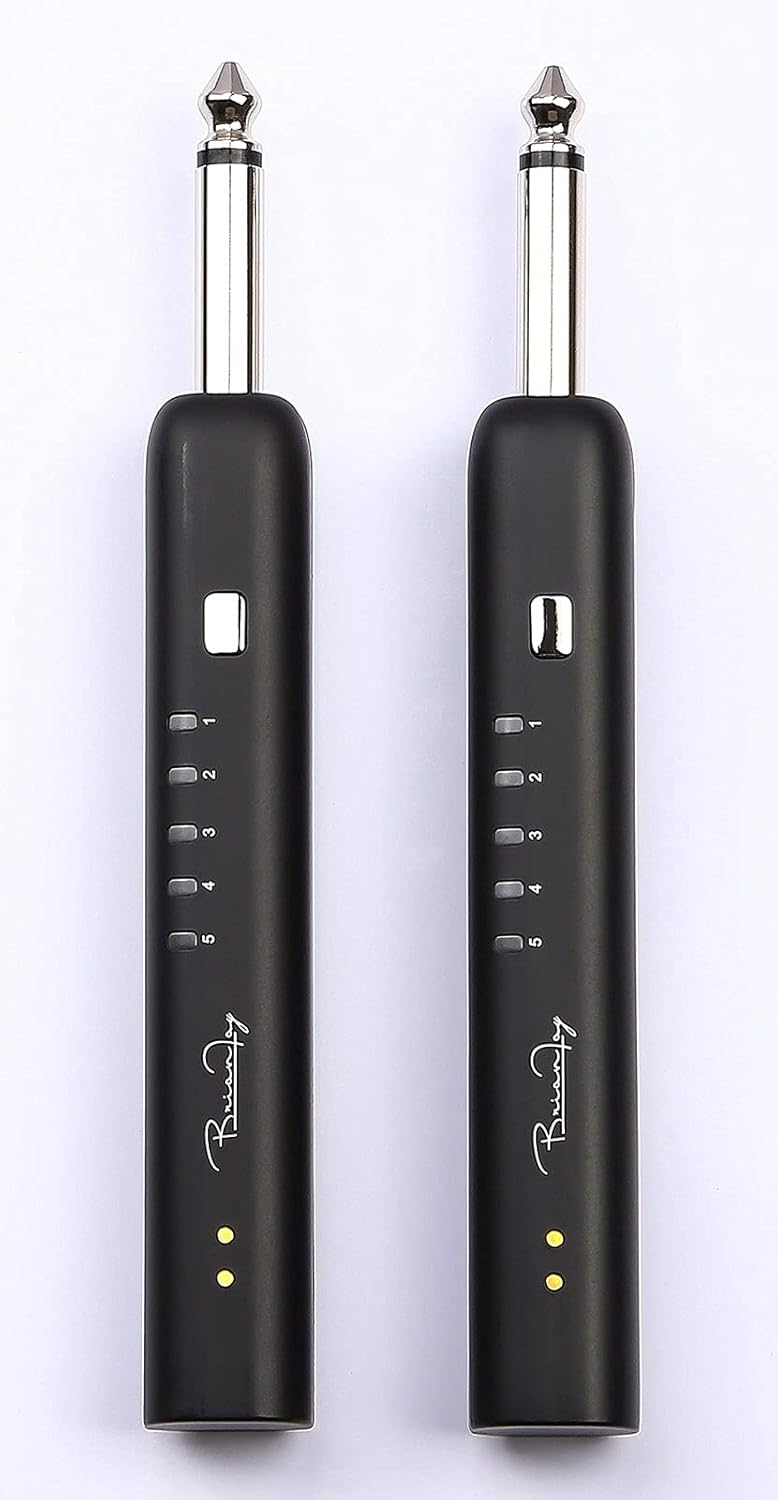
Figure 4: Channel indicator lights on the transmitter and receiver units.
Battery Life and Charging:
The system offers a comprehensive battery life of up to 36 hours with the charging case. Each unit provides approximately 4.8 hours of continuous use on a single charge. When placed back into the charging case, the units automatically shut down and begin charging.
Optimal Placement:
For optimal performance and to maximize the 100-foot (30 meters) transmission distance, ensure a clear line of sight between the transmitter and receiver. Avoid placing the units directly behind large metal objects or near other strong wireless signals (e.g., Wi-Fi routers, Bluetooth devices) to prevent interference.
Maintenance
- Cleaning: Use a soft, dry cloth to clean the units and charging case. Do not use liquid cleaners or abrasive materials.
- Storage: Store the system in its charging case in a cool, dry place when not in use.
- Battery Care: To prolong battery life, avoid fully discharging the units frequently. Charge them regularly, even if not in constant use.
- Avoid Extreme Conditions: Do not expose the system to extreme temperatures, humidity, or direct sunlight. The units are not water resistant.
Troubleshooting
| Problem | Possible Cause | Solution |
|---|---|---|
| No sound or intermittent sound |
|
|
| Short transmission range |
|
|
| Units not charging |
|
|
Specifications
| Model Number | BF1+ |
| Item Weight | 10.2 ounces |
| Product Dimensions | 5.24 x 2.05 x 1.38 inches (133mm x 52.5mm x 36.8mm) |
| Compatible Devices | Guitar, Bass, other Electric Audio Instruments |
| Digital Audio Protocol | UHF |
| Frequency Range | 450-470 MHz |
| Number of Channels | 5 |
| Talking Range Maximum | 100 Feet (30 meters) |
| Latency | Less than 0.3 ms |
| Battery Type | Lithium Polymer (3 included) |
| Voltage | 3 Volts (DC) |
| Charging Case Battery Capacity | 6000 mAh (approximate, derived from 36 hours battery life claim) |
| Water Resistance Level | Not Water Resistant |
Warranty and Support
For warranty information and technical support, please refer to the contact details provided on the BrianFay official website or contact your retailer. Keep your proof of purchase for warranty claims.
For further assistance, you may visit the BrianFay Store on Amazon: BrianFay Amazon Store.