
Introduction
This manual provides detailed instructions for the safe and effective use of the QKKE AC-DC Switching Adapter Charger. This adapter is designed to provide reliable power to compatible devices, specifically 12V MAXTOR EL300G0760101 External Hard Drives. Please read this manual thoroughly before use to ensure proper operation and to prevent damage to the adapter or your connected device.
Product Overview
The QKKE AC-DC Switching Adapter Charger converts standard AC wall power into the DC voltage required by your external hard drive. It features built-in protections to safeguard against common electrical issues.
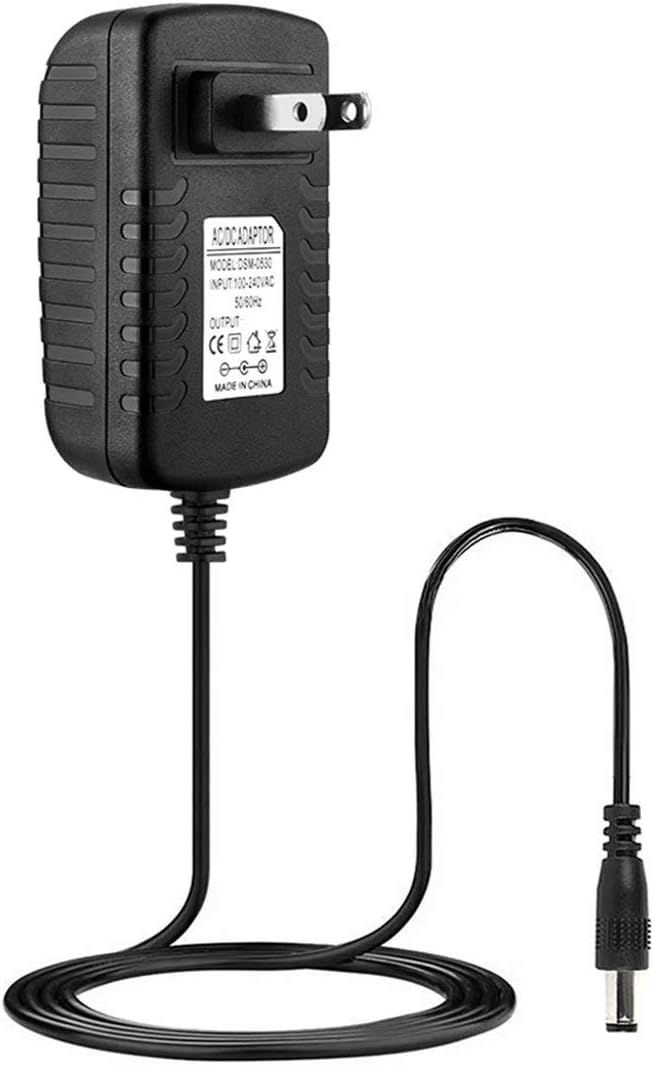
Image 1: Front view of the QKKE AC-DC Switching Adapter Charger, showing the main body, power prongs, and DC output cable. The label on the adapter indicates input and output specifications.
Setup
- Verify Compatibility: Ensure your device requires a 12V DC input and has a compatible power input jack. This adapter is specifically designed for 12V MAXTOR EL300G0760101 External Hard Drives.
- Connect to Device: Carefully insert the DC output plug of the adapter into the power input jack of your external hard drive. Ensure a secure connection.
- Connect to Power Outlet: Plug the AC prongs of the adapter into a standard 100V-240V AC wall power outlet.
- Power On: Once connected, your device should receive power. If your device has a power button, press it to turn the device on.

Image 2: Angled view of the QKKE AC-DC Switching Adapter Charger, highlighting the US-style two-prong plug and the DC output connector at the end of the cable.
Operating Instructions
- The adapter is designed for continuous operation. Once connected, it will supply power to your device.
- The intelligent switching circuit automatically recognizes a full battery (if applicable to the connected device) and switches to a save mode to prevent overcharging.
- Always ensure the adapter is placed in a well-ventilated area to prevent overheating.
- Disconnect the adapter from the wall outlet when not in use for extended periods.

Image 3: Top-down view of the QKKE AC-DC Switching Adapter Charger, showing the ribbed texture on the casing and the coiled output cable.
Maintenance
- Cleaning: Disconnect the adapter from both the wall outlet and your device before cleaning. Use a soft, dry cloth to wipe the exterior. Do not use liquid cleaners or solvents.
- Storage: Store the adapter in a cool, dry place when not in use. Avoid extreme temperatures and humidity.
- Cable Care: Do not bend or crimp the power cable excessively. Avoid placing heavy objects on the cable.

Image 4: Side view of the QKKE AC-DC Switching Adapter Charger, illustrating the ventilation slots on the side of the adapter body.
Troubleshooting
- No Power to Device:
- Ensure the adapter is securely plugged into a working wall outlet.
- Verify the DC output plug is firmly connected to your device's power input.
- Check if the wall outlet is functional by plugging in another device.
- Adapter Overheating:
- Ensure the adapter is in a well-ventilated area and not covered.
- If overheating persists, disconnect immediately and contact support.
- Device Not Recognized/Charging:
- Confirm the adapter's voltage and current output match your device's requirements.
- Ensure the DC plug size is correct for your device.
Specifications
| Brand | QKKE |
| Model (Compatible with) | AC-DC Switching Adapter Charger (for 12V MAXTOR EL300G0760101 External Hard Drive) |
| Input Voltage | 100V - 240V AC (Worldwide compatible) |
| Output Voltage | 12V DC (Specific current not provided, but implied by device compatibility) |
| Special Feature | Short Circuit Protection, Over-voltage Protection, Over-current Protection |
| Certifications | CE Certified |
| Color | Black |
| ASIN | B0987KHKLC |
Warranty and Support
This QKKE AC-DC Switching Adapter Charger comes with a 12 Months Warranty from the date of purchase. Additionally, a 30 Days Money Back Guarantee is offered. For any product-related inquiries, technical assistance, or warranty claims, please contact our customer service team. We provide lifetime support to ensure your satisfaction.
For support, please refer to the contact information provided with your purchase or visit the official QKKE website.