
Okaysou Apollo 630 Air Purifier
Okaysou Apollo 630 Air Purifier User Manual
Model: Apollo 630
Brand: Okaysou
Introduction
Thank you for choosing the Okaysou Apollo 630 Air Purifier. This manual provides important information regarding the setup, operation, maintenance, and troubleshooting of your new air purifier. Please read it thoroughly before use and keep it for future reference.
The Okaysou Apollo 630 is engineered to provide superior air purification for large spaces, effectively capturing airborne particles and odors to create a healthier indoor environment.

Image: The Okaysou Apollo 630 Air Purifier, a sleek white unit with a control panel on top and air intake vents on the sides.
Key Features
- H13 True HEPA Filtration: Captures 99.97% of airborne particles as small as 0.3 microns, including dust, pollen, pet dander, and mold spores.
- 5-in-1 Filtration System: Features a washable pre-filter, True HEPA filter, Novel Blue filter, Honeycomb Activated Carbon filter, and Cold Catalyst filter for comprehensive air purification.
- Wide Coverage Area: Designed to refresh air in rooms up to 1008 sq ft in one hour (1 ACH) or 504 sq ft in 30 minutes (2 ACH).
- Ultra-Silent Operation: Operates as quietly as 23dB in Sleep Mode, ensuring undisturbed rest.
- Ozone-Free: Produces no harmful ozone, ensuring safe operation for your family.
- Certified Performance: Energy Star, CARB, ETL, and FCC certified for safety and efficiency.
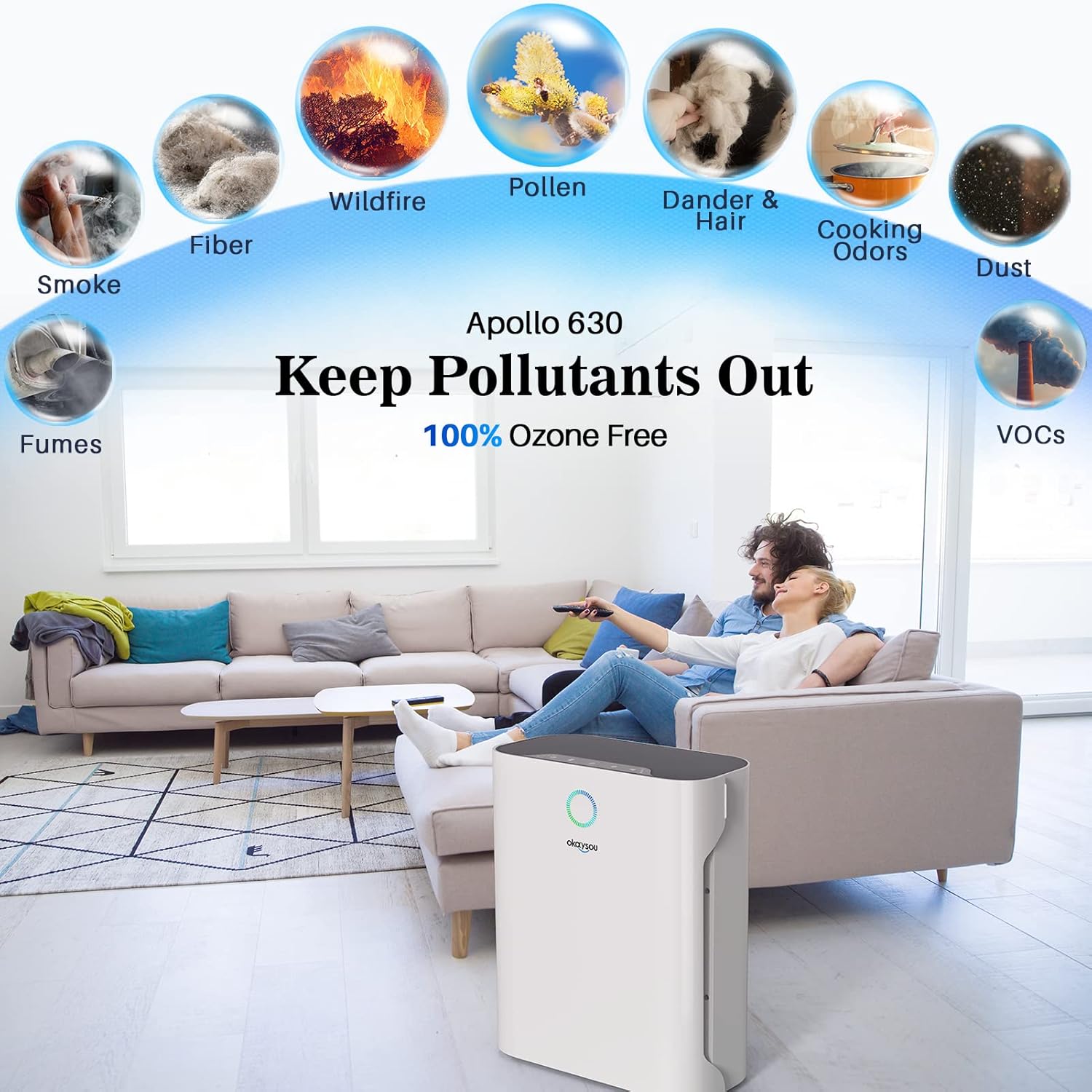
Image: Diagram illustrating the Okaysou Apollo 630's ability to remove various pollutants such as smoke, fumes, fiber, wildfire particles, pollen, dander & hair, cooking odors, dust, and VOCs, emphasizing its 100% ozone-free operation.

Image: An exploded view of the Okaysou Apollo 630's powerful 5-layer filtration system, showing the washable pre-filter, True HEPA filter, Novel Blue filter, Honeycomb Activated Carbon filter, and Cold Catalyst filter, designed to keep pollutants out.
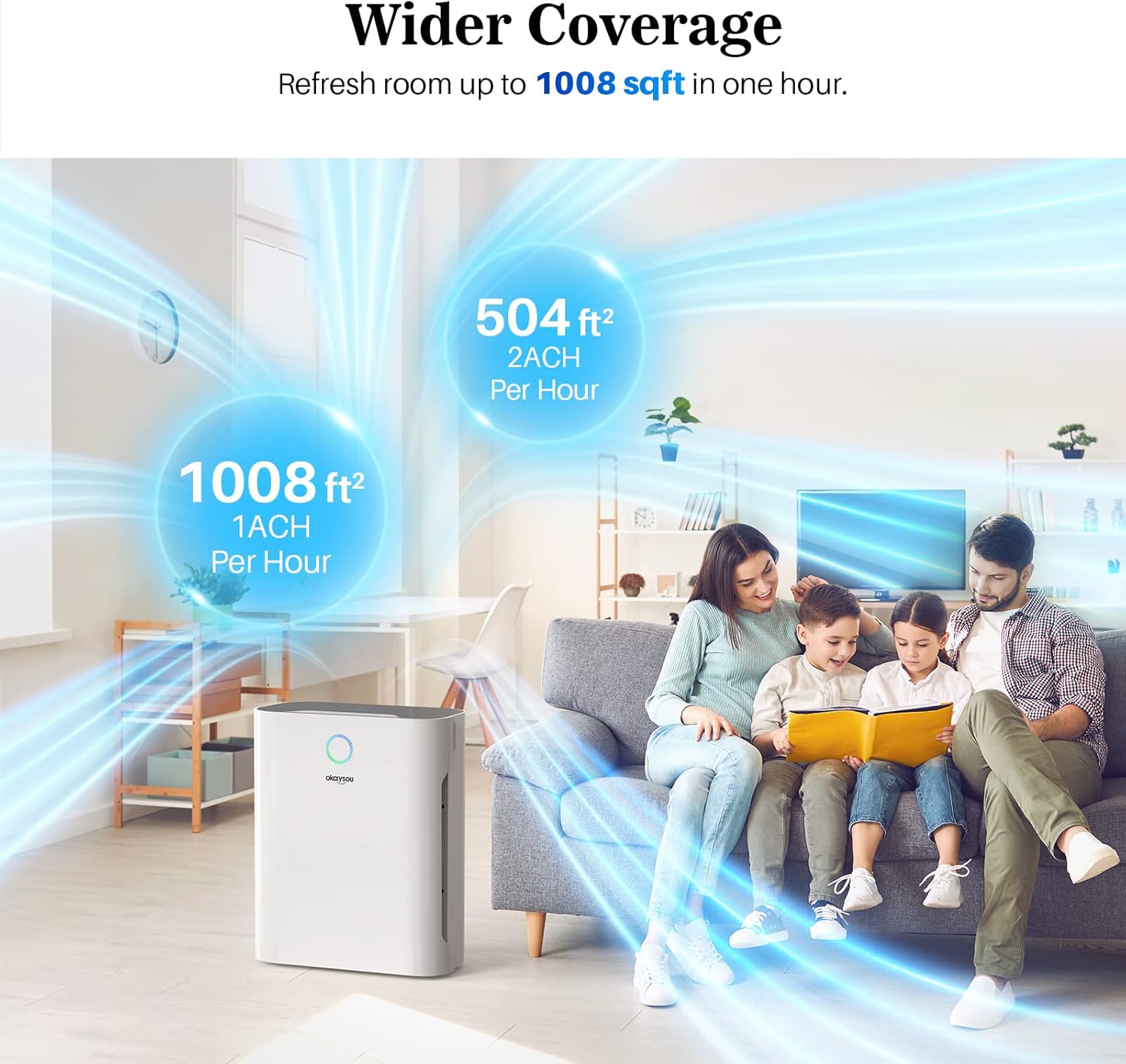
Image: Illustration demonstrating the Okaysou Apollo 630's wider coverage, capable of refreshing air in a 1008 sq ft room in one hour (1 ACH) or a 504 sq ft room in 30 minutes (2 ACH), depicted in a living room setting.
Setup Guide
Follow these steps to set up your Okaysou Apollo 630 Air Purifier:
- Unpack the Unit: Carefully remove the air purifier from its packaging. Retain all packaging materials for future transport or storage.
- Remove Filter Packaging: Before first use, open the filter compartment and remove all protective plastic packaging from the filters. The filters are typically stacked inside the unit.
- Install Filters: Place the filters back into the unit in the correct order. Ensure the washable pre-filter is on the outside, followed by the G-Defence Blue True HEPA Filter, and then the Toxin/Odor Remover Filter. Refer to the diagram below for proper orientation.
- Close Compartment: Securely close the filter compartment cover.
- Position the Purifier: Place the air purifier on a firm, level surface at least 15 inches (38 cm) away from walls or furniture to allow for optimal airflow.
- Connect Power: Plug the power cord into a standard 120V AC electrical outlet.

Image: A diagram showing the contents of the box, including the product manual, warranty card, 3-stage filter, and the air purifier itself, with an exploded view illustrating how the filters (washable pre-filter, G-Defence Blue True HEPA Filter, Toxin/Odor Remover Filter) are installed into the unit.
Operating Instructions
Familiarize yourself with the control panel and functions:
- Power On/Off: Press the power button to turn the unit on or off.
- Fan Speed: Cycle through different fan speeds (Low, Medium, High, Turbo) by pressing the fan speed button. Higher speeds provide faster air purification.
- Sleep Mode: Activate Sleep Mode for ultra-quiet operation. In this mode, the fan speed is set to the lowest setting, and display lights may dim or turn off.
- Timer Function: Set a timer for the purifier to operate for a specific duration (e.g., 2, 4, 8 hours) before automatically shutting off.
- Filter Reset Indicator: A light will illuminate when it's time to check or replace the filters. After replacing filters, press and hold the filter reset button to reset the indicator.

Image: An illustration depicting the Okaysou Apollo 630 operating in a bedroom at night, highlighting its ultra-silent operation at 23dB in Sleep Mode, significantly quieter than typical breathing (10dB) or a whisper (30dB).
Maintenance
Regular maintenance ensures optimal performance and extends the lifespan of your air purifier.
Filter Maintenance
- Washable Pre-Filter: The pre-filter can be washed with water to remove larger particles like dust and pet hair. Allow it to air dry completely before re-installing. Clean every 2-4 weeks depending on air quality.
- HEPA and Carbon Filters: These filters are not washable and should be replaced every 6-8 months, or sooner depending on usage and air quality. Refer to the filter reset indicator.
Cleaning the Unit
- Always unplug the air purifier before cleaning.
- Wipe the exterior of the unit with a soft, dry cloth. Do not use abrasive cleaners or solvents.
- Gently vacuum the air intake and outlet vents to remove any accumulated dust.
Troubleshooting
If you encounter issues with your air purifier, refer to the following common problems and solutions:
| Problem | Possible Cause | Solution |
|---|---|---|
| Unit does not turn on | Power cord not securely plugged in; No power from outlet; Filters not installed correctly or packaging not removed. | Ensure power cord is firmly plugged into a working outlet. Check circuit breaker. Open filter compartment and ensure all filters are correctly installed and plastic packaging is removed. |
| Airflow is weak | Filters are dirty or clogged; Air intake/outlet blocked. | Clean or replace filters. Ensure there are no obstructions around the air intake or outlet vents. |
| Unusual noise | Foreign object inside unit; Filters not seated properly. | Unplug the unit and check for any foreign objects. Re-seat the filters to ensure they are properly installed. |
| Odor coming from unit | New filter odor; Filters need replacement. | A slight odor may be present with new filters, which will dissipate. If odor persists, replace the carbon filter. |
| Filter indicator light remains on after replacement | Filter reset button not pressed. | After replacing filters, press and hold the filter reset button for 3-5 seconds until the light turns off. |
Specifications
| Specification | Value |
|---|---|
| Model Number | Apollo 630 Air Purifier |
| Dimensions (L x W x H) | 35 x 21.51 x 43.99 cm (13.78 x 8.47 x 17.32 inches) |
| Weight | 3.3 Kilograms (7.28 Pounds) |
| Power | 55 Watts |
| Voltage | 120 Volts (AC) |
| Noise Level | 23 dB (minimum) |
| Coverage Area | Up to 1008 sq ft (1 ACH) |
| Color | White (Jiaju42) |
| UPC | 609832853787, 609832853923 |

Image: A graphic displaying the Okaysou Apollo 630's performance data, including Clean Air Delivery Rate (CADR) for smoke (125 CFM), dust (134 CFM), and pollen (127 CFM), alongside logos for Energy Star, CARB, ETL, and FCC certifications, indicating trusted performance and safety.
Warranty and Support
Okaysou products are manufactured to the highest quality standards. This product comes with a standard manufacturer's warranty. Please refer to the warranty card included in your product packaging for specific terms and conditions.
For technical support, troubleshooting assistance, or warranty claims, please contact Okaysou customer service. Contact information can typically be found on the official Okaysou website or on the warranty card.
Online Resources: For the most up-to-date information, FAQs, and support, visit the official Okaysou website.
Related documentsApollo 630 Air Purifier


Ask a question about this manual
Ask about setup, troubleshooting, compatibility, parts, safety, or missing instructions. Manuals+ will review the question and use this page’s manual context to help answer it.