
1. Introduction
Thank you for choosing the LEDESIGN Socket Fan Light. This innovative product combines the functionality of a ceiling fan and an LED light into a single unit, designed for easy installation into standard E26/E27 light sockets. It features adjustable brightness, color temperature, and fan speeds, all controllable via a convenient remote. This manual provides essential information for safe operation, installation, and maintenance of your device.
2. Safety Information
Please read all safety instructions carefully before installation and use. Keep this manual for future reference.
- Power Disconnection: Always ensure the power supply to the light socket is turned OFF before installing, cleaning, or performing any maintenance on the device.
- Voltage Compatibility: This device is designed for 100-240V electrical systems. Ensure your socket's voltage matches the product's requirements.
- Indoor Use Only: This product is intended for indoor use in dry locations. Do not expose to water or high humidity.
- Secure Installation: Ensure the light socket is securely mounted and capable of supporting the weight of the fan light.
- No Disassembly: Do not attempt to disassemble, repair, or modify the device. This may void the warranty and pose safety risks.
- Clearance: Ensure there is adequate clearance around the fan blades to prevent obstruction during operation.
- Children and Pets: Keep children and pets away from the operating fan.
3. Package Contents
Verify that all items are present in the package:
- LEDESIGN Socket Fan Light Unit
- Remote Control
- User Manual (this document)
4. Product Overview
The LEDESIGN Socket Fan Light integrates a powerful fan and a bright LED light into a compact design. It features an E26/E27 screw-in base for easy installation.
4.1 Remote Control Functions
The included remote control allows for full operation of the fan and light features. Refer to the diagram below for button functions.

Image: Remote Control Layout. This image displays the various buttons on the remote control, including Power ON/OFF, Light ON/OFF, Fan ON/OFF, Warm light+, White light+, Brightness+/-, Night Light, Medium wind, Soft wind, Strong wind, and Timing (1h, 2h, 4h).
- Power ON/OFF (Memory Function): Turns the unit on or off. Remembers the last settings.
- Light ON/OFF: Toggles the LED light.
- Fan ON/OFF: Toggles the fan.
- Warm light+: Increases the warmth of the light color.
- White light+: Increases the coolness (whiteness) of the light color.
- Brightness+/-: Adjusts the light intensity.
- Night Light: Activates a low-brightness, warm light setting.
- Soft wind: Activates a gentle fan speed.
- Medium wind: Activates a moderate fan speed.
- Strong wind: Activates a powerful fan speed.
- Timing (1h, 2h, 4h): Sets the fan and/or light to turn off automatically after 1, 2, or 4 hours.
4.2 Product Dimensions

Image: Product Dimensions. The image shows the fan light unit with its dimensions: 7.83 inches (19.9 cm) in height and 16.53 inches (42 cm) in width.
5. Setup and Installation
The LEDESIGN Socket Fan Light is designed for simple, tool-free installation into a standard light socket.
- Turn Off Power: Before installation, ensure the power supply to the light socket is completely turned OFF at the circuit breaker or wall switch.
- Screw In: Carefully screw the LEDESIGN Socket Fan Light into any standard E26 or E27 light socket until it is snug. Do not overtighten.
- Restore Power: Once securely installed, turn the power supply back ON.
- Test: Use the remote control to test the light and fan functions.

Image: Socket Fan Light Installation. This image illustrates the fan light unit screwed into a standard E26/E27 light socket, demonstrating its easy installation.
6. Operating Instructions
Operate your LEDESIGN Socket Fan Light using the provided remote control.
- Power On/Off: Press the Power ON/OFF button to turn the unit on or off. The device will remember your last settings for light and fan.
- Light Control:
- Press Light ON/OFF to toggle the light.
- Use Brightness+/- to adjust the light intensity from 0% to 100%.
- Adjust color temperature with Warm light+ and White light+ buttons.
- Activate a soft, low light with the Night Light button.
- Fan Control:
- Press Fan ON/OFF to toggle the fan.
- Select fan speed: Soft wind, Medium wind, or Strong wind.
- Timer Function: Press 1h, 2h, or 4h to set an automatic shut-off timer for the fan and/or light.
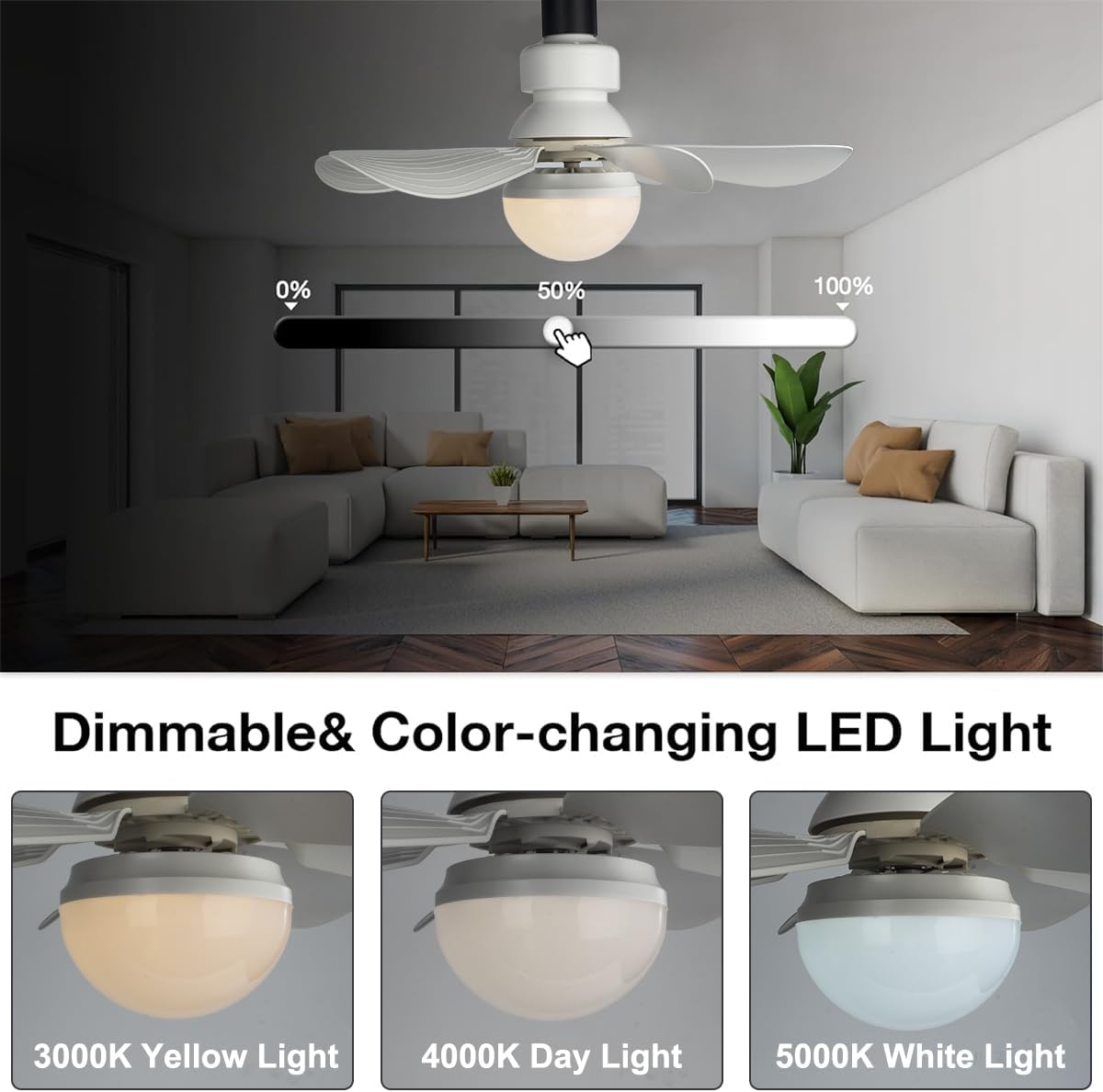
Image: Dimmable and Color-changing LED Light. This image demonstrates the light's ability to adjust brightness from 0% to 100% and change color temperature from 3000K (Yellow Light) to 4000K (Day Light) and 5000K (White Light).
7. Maintenance
Regular maintenance ensures optimal performance and longevity of your LEDESIGN Socket Fan Light.
- Cleaning: Always turn off the power and allow the unit to cool before cleaning. Use a soft, dry cloth to wipe the surface. Do not use abrasive cleaners, solvents, or harsh chemicals, as these can damage the finish or internal components.
- Blade Cleaning: Gently wipe the fan blades to remove dust accumulation. Ensure blades are not bent or damaged during cleaning.
- Storage: If storing the unit for an extended period, ensure it is clean and dry, and store it in a cool, dry place away from direct sunlight.
8. Troubleshooting
If you encounter issues with your LEDESIGN Socket Fan Light, refer to the following common problems and solutions:
| Problem | Possible Cause | Solution |
|---|---|---|
| Light or Fan does not turn on. | No power to the socket; Unit not screwed in properly; Remote control battery low or not working. | Check power supply at the circuit breaker. Ensure the unit is securely screwed into the socket. Replace remote control batteries. |
| Remote control is unresponsive. | Remote battery is dead; Obstruction between remote and unit; Remote is too far from the unit. | Replace remote batteries. Ensure a clear line of sight. Move closer to the unit. |
| Fan makes unusual noise. | Loose components; Obstruction in fan blades. | Turn off power and check for any obstructions. Ensure the unit is securely installed. Note: The fan operates quietly, typically below 50dB. |
| Light flickers or dims unexpectedly. | Unstable power supply; Loose connection. | Check power supply stability. Re-tighten the unit in the socket (with power off). |

Image: Noise Level Comparison. This image illustrates that the fan operates at approximately 50dB, which is quieter than a whisper (60dB) or normal talk (70dB), ensuring a peaceful environment.
9. Specifications
| Feature | Specification |
|---|---|
| Brand | LEDESIGN |
| Model | B0986XP764 |
| Bulb Base | E26 / E27 Standard Household Base |
| Light Type | Integrated LED |
| Special Features | Dimmable, Color-changing (Warm to White), Remote Control, Timer Function, Memory Function |
| Voltage | 100-240 Volts |
| Indoor/Outdoor Usage | Indoor Only |
| Control Method | Remote Control (Push Button) |
| Dimensions (Height) | 7.83 inches / 19.9 cm |
| Dimensions (Width) | 16.53 inches / 42 cm |
10. Warranty Information
LEDESIGN products are manufactured to high-quality standards. For specific warranty details, please refer to the warranty card included with your purchase or contact customer support. This warranty typically covers defects in materials and workmanship under normal use.
11. Customer Support
If you have any questions, require technical assistance, or need to report an issue with your LEDESIGN Socket Fan Light, please contact our customer support team. Refer to your product packaging or the LEDESIGN official website for contact information.
12. Usage Scenarios
The LEDESIGN Socket Fan Light is versatile and suitable for various indoor environments where both lighting and air circulation are desired.
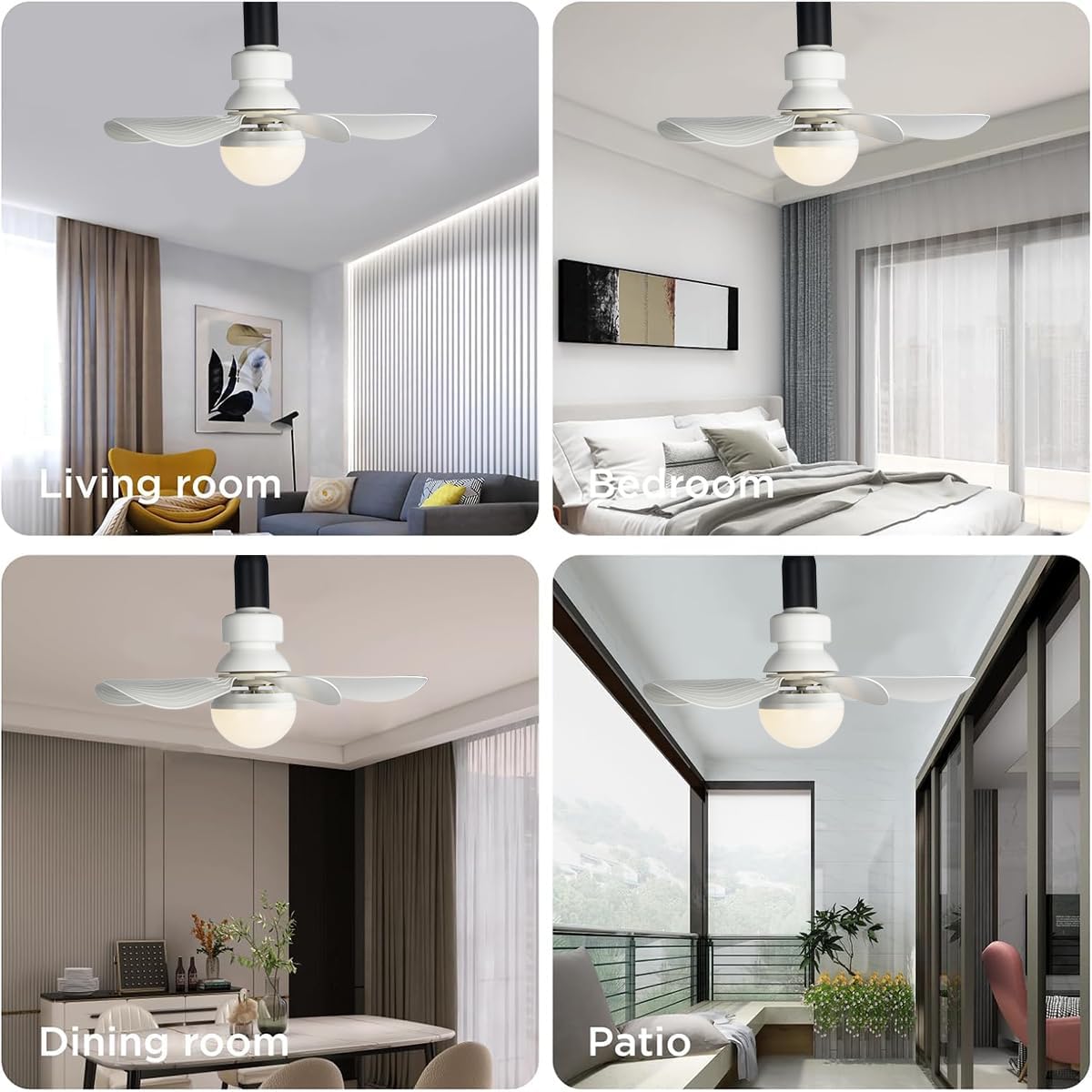
Image: Usage Scenarios. This image displays the LEDESIGN Socket Fan Light installed in different settings, including a living room, bedroom, dining room, and patio, highlighting its adaptability.