
1. Introduction
This manual provides essential information for the proper setup, operation, and maintenance of your Syinix 32E1A 32-inch LED Screen. Please read this manual thoroughly before using the product to ensure safe and efficient operation. Keep this manual for future reference.
2. Safety Information
Always observe the following safety precautions to prevent electric shock, fire, or damage to the unit:
- Do not expose the unit to rain or moisture.
- Do not open the cabinet. Refer servicing to qualified personnel only.
- Ensure proper ventilation. Do not block ventilation openings.
- Place the unit on a stable, level surface to prevent it from falling.
- Unplug the power cord during lightning storms or when unused for long periods.
- Keep the unit away from direct sunlight, heat sources, and extreme temperatures.
3. Package Contents
Verify that all items are present in the package:
- Syinix 32E1A 32-inch LED Screen
- Remote Control
- Power Cord
- User Manual (this document)
- TV Stand Components (base and screws)

Image 3.1: The product packaging for the Syinix 32E1A LED Screen, showing the brand logo, model number, and key features like HD resolution and various input ports.
4. Product Overview
4.1 Front View
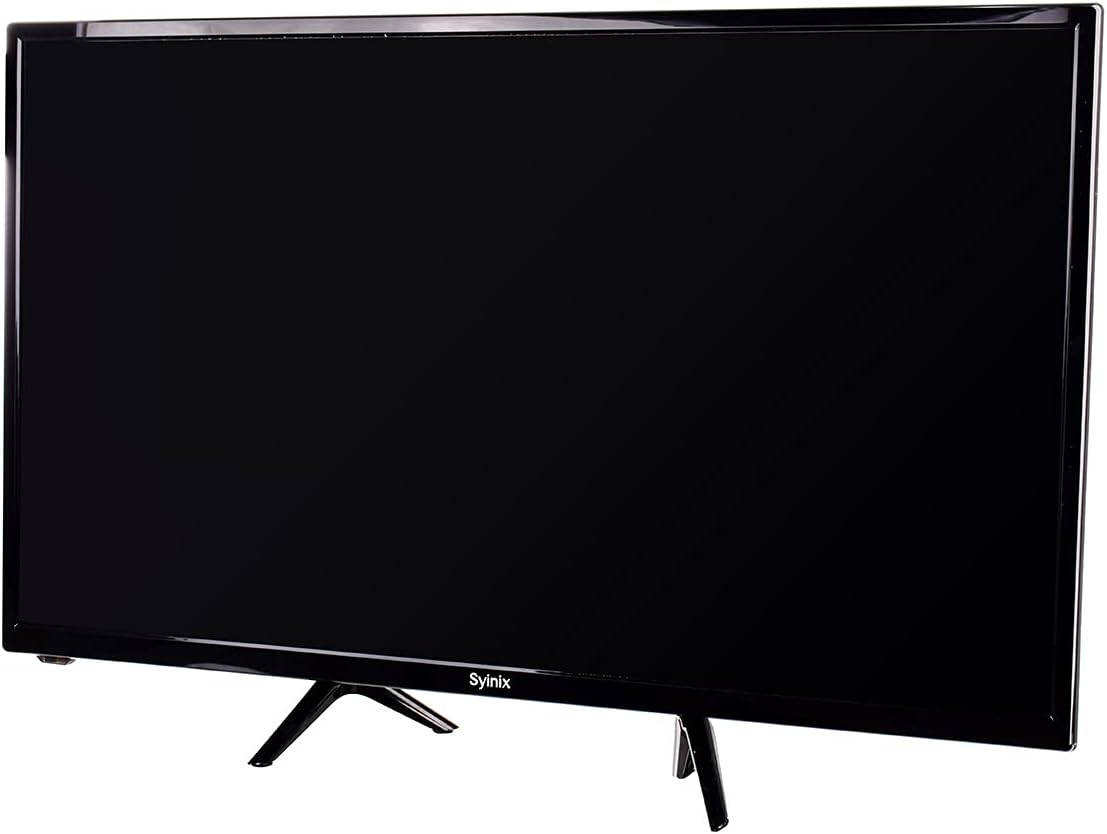
Image 4.1: Front view of the Syinix 32E1A 32-inch LED Screen, displaying its sleek black design and the Syinix logo at the bottom center of the bezel.
4.2 Remote Control
The remote control allows you to operate the TV from a distance. Familiarize yourself with its buttons and functions.

Image 4.2: The remote control for the Syinix 32E1A LED Screen, featuring power, number buttons, navigation keys, volume, channel controls, and dedicated function buttons for various TV operations.
5. Setup
5.1 Unpacking
Carefully remove the TV and all accessories from the packaging. Retain the packaging materials for future transport or servicing.
5.2 Stand Installation
- Place the TV face down on a soft, clean surface to prevent screen damage.
- Align the stand components with the mounting holes on the bottom of the TV.
- Secure the stand using the provided screws. Ensure the stand is firmly attached.
5.3 Connecting Power
Plug the power cord into the TV's power input, then plug the other end into a suitable AC outlet. Ensure the voltage matches the TV's requirements.
5.4 Connecting External Devices
The Syinix 32E1A supports various connectivity options:
- HDMI: Connect high-definition devices like Blu-ray players, game consoles, or set-top boxes.
- VGA: Connect a computer for use as a monitor.
- USB: Insert a USB drive to play multimedia content.
Ensure all connections are secure before powering on the TV.
6. Operating Instructions
6.1 Powering On/Off
Press the POWER button on the remote control or on the TV to turn the unit on or off.
6.2 Input Source Selection
Press the SOURCE button on the remote control to cycle through available input sources (HDMI1, HDMI2, VGA, USB, TV).
6.3 Menu Navigation
Use the MENU button to access the main menu. Use the arrow keys (UP/DOWN/LEFT/RIGHT) to navigate and OK to confirm selections. Common menu options include:
- Picture: Adjust brightness, contrast, color, and picture mode.
- Sound: Adjust volume, bass, treble, and sound mode.
- Channel: Scan for channels (if using an antenna) and manage channel lists.
- System: Set language, time, and other general settings.
6.4 USB Media Playback
Insert a USB storage device into the USB port. Select the USB input source. The TV will display a media browser, allowing you to select and play supported video, audio, or image files.
7. Maintenance
7.1 Cleaning the Screen
Gently wipe the screen with a soft, lint-free cloth. For stubborn marks, slightly dampen the cloth with water or a specialized screen cleaner. Do not spray liquid directly onto the screen.
7.2 General Care
- Avoid placing heavy objects on the TV.
- Do not expose the TV to extreme temperatures or humidity.
- Keep the TV away from strong magnetic fields.
8. Troubleshooting
If you encounter issues with your Syinix 32E1A LED Screen, refer to the following common problems and solutions:
- No Power: Ensure the power cord is securely plugged into both the TV and the wall outlet. Check if the outlet is functional.
- No Picture/Sound: Verify that the correct input source is selected. Check all cable connections (HDMI, VGA). Try another device on the same input.
- Remote Control Not Working: Check the batteries and replace them if necessary. Ensure there are no obstructions between the remote and the TV's IR sensor.
- Poor Picture Quality: Adjust picture settings in the menu (brightness, contrast, sharpness). Ensure the input source is providing a high-quality signal.
If the problem persists after trying these solutions, contact customer support.
9. Specifications
| Feature | Specification |
|---|---|
| Brand Name | Syinix |
| Model Name | 32E1A |
| Screen Size | 32 Inches |
| Resolution | 1080p (Full HD) |
| Display Technology | LED |
| Display Type | LCD |
| Refresh Rate | 240 Hz |
| Connectivity Technology | HDMI, USB, VGA |
| Color | Black |
| Screen Surface Description | Glossy |
| Manufacturer | Syinix |
| Package Dimensions | 80 x 50 x 14 cm |
| Item Weight | 10 kg |
10. Warranty and Support
Your Syinix 32E1A LED Screen is covered by a manufacturer's warranty. Please refer to the warranty card included in your package for specific terms and conditions. For technical support, service, or warranty claims, please contact your local Syinix authorized service center or retailer.


