
Shop-Vac 5914000
Shop-Vac 4 Gallon 5.5 Peak HP Wet/Dry Utility Vacuum Instruction Manual
Model: 5914000
Product Overview
The Shop-Vac 4 Gallon 5.5 Peak HP Wet/Dry Utility Vacuum with SVX2 Motor Technology is a versatile 3-in-1 function portable shop vacuum designed for heavy-duty cleaning tasks. It offers powerful wet/dry suction and blowing capabilities, making it ideal for workshops, basements, garages, and even vehicle interiors. Its SVX2 Advanced Motor Technology provides enhanced power and extended motor life compared to standard models.

Image: Shop-Vac 4 Gallon 5.5 Peak HP Wet/Dry Utility Vacuum with all included accessories.
Key Features:
- HEAVY-DUTY: 4-gallon collection tank and powerful 5.5 HP motor for maximum power in heavy-duty and large pick-up tasks. Features a tool basket design for convenient accessory storage.
- SVX2 ADVANCED MOTOR TECHNOLOGY: Provides more power and longer motor life.
- 3 IN 1 MULTI-FUNCTION: Strong dry/wet suction and blowing function for cleaning dust, wood chips, debris, damp sewage, or blowing dirt from hard-to-reach places.
- INCLUDED ACCESSORIES: Comes with a 7’ x 1-1/4" Secure Fit Hose, (2) Extension Wands, (1) Dual Surface Selector Nozzle, (1) 10 In Wet/Dry Nozzle, (1) Gulper Nozzle, (1) Crevice Tool, (1) Round Brush, (1) Tool Storage Basket, (1) Cartridge Filter, (1) Filter Bag, and (2) Foam Sleeves.
- TOUGH & DEPENDABLE: Designed for durability and reliable performance.
What's in the Box?
Your Shop-Vac unit comes with a comprehensive set of accessories to handle various cleaning needs. Please ensure all items are present upon unboxing.

Image: Contents of the Shop-Vac 4 Gallon 5.5 Peak HP Wet/Dry Utility Vacuum packaging.
- Shop-Vac Unit (4 Gallon, 5.5 Peak HP)
- 7’ x 1-1/4" Secure Fit Hose
- 2x Extension Wands
- Dual Surface Selector Nozzle
- 10 In Wet/Dry Nozzle
- Gulper Nozzle
- Crevice Tool
- Round Brush
- Tool Storage Basket
- Cartridge Filter
- Filter Bag
- 2x Foam Sleeves
Setup and Assembly
Follow these steps to properly set up your Shop-Vac for first use.
- Unpack Components: Carefully remove all parts from the packaging and verify against the 'What's in the Box?' list.
- Attach Casters: Insert the four casters into the caster feet on the bottom of the tank. Ensure they click securely into place.
- Install Filters:
- For dry pickup, install the cartridge filter over the filter cage and secure it with the filter retainer. Place the filter bag over the inlet inside the tank.
- For wet pickup, remove the cartridge filter and filter bag. Install the foam sleeve over the filter cage.
- Secure Power Head: Place the power head onto the tank and secure it with the side latches.
- Connect Hose: Insert the large end of the 7-foot hose into the vacuum port on the front of the tank. For blowing, insert it into the blower port on the rear of the power head.
- Attach Accessories: Connect the desired extension wands and nozzles to the hose for your specific cleaning task. Store unused accessories in the onboard tool storage basket.

Image: Product details diagram illustrating key components and their locations.
Operating Instructions
Your Shop-Vac is designed for versatile cleaning. Understand its functions for optimal performance.
1. Dry Vacuuming
Ensure the cartridge filter and filter bag are correctly installed for dry pickup. Use the appropriate nozzle for the surface you are cleaning. The 10-inch wet/dry nozzle is suitable for general floor cleaning, while the crevice tool is excellent for tight spaces.
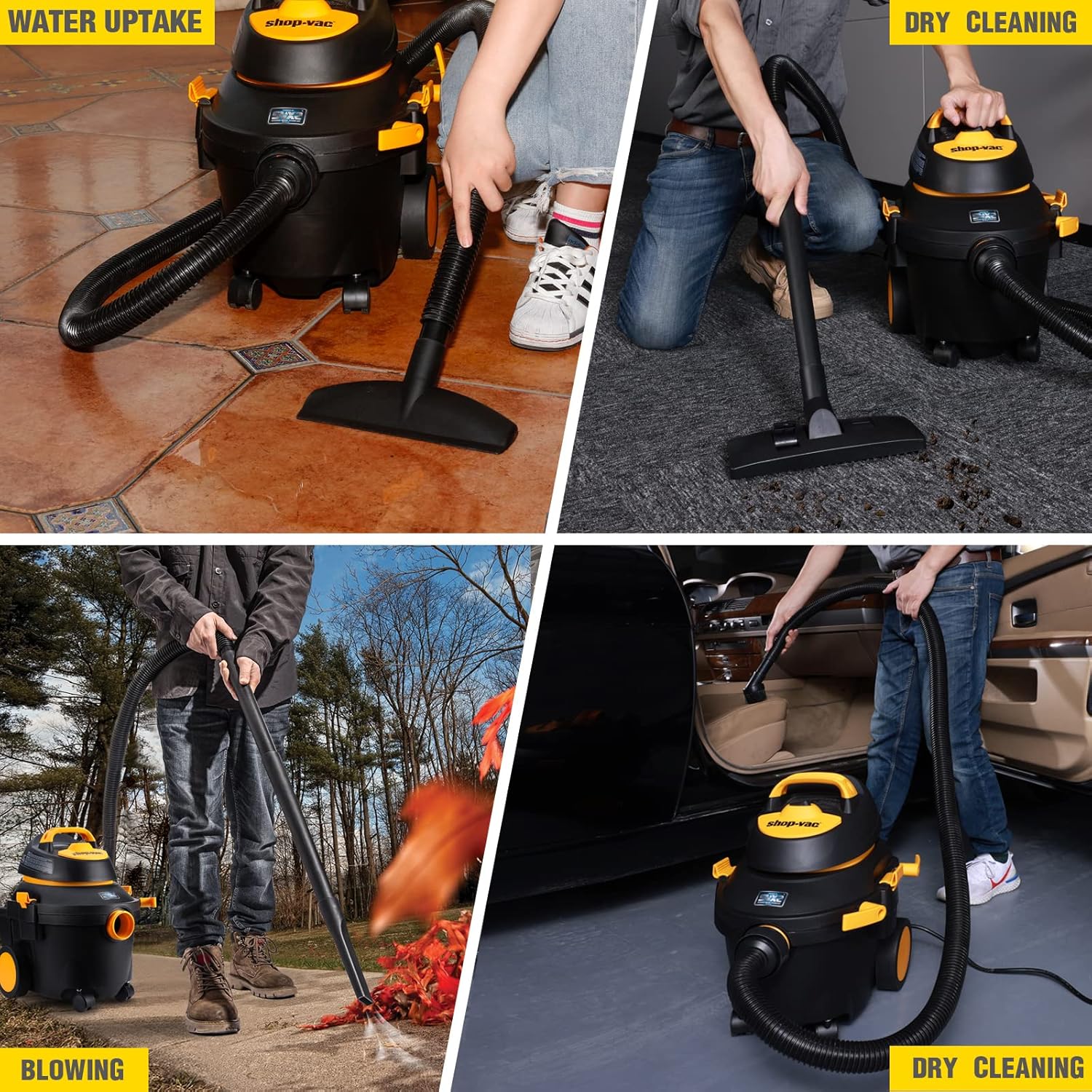
Image: Demonstrations of the vacuum's capabilities including dry cleaning.
2. Wet Vacuuming
Before wet vacuuming, remove the cartridge filter and filter bag, and install the foam sleeve. This protects the motor from moisture. Use the wet/dry nozzle for liquid spills. The vacuum will automatically shut off when the tank is full to prevent overflow.
Note: Always empty the tank and clean the foam sleeve after wet pickup to prevent mold and odors.
3. Blowing Function
To use the blowing function, disconnect the hose from the vacuum port and insert it into the blower port located on the rear of the power head. This feature is useful for clearing debris from driveways, blowing leaves, or drying surfaces.
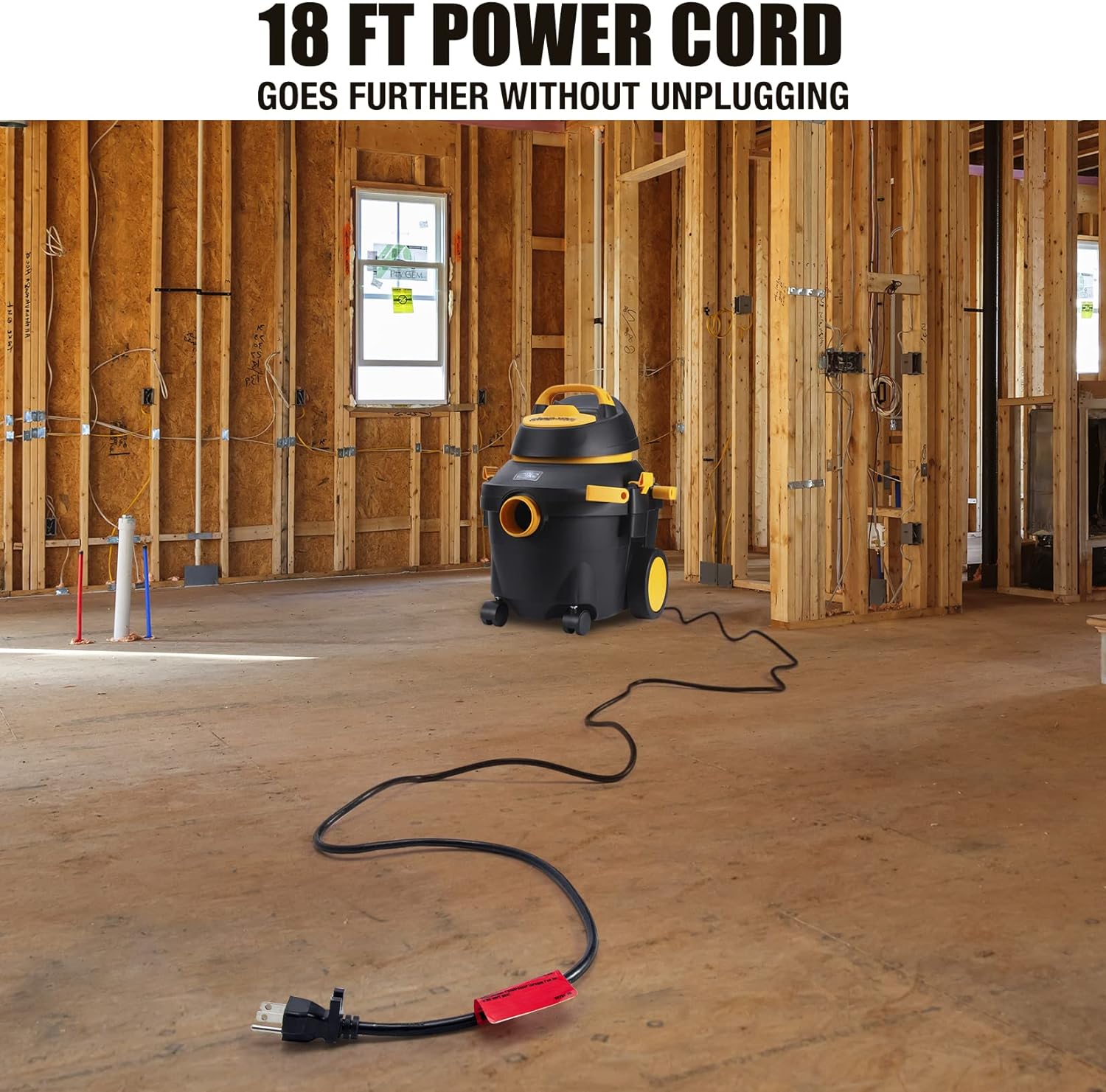
Image: The 18-foot power cord provides extended reach for various tasks.

Image: SVX2 Motor Technology provides 2x motor life and 50% increase in suction power.
Maintenance
Regular maintenance ensures the longevity and optimal performance of your Shop-Vac.
1. Filter Care
- Cartridge Filter: For dry use, tap off loose dirt or rinse with water. Allow to air dry completely before re-installation. Replace when suction significantly decreases or filter is damaged.
- Foam Sleeve: For wet use, rinse thoroughly with water and allow to air dry.
- Filter Bag: Replace the filter bag when it is full or when suction is reduced. Do not reuse filter bags.
2. Tank Cleaning
Empty the tank after each use, especially after wet pickup. Rinse the tank with water and wipe it dry to prevent residue buildup and odors.
3. Accessory Storage
Utilize the onboard tool storage basket to keep all accessories organized and readily available. This prevents loss and damage.

Image: The integrated tool basket provides convenient storage for all accessories.
Troubleshooting
If you encounter issues with your Shop-Vac, refer to the common problems and solutions below.
| Problem | Possible Cause | Solution |
|---|---|---|
| Motor does not start | No power to outlet; Faulty power cord; Overheated motor | Check power supply; Inspect cord for damage; Allow motor to cool down. |
| Loss of suction | Clogged hose/nozzle; Full tank; Clogged/dirty filter; Improperly installed lid | Clear obstructions; Empty tank; Clean/replace filter; Ensure lid is latched securely. |
| Water/dust escaping from exhaust | Missing/damaged filter; Improper filter for wet/dry use | Install/replace correct filter; Ensure foam sleeve is used for wet pickup and cartridge filter for dry. |
Specifications
Detailed technical specifications for your Shop-Vac unit.

Image: Visual representation of key product specifications.
| Feature | Detail |
|---|---|
| Brand | Shop-Vac |
| Model Number | SV2021026 (5914000) |
| Capacity | 4 Gallons |
| Motor Horsepower | 5.5 Peak HP |
| Hose Length | 7 Feet |
| Power Cord Length | 18 Feet |
| Filter Type | Cartridge, Foam Sleeve, Filter Bag |
| Special Feature | Wet/Dry, Wheels, 3-in-1 Function |
| Wattage | 1200 watts |
| Amperage | 10 Amps |
| Noise Level | 80 dB |
| Item Weight | 17.96 pounds |
| Package Dimensions | 20 x 17 x 14 inches |
| UPC | 820909671220 |
Warranty Information
Shop-Vac products are manufactured to high-quality standards. For specific warranty details regarding your 4 Gallon 5.5 Peak HP Wet/Dry Utility Vacuum, please refer to the warranty card included with your purchase or visit the official Shop-Vac website. Keep your purchase receipt as proof of purchase for any warranty claims.
Customer Support
For further assistance, technical support, or to purchase replacement parts and accessories, please contact Shop-Vac customer service or visit their official online store.
Shop-Vac Official Store: Visit the Shop-Vac Store on Amazon
You can also find helpful resources and FAQs on the Shop-Vac website.
Ask a question about this manual
Ask about setup, troubleshooting, compatibility, parts, safety, or missing instructions. Manuals+ will review the question and use this page’s manual context to help answer it.