
1. Introduction
The FOXSUR 6V/12V 2A Smart Battery Charger is a fully-automatic, microprocessor-controlled device designed for charging and maintaining various types of 6V and 12V lead-acid batteries. This includes AGM, GEL, SLA, and Flooded (WET) batteries. It functions as a battery charger, maintainer, and desulfator, offering comprehensive protection and intelligent charging capabilities.
This manual provides essential information for the safe and effective operation of your FOXSUR battery charger. Please read it thoroughly before use.
2. Safety Information
Always prioritize safety when working with batteries and electrical equipment. Failure to follow these instructions may result in electric shock, fire, or serious injury.
- Read all instructions: Before using the charger, read all instructions and cautionary markings on the charger, the battery, and the product using the battery.
- Ventilation: Ensure the charging area is well-ventilated. Batteries can produce explosive gases.
- Avoid sparks: Do not smoke or allow a spark or flame in the vicinity of the battery or engine.
- Eye protection: Always wear eye protection and protective clothing when working with batteries.
- Proper connection: Connect and disconnect DC output connectors only after setting the AC cord to OFF.
- Not for lithium batteries: This charger is designed for 6V and 12V lead-acid batteries only. Do not use it with lithium batteries or any other battery types.
- Protection features: The charger includes built-in circuit protection against reverse polarity, sparks, overcharging, over-current, open-circuits, short-circuits, and overheating. However, always ensure correct connection.

Figure 1: Multiple Safety Protection Features
3. Product Overview and Features
The FOXSUR Smart Battery Charger is compact and efficient, designed for ease of use and reliable performance.
Key Features:
- Microprocessor Control (CPU): Ensures precise and efficient charging.
- Wide Application Range: Compatible with 6V and 12V lead-acid batteries (AGM, GEL, SLA, Flooded) within 6-150Ah (for 12V) and 6V.
- Multiple Safety Protections: Guards against reverse polarity, sparks, overcharging, over-current, open-circuits, short-circuits, and overheating.
- LCD Screen: Backlit display clearly shows charging voltage, current, battery type, charging mode, and power percentage.
- Advanced REPAIR Mode: Helps recover old or idle batteries and extends battery life using high-frequency and low-frequency pulse technology.
- Automatic Temperature Compensation: Adjusts charging voltage based on ambient temperature (winter mode below 10°C, summer mode above 28°C) to prevent overcharging or undercharging.
Physical Characteristics:
- Dimensions: Approximately 130mm x 75mm x 50mm (5.12 x 2.95 x 1.97 inches)
- Weight: Approximately 280g (12.2 ounces)
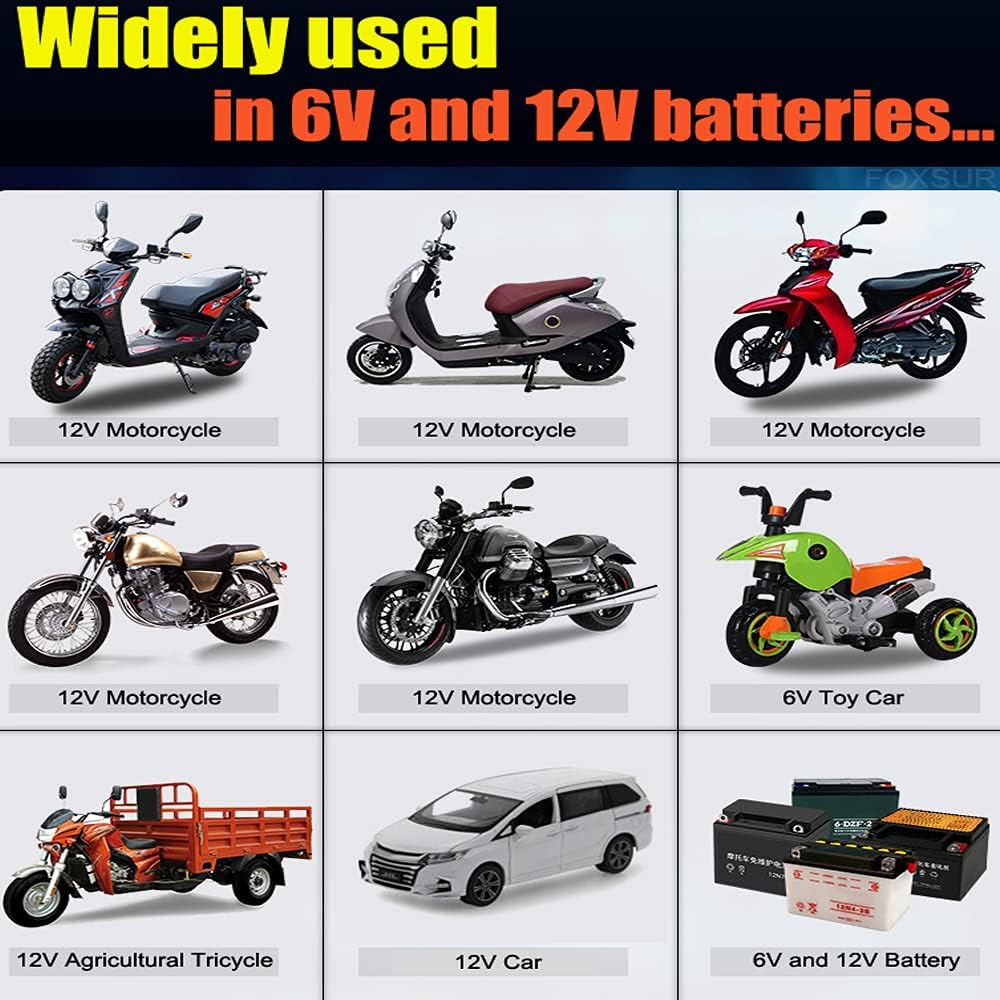
Figure 2: Wide Range of Applications
4. Setup
Follow these steps to set up your charger for use:
- Identify Battery Type and Voltage: Ensure your battery is a 6V or 12V lead-acid type (AGM, GEL, SLA, Flooded). This charger is not compatible with lithium batteries or 24-volt systems.
- Connect Charger to Battery:
- Connect the RED positive (+) clamp to the positive (+) terminal of the battery.
- Connect the BLACK negative (-) clamp to the negative (-) terminal of the battery.
Ensure a secure connection. The charger will detect the battery voltage automatically.
- Connect Charger to Power Outlet: Plug the charger's AC power cord into a standard electrical outlet (240 Volts). The charger will power on, and the LCD screen will illuminate.

Figure 3: Connecting the Charger to a Battery
5. Operating Instructions
Once connected, the charger operates automatically. The LCD screen provides real-time information.
LCD Display Indicators:
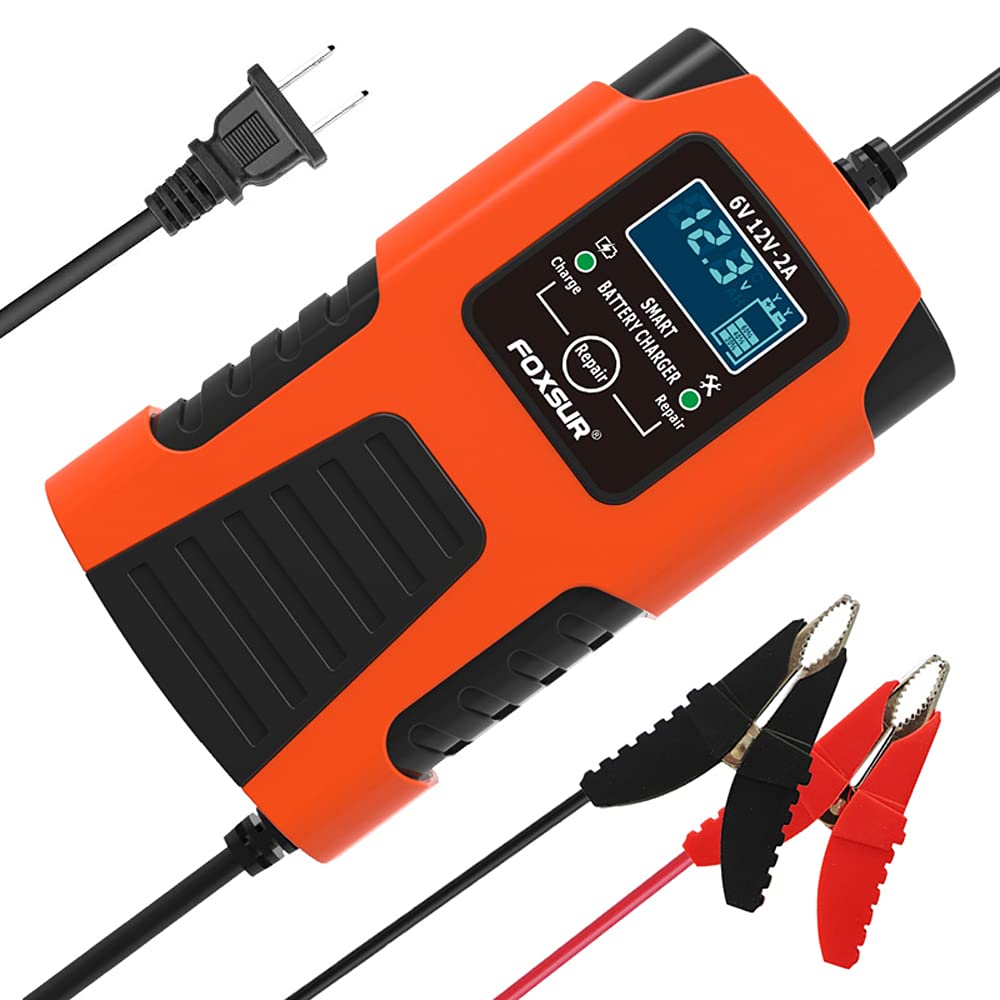
Figure 4: LCD Display States
- Charge Voltage: Displays the current voltage of the battery.
- Charge Current: Shows the charging current in Amperes.
- Battery Full (FUL): Indicates when the battery is fully charged. The charger will automatically switch to maintenance mode.
- Error (ERO): Appears if there is a problem, such as reverse polarity or a faulty battery.
- Repair Mode (PUL): Indicates the charger is performing pulse repair.
- End Repair (End): Shows when the repair process is complete.
Charging Process:
- After connecting to the battery and power, the charger will automatically detect the battery voltage (6V or 12V) and the ambient temperature.
- It will then begin the charging process, displaying the current voltage and current on the LCD.
- The charger automatically adjusts the charging voltage based on temperature: below 10°C, it enters winter mode; above 28°C, it enters summer mode.
- Once the battery is fully charged, the display will show "FUL", and the charger will switch to a trickle charge/maintenance mode to prevent overcharging. You can leave the charger connected indefinitely.
Using Repair Mode:
- The advanced REPAIR mode uses high-frequency and low-frequency pulse technology to help recover old or idle batteries and extend their life.
- For batteries with capacities between 4Ah and 15Ah, it is recommended to use the Repair mode for optimal charging and maintenance, as pulse charging is beneficial for smaller batteries.
- To activate Repair mode, press the 'Repair' button on the charger. The display will show "PUL" during the process and "End" when complete.
6. Maintenance
The FOXSUR Smart Battery Charger is designed for low maintenance. Follow these general guidelines:
- Cleaning: Keep the charger clean and free from dust and debris. Use a dry cloth to wipe the exterior.
- Storage: When not in use, store the charger in a cool, dry place away from direct sunlight and moisture.
- Cable Inspection: Periodically inspect the power cord and charging cables for any signs of damage. Do not use the charger if cables are damaged.
7. Troubleshooting
If you encounter issues with your charger, refer to the following:
- Charger not turning on: Ensure the AC power cord is securely plugged into a live outlet. Check for power outages.
- "ERO" (Error) displayed:
- Check for reverse polarity: Ensure the red clamp is on the positive (+) terminal and the black clamp is on the negative (-) terminal.
- Check for short-circuit: Ensure the clamps are not touching each other or other conductive materials.
- The battery may be severely damaged or completely dead, beyond the charger's ability to repair or charge. This charger cannot activate a dead battery or repair a battery that is seriously damaged.
- Battery not charging: Ensure the battery terminals are clean and the clamps have good contact. Verify the battery type is compatible (6V/12V lead-acid).
- Charger feels warm: It is normal for the charger to become warm during operation. The built-in overheating protection will shut down the unit if it becomes too hot.
8. Specifications
| Feature | Specification |
|---|---|
| Model | 6V/12V 2A Smart Battery Charger |
| Input Voltage | 240 Volts AC |
| Output Voltage | 6V / 12V DC (Auto-detection) |
| Current Rating | 2 Amps |
| Compatible Battery Types | 6V & 12V Lead-Acid (AGM, GEL, SLA, Flooded, WET) |
| Battery Capacity Range | 6-150Ah (for 12V batteries) |
| Product Dimensions | 5.12 x 2.95 x 1.97 inches (130 x 75 x 50 mm) |
| Item Weight | 12.2 ounces (280g) |
| Safety Protections | Reverse Polarity, Sparks, Overcharging, Over-current, Open-circuits, Short-circuits, Overheating |
| Special Features | Microprocessor Control, LCD Display, Repair Mode, Automatic Temperature Compensation |
9. Warranty and Support
Specific warranty information is not provided in this manual. For any questions, technical assistance, or support regarding your FOXSUR 6V/12V 2A Smart Battery Charger, please contact the seller or manufacturer directly.
Please retain your purchase receipt for any warranty claims.