
Sonisk Pulse
Sonisk Pulse Battery Powered Electric Toothbrush User Manual
Model: Pulse
Brand: Sonisk
1. Product Overview
The Sonisk Pulse is a portable, battery-powered electric toothbrush designed for effective oral hygiene. Utilizing professional sonic technology, it delivers 31,000 strokes per minute to help preserve tooth surface, prevent decay, and reduce plaque, resulting in sparkling teeth and healthy gums. Its hygienic and lightweight design makes it ideal for both daily use and travel.

Image 1.1: Sonisk Pulse Electric Toothbrush components.

Image 1.2: Sonisk Pulse Electric Toothbrush, highlighting its portability.
2. What's Included
Your Sonisk Pulse package includes the following items:
- 1 x Sonisk Pulse Electric Toothbrush Handle
- 1 x AAA Battery
- 2 x Replacement Brush Heads (including one pre-attached)
- 1 x Travel Cap
Image 2.1: Contents of the Sonisk Pulse package.
3. Setup
3.1. Battery Installation
- Twist the bottom cap of the toothbrush handle counter-clockwise to open the battery compartment.
- Insert one AAA battery into the compartment, ensuring the positive (+) and negative (-) terminals align correctly as indicated inside the compartment.
- Twist the bottom cap clockwise to securely close the battery compartment.
3.2. Attaching the Brush Head
- Align the brush head with the metal shaft on the toothbrush handle.
- Push the brush head down firmly until it clicks into place. Ensure it is securely attached to prevent detachment during use.
4. Operating Instructions
4.1. Powering On/Off
Press the power button located on the handle to turn the toothbrush on. Press it again to turn it off.
4.2. Brushing Technique
Apply a small amount of toothpaste to the brush head. Place the bristles against your teeth at a slight angle towards the gumline. Move the brush slowly across each tooth, allowing the sonic vibrations to clean effectively. Do not scrub vigorously. The Sonisk Pulse provides 31,000 strokes per minute for a thorough clean.

Image 4.1: Key features of the Sonisk Pulse.
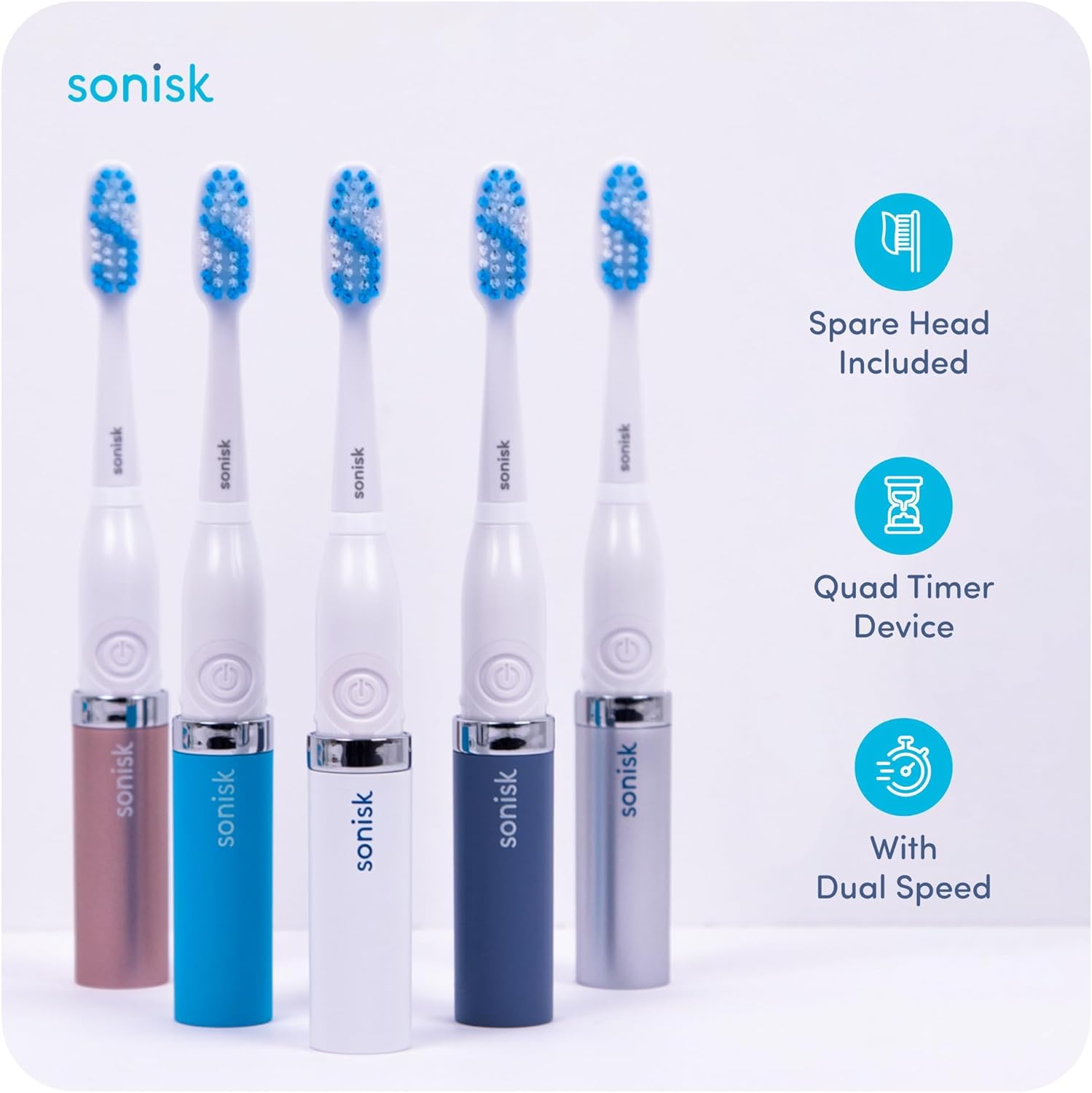
Image 4.2: Sonisk Pulse available in multiple colors, showing included spare head.
5. Maintenance
5.1. Cleaning the Toothbrush
After each use, rinse the brush head thoroughly under running water. You may also detach the brush head and rinse the handle separately. Wipe the handle dry with a clean cloth. The hygienic design includes holes in the travel cap to allow the brush head to dry out if stored in a bag.
5.2. Brush Head Replacement
For optimal performance and hygiene, it is recommended to replace the brush head every three months, or sooner if the bristles become frayed. Sonisk Pulse brush heads are made with high-quality DuPont Tynex bristles.

Image 5.1: Sonisk Pulse replacement brush heads.
6. Troubleshooting
6.1. Toothbrush Not Turning On
- Ensure the AAA battery is correctly inserted with the correct polarity.
- Replace the AAA battery with a new one. The battery life is designed for over 90 days of brushing, but performance may decrease as the battery depletes.
6.2. Weak Vibrations
- This typically indicates a low battery. Replace the AAA battery.
- Ensure the brush head is securely attached to the handle.
7. Specifications
| Feature | Detail |
|---|---|
| Model Name | Pulse |
| Brand | Sonisk |
| Power Source | Battery Powered (1 x AAA battery) |
| Sonic Strokes | 31,000 per minute |
| Product Dimensions | 3.94 x 1.18 x 0.79 inches |
| Item Weight | 1.94 ounces |
| Age Range | Adult (Suitable for 12+ years old) |
| Special Feature | Portable, Hygienic Design |
| Bristle Firmness | Medium |
8. Important Safety Information
General Safety Precautions:
- Do not immerse the entire unit in water. The handle is water-resistant but not designed for full submersion.
- Keep out of reach of small children.
- If you have any medical concerns, consult your dentist or physician before using this product.
- Do not use if the product appears damaged.
Legal Disclaimer:
Statements regarding dietary supplements have not been evaluated by the FDA and are not intended to diagnose, treat, cure, or prevent any disease or health condition.
9. Warranty and Support
Specific warranty details and direct customer support contact information are not provided in the available product data. Please refer to the product packaging or the official Sonisk website for the most up-to-date warranty terms and customer service contacts.
Ask a question about this manual
Ask about setup, troubleshooting, compatibility, parts, safety, or missing instructions. Manuals+ will review the question and use this page’s manual context to help answer it.