
1. Introduction
This manual provides essential information for setting up, operating, maintaining, and troubleshooting your new iBUYPOWER Pro Gaming PC Trace 5 MR 181i. Please read this guide thoroughly to ensure optimal performance and longevity of your system.
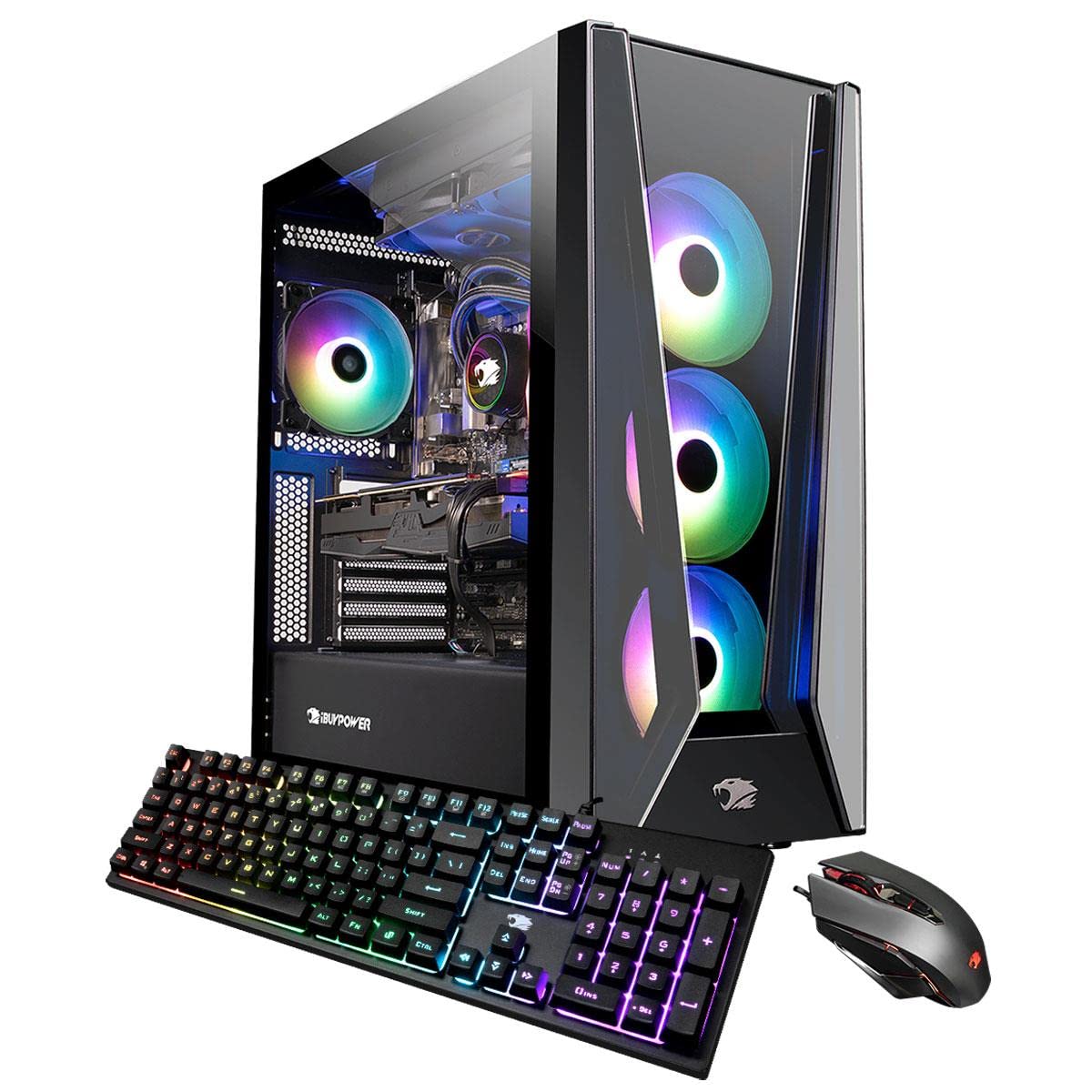
Figure 1: iBUYPOWER Trace 5 MR 181i Gaming PC
Key Features:
- Processor: Intel i9-11900KF 3.5GHz (5.3GHz Max Turbo)
- Memory: 32GB DDR4 RAM
- Storage: 1TB SSD
- Operating System: Genuine Windows 10 Home 64-bit
- Graphics: AMD Radeon RX 6900 XT 16GB Dedicated Video Card (VR Ready)
- Connectivity: 802.11AC Wi-Fi, Ethernet, USB 3.0, USB 2.0, DisplayPort, HDMI, USB Type C
- Case: Tempered Glass RGB Gaming Case with 16 Color RGB Lighting
- Included Peripherals: iBUYPOWER Gaming Keyboard & RGB Gaming Mouse
2. System Setup
2.1 Unpacking and Inspection
Carefully remove the PC and all accessories from the packaging. Inspect the system for any visible damage that may have occurred during shipping. Retain all packaging materials for future transport or warranty claims.
2.2 Connecting Peripherals
- Monitor: Connect your monitor to the graphics card's DisplayPort or HDMI output. Ensure the cable is securely fastened.
- Keyboard and Mouse: Connect the included iBUYPOWER USB keyboard and mouse to any available USB ports on the rear of the PC.
- Power: Connect the power cord to the power supply unit (PSU) at the rear of the PC, then plug the other end into a grounded electrical outlet.
- Network: For wired internet, connect an Ethernet cable from your router/modem to the RJ-45 Ethernet port. For wireless, ensure the Wi-Fi antenna (if included separately) is attached.
- Audio: Connect speakers or headphones to the appropriate audio jacks.

Figure 2: Internal components of the Trace 5 MR 181i
2.3 Initial Power On
Press the power button located on the front or top of the PC case. The system will boot into Windows 10 Home. Follow the on-screen instructions to complete the initial Windows setup, including creating a user account and connecting to your network.
2.4 Driver Installation
Your system includes a Drivers Install CD. While Windows 10 typically installs basic drivers, it is recommended to install the latest drivers from the provided CD or the manufacturer's website for optimal performance, especially for the graphics card.
3. Operating Your PC
3.1 Windows 10 Home Basics
Your PC comes pre-installed with Windows 10 Home. Familiarize yourself with the operating system's interface, including the Start Menu, Taskbar, and File Explorer. Microsoft provides extensive online resources for learning Windows 10.
3.2 Gaming and Performance
The iBUYPOWER Trace 5 MR 181i is designed for high-performance gaming, featuring an Intel i9-11900KF processor and an AMD Radeon RX 6900 XT graphics card. Ensure your graphics drivers are up-to-date for the best gaming experience. The system is VR Ready, allowing for immersive virtual reality experiences with compatible headsets.
3.3 RGB Lighting Control
The case features 16-color RGB lighting. Refer to the specific software or physical controls provided with your system for customizing the lighting effects. This may involve pre-installed software or buttons on the case itself.
4. Maintenance
4.1 Physical Cleaning
Regular cleaning helps maintain optimal performance and extends the lifespan of your PC. Use compressed air to clear dust from fans and vents. Wipe exterior surfaces with a soft, damp cloth. Ensure the PC is powered off and unplugged before cleaning.
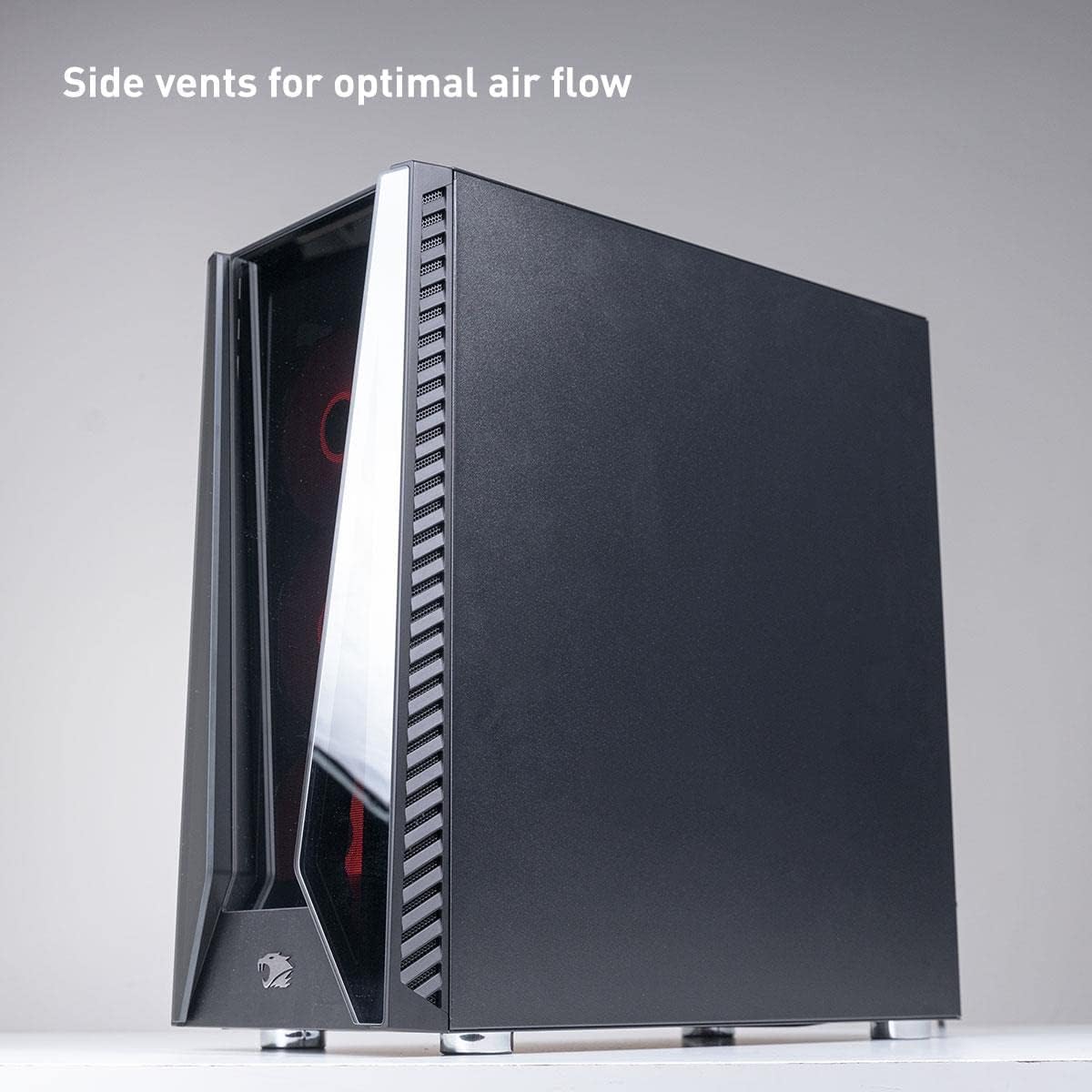
Figure 3: Side vents for optimal airflow
4.2 Software Updates
Keep your Windows operating system and all drivers updated. Windows Update will handle OS updates, while graphics card drivers should be updated regularly from the AMD website. This ensures security, stability, and performance improvements.
4.3 Cooling System
The Trace 5 MR 181i utilizes both case fans and liquid cooling for efficient heat dissipation. Ensure that airflow is not obstructed around the PC. Periodically check for dust buildup on radiators and fans, and clean as necessary.
5. Troubleshooting
This section addresses common issues you might encounter. For more complex problems, refer to the support section.
5.1 No Power
- Ensure the power cable is securely connected to both the PC and the wall outlet.
- Check if the power switch on the PSU (at the back of the PC) is in the 'ON' position.
- Try a different power outlet.
5.2 No Display on Monitor
- Verify that the monitor is powered on and the correct input source is selected.
- Ensure the display cable (HDMI or DisplayPort) is firmly connected to both the graphics card (not the motherboard) and the monitor.
- If possible, test with a different display cable or monitor.
- Confirm that the graphics card is properly seated in its slot. (Note: If you suspect a hardware issue with the graphics card, contact support.)
5.3 Peripherals Not Responding
- Check USB connections for the keyboard and mouse. Try different USB ports.
- Restart the computer.
- Ensure drivers for any specialized peripherals are installed.
6. Specifications
Detailed technical specifications for the iBUYPOWER Pro Gaming PC Trace 5 MR 181i.
| Component | Specification |
|---|---|
| Brand | iBUYPOWER |
| Model Name | Trace 5 MR 181i |
| Operating System | Windows 10 Home |
| CPU Model | Intel Core i9-11900KF |
| CPU Speed | 3.5 GHz (Max Turbo 5.3 GHz) |
| Graphics Card | AMD Radeon RX 6900 XT 16GB GDDR6 |
| RAM Memory | 32 GB DDR4 (Max 128 GB, 4 slots) |
| Storage | 1 TB SSD (M.2) |
| Connectivity | 802.11ac Wi-Fi, Ethernet, 4x USB 3.0, 2x USB 2.0, DisplayPort, HDMI, USB Type C |
| Audio | 7.1 Channel |
| Cooling Method | Case Fans, Liquid Cooling |
| Case Features | Tempered Glass RGB Gaming Case, 16 Color RGB Lighting |
| Dimensions (LxWxH) | 23 x 13 x 22 inches |
| Item Weight | 35 Pounds |
| Power Consumption | 500 Watts |
| UPC | 848604041599 |
7. Warranty and Support
7.1 Warranty Information
Your iBUYPOWER Pro Gaming PC Trace 5 MR 181i comes with a 1 Year Parts & Labor Warranty. This warranty covers defects in materials and workmanship under normal use during the warranty period.
7.2 Technical Support
iBUYPOWER provides Free Lifetime US Technical Support for your system. If you encounter any issues that cannot be resolved using this manual, please contact iBUYPOWER customer support for assistance. Contact details can typically be found on the official iBUYPOWER website or in the documentation included with your PC.