
Introduction
The iWALK UBP20000M Magnetic Wireless Portable Charger Power Bank is designed to provide convenient and efficient charging for your compatible devices. Featuring a high-capacity 20000mAh battery, 7.5W wireless charging, and 20W USB-C Power Delivery, this power bank ensures your devices stay powered on the go. It also includes a smart LED indicator and an integrated kickstand for enhanced usability.
What's in the Box
- iWALK UBP20000M Magnetic Wireless Portable Charger Power Bank
- USB-C Charging Cable
- Phone Stand (integrated)
- User Guide (this manual)
- Magnetic Alignment Stickers (for non-MagSafe compatible devices)
Product Overview
The iWALK UBP20000M offers multiple charging options and user-friendly features:
- Strong Magnetism: Securely attaches to compatible devices for wireless charging.
- Integrated Kickstand: Allows for vertical or horizontal viewing while charging.
- 20W PD Fast Charging: Quickly recharges compatible devices and the power bank itself.
- Ultra-High Cell Capacity (20000mAh): Provides multiple charges for smartphones and tablets.
- Multiple Output Ports: Includes 2 USB-A and 1 USB-C port for wired charging of various devices.
- Smart LED Indicator: Displays the remaining battery level.
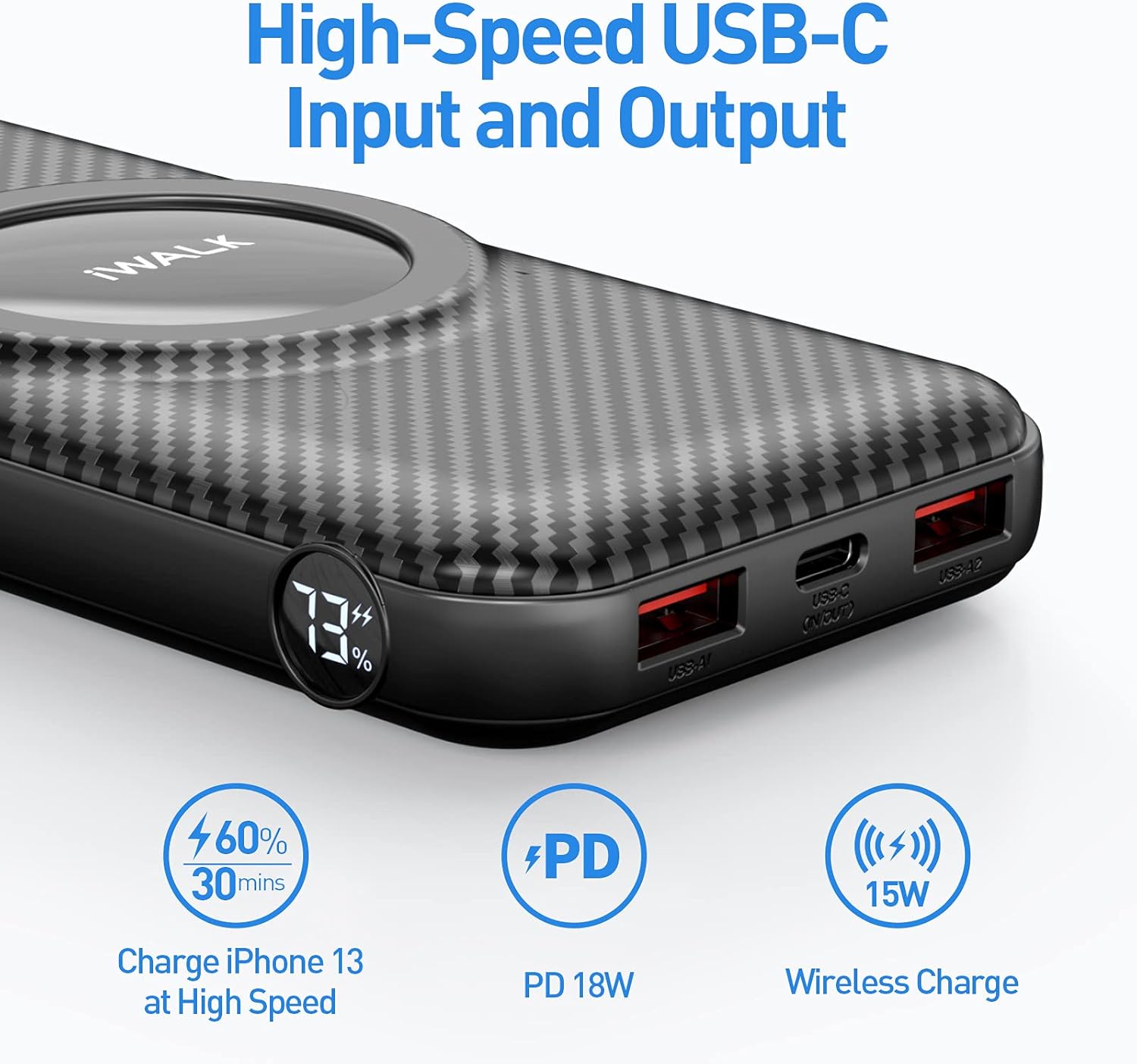
Image Description: A close-up view of the iWALK UBP20000M power bank, highlighting its ports and LED indicator. Labels point to the Wireless Charger, LED Indicator, USB Output, and USB-C Output/Input.
Setup
1. Charging the Power Bank
Before first use, fully charge your iWALK UBP20000M Power Bank. Use the provided USB-C cable and an 18W PD charger (not included) for optimal charging speed. A full charge typically takes approximately 6 hours.

Image Description: A hand plugging a USB-C cable into the iWALK UBP20000M power bank, which is connected to a wall adapter. This illustrates how to charge the power bank itself.
2. Attaching Magnetic Ring (for non-MagSafe devices)
If your phone or phone case is not MagSafe compatible, you can use the included magnetic alignment stickers to enable magnetic attachment. Refer to the alignment paper for correct placement based on your phone model.
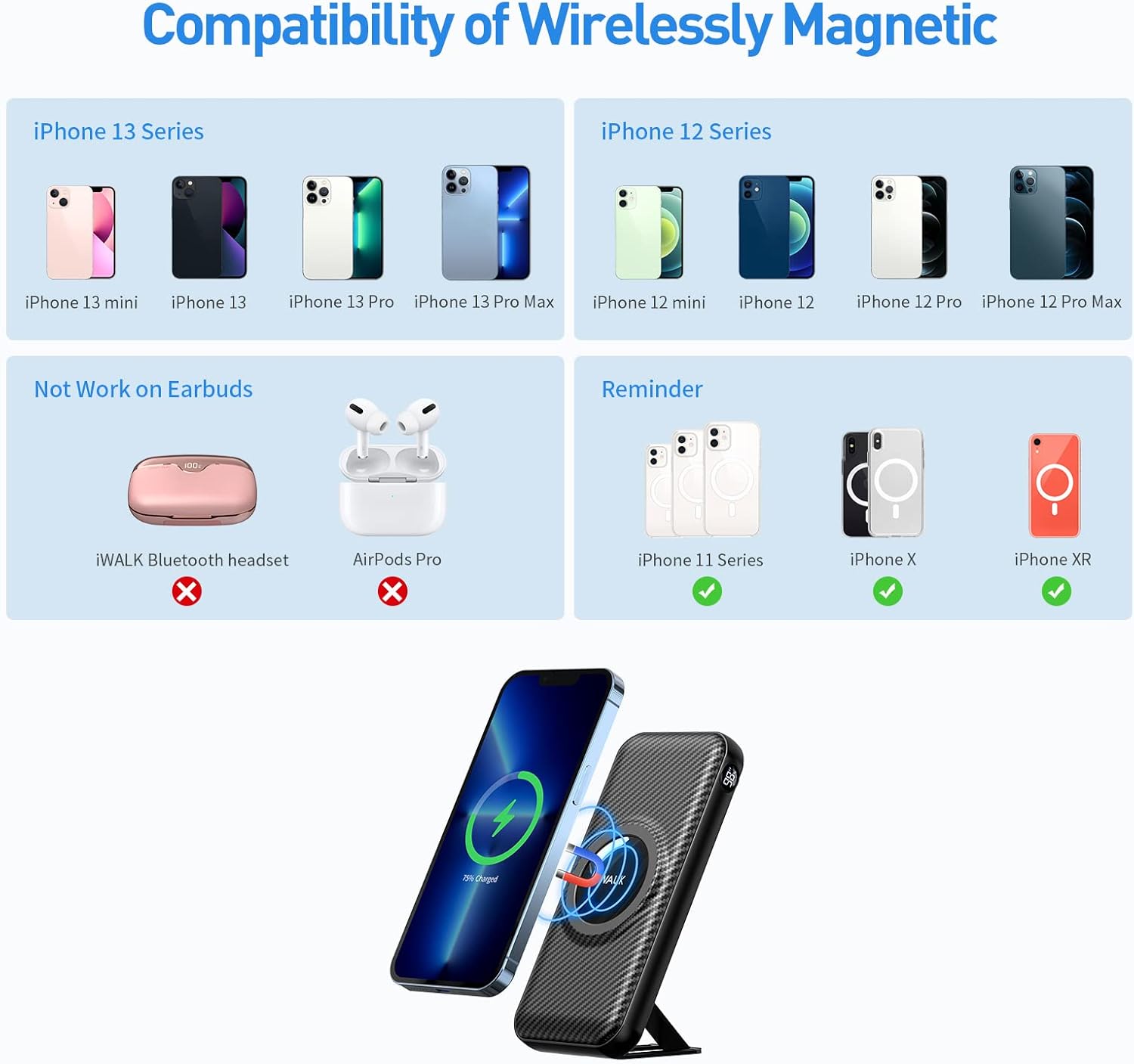
Image Description: A sheet of yellow alignment paper showing outlines for different iPhone models (iPhone 11 Pro, iPhone XS, iPhone X) and a circular area for magnetic sticker placement. This helps users correctly position the magnetic ring on their phone case.
Operating Instructions
1. Wireless Charging
To initiate wireless charging, press the power button on the side of the power bank to activate it. Align your MagSafe-compatible iPhone (iPhone 12/13/14 series) or a phone with an attached magnetic ring to the wireless charging area on the power bank. The strong magnetism will hold your phone securely, and charging will begin automatically.
Note: This wireless portable charger cannot be used to charge earbuds.

Image Description: An iPhone 13 is shown magnetically attached to the iWALK UBP20000M power bank, displaying the wireless charging animation on its screen. The power bank's kickstand is extended, allowing the phone to stand upright.
2. Wired Charging
The power bank features two USB-A output ports and one USB-C input/output port. Connect your device's charging cable to the appropriate port on the power bank. The power bank can charge up to 4 devices simultaneously (1 wireless, 3 wired).

Image Description: Two smartphones are shown charging via wired connections from the iWALK UBP20000M power bank, while another phone is wirelessly charging on top. This demonstrates the multi-device charging capability.
3. Using the Kickstand
The integrated kickstand on the back of the power bank allows you to prop up your phone for convenient viewing. Simply pull out the kickstand and adjust it to your desired angle. You can use it for both vertical and horizontal viewing.
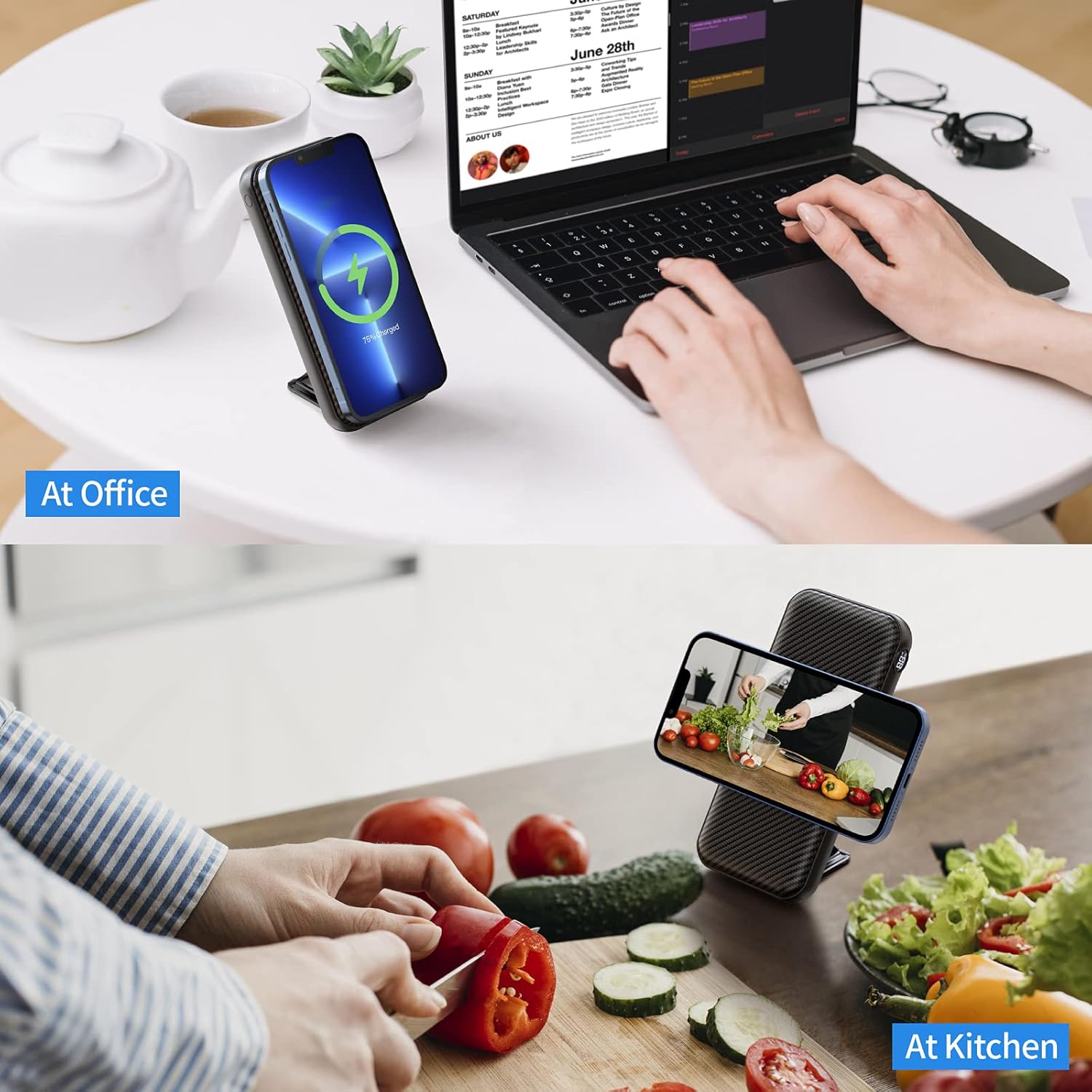
Image Description: The iWALK UBP20000M power bank is shown with its kickstand extended, holding an iPhone vertically on a desk. This illustrates the use of the kickstand for hands-free viewing while charging.
Compatibility
The iWALK UBP20000M is primarily designed for:
- Magnetic Wireless Charging: iPhone 12, iPhone 12 Pro, iPhone 12 Pro Max, iPhone 12 Mini, iPhone 13, iPhone 13 Pro, iPhone 13 Pro Max, iPhone 13 Mini, iPhone 14 series.
- Wired Charging (USB-A & USB-C): A wide range of smartphones and tablets including Samsung Galaxy S9/S9+/S8/S7/S7 Edge S6/S6 Edge S5/4, Note 9/8/5/4; Samsung Galaxy Tab 3/4/4; LG G6 G5 G4 G3 /V10/Flex 2/Flex/Pro Lite; HTC 10 One A9/M9 M8; HUAWEI P8/9/10, Mate 9/10; Lumia 435 635 550 640/640XL 650/650DualSIM 735 830 950XL; Google Nexus 5/5X 6/6P/ 7/9/10 Google Pixel XL; Nokia 820, Nokia 900, Nokia 1020, Nokia 1520, and other mobile phones.
For non-MagSafe iPhones (e.g., iPhone 11 series, iPhone X, iPhone XR), magnetic attachment can be achieved using the provided magnetic alignment stickers.

Image Description: A visual chart detailing the compatibility of the iWALK UBP20000M. It shows iPhone 13 and 12 series as directly compatible with wireless magnetic charging. It also indicates that earbuds are not compatible and provides a reminder for iPhone 11 series, iPhone X, and iPhone XR, which can use magnetic stickers for compatibility.
Maintenance
- Keep the power bank away from water and extreme temperatures.
- Clean the device with a soft, dry cloth. Do not use harsh chemicals.
- Avoid dropping or subjecting the power bank to strong impacts.
- Store in a cool, dry place when not in use.
Troubleshooting
- Device not charging wirelessly: Ensure the power bank is activated by pressing the power button. Verify your phone or case is MagSafe compatible or has the magnetic ring correctly attached.
- Slow charging: If the power bank overheats, it may automatically reduce charging speed or stop charging until the temperature decreases. Ensure you are using an 18W PD charger for optimal power bank recharge speed. Charging multiple devices simultaneously may also reduce individual charging speeds.
- Magnetic attachment is weak: Ensure your phone case is MagSafe compatible. Non-MagSafe cases may interfere with the magnetic connection. Use the provided magnetic ring for better adhesion on non-MagSafe devices.
- Power bank not turning off automatically: Some users have reported that the magnetic charge can remain active even after the phone is removed, draining the battery. Ensure to manually turn off the power bank if it does not automatically shut off.
Specifications
| Model Number | UBP20000M |
| Battery Capacity | 20000mAh |
| Wireless Charging Output | 7.5W |
| USB-C Output/Input | 20W Power Delivery (PD) |
| USB-A Output | 4.5 Amps (Total 22.5W output) |
| Product Dimensions | 6.7 x 2.4 x 0.9 inches |
| Item Weight | 13.2 ounces |
| Special Features | Kickstand, Travel, Wireless Charging |
Official Product Videos
Video Description: An official iWALK video showcasing the 20000mAh wireless portable charger. It demonstrates the magnetic attachment, kickstand functionality, and multiple charging ports, highlighting its versatility and convenience.
Video Description: An official iWALK video demonstrating the MagSafe power bank's features, including its 20000mAh capacity and portable design. It shows the magnetic attachment and how it can be used as a stand.
Warranty and Support
For warranty information or technical support, please refer to the service card included in your product packaging or visit the official iWALK website. You can also contact iWALK customer service directly for assistance.
iWALK Store: Visit the iWALK Store on Amazon


