1. Introduction
This manual provides detailed instructions for the setup, operation, and maintenance of your OKYUK Smart Watch. Please read this manual thoroughly before using your device to ensure proper function and to maximize your user experience. Keep this manual for future reference.
2. Package Contents
Upon opening the package, verify that all the following items are included:
- 1 x OKYUK Smart Watch
- 1 x Wristband (pre-attached or separate)
- 1 x Magnetic Charger Cable
- 1 x User Manual (this document)
3. Product Overview
The OKYUK Smart Watch is a versatile fitness tracker designed for daily use, featuring a 1.28-inch HD full-color touch screen, heart rate monitoring, sleep tracking, and various sports modes. It is compatible with both iPhone and Android devices.

Figure 3.1: A front view of the OKYUK Smart Watch, showcasing its round 1.28-inch HD color touch screen and black silicone strap. The watch face displays time, date, battery level, steps, and heart rate.

Figure 3.2: A technical diagram illustrating the precise dimensions of the OKYUK Smart Watch. Measurements include a diameter of 46.5mm (1.83in), thickness of 11mm (0.43in), and strap lengths, providing a clear understanding of its physical size.

Figure 3.3: A multi-panel image highlighting key design and functional aspects. It shows the "Retina level HD large screen" with fine stripe design, the soft and comfortable silicone strap, and the three-hole optical sensor on the watch's underside for real-time heart rate detection.
4. Setup
4.1 Charging the Device
Before first use, fully charge your smart watch. Connect the magnetic charger cable to the charging contacts on the back of the watch and plug the USB end into a power adapter (not included) or a computer's USB port. A full charge typically takes approximately 4 hours.
4.2 App Installation
To unlock the full functionality of your smart watch, download and install the Coolwear app on your smartphone. Search for "Coolwear" in the App Store (for iOS devices) or Google Play Store (for Android devices).
4.3 Device Pairing
- Ensure your smartphone's Bluetooth and GPS functions are turned on.
- Open the Coolwear app on your smartphone.
- Navigate to the "Device" section within the app and select "Add watch".
- Your phone will search for available devices. Select "SN93" or the device name corresponding to your watch from the list to initiate pairing.
- Follow any on-screen prompts to complete the pairing process.
5. Operating Instructions
5.1 Basic Navigation
- Touch Screen: Swipe left/right, up/down to navigate through menus and functions. Tap to select.
- Side Button: Typically used to return to the previous screen or to the main watch face. A long press may power the device on/off.
- Quick View: Raise your hand to automatically brighten the screen.
5.2 Watch Faces
The watch comes with 4 exquisite preset dials. You can download and replace various creative dials through the Coolwear app's watch face market to personalize your device.
5.3 Notifications
Once connected to your smartphone, the watch will vibrate in real-time to notify you of incoming calls, SMS messages, and app notifications (e.g., WhatsApp, Facebook, Skype). You can reject calls directly from the watch.
5.4 Health Monitoring

Figure 5.1: A composite image illustrating the heart rate and blood oxygen saturation monitoring functions. One panel shows the watch displaying a heart rate of 112 bpm, while another shows a blood oxygen level of 90%. The image also depicts a user exercising, implying fitness tracking.
- Heart Rate Monitoring: The watch features three-hole optical detection for 24-hour heart rate monitoring. Access the heart rate interface on the watch to view your current heart rate.
- Blood Oxygen Saturation Monitoring: When feeling unwell, you can measure your current blood oxygen value directly from the watch.
- Sleep Monitoring: The watch monitors your sleep quality throughout the night, recording deep sleep and light sleep durations. View detailed sleep analysis in the Coolwear app to help improve your sleep quality.

Figure 5.2: A user sleeping with the OKYUK Smart Watch on their wrist. The watch screen displays sleep data, including total sleep duration and sleep stages (deep/light sleep), highlighting the device's sleep tracking capabilities.
5.5 Sports Modes
The watch supports 10 multi-sport modes, including Walking, Running, Cycling, Mountaineering, Yoga, Basketball, Football, Badminton, Skipping, and Swimming. Built-in GPS positioning provides accurate tracking of cadence, steps, calories, and exercise duration. Select your desired sport mode from the watch's menu before starting your activity.
5.6 Music Control

Figure 5.3: An image showing the OKYUK Smart Watch connected via Bluetooth to a smartphone, controlling music playback. The watch screen displays music controls (play/pause, skip) and song information, while the phone shows a music player interface.
After connecting via Bluetooth, you can use your watch to control music playback on your phone. This includes displaying the song title, adjusting volume, pausing, playing, and skipping tracks.
5.7 Remote Camera Control
With the remote camera function enabled in the app, you can shake or tap your watch to remotely control your phone's camera to take pictures.
5.8 Other Functions
- Stopwatch: Access the stopwatch function for timing activities.
- Alarms: Set up to 5 alarms through the Coolwear app. The watch will vibrate to alert you.
- Sedentary Reminder: Receive reminders to move after periods of inactivity.
- Find Device: Use the Coolwear app to locate your watch if it's within Bluetooth range.
- Weather: Display the current day's weather and forecasts for the next two days.
- Do Not Disturb Mode: Silence notifications during specific times.
6. Maintenance
6.1 Cleaning
Regularly clean your watch and strap with a soft, dry cloth. If necessary, use a slightly damp cloth and mild soap, then rinse and dry thoroughly. Avoid harsh chemicals or abrasive materials.
6.2 Charging
Charge the watch using only the provided magnetic charger cable. Avoid using damaged cables or chargers. Do not charge the watch in wet conditions.
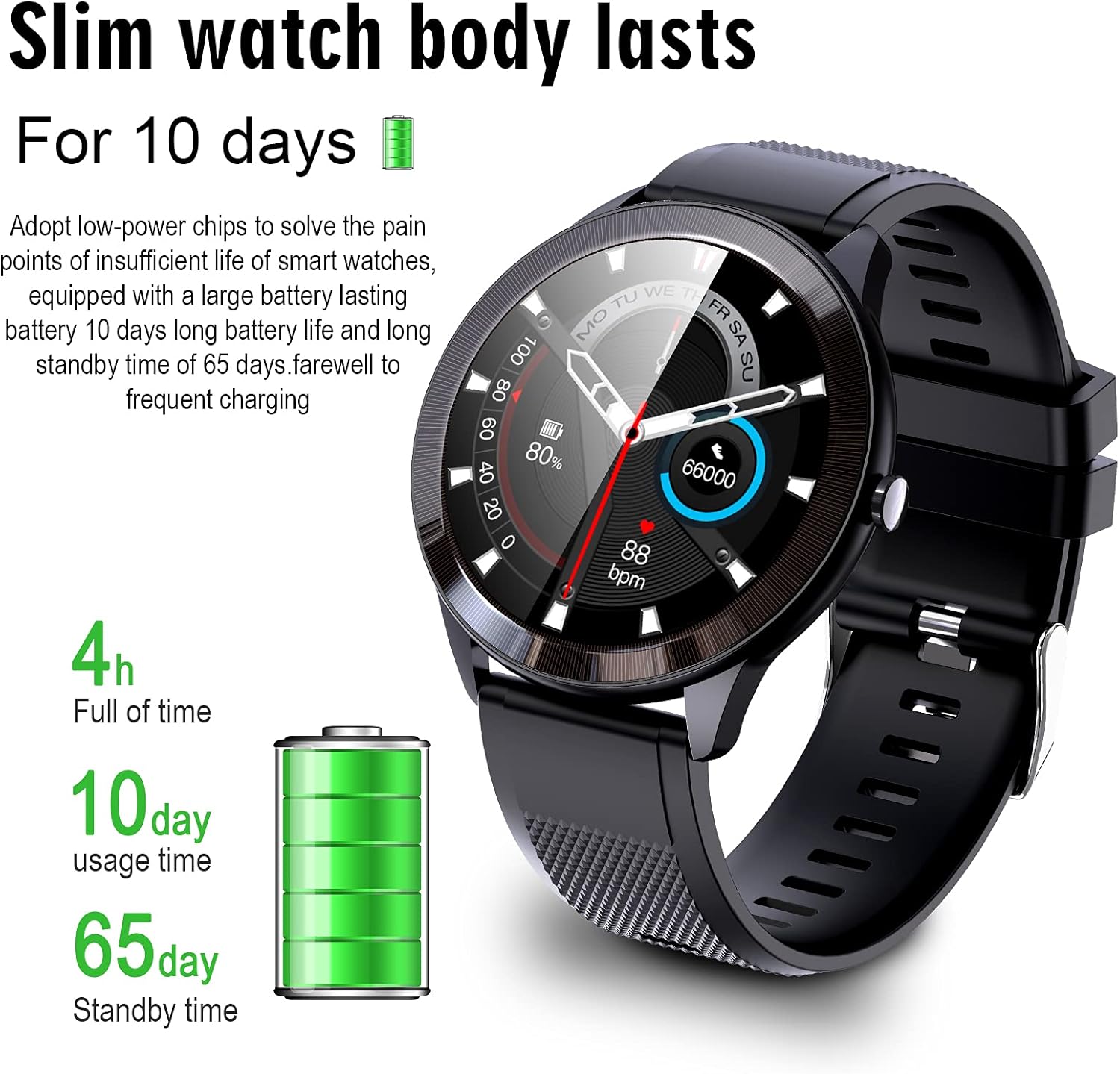
Figure 6.1: An infographic detailing the battery performance of the OKYUK Smart Watch. It indicates a full charge time of 4 hours, a typical usage time of 10 days, and a standby time of 65 days, emphasizing its long-lasting battery.
6.3 Water Resistance (IP68)

Figure 6.2: A person wearing the OKYUK Smart Watch while in a hot tub, demonstrating its IP68 waterproof capability. The watch face is visible, indicating its functionality even when submerged.
The OKYUK Smart Watch is IP68 waterproof, meaning it is resistant to dust and can withstand immersion in water up to 1.5 meters for 30 minutes. It is suitable for daily use, including washing hands, rain, and swimming. However, it is not recommended for hot showers, saunas, or diving, as steam and high temperatures can affect the seal.
7. Troubleshooting
- Watch not turning on: Ensure the watch is fully charged. Connect it to the charger for at least 30 minutes.
- Unable to pair with phone:
- Ensure Bluetooth and GPS are enabled on your phone.
- Make sure the watch is within Bluetooth range of your phone.
- Restart both your phone and the watch.
- Clear the Bluetooth cache on your phone and try pairing again.
- Inaccurate heart rate/sleep data: Ensure the watch is worn snugly on your wrist, not too tight or too loose. Clean the sensor area on the back of the watch.
- Notifications not received: Check if notifications are enabled in the Coolwear app and in your phone's settings for the specific apps. Ensure the watch is connected via Bluetooth.
- Screen unresponsive: Try restarting the watch by long-pressing the side button. If unresponsive, allow the battery to drain completely and then recharge.
8. Specifications
| Waterproof Rating | IP68 |
| Screen Size | 1.28" HD Full Round Colorful Screen |
| Resolution | 240x240 |
| Sensor | SC7A20 |
| Bluetooth Version | BT5.0 |
| Strap Material | Food Grade Anti-static Silicone |
| Case Material | ABS |
| Battery Capacity | 200mAh Polymer Battery |
| Chipset | REALTEK RTL8762CK |
| Compatibility | Android 5.0 or above / iOS 9.0 or above |
| Dimensions | Diameter 46.5mm / Thickness 11mm |
9. Warranty and Support
For warranty information or technical support, please refer to the purchase platform or contact OKYUK customer service directly. Keep your purchase receipt as proof of purchase.