
1. Introduction
The INFURIDER YF818 Digital Anemometer is a handheld device designed for measuring wind velocity and wind temperature. It features a backlit LCD display and provides maximum, average, and current wind speed measurements. This device is suitable for various outdoor activities and professional applications.
- Simultaneous Measurement: Measures both wind velocity and wind temperature.
- Display Modes: Features backlight LCD display with maximum, average, and current wind speed readings.
- Measurement Range: Wind velocity range of 0.3-30 m/s with an accuracy of +/-5%. Wind temperature range of -10°C to 45°C with an accuracy of +/-2°C. Resolution up to 0.1 m/s and 0.2°C.
- Multiple Units: Supports 5 units for wind velocity (m/s, ft/min, Knots, km/hr, mph) and switchable temperature units (°C/°F).
- Additional Features: Includes wind chill indication, auto/manual power off, low battery indication, and a 0-12 air speed level bar graph display.
- Ergonomic Design: Features a non-slip silicone protective cover and a hand strap for easy, one-handed operation.
2. Product Overview
Familiarize yourself with the components and dimensions of the INFURIDER YF818 Digital Anemometer.

Figure 1: INFURIDER YF818 Digital Anemometer with key components labeled.
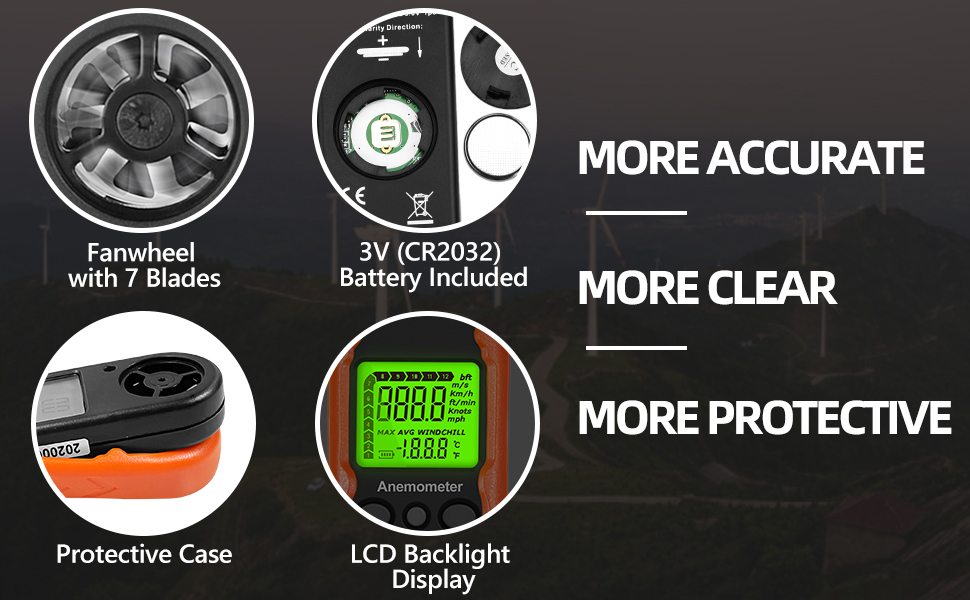
Figure 2: Detailed view highlighting the 7-blade fan, CR2032 battery, LCD backlight display, and protective case.
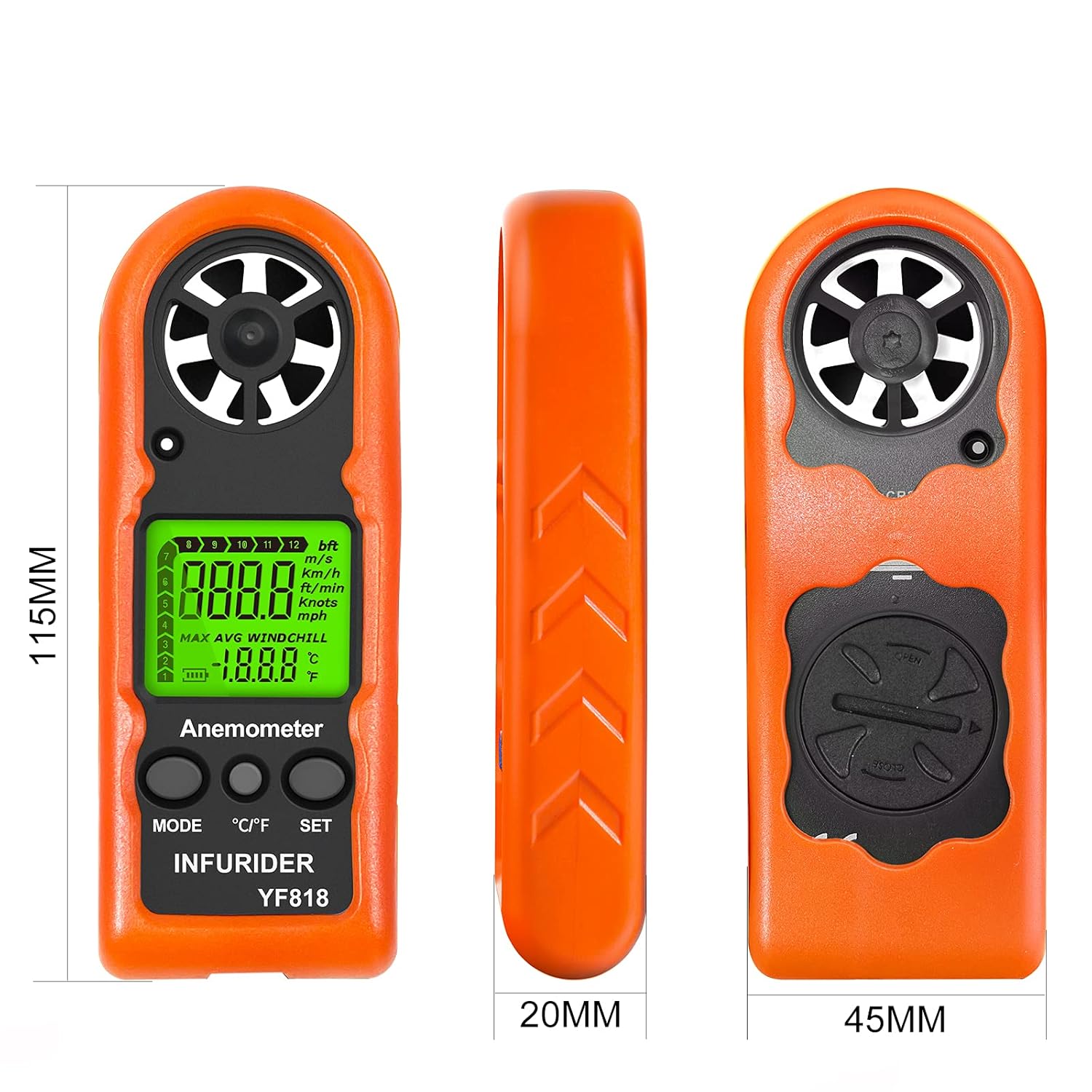
Figure 3: Product dimensions of the INFURIDER YF818 Digital Anemometer (115mm height, 45mm width, 20mm depth).
3. Setup
3.1 Battery Installation
The INFURIDER YF818 uses one 3V CR2032 battery. Follow these steps to install or replace the battery:
- Locate the battery cover on the back of the device.
- Use a coin to rotate the battery cover counter-clockwise to the 'OPEN' position.
- Carefully remove the cover.
- Insert the new CR2032 battery with the positive (+) side facing up, ensuring correct polarity.
- Replace the battery cover and rotate it clockwise to the 'CLOSE' position using a coin.

Figure 4: Visual guide for installing the CR2032 battery.
3.2 Attaching the Lanyard
To prevent accidental drops, attach the included lanyard to the device:
- Locate the lanyard attachment point at the bottom of the anemometer.
- Thread the thin loop of the lanyard through the hole.
- Pass the main strap of the lanyard through the loop and pull it tight to secure.
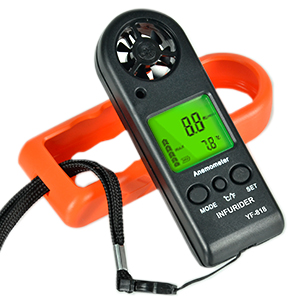
Figure 5: The anemometer with the hand strap attached for secure handling.
4. Operating Instructions
The INFURIDER YF818 features three main buttons: MODE, °C/°F, and SET.
4.1 Power On/Off
- Power On: Press and hold the MODE button for 2 seconds to turn on the device. The LCD will display air velocity, temperature, and battery icon. The backlight will activate for 12 seconds.
- Power Off: Press and hold the SET button for 2 seconds to turn off the device. The unit will also shut off automatically after 14 minutes of inactivity.
4.2 Changing Measurement Units
To switch between wind velocity units (m/s, ft/min, Knots, km/hr, mph):
- With the device powered on, press the MODE button repeatedly until the desired unit (e.g., "m/s") starts to blink.
- Press the SET button to confirm the selection.
To switch between temperature units (°C/°F):
- Press the °C/°F button to toggle between Celsius and Fahrenheit.
4.3 Measurement Modes (MAX/AVG/Current)
The device can display current, maximum (MAX), and average (AVG) wind velocity:
- Press the MODE button to cycle through current, MAX, and AVG display modes.
- The selected mode will be indicated on the LCD.
4.4 Backlight
The LCD backlight activates automatically upon power-on and can be manually controlled:
- Press the °C/°F button briefly to activate the backlight for 12 seconds.
4.5 Wind Chill Indication
The device will display a wind chill indicator when conditions warrant.
Video 1: Demonstration of battery replacement and basic key functions for a similar handheld anemometer (BTMETER BT-816B). Note: Features may vary slightly from the INFURIDER YF818 model.
5. Maintenance
5.1 Battery Replacement
When the low battery indicator appears on the LCD, replace the CR2032 battery following the steps in Section 3.1.
5.2 Storage
To ensure product longevity, store the anemometer in a temperature environment between -30°C (-22°F) and 60°C (176°F). Avoid storing outside this range to prevent internal damage. If not in use for a long period, it is recommended to remove the battery.
5.3 Cleaning
Wipe the device with a soft, dry cloth. Do not use abrasive cleaners or solvents.
6. Troubleshooting
No specific troubleshooting steps are provided in the product information. If you encounter issues, please refer to the warranty and support section.
7. Specifications
| Feature | Specification |
|---|---|
| Manufacturer | INFURIDER |
| Model Number | YF818 |
| Item Weight | 120 g |
| Product Dimensions | 12 x 3 x 2 cm |
| Colour | Yf818 (Orange) |
| Style | YF-818 |
| Material | Silicone |
| Battery Type | CR2032 (1x 3V) |
| Wind Speed Range | 0.3-30 m/s |
| Wind Speed Accuracy | +/-5% |
| Temperature Range | -10°C to 45°C (14°F to 113°F) |
| Temperature Accuracy | +/-2°C (+/-3.6°F) |
| Operating Humidity | Less than 90% RH |
8. Warranty and Support
INFURIDER is committed to customer satisfaction. We offer a 100% after-sales guarantee for quality issues. For any quality concerns or support needs, please contact us immediately.