
Noise wrb-sw-colorfitpulse-std-blk_blk
Noise ColorFit Pulse Smartwatch User Manual
Model: wrb-sw-colorfitpulse-std-blk_blk
Introduction
This manual provides comprehensive instructions for the setup, operation, maintenance, and troubleshooting of your Noise ColorFit Pulse Smartwatch. Please read this manual carefully to ensure proper use and to maximize the device's features and longevity.
What's in the Box
Upon unboxing your Noise ColorFit Pulse Smartwatch, you should find the following items:
- Smartwatch
- Magnetic Charger
- User Manual
- Warranty Card
Product Overview
The Noise ColorFit Pulse Smartwatch features a 1.4-inch full touch HD display, designed for clear visibility and intuitive interaction. Its lightweight and durable build ensures comfort for daily wear.
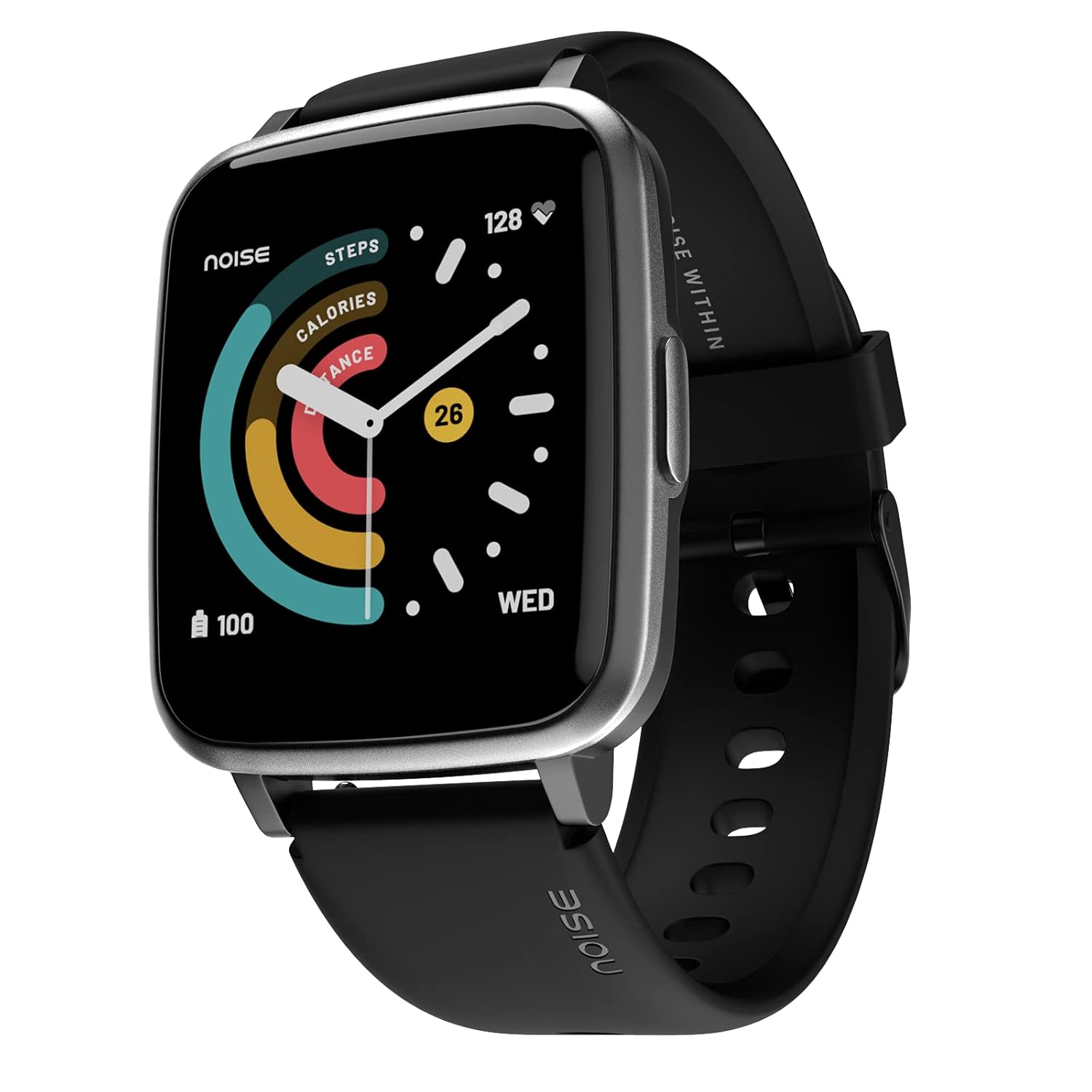
Image: The Noise ColorFit Pulse Smartwatch in Jet Black, showcasing its square display and silicone strap.

Image: Multiple Noise ColorFit Pulse smartwatches with various colored swappable silicone straps, highlighting customization options.
Setup
1. Charging the Smartwatch
Before initial use, fully charge your smartwatch. Connect the magnetic charger to the charging points on the back of the watch and plug the USB end into a power adapter (not included) or a computer's USB port. The watch display will indicate charging status.
2. Downloading the NoiseFit App
To unlock all features and synchronize data, download the official NoiseFit application on your smartphone. The app is available on both Android and iOS platforms. Search for "NoiseFit" in your device's app store.
3. Pairing with Your Smartphone
- Ensure Bluetooth is enabled on your smartphone.
- Open the NoiseFit app and follow the on-screen instructions to create an account or log in.
- Select "Add Device" or a similar option within the app.
- The app will search for nearby devices. Select "Noise ColorFit Pulse" from the list.
- Confirm the pairing request on both your smartphone and the smartwatch.
Once paired, the watch will synchronize time and other settings with your phone.
Operating Instructions
Basic Navigation
- Swipe Down: Access quick settings (e.g., brightness, DND, battery status).
- Swipe Up: View notifications.
- Swipe Left/Right: Navigate through widgets (e.g., activity, heart rate, weather).
- Press Side Button: Return to the home screen or access the main menu.
- Tap: Select an item or confirm an action.
Health Monitoring Features
The Noise ColorFit Pulse Smartwatch is equipped with advanced sensors to help you monitor key health metrics.
Blood Oxygen (SpO2) Monitoring
The smartwatch can automatically monitor your blood oxygen levels. For accurate readings, ensure the watch is worn snugly on your wrist and remain still during measurement.
Real-time Heart Rate Monitoring
Your heart rate is continuously monitored throughout the day. This data provides insights into your cardiovascular health and exercise intensity.
Sleep Quality Analysis
The watch tracks your sleep patterns, providing a comprehensive analysis of your sleep quality, including deep sleep, light sleep, and wake-up times. This helps you understand and improve your sleep habits.

Image: Three Noise ColorFit Pulse smartwatches demonstrating the SpO2, Heart Rate, and Sleep monitoring features on their displays.
Sports Modes
The Noise ColorFit Pulse offers 8 dedicated sports modes to accurately track your workouts and activity levels. Select the appropriate mode before starting your exercise for precise data collection.
- Outdoor Running
- Outdoor Walking
- Outdoor Cycling
- Trekking
- Indoor Running
- Indoor Cycling
- Yoga
- Other (General Workout)

Image: A Noise ColorFit Pulse smartwatch screen showing various sports mode icons and activity tracking data.
Customization
Personalize your smartwatch experience with a wide array of watch faces. The Noise ColorFit Pulse supports over 60 cloud-based watch faces, allowing you to change your watch's appearance to match your style or mood.

Image: Several Noise ColorFit Pulse smartwatches arranged together, each showing a different cloud-based watch face.
Battery Life
The Noise ColorFit Pulse Smartwatch is designed for extended use, offering up to 10 days of battery life on a single charge under typical usage conditions. Actual battery life may vary based on usage patterns, features enabled, and network conditions.

Image: A Noise ColorFit Pulse smartwatch screen showing battery percentage and a large "10 DAY" text, indicating its long battery life.
Water Resistance
The Noise ColorFit Pulse Smartwatch features an IP68 water resistance rating. This means it is protected against dust ingress and can withstand immersion in water up to 1.5 meters for up to 30 minutes. It is suitable for daily use and light water activities, but not recommended for swimming or diving.
Maintenance
- Cleaning: Regularly clean your smartwatch and strap with a soft, dry cloth. If necessary, use a slightly damp cloth and mild soap, then dry thoroughly. Avoid harsh chemicals.
- Charging: Use only the provided magnetic charger. Ensure the charging contacts on the watch and charger are clean and dry before charging.
- Storage: Store the watch in a cool, dry place when not in use. Avoid extreme temperatures.
- Avoid Impact: While durable, avoid dropping the watch or subjecting it to strong impacts.
Troubleshooting
Watch Not Turning On
- Ensure the watch is fully charged. Connect it to the charger for at least 30 minutes.
- Press and hold the side button for 10-15 seconds to force a restart.
Cannot Pair with Smartphone
- Make sure Bluetooth is enabled on your phone and the watch is within range.
- Restart both your phone and the smartwatch.
- Ensure the NoiseFit app is updated to the latest version.
- Forget the device in your phone's Bluetooth settings and try pairing again through the app.
Inaccurate Health Readings
- Ensure the watch is worn snugly on your wrist, not too loose or too tight.
- Keep your arm still during measurements, especially for SpO2.
- Clean the sensors on the back of the watch.
Notifications Not Appearing
- Check notification permissions for the NoiseFit app in your phone's settings.
- Ensure the watch is connected via Bluetooth.
- Verify that Do Not Disturb (DND) mode is not active on the watch.
Specifications
| Feature | Detail |
|---|---|
| Brand | Noise |
| Model Name | ColorFit Pulse |
| Item Model Number | wrb-sw-colorfitpulse-std-blk_blk |
| Colour | Jet Black |
| Display Size | 1.4 Inches |
| Product Dimensions | 4.32 x 3.88 x 1.08 cm |
| Item Weight | 38.9 g |
| Connectivity Type | Bluetooth |
| Operating System | Android, iOS compatible |
| Average Battery Life | 10 Days |
| Water Resistance | IP68 |
| Special Features | Heart Rate Monitor, Sleep & Step Tracking, SpO2, 8 Sport Modes, Smart Notifications, 60+ Cloud Based Watch Faces |
Warranty and Support
Your Noise ColorFit Pulse Smartwatch comes with a 1-Year Manufacturer's Warranty from the date of purchase. This warranty covers manufacturing defects and issues arising from normal use.
For warranty claims, technical support, or any product-related inquiries, please contact Noise customer service. Refer to the warranty card included in your product packaging for specific contact details or visit the official Noise website for support information.
Note: As per the provided data, specific video URLs with creator type information were not available, hence no videos could be embedded in this manual.
Related Documents - wrb-sw-colorfitpulse-std-blk_blk
 |
Noise ColorFit Pulse Troubleshooting Guide: Fix Common Issues Resolve common problems with your Noise ColorFit Pulse smartwatch. This guide provides step-by-step solutions for charging, battery life, connectivity, notifications, data sync, and firmware updates. |
 |
Noise ColorFit Pulse 3 Smartwatch: 1.96" Bluetooth Calling, Fitness Tracker Discover the Noise ColorFit Pulse 3 smartwatch featuring a large 1.96" display, Bluetooth calling, auto sport detection, 7-day battery, and customizable watch faces. Ideal for fitness and daily use. |
 |
Noise ColorFit Pulse 2 Pro Smart Watch User Manual Comprehensive user manual for the Noise ColorFit Pulse 2 Pro Smart Watch, covering setup, features, and operation. |
 |
Noise ColorFit Quad Call Smart Watch: 1.81" Display, Bluetooth Calling, AI Voice, Long Battery Discover the Noise ColorFit Quad Call smartwatch with a 1.81" display, Bluetooth calling, AI voice assistant, up to 7-day battery life, 100 sports modes, and metallic build. Key features and technical specifications. |
 |
Noise ColorFit Impact Smartwatch User Manual | Features, Setup, and Guide Explore the Noise ColorFit Impact Smartwatch with this comprehensive user manual. Discover how to set up, charge, navigate, and utilize all features including activity tracking, heart rate monitoring, SpO2, and more. |
 |
Noise Pulse 2 Max Smartwatch - Features, Specifications, and Colors Detailed information about the Noise Pulse 2 Max smartwatch, including its 1.85-inch display, Bluetooth calling, 10-day battery life, 550 nits brightness, 100 sports modes, and available colors. |
Ask a question about this manual
Ask about setup, troubleshooting, compatibility, parts, safety, or missing instructions. Manuals+ will review the question and use this page’s manual context to help answer it.