
1. Introduction
The AXTON AT401 is a powerful 4-channel Class D amplifier specifically designed for 24V on-board networks found in trucks, lorries, and motorhomes. This amplifier provides a significant audio upgrade, enhancing the performance and sound quality of existing factory or aftermarket multimedia/GPS systems without requiring a complete system overhaul. Its compact design and robust construction ensure reliable operation and flexible installation.
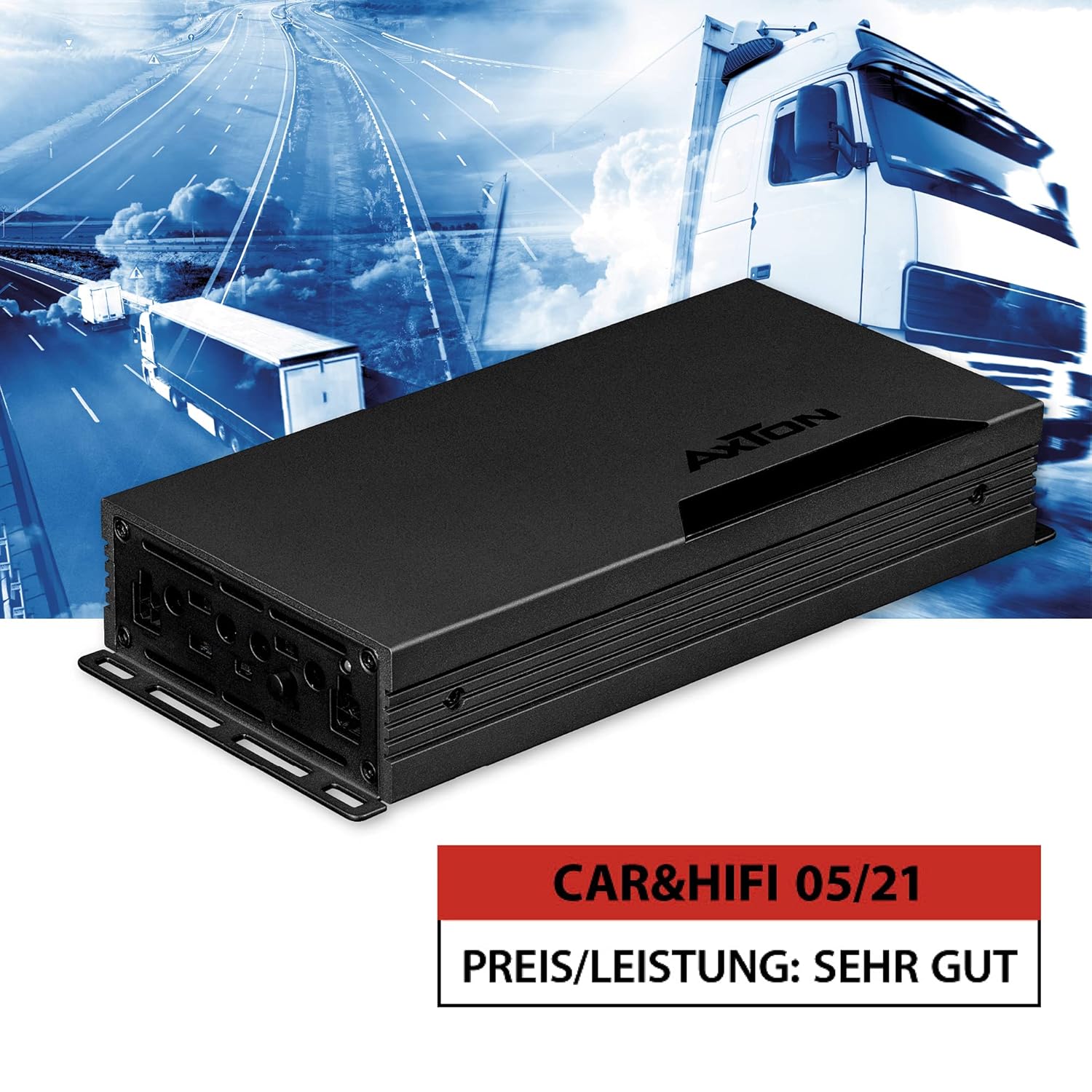
Image 1.1: Front view of the AXTON AT401 4-Channel 24V Class D Amplifier.
2. Safety Instructions
- Always disconnect the vehicle's battery before starting any electrical work.
- Ensure proper grounding to prevent electrical hazards.
- Install the amplifier in a dry, well-ventilated location, away from direct sunlight, heat sources, and moisture.
- Use appropriate gauge wiring for power, ground, and speaker connections as specified in the installation guide.
- Do not attempt to open or modify the amplifier. Refer all servicing to qualified personnel.
- Avoid routing cables near moving parts or sharp edges. Secure all wiring to prevent damage.
- This amplifier is designed for 24V vehicle electrical systems only. Connecting it to a 12V system or higher voltage than specified will cause damage.
3. Package Contents
Please check the package for the following items:
- AXTON AT401 4-Channel Amplifier
- Mounting hardware (screws, brackets)
- User Manual (this document)
- Connector plugs for power and speaker outputs
If any items are missing or damaged, please contact your dealer immediately.
4. Product Features
- Powerful 4-Channel Class D Amplifier: Delivers robust sound performance for 24V vehicle systems.
- 24V On-Board Network Compatibility: Specifically designed for trucks, lorries, and motorhomes.
- Compact Design: Measuring approximately 10.5 cm wide and 4 cm high, allowing flexible installation in confined spaces.
- Efficient Heat Dissipation: Solid aluminum heat sink ensures optimal continuous operating temperature.
- Optimized Circuitry: Board layout designed for low distortion and equipped with selected components.
- High Output Power: 4 x 100 W RMS (4 ohms) or 2 x 350 W RMS (bridged).
- Integrated Electronic Crossovers: 12 dB/octave, continuously adjustable from 40 to 400 Hz (High-Pass or Low-Pass filter).
- High-Level Inputs with Auto-Turn-On: Allows connection to original radios without RCA outputs, simplifying integration with factory systems.
5. Setup and Installation
Proper installation is crucial for optimal performance and safety. If you are unsure about any steps, consult a professional installer.
5.1 Mounting the Amplifier
Choose a mounting location that is dry, well-ventilated, and secure. Ensure sufficient space around the amplifier for air circulation. Use the provided mounting hardware to firmly secure the amplifier to a solid surface in the vehicle.

Image 5.1: The aluminum heat sink ensures efficient heat dissipation.
5.2 Wiring Connections
Refer to the diagram below for connection points. Always use appropriate gauge wiring.

Image 5.2: Overview of amplifier connections and controls.
- Power Connection (+24V): Connect a fused 24V power cable directly from the vehicle's battery. Ensure the fuse is located close to the battery.
- Ground Connection (GND): Connect a short, heavy-gauge cable from the amplifier's GND terminal to a clean, unpainted metal surface on the vehicle chassis.
- Remote Turn-On (REM): If using low-level inputs, connect this to the remote output of your head unit. If using high-level inputs with Auto-Turn-On, this connection may not be necessary.
- Speaker Outputs: Connect your speakers to the FRONT and REAR output terminals. Observe correct polarity (+/-). For bridged mode, refer to the specific bridging instructions.
- Input Connections:
- High-Level Input: Connect the speaker outputs from your head unit directly to the amplifier's high-level input terminals. This is ideal for factory radios without RCA outputs.
- Low-Level Input (RCA): If your head unit has RCA pre-outs, connect them to the amplifier's RCA input jacks.
5.3 Auto-Turn-On Function
The AT401 features an Auto-Turn-On function for high-level inputs. This allows the amplifier to turn on automatically when it detects an audio signal from the head unit, eliminating the need for a separate remote turn-on wire. Ensure the switch is set to the appropriate mode (DC or VOX) for this function.

Image 5.3: Auto-Turn-On function switch for flexible use.
6. Operating Instructions
Once installed, the AT401 amplifier offers various adjustments to fine-tune your audio system.
6.1 Gain (SENS) Adjustment
The gain control (SENS) matches the amplifier's input sensitivity to the output level of your head unit. Start with the gain set to minimum. Gradually increase the head unit volume until distortion is heard, then back off slightly. Then, slowly increase the amplifier's gain until the desired volume is achieved without distortion.
6.2 Crossover (X-OVER) Settings
The AT401 features integrated 12 dB/octave electronic crossovers, adjustable from 40 to 400 Hz. These allow you to filter specific frequency ranges to your speakers.

Image 6.1: Adjustment options for crossovers and input sensitivity.
- HPF (High-Pass Filter): Allows frequencies above the set point to pass through. Use for full-range speakers to prevent low bass distortion.
- LPF (Low-Pass Filter): Allows frequencies below the set point to pass through. Use for subwoofers.
- FULL: Disables the crossover, allowing all frequencies to pass.
Adjust the FREQ knob to select the desired crossover frequency for each channel pair (FRONT/REAR).
7. Maintenance
- Keep the amplifier clean by wiping it with a soft, dry cloth. Do not use harsh chemicals or abrasive cleaners.
- Ensure that the heat sink fins are free from dust and debris to maintain proper cooling.
- Regularly check all wiring connections for tightness and corrosion.
- Avoid placing objects on top of the amplifier that could obstruct airflow.
8. Troubleshooting
| Problem | Possible Cause | Solution |
|---|---|---|
| No power/No sound | Blown fuse, loose power/ground connection, no remote signal, incorrect Auto-Turn-On setting. | Check fuse, verify power/ground connections, ensure remote wire is connected (if applicable), check Auto-Turn-On switch. |
| Distorted sound | Gain set too high, incorrect crossover settings, damaged speaker. | Reduce gain, adjust crossover settings, check speaker condition. |
| No sound from one channel | Loose speaker wire, faulty RCA/high-level input, damaged speaker. | Check speaker connections, verify input signal, test speaker. |
| Amplifier gets hot | Insufficient ventilation, low impedance load, prolonged high output. | Ensure proper airflow, check speaker impedance, reduce volume or gain. |
9. Specifications
| Feature | Specification |
|---|---|
| Model Number | AT401 |
| Manufacturer | AXTON |
| Number of Channels | 4 |
| Amplifier Class | Class D |
| Output Power (RMS) | 4 x 100 W (4 Ohms) / 2 x 350 W (Bridged) |
| Voltage | 24 Volts (DC) |
| Crossover Type | 12 dB/oct. High-Pass/Low-Pass |
| Crossover Frequency Range | 40 - 400 Hz (Continuously adjustable) |
| Input Type | High-Level with Auto-Turn-On / Low-Level (RCA) |
| Material | Aluminum |
| Dimensions (L x W x H) | Approx. 27.7 x 10.5 x 4 cm (10.9 x 4.1 x 1.6 inches) |
| Weight | 1.38 kg (3.04 lbs) |
| Certifications | CE |
10. Warranty and Support
AXTON products are manufactured to high-quality standards. This product is covered by a manufacturer's warranty against defects in materials and workmanship. The specific warranty period and terms may vary by region and retailer. Please retain your proof of purchase for warranty claims.
For technical support, service, or warranty inquiries, please contact your authorized AXTON dealer or visit the official AXTON website for contact information.


