
Origin Medical U82RH
Origin Medical Digital Blood Pressure Monitor User Manual
Model: U82RH | Brand: Origin Medical
1. Product Overview
The Origin Medical Digital Blood Pressure Monitor is designed for accurate and convenient blood pressure measurement at home. It features a large color screen for easy reading, dual-user memory, and detection for irregular heartbeats. This manual provides essential information for proper use and maintenance of your device.
Key Features
- Easy One-Touch Operation: Simple and intuitive for quick measurements.
- Extra Large Colour LCD Screen: Provides clear and easy-to-read results.
- Blood Pressure and Irregular Heart Rate Reminder: Accurately measures blood pressure and indicates irregular heartbeats.
- Dual User Records: Stores up to 199 previous readings for two users (User A and User B).
- Large Comfortable Arm Cuff: Universal size (22-42cm) suitable for most adults.

Figure 1.1: Origin Medical Digital Blood Pressure Monitor

Figure 1.2: Product Display Overview with Labeled Components

Figure 1.3: Monitor in a Home Environment
2. Setup
2.1 Unpacking and Components
Carefully remove all components from the packaging. Ensure all items listed below are present and undamaged.
- 1 x Blood Pressure Machine
- 4 x AAA Batteries
- 1 x Upper Arm Cuff
- 1 x Instruction Manual

Figure 2.1: What's Included in the Box
2.2 Battery Installation
- Locate the battery compartment on the back of the monitor.
- Open the battery cover.
- Insert 4 AAA batteries, ensuring correct polarity (+/-) as indicated inside the compartment.
- Close the battery cover securely.
2.3 Cuff Connection
- Locate the air connector hole on the side of the monitor.
- Firmly insert the air tube connector from the arm cuff into the air connector hole until it clicks into place.
- Ensure the connection is secure to prevent air leakage during measurement.
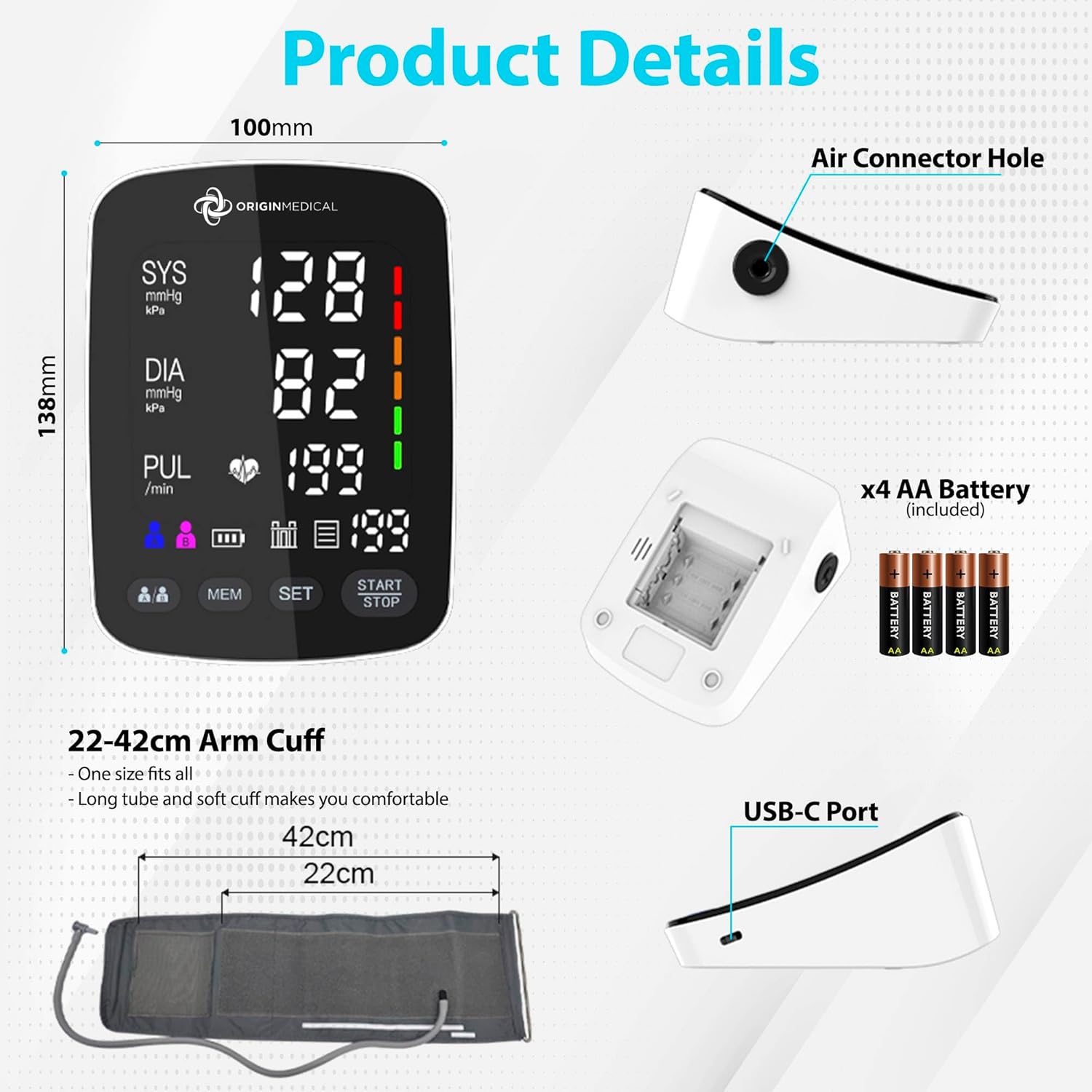
Figure 2.2: Product Details and Connection Points
3. Operating Instructions
3.1 Preparing for Measurement
For accurate readings, follow these guidelines:
- Avoid eating, drinking alcohol, smoking, exercising, or bathing for 30 minutes before measurement.
- Rest for at least 5 minutes before taking a measurement.
- Sit upright with your back supported, feet flat on the floor, and legs uncrossed.
- Place the cuff on your bare upper arm, approximately 1-2 cm above the elbow. The cuff should be at heart level.
- Remain still and silent during the measurement.

Figure 3.1: Correct Posture for Measurement
3.2 Taking a Measurement
- Ensure the cuff is correctly applied to your arm.
- Press the START/STOP button. The cuff will automatically inflate, and the measurement will begin.
- Remain still and do not talk during the measurement.
- Once the measurement is complete, the monitor will display your systolic pressure, diastolic pressure, and pulse rate. The results will be automatically saved.

Figure 3.2: Initiating a Measurement
3.3 Dual User Mode
The monitor supports two users (User A and User B) to track their readings separately. To switch between users:
- Before taking a measurement or viewing history, press the User A/B button to select the desired user profile.
- The selected user icon (A or B) will be displayed on the screen.
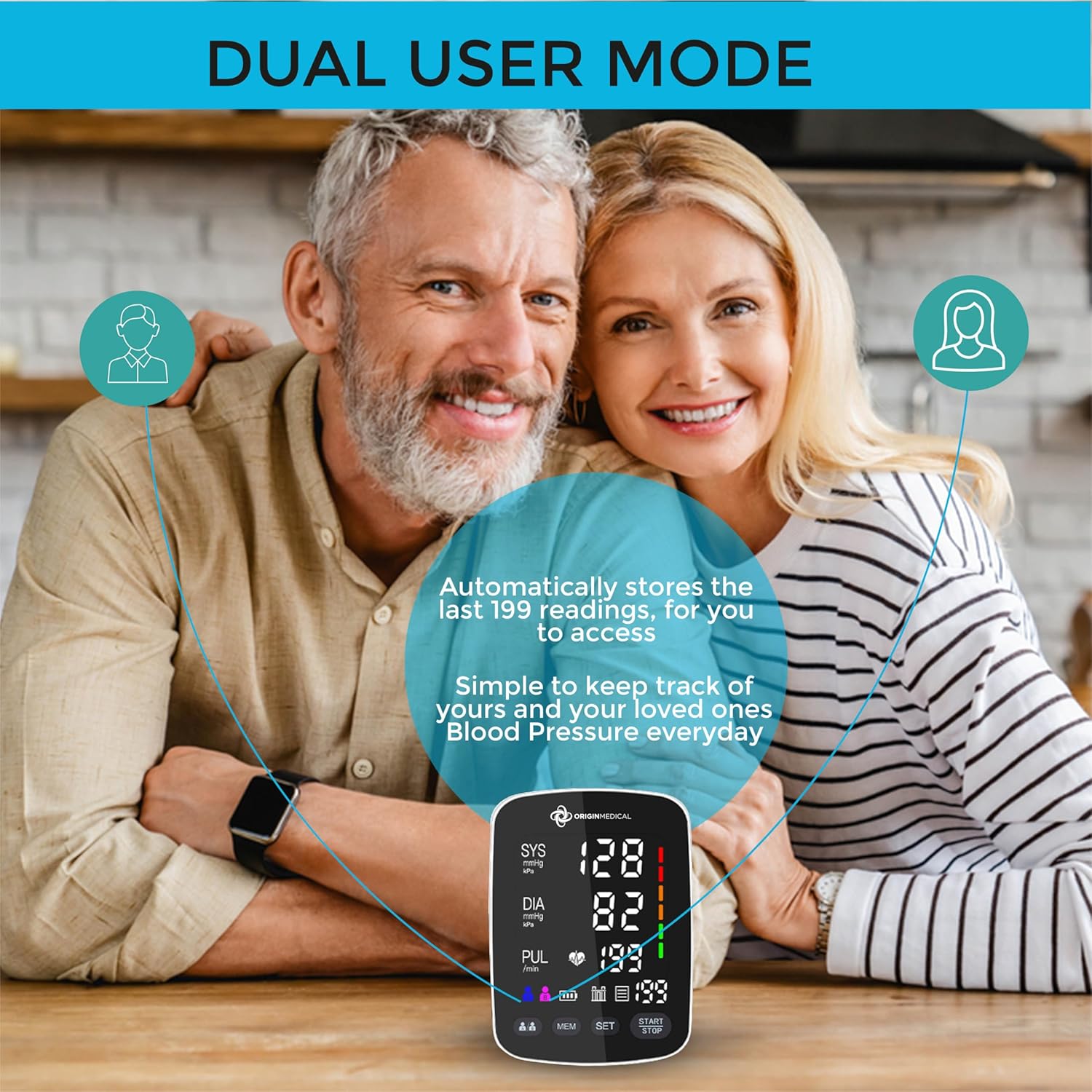
Figure 3.3: Dual User Mode Functionality
3.4 Viewing Previous Results
To review stored measurements:
- Ensure the correct user (A or B) is selected.
- Press the MEM button to cycle through the stored readings. The monitor can store up to 199 readings per user.

Figure 3.4: How to View Results
4. Maintenance and Care
4.1 Cleaning
- Wipe the monitor and cuff with a soft, dry cloth.
- If necessary, use a cloth lightly dampened with water or a mild detergent. Do not use abrasive cleaners or immerse the device in water.
- Ensure the device is completely dry before storage.
4.2 Storage
- Store the device in its carry case in a cool, dry place, away from direct sunlight and extreme temperatures.
- If the device will not be used for an extended period, remove the batteries to prevent leakage.
- Avoid dropping the device or subjecting it to strong impacts.
5. Troubleshooting
If you encounter issues with your blood pressure monitor, refer to the following common problems and solutions:
| Problem | Possible Cause | Solution |
|---|---|---|
| Monitor does not turn on | Batteries are low or incorrectly inserted. | Replace batteries with new ones, ensuring correct polarity. |
| Error message displayed | Cuff not applied correctly, movement during measurement, or irregular heartbeat detected. | Reapply cuff, remain still and silent, or consult a healthcare professional if irregular heartbeat persists. |
| Inconsistent readings | Improper posture, talking during measurement, or recent activity. | Ensure proper preparation (rest, posture) and technique as described in Section 3.1. Take multiple readings with a few minutes in between. |
| Cuff does not inflate or inflates weakly | Air tube not securely connected, or cuff is damaged. | Check air tube connection to the monitor and cuff. Inspect cuff for damage. |
6. Product Specifications
| Feature | Detail |
|---|---|
| Model Number | U82RH |
| Brand | Origin Medical |
| Display Type | LCD |
| Power Source | 4 x AAA Batteries (Included) |
| Arm Cuff Size | 22-42 cm (Universal) |
| Memory Capacity | 199 readings per user (for 2 users) |
| Product Dimensions | 16.41 x 11.61 x 9.6 cm |
| Item Weight | 540 Grams |
| UPC | 745687270253 |

Figure 6.1: Universal Arm Cuff Details
7. Warranty and Support
Specific warranty information for the Origin Medical Digital Blood Pressure Monitor was not available in the provided product data. Please refer to the product packaging or contact Origin Medical directly for detailed warranty terms and conditions.
For technical support, troubleshooting assistance beyond this manual, or inquiries regarding your device, please contact Origin Medical customer service through their official website or the contact information provided with your purchase.
Ask a question about this manual
Ask about setup, troubleshooting, compatibility, parts, safety, or missing instructions. Manuals+ will review the question and use this page’s manual context to help answer it.