
1. Introduction
The INFURIDER YF-1500C is a professional non-contact infrared thermometer designed for safely measuring surface temperatures of hot, hazardous, or hard-to-reach objects. This device provides quick and accurate temperature readings without physical contact, making it ideal for various industrial, automotive, and home applications. Simply point the thermometer at the target and press the trigger to obtain the temperature.
Important Safety Note: This device is not intended for measuring human or animal body temperature.
2. Safety Information
- Laser Safety: This product uses a Class II laser with an optical output of less than 0.5 mW and a wavelength of 8-14um. Do not stare directly into the laser beam or point it at people or animals.
- Intended Use: This thermometer is designed for industrial and household surface temperature measurements only. It is not a medical device.
- Handling: Do not expose the device to extreme temperatures, humidity, or direct sunlight. Avoid dropping or subjecting the device to strong impacts.
- Maintenance: Refer to the maintenance section for cleaning instructions. Do not attempt to disassemble or repair the device yourself.
3. Product Features
- High Accuracy: +/-2% reading or +/-2℃ (for temperatures above 0℃), +/-4℃ (for -50℃ to 0℃).
- Wide Temperature Range: -58℉ to 2732℉ (-50℃ to 1500℃).
- Distance Spot Ratio (D:S): 30:1, allowing for safer measurements from a distance.
- Adjustable Emissivity: 0.1-1.0, for accurate readings on various surface materials.
- Fast Response Time: 0.25 seconds for instant readings.
- Dual Laser Pointers: For precise targeting of the measurement area.
- Color LCD Backlight & Flashlight: Ensures clear visibility of readings in dark environments.
- Data Record Function: Stores up to 12 sets of data.
- High/Low Alarm (HAL/LAL): User-settable temperature alarms with audible alerts.
- Automatic Shut-off: Powers off after 30 seconds of inactivity to conserve battery.
- Data Hold: Freezes the current reading on the display.
- MAX/MIN/AVG/DIF Display: Shows maximum, minimum, average, and differential temperature values.
- Unit Switchable: Easily switch between Celsius (℃) and Fahrenheit (℉).
- Low Battery Indication: Alerts when battery replacement is needed.
- User-Friendly Design: Non-slip grip for comfortable handling.
4. Product Overview
Familiarize yourself with the components and display of your INFURIDER YF-1500C thermometer.

Figure 1: INFURIDER YF-1500C Components and Display Layout.
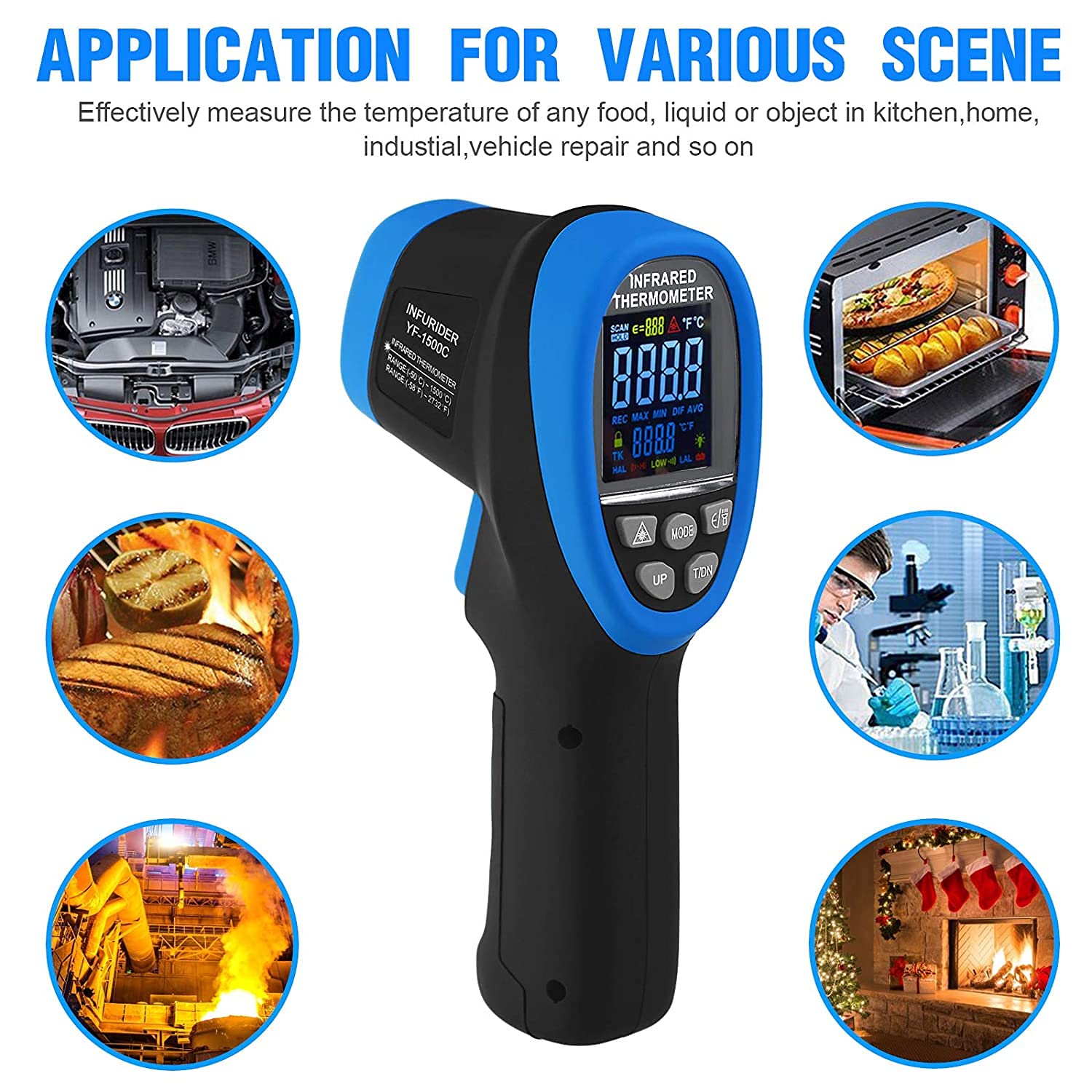
Figure 2: Diverse applications of the INFURIDER YF-1500C thermometer.
5. Setup
5.1 Battery Installation
The INFURIDER YF-1500C requires one 9V (6F22) battery for operation. Follow these steps to install or replace the battery:
- Locate the battery compartment on the handle of the thermometer.
- Use the provided screwdriver to loosen the screw securing the battery compartment cover.
- Gently pull down the battery door in the direction of the arrow to open the compartment.
- Insert a new 9V (6F22) battery, ensuring correct polarity.
- Close the battery compartment cover and tighten the screw.

Figure 3: Battery Replacement Steps.
6. Operating Instructions
6.1 Power On/Off
To power on the thermometer, simply press the measurement trigger. The device will automatically shut off after 30 seconds of inactivity to conserve battery life.
6.2 Measuring Temperature
Point the infrared lens towards the target object. Press and hold the measurement trigger. The dual laser pointers will indicate the measurement area. The temperature reading will be displayed on the LCD screen. Release the trigger to hold the reading (Data Hold function).

Figure 4: Understanding the 30:1 Distance Spot Ratio.
6.3 Unit Conversion (℃/℉)
To switch between Celsius (℃) and Fahrenheit (℉), press the '℃/℉' button located on the control panel.

Figure 5: Celsius and Fahrenheit Conversion on Display.
6.4 Mode Selection
Press the 'MODE' button to cycle through different display modes:
- MAX: Displays the maximum temperature recorded during the current measurement session.
- MIN: Displays the minimum temperature recorded during the current measurement session.
- AVG: Displays the average temperature recorded.
- DIF: Displays the difference between the maximum and minimum temperatures.
- REC: Activates data recording mode. Press 'MODE' to select 'REC', then use the trigger to record up to 12 sets of data.
- HAL/LAL (High/Low Alarm): Allows you to set high and low temperature alarm thresholds.
6.5 Emissivity Adjustment
Emissivity (E) is crucial for accurate temperature readings. Different materials have different emissivities. The YF-1500C allows adjustment from 0.1 to 1.0. To adjust emissivity, press the 'E/' button, then use the 'UP' or 'DOWN' buttons to change the value. Consult a standard emissivity table for common materials if precise measurements are required.
6.6 High/Low Temperature Alarm
To set the high (HAL) or low (LAL) temperature alarm:
- Press the 'MODE' button until 'HAL' or 'LAL' appears on the display.
- Use the 'UP' or 'DOWN' buttons to adjust the desired alarm temperature.
- Once set, if the measured temperature exceeds the HAL or falls below the LAL, the device will emit an audible 'beep beep beep' sound and the alarm icon will flash.

Figure 6: Temperature Alarm Indication.
6.7 Backlight and Flashlight
Press the 'Back light/up' button to toggle the LCD backlight and flashlight on or off. This feature is useful for measurements in dimly lit conditions.
7. Maintenance
7.1 Cleaning
To clean the thermometer, wipe the casing with a clean, damp cloth. Do not use abrasive cleaners or solvents. Ensure the infrared lens is kept clean and free of dust or debris for accurate readings.
7.2 Storage
When not in use, store the thermometer in its carrying case in a cool, dry place, away from direct sunlight and extreme temperatures. For prolonged storage, it is recommended to remove the battery to prevent leakage.
8. Troubleshooting
- Display shows "Lo" or "Hi": This indicates the measured temperature is outside the device's operational range.
- Inaccurate Readings:
- Check the distance-to-spot ratio; ensure the target fills the measurement spot.
- Verify the emissivity setting matches the material being measured.
- Ensure the infrared lens is clean.
- No Power:
- Check if the 9V battery is correctly installed.
- Replace the battery if the low battery indicator is shown or if the device does not power on.
- Alarm sounds unexpectedly: Check the HAL/LAL settings to ensure they are appropriate for your application.
9. Specifications
| Temperature Range | -58℉ to 2732℉ (-50℃ to 1500℃) |
| Accuracy | +/-4℃ (-50℃ to 0℃); +/-2% reading +2℃ (0℃ above) |
| Distance Spot Ratio (D:S) | 30:1 |
| Emissivity | 0.1-1.0 Adjustable |
| Resolution | 0.1℃ or 1℉ |
| Response Time | 0.25 seconds |
| Repeatability | 1% or 1℃ |
| Laser Type | Class II, <0.5mW, 8-14um wavelength |
| Automatic Shut-off | 30 seconds |
| Power | 9V (6F22) Battery |
| Material | Plastic |
| Special Feature | Non-contact measurement |
10. Package Contents
The INFURIDER YF-1500C package includes:
- 1 x INFURIDER YF-1500C Infrared Thermometer
- 1 x Carrying Case
- 1 x Screwdriver
- 1 x 9V (6F22) Battery
- 1 x User Manual
11. Warranty and Support
INFURIDER provides lifetime technical support for this product. If you have any questions or require assistance with your thermometer, please do not hesitate to contact us. We are committed to providing prompt support.