
ALTO TX315
ALTO TX315 Powered PA Speaker User Manual
Model: TX315
Introduction
The ALTO TX315 is a 700W Powered DJ Speaker and PA System, featuring a 15-inch 2-way design. It includes signal limiting, a switchable mic/line preamp, and XLR input/output. This loudspeaker is precision engineered for demanding scenarios, ensuring premium sound and reliable performance. Its rugged, lightweight cabinet with rubber feet and trapezoidal shape allows for versatile positioning, including upright or wedge monitor use. The full-sized steel grille provides comprehensive driver protection, making it suitable for continuous heavy-duty use in various environments such as clubs, bars, large venues, sports events, and live music performances.
Key Features
- Powerful PA System Sound: 2-Way 700-Watt Class D power amplifier with a newly designed horn for stellar coverage at 90° H x 60° V. Designed and tuned in the USA.
- Driving Bass, Pristine Highs: Features a 15-inch (381 mm) LF driver with a 2-inch (51 mm) voice coil and a 1-inch (25.4 mm) titanium diaphragm HF compression driver.
- Setup Simplified: Lightweight PA cabinet design for easy transport, setup, and installation. Suitable for pole-mounting or use as a wedge monitor.
- Connectivity Covered: Includes balanced XLR/TRS Mic/Line input, Link Output, and Volume control. Integrated analog limiter and overload protection circuitry ensure reliable operation.
- Versatile Performance: Ideal for various applications including bars, clubs, large venues, live music performances, professional gigs, community and sports events, parties, ceremonies, and seminars.

Figure 1: Internal components of the ALTO TX315, highlighting the 15-inch woofer and 1-inch titanium diaphragm tweeter.

Figure 2: The ALTO TX315 can be used in both pole-mounted and wedge monitor configurations for flexible sound delivery.
Setup Guide
1. Unpacking and Initial Inspection
Carefully remove the TX315 speaker from its packaging. Inspect the unit for any signs of damage that may have occurred during transit. Ensure all included components are present:
- TX315 speaker
- Power Cable
- User Guide (this manual)
- Safety and Warranty Manual
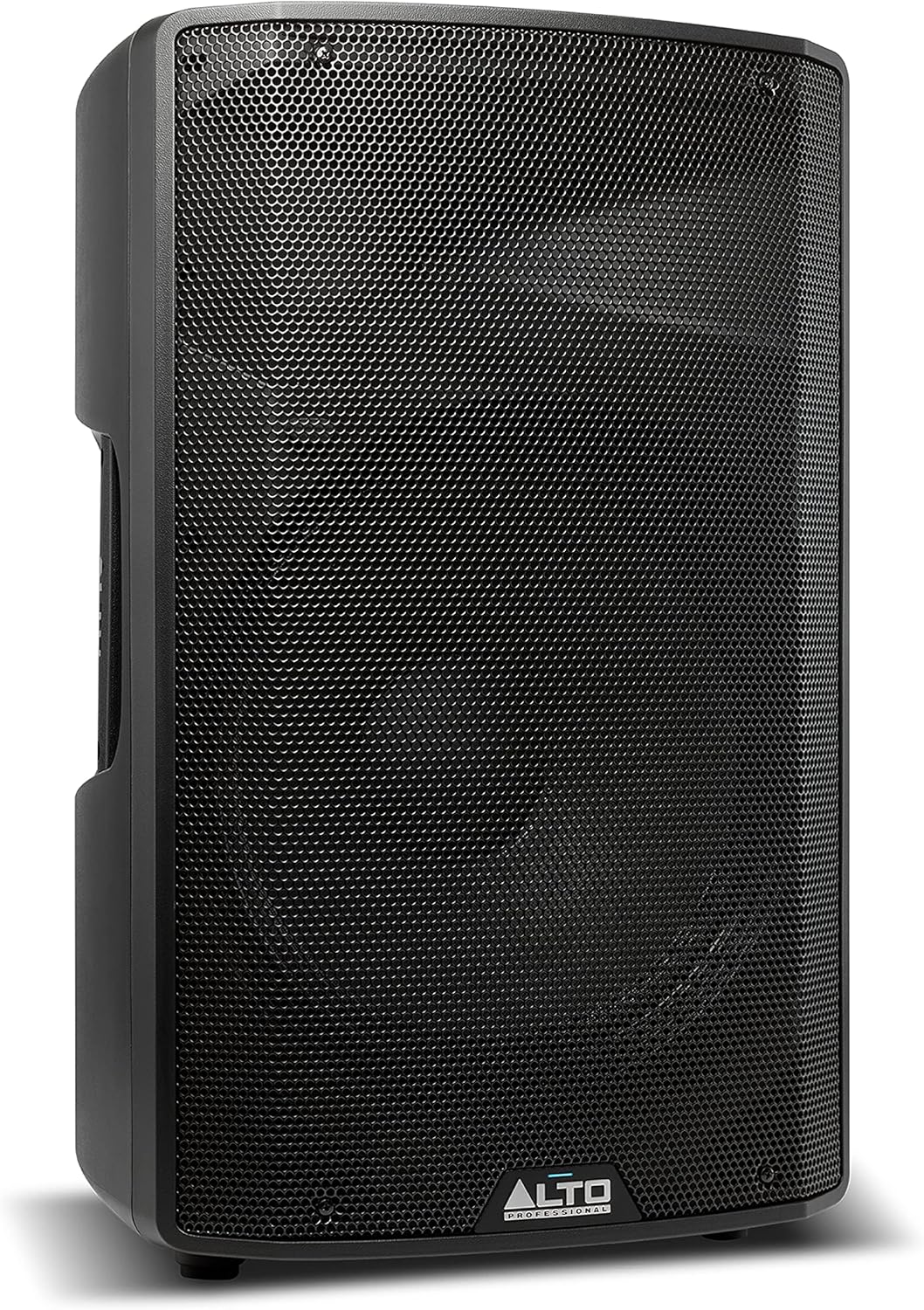
Figure 3: The ALTO TX315 Powered PA Speaker, ready for setup.
2. Connections
Before making any connections, ensure the TX315 is powered off and unplugged from the mains. Connect your audio source (mixer, microphone, instrument) to the INPUT jack on the rear panel. This input supports both XLR and 1/4-inch TRS connectors. Use the MIC/LINE switch to select the appropriate input sensitivity for your source. If connecting multiple speakers, use the LINK XLR output to send the audio signal to another TX315 or compatible PA speaker.

Figure 4: The rear panel of the TX315 features balanced XLR/TRS Mic/Line input, XLR Link Output, Volume control, integrated analog limiter, and ground-lift/contour EQ switches.
After connecting your audio sources, plug the supplied power cable into the POWER INPUT on the rear panel and then into a grounded electrical outlet. Ensure the VOLUME knob is set to its minimum position before powering on the unit.
Operating Instructions
To power on the TX315, press the POWER switch located on the rear panel. The power indicator LED will illuminate. Slowly increase the VOLUME knob to the desired listening level. Monitor the SIGNAL LIMIT LED; if it illuminates frequently, reduce the volume from your audio source or the TX315 to prevent distortion and protect the speaker. The integrated analog limiter helps prevent clipping and overload.
The CONTOUR switch provides a subtle EQ curve that can enhance the sound for certain applications, typically boosting low and high frequencies. Experiment with this setting to find the optimal sound for your environment. The GROUND switch can be used to eliminate hum or buzz caused by ground loops in your audio system.
Maintenance
To ensure the longevity and optimal performance of your ALTO TX315 speaker, regular maintenance is recommended. Always unplug the speaker from the power outlet before cleaning.
- Cleaning: Use a soft, dry cloth to wipe down the exterior of the speaker. For stubborn dirt, a slightly damp cloth can be used, followed by a dry cloth. Avoid using abrasive cleaners, solvents, or waxes, as these can damage the finish.
- Grille Maintenance: Periodically check the steel grille for any debris or dust accumulation. A soft brush or vacuum cleaner with a brush attachment can be used to gently remove dust.
- Storage: When not in use for extended periods, store the speaker in a cool, dry place, away from direct sunlight and extreme temperatures. It is advisable to use a protective cover to prevent dust buildup and physical damage.
- Cable Inspection: Regularly inspect all cables (power and audio) for any signs of wear, fraying, or damage. Replace damaged cables immediately to ensure safe operation and optimal sound quality.
Troubleshooting
This section provides solutions to common issues you might encounter with your ALTO TX315 speaker.
| Problem | Possible Cause | Solution |
|---|---|---|
| No Power | Power cable not connected; Power switch off; Blown fuse; Power outlet issue. | Ensure power cable is securely connected. Turn power switch ON. Check fuse (refer to safety manual for replacement). Test power outlet with another device. |
| No Sound Output | Volume too low; Incorrect input selection; Faulty audio cable; Source device issue; Speaker in standby/mute. | Increase volume on speaker and source. Verify MIC/LINE switch setting. Test with a different audio cable. Check if source device is working. Ensure speaker is not muted or in a low-power mode. |
| Distorted Sound | Input signal too high (clipping); Speaker volume too high; Faulty cable; Damaged driver. | Reduce input signal level from source. Lower speaker volume. Replace audio cable. If distortion persists, contact customer support. |
| Hum or Buzz Noise | Ground loop; Interference from other electronics; Faulty cable. | Engage the GROUND switch on the rear panel. Move speaker away from other electronic devices. Try a different audio cable. |
Specifications
| Specification | Detail |
|---|---|
| Model Name | TX315 |
| Speaker Type | Monitor |
| Speaker Maximum Output Power | 700 Watts |
| Woofer Diameter | 15 Inches |
| Tweeter Diameter | 0.04 Inches (1-inch titanium diaphragm HF compression driver) |
| Connectivity Technology | XLR |
| Material | Injection-molded polypropylene |
| Product Dimensions (DxWxH) | 14.6"D x 15.2"W x 25"H |
| Item Weight | 31.8 Pounds |
| Power Source | Corded Electric |
| Color | Black |
| UPC | 816311012027 |
Warranty Information
The ALTO TX315 speaker comes with a Limited Warranty. For detailed information regarding the terms, conditions, and duration of your warranty, please refer to the separate Safety and Warranty Manual included with your product. Keep your proof of purchase for warranty claims.
Support
For further assistance, technical support, or to explore other ALTO Professional products, please use the following resources:
- User Guide (PDF): For a downloadable version of the user guide, please visit: https://manuals.plus/m/bc806b5ce6fb4fee269a42b79b8029bcb82e583b26b834e8f9ce53dd2926576a
- ALTO Store: Explore the full range of ALTO Professional products and accessories at the official store: ALTO Professional Store
Related Documents - TX315
 |
Alto aMICTUBE Stereo Tube Preamp Service Manual Detailed service manual for the Alto aMICTUBE Stereo Tube Preamp, featuring specifications, block diagrams, schematic diagrams, PCB layouts, wiring diagrams, test procedures, electrical parts lists, and exploded views for maintenance and repair. |
 |
Alto Professional TX3 Series Loudspeaker User Guide User guide for Alto Professional TX3 Series loudspeakers (TX308, TX310, TX312, TX315), covering setup, safety, operation, and technical specifications. |
Ask a question about this manual
Ask about setup, troubleshooting, compatibility, parts, safety, or missing instructions. Manuals+ will review the question and use this page’s manual context to help answer it.