1. Introduction
This manual provides essential instructions for the safe and efficient operation of your new laminating machine. Please read this manual thoroughly before using the device and keep it for future reference. This laminator is designed for protecting documents and photos up to A3 size, including A4, A5, and smaller card sizes.
2. Safety Instructions
- Always connect the laminator to a grounded power outlet.
- Do not operate the laminator with wet hands or near water.
- Keep children and pets away from the laminator during operation.
- Avoid touching the hot parts of the machine during and immediately after use.
- Do not laminate objects thicker than recommended or metal objects.
- Unplug the laminator when not in use or before cleaning.
- Ensure proper ventilation around the machine during operation.
3. Package Contents
Verify that all items are present in the package:
- Laminating Machine Unit
- User Manual
- Power Cord
4. Product Overview
Familiarize yourself with the main components of your laminating machine.
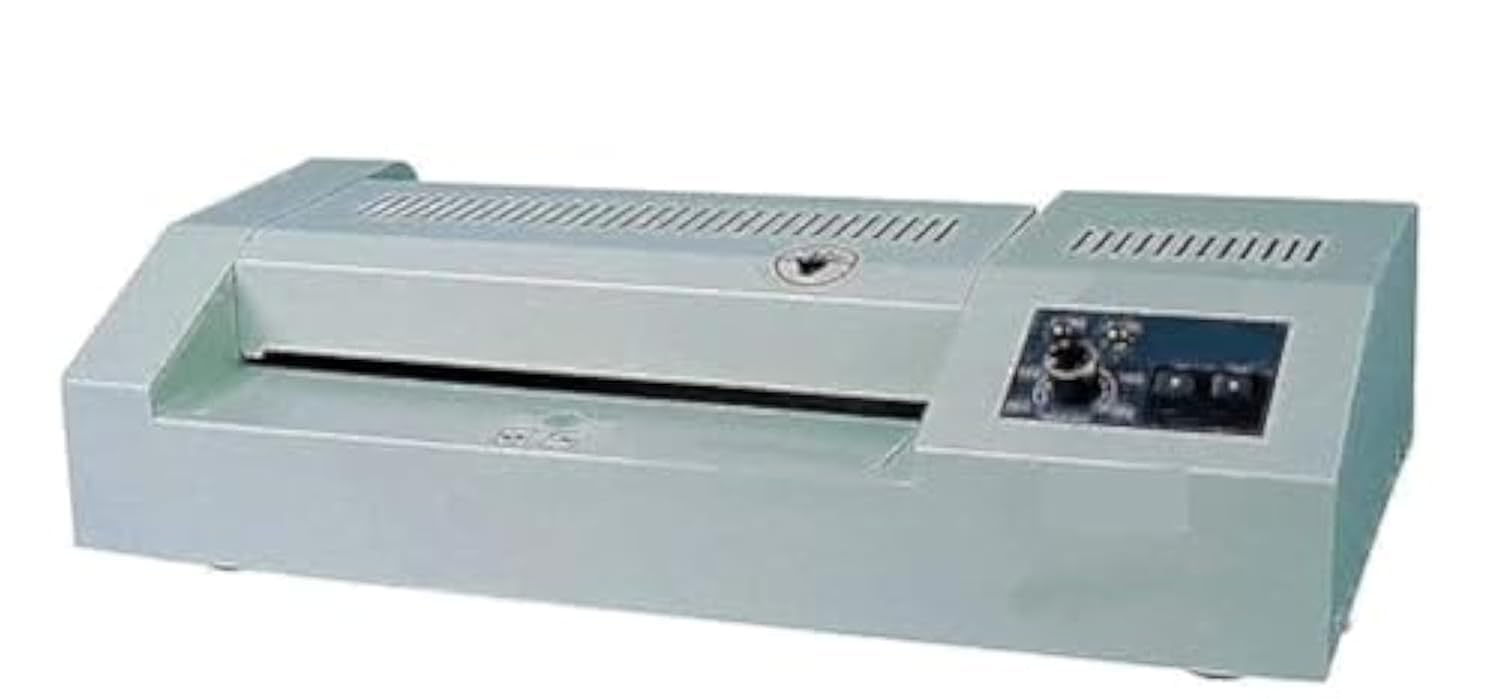
Image 1: Front view of the Generic Laminating Machine. This image displays the main body of the laminator, including the paper entry slot and control panel. The design is compact and suitable for office or home use.
5. Setup
- Unpack: Carefully remove the laminator from its packaging.
- Placement: Place the machine on a stable, flat, and heat-resistant surface. Ensure there is enough space behind the machine for laminated documents to exit freely.
- Power Connection: Plug the power cord into the laminator's power inlet, then into a standard electrical outlet.
- Power On: Turn on the laminator using the power switch, usually located on the side or back of the unit.
6. Operating Instructions
Follow these steps for successful lamination:
- Warm-up: After turning on the machine, allow it to warm up. The indicator light will change (e.g., from red to green) when it is ready for use. This typically takes 3-5 minutes.
- Prepare Document: Place your document or photo inside a laminating pouch. Ensure the document is centered and there is an even border around it. Do not overfill the pouch.
- Insert Pouch: Insert the sealed edge of the laminating pouch into the machine's entry slot. Feed it straight and evenly. The machine will automatically pull the pouch through.
- Retrieve Document: Once the laminated document exits the machine, place it on a flat surface to cool and harden. Avoid touching it immediately as it will be hot.
- Laminating Different Sizes: This machine supports A3, A4, A5, and card sizes. Always use the appropriate pouch size for your document. For smaller items, multiple items can be placed in a larger pouch, ensuring they do not overlap, and then trimmed after cooling.
- Power Off: After use, turn off the laminator and unplug it from the power outlet.
7. Maintenance
- Cleaning: Ensure the laminator is unplugged and completely cool before cleaning. Wipe the exterior with a soft, dry cloth. Do not use abrasive cleaners or solvents.
- Roller Cleaning: Periodically run a laminator cleaning sheet (available separately) through the machine to remove adhesive residue from the rollers.
- Storage: Store the laminator in a dry, dust-free environment when not in use.
8. Troubleshooting
| Problem | Possible Cause | Solution |
|---|---|---|
| Document jam | Pouch inserted incorrectly or wrinkled. | Immediately press the reverse button (if available) or turn off the machine and carefully pull the pouch out. Ensure pouches are inserted straight. |
| Poor lamination (bubbles, cloudy) | Incorrect temperature setting or worn rollers. | Ensure the machine is fully warmed up. If issues persist, consider using a cleaning sheet or contacting support. |
| Machine not heating | Power issue or internal fault. | Check power connection and outlet. Ensure the power switch is on. If still not heating, contact customer support. |
9. Specifications
| Feature | Detail |
|---|---|
| Brand | Generic |
| Model Number | 2724443579395 |
| Paper Size Compatibility | A3, A4, A5, Card Size |
| Maximum Lamination Width | 297 mm |
| Number of Rollers | 2 |
| Item Weight | 6.07 Kilograms |
| Shipping Dimensions | 57.3 x 27.3 x 15.7 cm |
| Date First Available | June 16, 2021 |
10. Warranty and Support
For warranty information or technical support, please refer to the documentation provided at the time of purchase or contact your retailer. Keep your purchase receipt as proof of purchase for any warranty claims.