
Introduction
This manual provides detailed instructions for the setup, operation, and maintenance of your CanMixs Smartwatch B83. Please read this manual thoroughly before using your device to ensure proper function and longevity. Keep this manual for future reference.
Product Overview
The CanMixs Smartwatch B83 is designed to assist you in monitoring your health and fitness activities, as well as providing convenient access to notifications and other smart features. It features a 1.3-inch IPS full touch screen for easy navigation and interaction.

Figure 1: Overview of CanMixs Smartwatch B83 multi-functions, including heart rate, blood pressure, sleep monitoring, call/message reminders, blood oxygen, remote photo control, weather, brightness adjustment, sedentary reminders, and call rejection.

Figure 2: The 1.3-inch IPS full touch screen of the CanMixs Smartwatch B83, showing various data points like distance, steps, weather, and notification examples.
Key Features:
- Health Monitoring: Heart Rate, Blood Pressure, Blood Oxygen, Sleep Tracking.
- Fitness Tracking: 24 Sports Modes, Daily Activity Tracking (steps, calories, distance).
- Smart Notifications: Call & Message Reminders, Social Media Alerts.
- Convenience Features: Music Control, Remote Camera Control, Weather Display, Brightness Adjustment, Sedentary Reminder, Call Rejection.
- Durable Design: IP68 Waterproof rating.
Setup
1. Unboxing
Upon opening the package, ensure all components are present:
- CanMixs Smartwatch B83
- Charging Cable
- User Manual (this document)
2. Charging the Smartwatch
Before initial use, fully charge your smartwatch. Connect the magnetic charging cable to the charging contacts on the back of the watch and plug the USB end into a standard USB power adapter (not included) or a computer's USB port.
- Battery Capacity: 260 mAh
- Charging Time: Approximately 1-2 hours
- Standby Time: Approximately 7-10 days

Figure 3: Rear view of the CanMixs Smartwatch B83, highlighting the magnetic charging contacts and the IP68 waterproof rating.
3. Power On/Off
- Power On: Press and hold the side button for a few seconds until the screen lights up.
- Power Off: Navigate to the 'Settings' menu on the watch, then select 'Power Off' or 'Shutdown'. Alternatively, press and hold the side button and confirm power off if prompted.
4. App Installation and Pairing
To unlock the full potential of your smartwatch, download and install the companion application on your smartphone. The app name is typically found in the watch's settings or on the packaging.
- Scan the QR code provided in the watch's manual or on the watch screen (if available) to download the app, or search for the app name in your smartphone's app store (Google Play Store for Android, Apple App Store for iOS).
- Install the app and create an account if prompted.
- Enable Bluetooth on your smartphone.
- Open the app and follow the on-screen instructions to search for and pair with your CanMixs Smartwatch B83. Ensure the watch is powered on and near your phone during the pairing process.
- Once paired, synchronize your personal information (height, weight, age, gender) within the app for accurate health and fitness tracking.
Operating Instructions
1. Basic Navigation
- Touch Screen: Tap to select, swipe left/right/up/down to navigate through menus and screens.
- Side Button: Press to return to the home screen or wake the device. Long press for power options.
2. Health Monitoring
The smartwatch provides various health monitoring features. For best results, ensure the watch is worn snugly on your wrist.
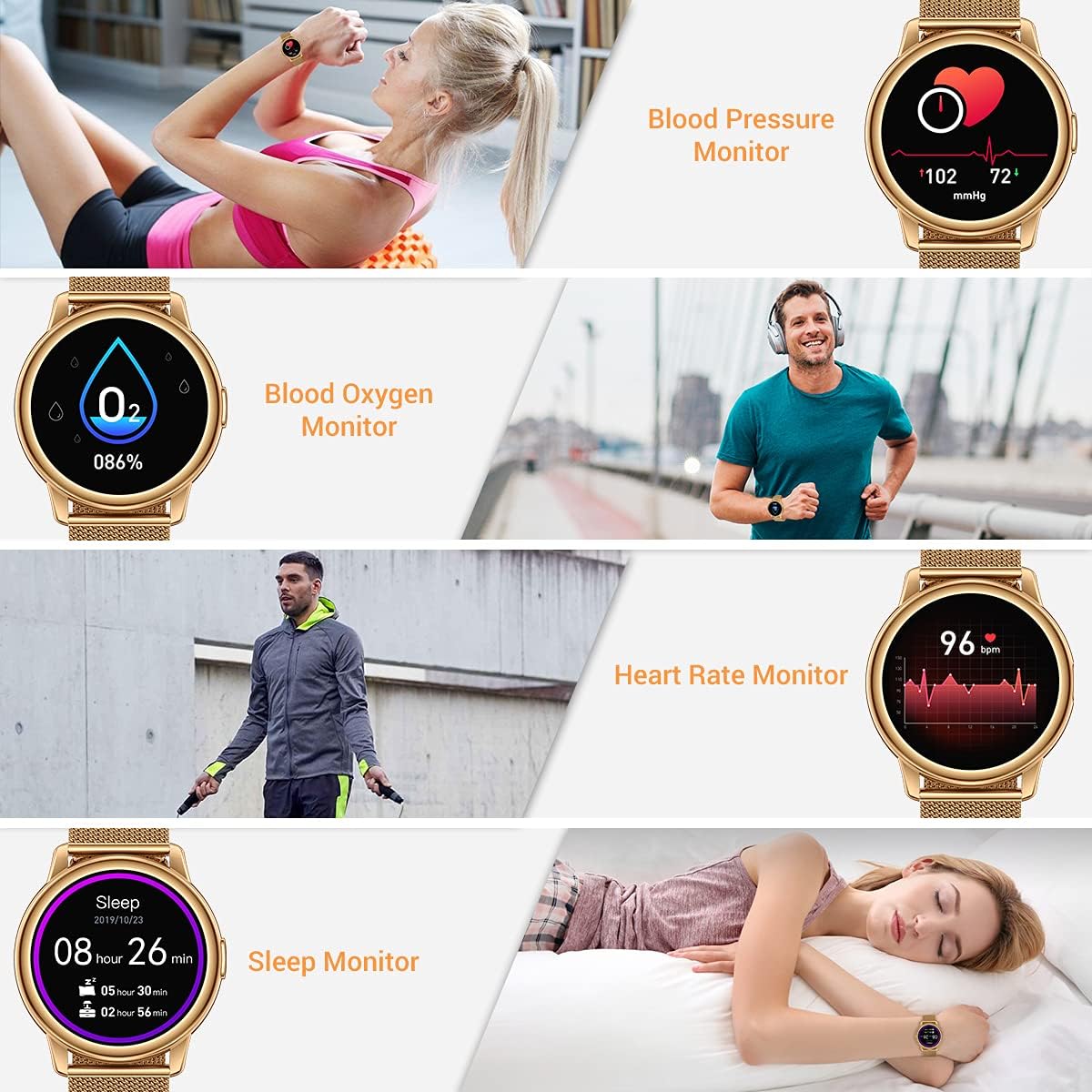
Figure 4: Visual representation of the CanMixs Smartwatch B83's health monitoring capabilities, including blood pressure, blood oxygen, heart rate, and sleep tracking.
- Heart Rate Monitor: Swipe to the heart rate interface to measure your current heart rate. Data is also continuously recorded and viewable in the app.
- Blood Pressure Monitor: Access the blood pressure function on the watch to take a reading.
- Blood Oxygen Monitor: Use the blood oxygen feature to measure your SpO2 levels.
- Sleep Monitor: The watch automatically tracks your sleep patterns when worn during sleep. View detailed sleep analysis in the companion app.
- Sedentary Reminder: Set reminders in the app to prompt you to move after periods of inactivity.
Note: The health monitoring data provided by this device is for reference only and should not be used for medical diagnosis or treatment. Consult a medical professional for health concerns.
3. Activity Tracking & Sports Modes
Track your daily activities and specific workouts with the built-in sensors.
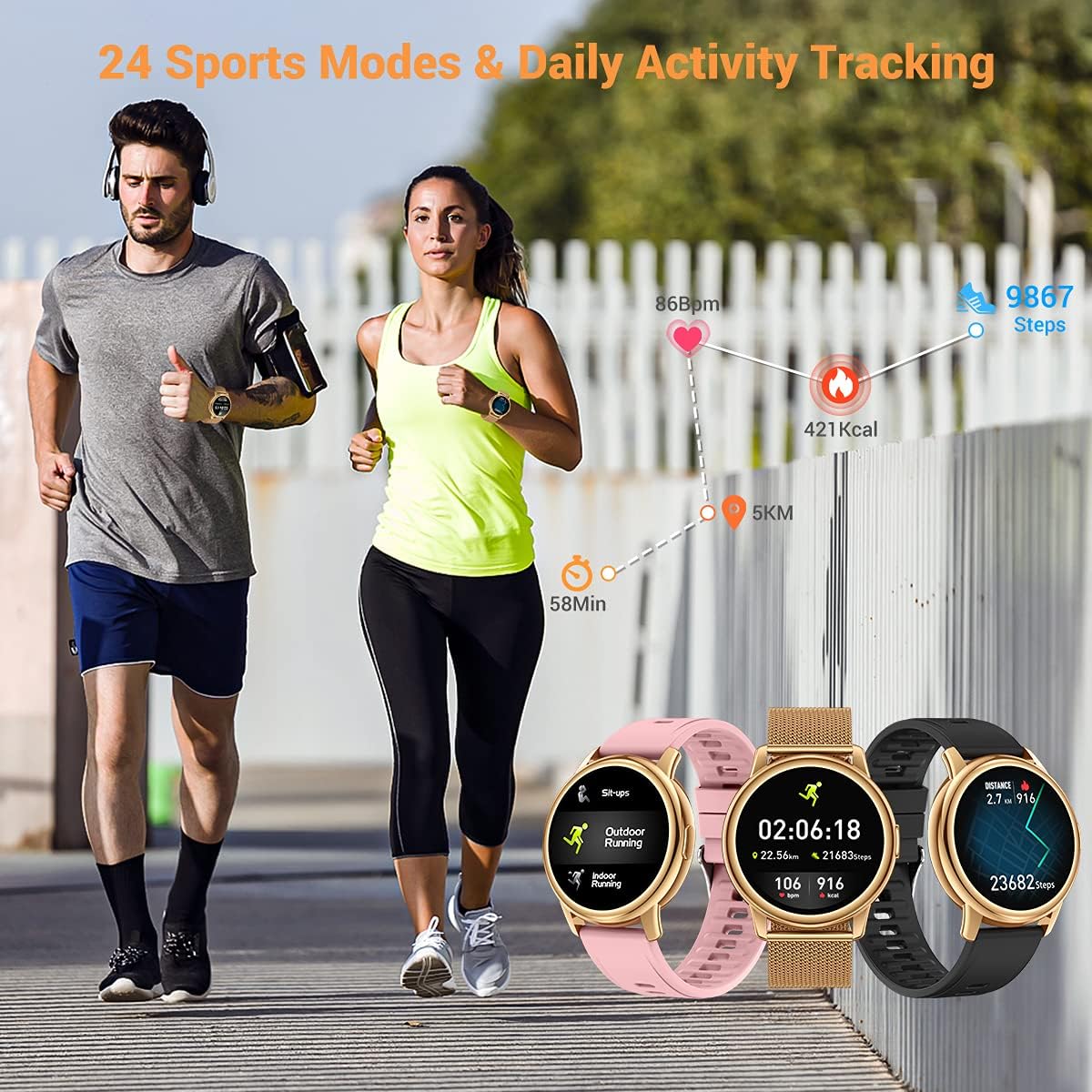
Figure 5: The CanMixs Smartwatch B83 tracking daily activities like steps, calories, and distance, alongside examples of sports modes such as outdoor running and indoor running.
- Daily Activity Tracking: The watch automatically records steps taken, distance traveled, and calories burned throughout the day.
- Sports Modes: Select from 24 different sports modes (e.g., running, walking, cycling) to track specific workout data, including duration, heart rate, and calories burned during the activity.
4. Smart Notifications & Music Control
Stay connected and control your music directly from your wrist.

Figure 6: The CanMixs Smartwatch B83 showing incoming call and message notifications from various social media apps, and the interface for music playback control.
- Call & Message Notifications: Once paired with your smartphone, the watch will display incoming call alerts, SMS messages, and notifications from various social media applications (e.g., Instagram, Twitter, Facebook, WhatsApp, Line, Gmail). You can reject calls directly from the watch.
- Music Control: Control your smartphone's music playback (play, pause, skip tracks) directly from the watch interface.
5. Other Functions
- Remote Photo: Use your watch as a remote shutter button for your smartphone's camera.
- Weather: View current weather conditions and forecasts after syncing with the app.
- Brightness: Adjust the screen brightness from the watch settings.
- Call Rejection: Reject incoming calls directly from the watch.
Maintenance
Proper maintenance ensures the longevity and optimal performance of your CanMixs Smartwatch B83.
- Cleaning: Regularly wipe the watch screen and strap with a soft, dry, lint-free cloth. For stubborn dirt, slightly dampen the cloth with water. Avoid using harsh chemicals or abrasive materials.
- Water Resistance (IP68): The watch is IP68 waterproof, meaning it is resistant to dust and can withstand immersion in water up to 1.5 meters for up to 30 minutes. It is suitable for daily use, such as washing hands, rain, showering, and swimming in shallow water. However, it is not recommended for hot showers, saunas, diving, or high-pressure water activities. Avoid contact with hot water, steam, or corrosive liquids.
- Storage: Store the watch in a cool, dry place away from direct sunlight and extreme temperatures when not in use for extended periods.
- Charging: Use only the provided charging cable. Avoid overcharging the device.
Troubleshooting
If you encounter issues with your smartwatch, refer to the following common solutions:
- Watch not turning on: Ensure the watch is fully charged. Connect it to the charger for at least 10-15 minutes.
- Unable to pair with smartphone:
- Ensure Bluetooth is enabled on your smartphone.
- Make sure the watch is within Bluetooth range of your phone.
- Restart both your smartphone and the smartwatch.
- Check if the app is updated to the latest version.
- If previously paired, try unpairing and re-pairing the device through the app.
- Notifications not received:
- Ensure the watch is successfully paired with the app.
- Check notification permissions for the app on your smartphone settings.
- Verify that notification alerts are enabled within the smartwatch app.
- Ensure your phone's 'Do Not Disturb' mode is off.
- Inaccurate health data:
- Ensure the watch is worn snugly on your wrist, not too loose or too tight.
- Clean the sensors on the back of the watch.
- Ensure your personal information (height, weight, age) in the app is accurate.
- Screen unresponsive: Try restarting the watch by long-pressing the side button. If unresponsive, allow the battery to fully drain and then recharge.
If problems persist, contact customer support for further assistance.
Specifications
| Feature | Detail |
|---|---|
| Model | B83 |
| Display | 1.3-inch IPS Full Touch Screen, 240x240 resolution |
| Battery Capacity | 260 mAh |
| Charging Time | 1-2 hours |
| Standby Time | 7-10 days |
| Waterproof Rating | IP68 |
| Strap Width | 22mm |
| Dimensions (Watch Face) | 46mm (width) x 50mm (height) |
| Thickness | 11mm |
| Wrist Circumference | 35mm-60mm (adjustable) |

Figure 7: Detailed dimensions of the CanMixs Smartwatch B83, including watch face width (46mm), height (50mm), thickness (11mm), and strap width (22mm).
Warranty and Support
This product is sold as an Amazon Renewed item. For specific warranty information and support related to renewed products, please refer to the Amazon Renewed program terms and conditions or contact Amazon customer service directly.
For product-specific inquiries or technical assistance, please refer to the contact information provided with your purchase or visit the official CanMixs support website (if available).