
1. Introduction
Thank you for choosing the LogiLink PA0265 Portable Air Compressor. This device is designed for convenient and efficient inflation of various items, including car tires, bicycle tires, and sports balls. Its compact design, integrated LED flashlight, and USB charging capability make it an essential tool for on-the-go inflation needs. The automatic stop function ensures precise inflation by stopping once the preset pressure is reached.
Please read this manual thoroughly before using the device to ensure safe and optimal operation.
2. Package Contents
Verify that all items are present in the package:
- 1 x LogiLink PA0265 Portable Air Compressor
- 1 x USB Charging Cable
- 3 x Valve Adapters (e.g., Presta adapter, ball needle, nozzle adapter)
- 1 x User Manual
3. Product Overview
Familiarize yourself with the components of your LogiLink PA0265 Portable Air Compressor:

Figure 3.1: Front view of the LogiLink PA0265 Portable Air Compressor, showing the digital display, power button, and mode selection buttons.
- Digital Display: Shows current pressure, target pressure, battery level, and selected mode.
- Power/Start/Stop Button: Press and hold to power on/off, press to start/stop inflation.
- Mode Selection Button: Cycles through preset inflation modes (e.g., car, bicycle, ball).
- +/- Buttons: Adjust target pressure.
- LED Flashlight Button: Activates the integrated LED light with multiple modes.
- Air Hose Connection Port: Where the inflation hose connects.
- USB Charging Port (Input): For charging the device.
- USB Output Port: Can be used to charge other devices (power bank function).
- LED Flashlight: Provides illumination.

Figure 3.2: The LogiLink PA0265 Portable Air Compressor shown with its accessories: a USB charging cable and three different valve adapters for various inflation needs.
4. Charging the Device
The LogiLink PA0265 features a built-in 4000 mAh Lithium-ion battery. Ensure the device is fully charged before first use and whenever the battery indicator shows low power.
- Locate the USB charging port on the device.
- Connect the provided USB charging cable to the device's charging port.
- Connect the other end of the USB cable to a compatible USB power adapter (not included) or a computer USB port.
- The digital display will indicate the charging status. A full charge typically takes several hours.
- Once fully charged, disconnect the USB cable.
Note: The device supports USB input charging at 5V 2A (max. 10W) and can also provide USB output at 5V 2A (max. 10W) to charge other devices.
5. Setup
Before operating the air compressor, follow these steps to prepare it for use:
-
Attach the Air Hose:
Screw the flexible air hose securely into the air hose connection port on the top of the compressor. Ensure it is tightened to prevent air leakage.

Figure 5.1: The LogiLink PA0265 Portable Air Compressor with its flexible air hose securely attached to the top port.
-
Select and Attach Valve Adapter:
Choose the appropriate valve adapter for the item you wish to inflate. The compressor comes with adapters for various valves (e.g., Schrader, Presta, ball needle). Screw the selected adapter onto the end of the air hose.
- Schrader Valve: Commonly found on car tires and many bicycle tires. The hose connects directly.
- Presta Valve: Often found on road bikes and some mountain bikes. Use the Presta adapter.
- Ball Needle: For inflating sports balls.
- Nozzle Adapter: For inflatable toys or small air mattresses.
-
Connect to Item:
Connect the valve adapter firmly to the valve of the item you intend to inflate. Ensure a tight seal to prevent air loss.
6. Operating Instructions
Follow these steps to inflate an item using your LogiLink PA0265 Portable Air Compressor:
-
Power On:
Press and hold the Power button (usually marked with a power symbol) for a few seconds until the digital display illuminates.
-
Check Current Pressure:
Once connected to the item, the display will show the current pressure of the item. Ensure the connection is secure if the reading is zero or fluctuating.
-
Select Inflation Mode (Optional):
Press the Mode Selection button (often depicted with icons like a car, bicycle, or ball) to cycle through preset inflation modes. Each mode may have a default target pressure. You can adjust this default pressure.
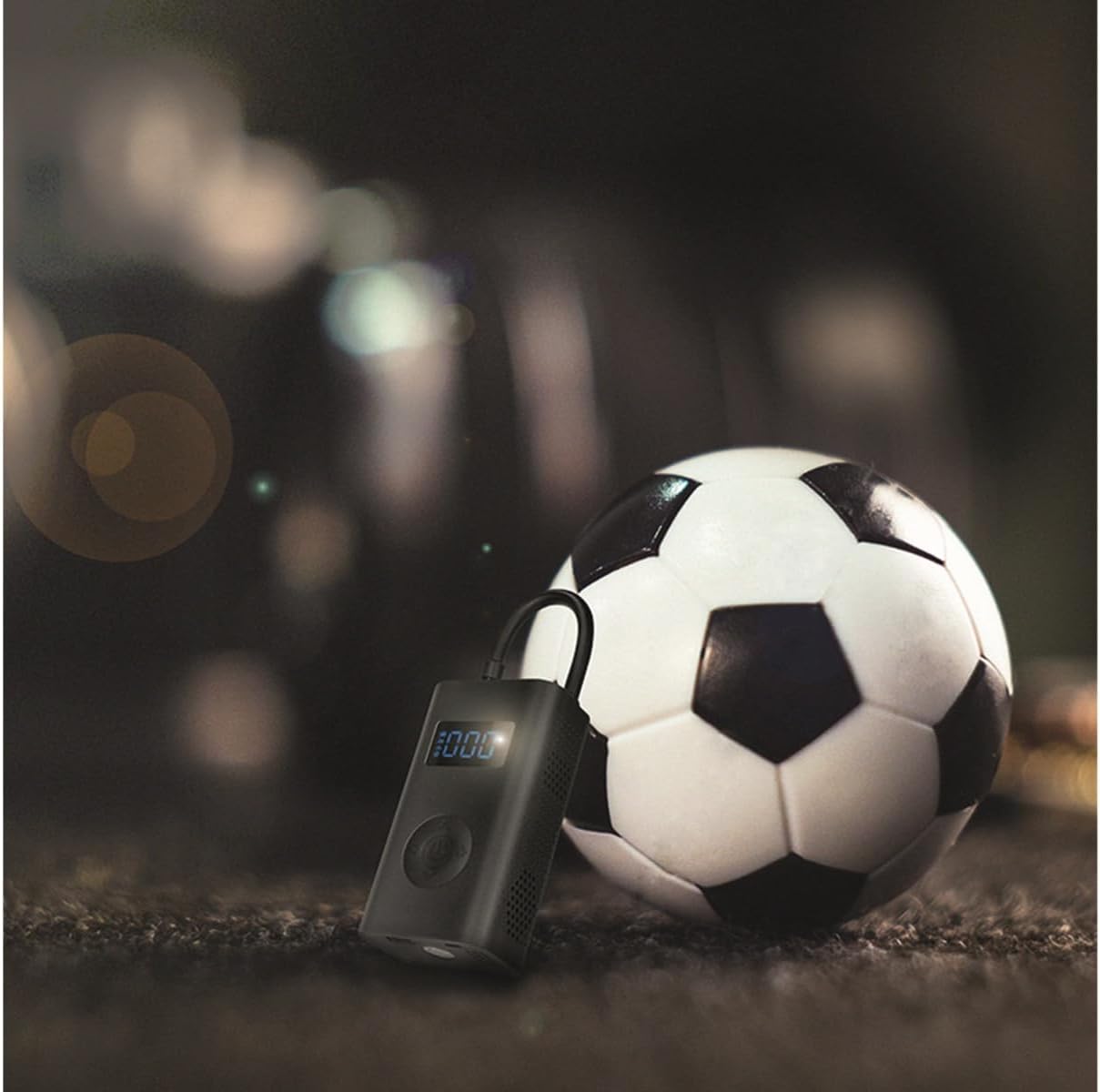
Figure 6.1: The LogiLink PA0265 Portable Air Compressor actively inflating a soccer ball, demonstrating its use for sports equipment.
-
Set Target Pressure:
Use the "+" and "-" buttons to set your desired target pressure. The adjustable pressure range is 0.2 to 10.3 bar (3 to 150 psi). Refer to the item's manufacturer recommendations for correct pressure.
-
Start Inflation:
Press the Power button once to start the inflation process. The compressor will begin to inflate the item, and the display will show the increasing pressure.

Figure 6.2: The LogiLink PA0265 Portable Air Compressor inflating a mountain bike tire, highlighting its versatility for different bicycle types.
-
Automatic Stop:
The compressor will automatically stop once the preset target pressure is reached. This prevents over-inflation.
-
Stop Manually (Optional):
You can manually stop the inflation at any time by pressing the Power button again.
-
Disconnect:
Once inflation is complete, quickly disconnect the valve adapter from the item's valve to minimize air loss. Then, unscrew the air hose from the compressor.
-
Power Off:
Press and hold the Power button to turn off the device.
6.1. Using the LED Flashlight
The LogiLink PA0265 includes an integrated LED flashlight with three modes for convenience, especially during night operation.
- Press the LED Flashlight button once to turn on the light (steady mode).
- Press the button a second time to activate the SOS flashing mode.
- Press the button a third time to activate the fast strobe mode.
- Press the button a fourth time to turn off the flashlight.

Figure 6.3: Side view of the LogiLink PA0265 Portable Air Compressor, showing its integrated LED flashlight in operation, useful for low-light conditions.
7. Maintenance
Proper maintenance ensures the longevity and optimal performance of your air compressor.
- Cleaning: Wipe the exterior of the compressor with a soft, damp cloth. Do not use harsh chemicals or abrasive cleaners. Ensure no water enters the ports.
- Storage: Store the compressor in a cool, dry place, away from direct sunlight and extreme temperatures. Keep it out of reach of children.
- Battery Care: To prolong battery life, charge the device at least once every three months, even if not in use. Avoid fully discharging the battery frequently.
- Hose and Adapters: Inspect the air hose and valve adapters regularly for any signs of wear, cracks, or damage. Replace if necessary to ensure a proper seal during inflation.
8. Troubleshooting
If you encounter issues with your LogiLink PA0265, refer to the following common problems and solutions:
| Problem | Possible Cause | Solution |
|---|---|---|
| Device does not power on. | Low battery or device is off. | Charge the device fully. Press and hold the power button for a few seconds to turn it on. |
| Compressor does not inflate or inflates slowly. | Air hose not securely connected, wrong adapter, or low battery. | Ensure the air hose and adapter are tightly screwed on. Verify the correct adapter is used. Charge the device. |
| Pressure reading is inaccurate or fluctuates. | Loose connection to the valve. | Ensure the valve adapter is firmly attached to the item's valve, creating a tight seal. |
| Compressor stops prematurely. | Target pressure reached or low battery. | Check the target pressure setting. If it's not reached, charge the device. |
| LED flashlight does not work. | Low battery or flashlight is off. | Charge the device. Press the LED flashlight button to cycle through modes. |
9. Specifications
Technical details for the LogiLink PA0265 Portable Air Compressor:
| Feature | Detail |
|---|---|
| Model Name | PA0265 |
| Brand | LogiLink |
| Color | Black |
| Material | Metal |
| Item Weight | 435 Grams |
| Battery Type | Lithium-ion |
| Battery Capacity | 4000 mAh |
| Rechargeable Battery | Yes |
| Voltage | 5 Volts |
| Power Source | USB Cable |
| USB Input | 5V 2A (max. 10W) |
| USB Output | 5V 2A (max. 10W) |
| Adjustable Pressure Range | 0.2 to 10.3 bar (3 to 150 psi) |
| Noise Level | 72 Decibels |
| Special Features | Wireless air pump, LED flashlight with 3 modes |
10. Warranty and Support
LogiLink products are designed for reliability and performance. For information regarding warranty coverage, technical support, or service inquiries, please refer to the warranty card included with your product or visit the official LogiLink website.
Please retain your proof of purchase for warranty claims.


