1. Introduction
The SOTECH Domus Line GIRO FE is a wireless control system designed for single-color LED lighting. It consists of a compact receiver unit and a remote control, enabling convenient switching and dimming of connected luminaires. This manual provides essential information for the proper installation, operation, and maintenance of your GIRO FE system.
2. Product Overview
The GIRO FE system allows for wireless control of LED lighting. The receiver connects to your 12V DC power supply and LED luminaires, while the remote control provides intuitive command over power and brightness. Its design supports controlling multiple receiver units with a single remote.

Image 1: The Domus Line GIRO FE system, showing both the receiver unit and the circular remote control.

Image 2: Close-up view of the Domus Line GIRO FE receiver unit, featuring multiple Micro12 ports for connecting LED luminaires.
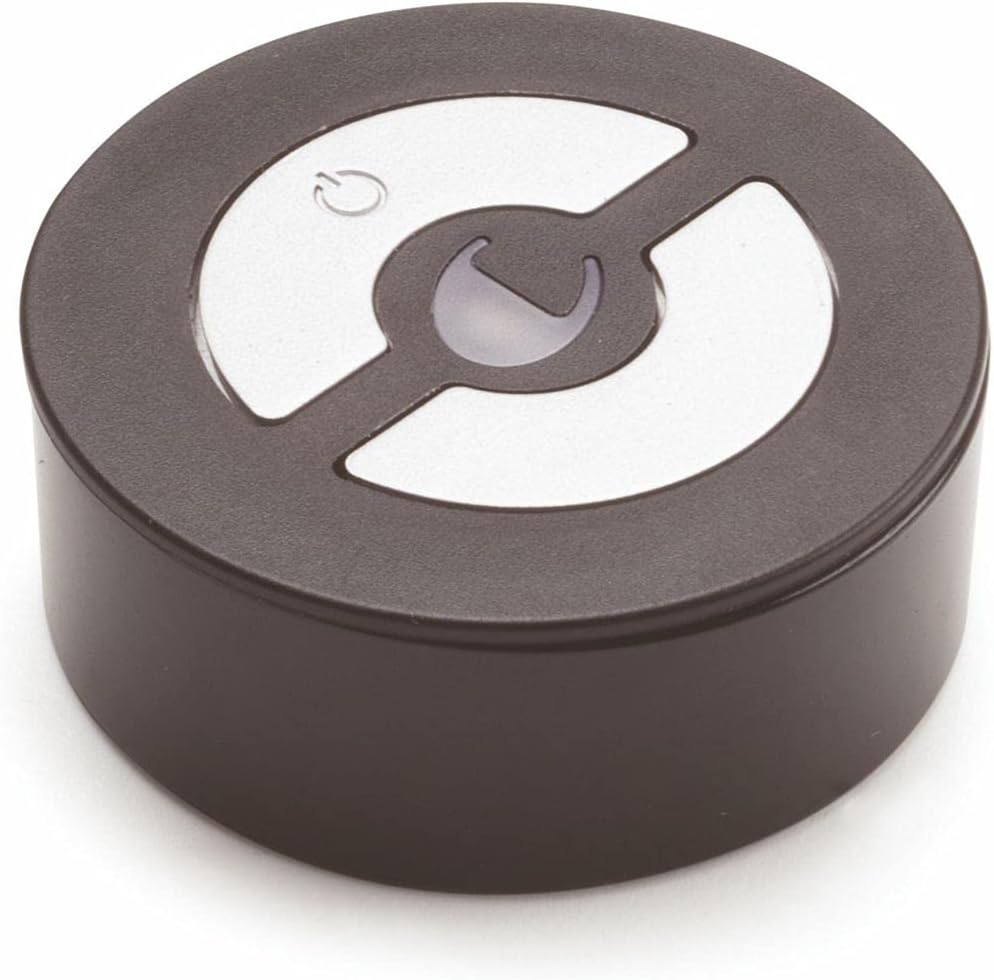
Image 3: Close-up view of the circular Domus Line GIRO FE remote control, showing the power and brightness adjustment buttons.
3. Package Contents
Verify that all items are present in the package:
- 1 x GIRO FE Receiver Unit
- 1 x GIRO FE Remote Control
- 1 x Remote Control Holder
- 1 x CR2032 Button Cell Battery (pre-installed or included separately for remote control)
- Adhesive tape for remote control holder mounting
4. Specifications
| Feature | Specification |
|---|---|
| Primary Voltage | 12 Vdc |
| Secondary Voltage | 12 Vdc |
| Max. Power (Receiver) | Combinable with Domus Line converters up to 30 Watts |
| Connection Type | 200 mm cable with Micro12 connector |
| Protection Degree | IP20 |
| Protection Class | III |
| Receiver Dimensions | 64 x 34 x 13 mm (approx.) |
| Remote Control Dimensions | Ø 42 mm, 16.5 mm height (approx.) |
| Remote Control Battery | CR2032 button cell |
| Material | Plastic |
| Color | Black |
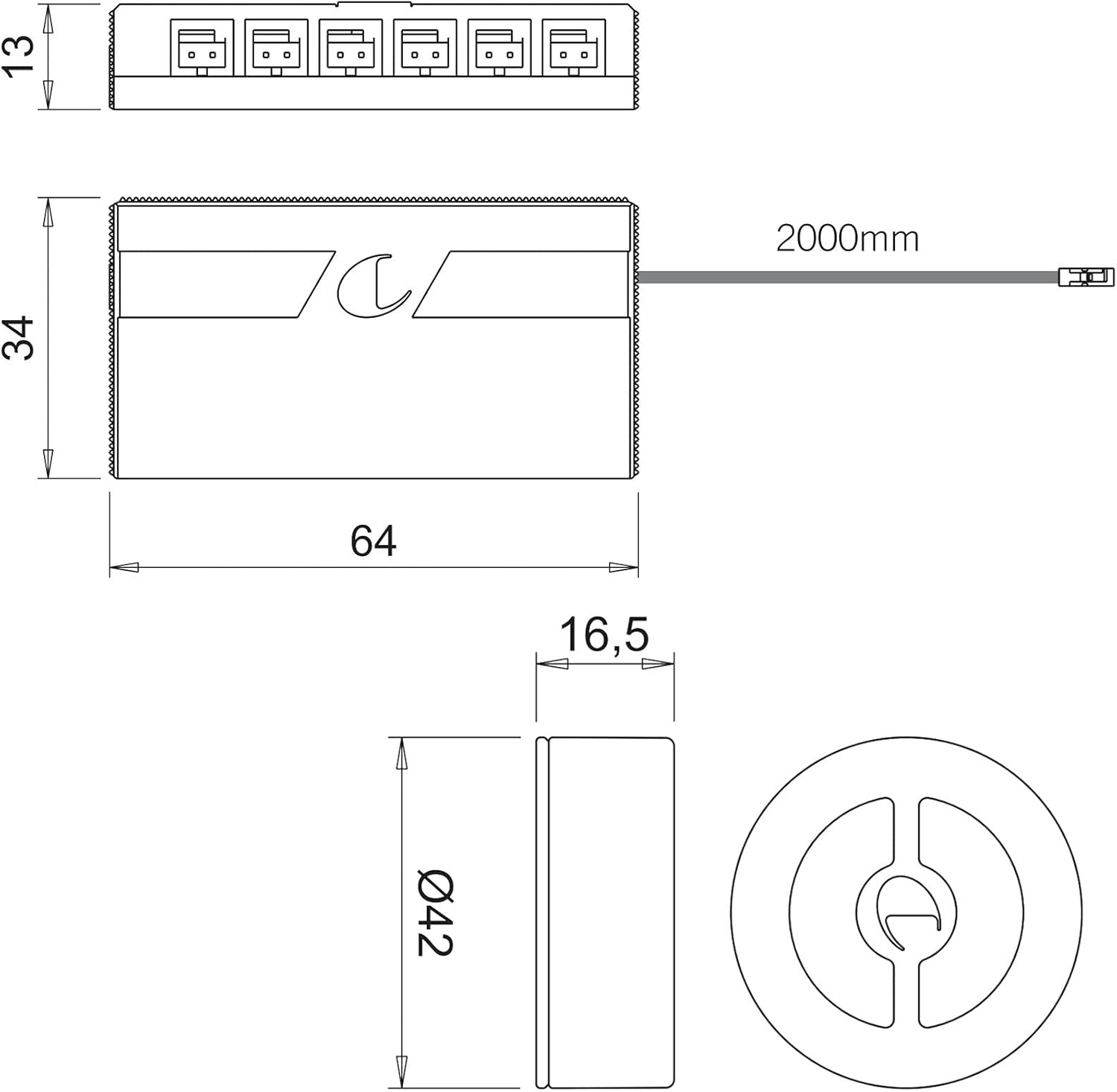
Image 4: Technical drawing illustrating the dimensions of the GIRO FE receiver and remote control.
5. Setup
Follow these steps for proper installation:
- Power Supply Connection: Connect the GIRO FE receiver's input cable (with Micro12 connector) to a compatible 12V DC power supply (e.g., a Domus Line converter up to 30 Watts). Ensure the power supply is disconnected from the mains during installation.
- Luminaire Connection: Connect your single-color 12V LED luminaires to the output ports of the GIRO FE receiver. The receiver features multiple Micro12 output ports.
- Mounting the Remote Control Holder: The remote control holder can be mounted by screwing it into place or by using the provided adhesive tape. Choose a convenient location within range of the receiver.
- Battery Installation (if not pre-installed): If the CR2032 battery is not pre-installed in the remote control, open the battery compartment and insert the battery with the correct polarity.
- Pairing (if necessary): The receiver has a luminous configuration button. If the remote control does not immediately operate the lights, refer to the pairing instructions (usually involving pressing the configuration button on the receiver and then a button on the remote control within a short timeframe).
- Power On: Once all connections are secure, connect the 12V DC power supply to the mains.
6. Operating Instructions
The GIRO FE remote control features two buttons for controlling your connected LED luminaires:
- Power On/Off: Press the button with the power symbol (usually a circle with a vertical line) to switch the connected lights on or off.
- Brightness Control: The other button (often a crescent or similar symbol) controls the brightness.
- Progressive Dimming: Press and hold the brightness button to smoothly increase or decrease the light intensity. Release the button when the desired brightness is reached.
- Dynamic Dimming: A quick press of the brightness button may cycle through predefined brightness levels or initiate a dynamic dimming sequence, depending on the specific model's programming.
Controlling Multiple Receivers: A single GIRO FE remote control can manage up to 6 receiver units. This allows for synchronized control of multiple lighting zones or luminaires within a system.
7. Maintenance
To ensure optimal performance and longevity of your GIRO FE system, observe the following maintenance guidelines:
- Cleaning: Clean the receiver and remote control with a soft, dry cloth. Do not use abrasive cleaners, solvents, or excessive moisture, as these can damage the electronic components.
- Battery Replacement: When the remote control's range decreases or it becomes unresponsive, replace the CR2032 button cell battery. Ensure correct polarity during replacement.
- Environmental Conditions: The GIRO FE receiver has an IP20 protection rating, meaning it is protected against solid objects larger than 12.5mm but has no protection against water. Avoid exposing the unit to moisture, high humidity, or extreme temperatures.
- Connections: Periodically check all cable connections to ensure they are secure and free from damage.
8. Troubleshooting
If you encounter issues with your GIRO FE system, consult the following troubleshooting tips:
- Lights do not turn on:
- Check if the 12V DC power supply is properly connected and receiving power.
- Verify that the luminaires are correctly connected to the receiver.
- Ensure the remote control battery is functional and correctly installed. Replace if necessary.
- Confirm that the remote control is paired with the receiver. Refer to the pairing instructions in the setup section.
- Remote control range is poor:
- Replace the remote control battery.
- Ensure there are no significant obstructions between the remote control and the receiver.
- Lights flicker or dim inconsistently:
- Check the power supply for stable 12V DC output.
- Ensure the total wattage of connected luminaires does not exceed the 30 Watt limit of the receiver/converter.
- Inspect all connections for loose wiring.
- Receiver configuration button does not light up:
- Verify the receiver is receiving power from the 12V DC power supply.
9. Warranty and Support
For warranty information or technical assistance, please contact SOTECH or your authorized dealer. Keep your purchase receipt as proof of purchase. The manufacturer, SOTECH, is committed to providing quality products and support.
Manufacturer: SOTECH
Part Number: 124610