
SOTECH 124608
SOTECH GIRO FE D-Motion LED Switch System User Manual
Model: 124608
1. Introduction
Thank you for choosing the SOTECH GIRO FE D-Motion LED Switch System. This manual provides detailed instructions for the safe and efficient use of your new LED switch and remote control. Please read this manual thoroughly before installation and operation, and keep it for future reference.
The GIRO FE D-MOTION is a wireless switch system designed for controlling LED luminaires. It includes a single-channel remote control and a receiver, allowing you to easily manage lighting functions such as turning on/off, adjusting dynamic brightness, and setting dynamic and progressive color temperature.
2. Safety Information
WARNING: Please read all safety warnings and instructions carefully before use. Failure to follow these instructions may result in electric shock, fire, or serious injury.
- Ensure the power supply is disconnected before installation or maintenance.
- This product is designed for indoor use only (IP20 protection type). Do not expose to water or high humidity.
- Only combine with Domus line converters up to 30 Watts. Exceeding this limit may damage the device.
- Do not attempt to open or modify the device. Refer all servicing to qualified personnel.
- Keep the remote control battery (CR2032) out of reach of children. If swallowed, seek immediate medical attention.
3. Package Contents
Please check the package contents upon unboxing. If any items are missing or damaged, contact your retailer.
- 1 x GIRO FE D-Motion Switch (Receiver Unit)
- 1 x GIRO FE D-Motion Remote Control
- 1 x Remote Control Support (for screwing or gluing)
- 1 x CR2032 Battery (pre-installed in remote control)

Image 1: Overview of the GIRO FE D-Motion LED Switch System, showing the receiver unit and the circular remote control.
4. Setup
4.1. Installing the Switch (Receiver Unit)

Image 2: The GIRO FE D-Motion receiver unit with its Micro-12 connector cable.
- Power Off: Before connecting, ensure that the power supply to your LED luminaires and converter is completely turned off.
- Connect to Converter: Connect the Micro-12 connector cable of the GIRO FE D-Motion switch (receiver unit) to a compatible Domus line converter (up to 30 Watts).
- Connect Luminaires: Connect your LED luminaires to the output ports of the GIRO FE D-Motion switch. The switch has multiple ports to accommodate several luminaires.
- Secure Placement: Place the receiver unit in a secure location, ensuring it is not exposed to moisture or excessive heat.
4.2. Installing the Remote Control Support
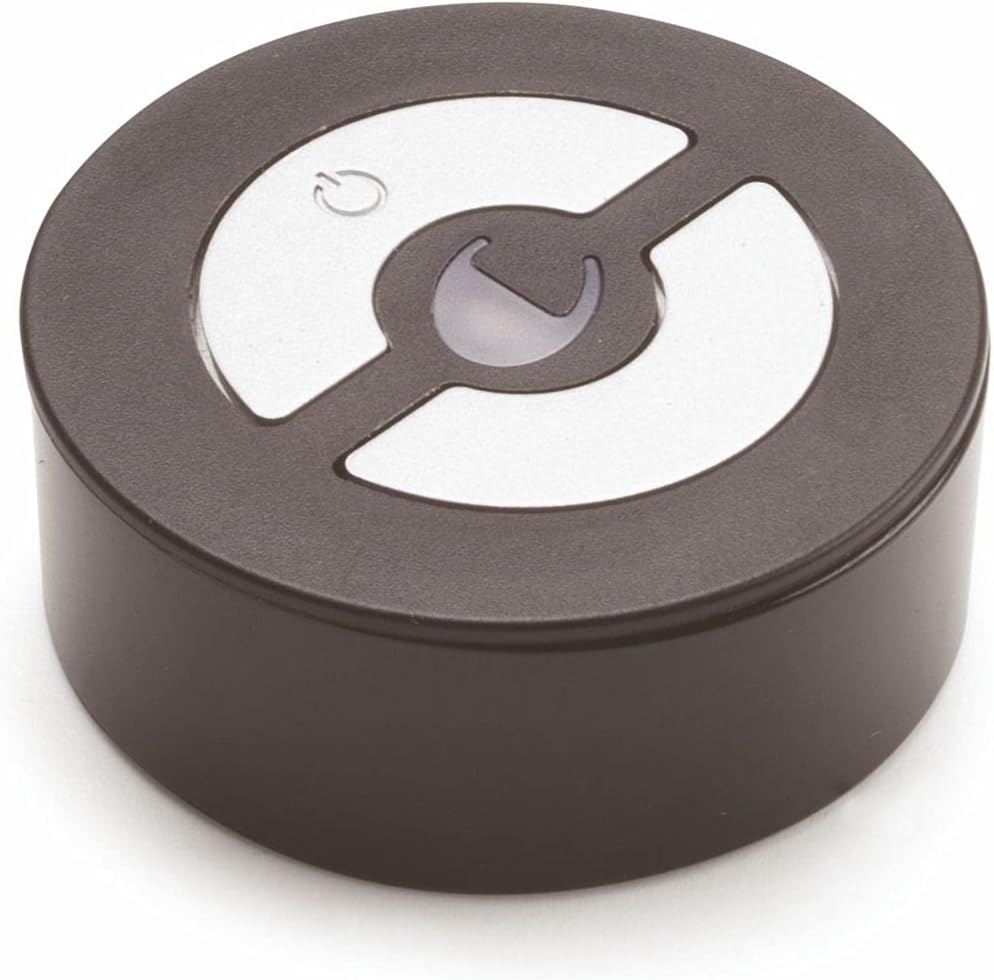
Image 3: The circular GIRO FE D-Motion remote control.
The remote control support can be installed in two ways:
- Screwing: Use appropriate screws (not included) to fasten the support to a desired surface.
- Gluing: Use the supplied adhesive tape to attach the support to a clean, dry, and smooth surface.
Once the support is installed, the remote control can be placed securely within it for easy access.
5. Operating Instructions
The GIRO FE D-Motion remote control allows for comprehensive control of your connected LED luminaires.
5.1. Basic Functions
- Power On/Off: Press the power button (usually indicated by a circle with a vertical line) to turn the connected luminaires on or off.
- Brightness Adjustment: Use the designated buttons (often marked with '+' and '-' or arrows) to dynamically increase or decrease the brightness of the luminaires.
- Color Temperature Adjustment: Use the specific buttons (often marked with 'K' or sun/moon icons) to adjust the color temperature from warm to cool white, or vice versa. This adjustment is progressive, allowing for fine-tuning.
5.2. Multi-Receiver Control
One remote control can manage up to 6 GIRO FE D-Motion receiver units. The pairing process is typically automatic upon initial power-up, but if you need to re-pair or add new receivers, consult the specific pairing instructions that may come with additional receiver units.
6. Maintenance
6.1. Cleaning
To clean the switch and remote control, use a soft, dry cloth. Do not use abrasive cleaners, solvents, or harsh chemicals, as these can damage the surface and internal components.
6.2. Battery Replacement (Remote Control)
The remote control uses a CR2032 coin cell battery. When the remote's performance degrades or it stops responding, it's time to replace the battery.
- Locate the battery compartment on the remote control (usually on the back).
- Open the compartment using a small coin or screwdriver if necessary.
- Remove the old CR2032 battery.
- Insert a new CR2032 battery with the positive (+) side facing up.
- Close the battery compartment securely.
7. Troubleshooting
| Problem | Possible Cause | Solution |
|---|---|---|
| Luminaires do not turn on. | No power to the converter. Loose connections. Remote control battery is dead. | Check power supply to the converter. Ensure all Micro-12 connections are secure. Replace the CR2032 battery in the remote control. |
| Remote control not responding. | Remote control battery is dead. Remote is out of range. Interference. | Replace the CR2032 battery. Move closer to the receiver unit. Minimize other wireless devices nearby. |
| Brightness/Color temperature not adjusting. | Incompatible luminaires/converter. Remote control issue. | Ensure luminaires and converter are compatible with D-Motion functionality. Check remote control battery and try re-pairing if applicable. |
8. Specifications
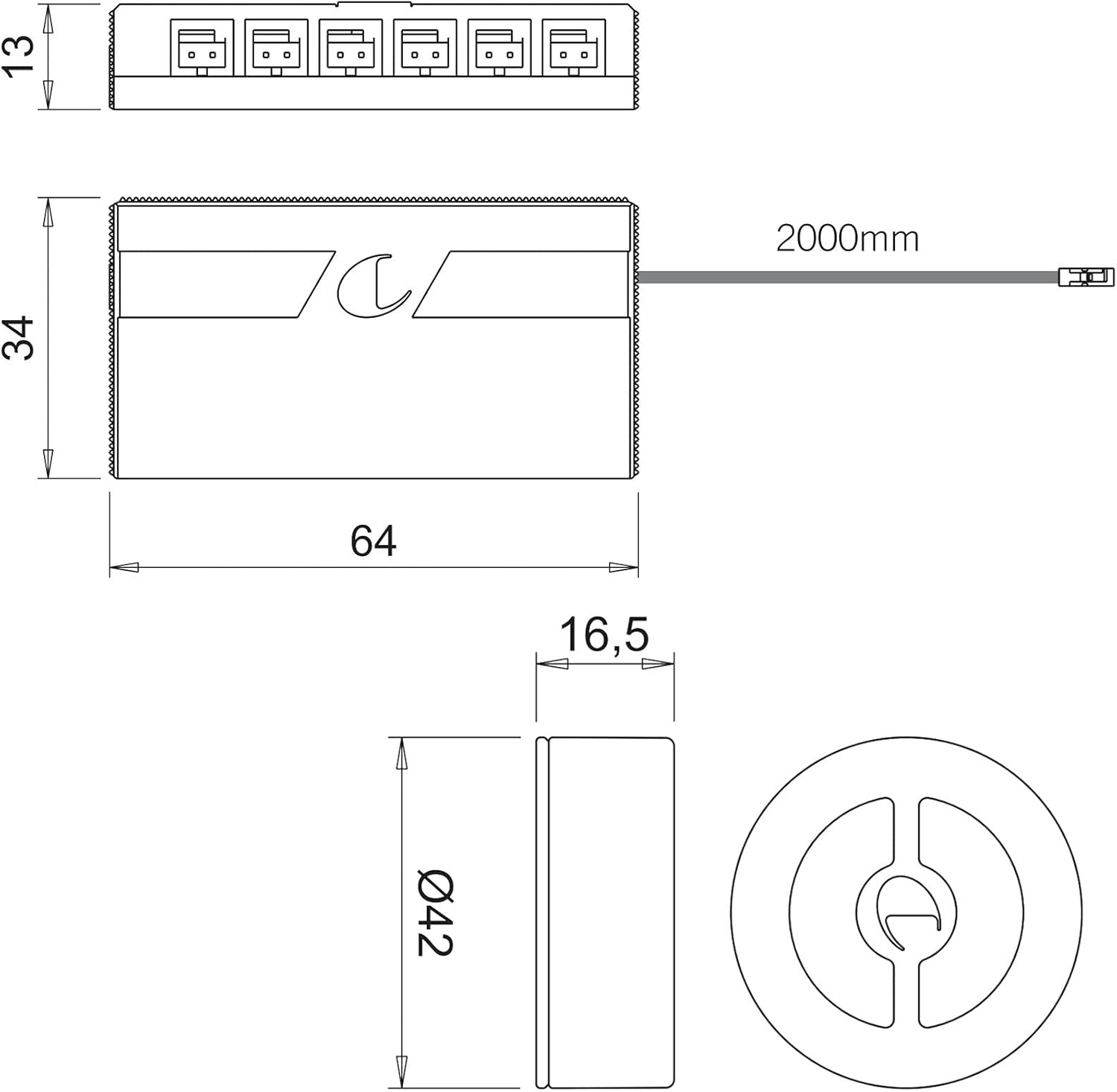
Image 4: Technical drawing showing dimensions of the GIRO FE D-Motion switch and remote control.
| Feature | Detail |
|---|---|
| Model | GIRO FE D-Motion |
| Manufacturer | SOTECH |
| Primary Current | 220 - 240 V |
| Secondary Current | 12 Vdc |
| Max. Power (with converter) | Up to 30 Watts |
| Connection System | 200 mm cable with Micro12 connector |
| Protection Type | IP20 |
| Protection Class | III |
| Switch Dimensions (L x W x H) | 64 x 34 x 13 mm |
| Remote Control Dimensions (Diameter x Height) | Ø 42 x 16.5 mm |
| Remote Control Battery | CR2032 (included) |
| Material | Metal |
| Operating Mode | ON-OFF |
| Operating Voltage | 12 Volts |
| Country of Origin | Germany |
9. Warranty and Support
This product is subject to the standard return and replacement policy of your retailer, typically offering a 30-day return window from the date of purchase. For specific warranty terms and conditions, please refer to your purchase documentation or contact your retailer directly.
For technical support or inquiries regarding the SOTECH GIRO FE D-Motion LED Switch System, please contact SOTECH customer service or your authorized dealer. Please have your model number (124608) and purchase details ready when contacting support.