
1. Introduction
Thank you for choosing the L LOHAS LED Motion Sensor Night Light. This device is designed to provide convenient and energy-efficient illumination in various indoor spaces. Featuring adjustable brightness and multiple lighting modes, it enhances safety and comfort in your home.

2. Safety Instructions
- For indoor use only. Do not expose to water or high humidity.
- Do not disassemble or modify the device.
- Ensure the wall outlet is in good condition and properly grounded.
- Keep away from children and pets to prevent accidental ingestion or damage.
- Avoid placing the night light near heat sources or flammable materials.
3. Product Overview
The L LOHAS LED Motion Sensor Night Light is equipped with advanced features for optimal performance:
- Adjustable Brightness: Two levels (30LM/60LM) to suit your preference.
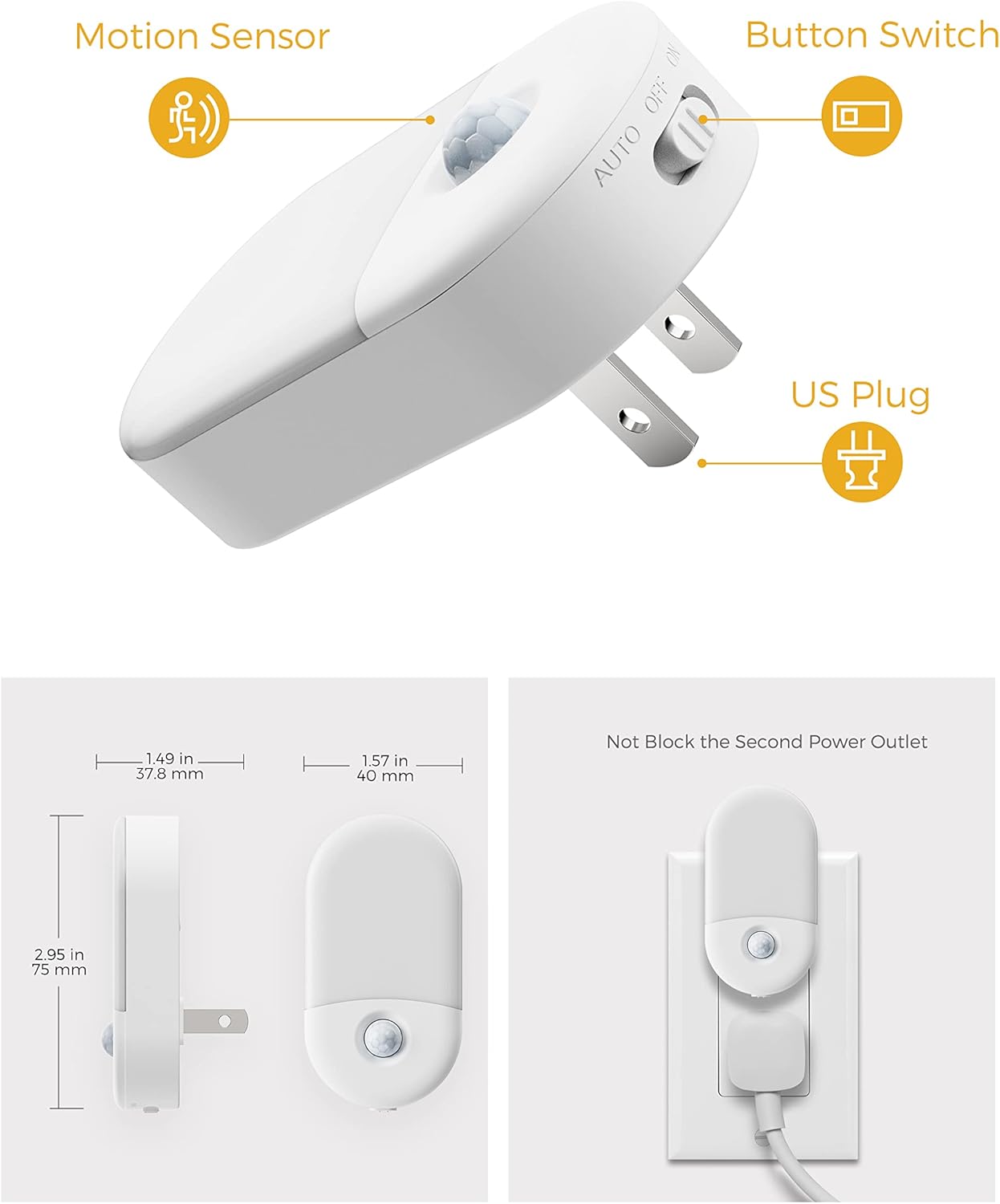
- Three Lighting Modes: 'On' (always on), 'Off' (turns off), and 'Auto' (motion-activated).
- Motion Sensor: Detects motion within 3-5 meters and a 120° angle, turning off after 60 seconds of inactivity.
- Comfortable Lighting: Provides 3000K soft white light, gentle on the eyes.
- Energy Efficient: Maximum power consumption of only 0.6W.

4. Setup
Setting up your night light is quick and easy:
- Unpack the night light from its packaging.
- Locate a standard wall outlet in your desired indoor location.
- Plug the night light directly into the wall outlet. Ensure it is securely inserted.
- Verify that the night light does not obstruct the second power outlet, allowing for other devices to be plugged in.
5. Operating Instructions
5.1. Brightness Adjustment
The night light offers two brightness levels:
- 30 Lumens (LM): For a softer, more subtle glow.
- 60 Lumens (LM): For brighter illumination.
To adjust the brightness, locate the slider button on the side of the night light and slide it to your preferred setting (indicated by a small sun for brighter and a smaller sun for dimmer).

5.2. Lighting Modes
The night light features three operational modes, controlled by a slide switch:
- ON Mode: The light will remain continuously on, regardless of ambient light or motion.
- OFF Mode: The light will remain off.
- AUTO Mode: The night light will automatically turn on when motion is detected in dark conditions (sensing range: 3-5 meters, 120° angle). It will turn off after 60 seconds of no detected activity.

5.3. Motion Sensor Functionality
In AUTO mode, the integrated motion sensor activates the light when movement is detected in low-light environments. The sensor has a detection range of 3-5 meters and a 120-degree sensing angle. The light will automatically switch off after approximately 60 seconds of no further motion, conserving energy.

6. Maintenance
To ensure the longevity and optimal performance of your night light, follow these simple maintenance guidelines:
- Cleaning: Unplug the device before cleaning. Use a soft, dry cloth to wipe the surface. Do not use abrasive cleaners or solvents.
- Storage: If not in use for an extended period, unplug the night light and store it in a cool, dry place.
- Avoid Obstructions: Ensure the motion sensor is not obstructed by furniture, curtains, or other objects, as this may affect its detection capabilities.
7. Troubleshooting
If you encounter any issues with your L LOHAS LED Motion Sensor Night Light, please refer to the following common solutions:
| Problem | Possible Cause | Solution |
|---|---|---|
| Light does not turn on in AUTO mode. | Sufficient ambient light; no motion detected; incorrect mode setting. | Ensure the area is dark enough for activation. Check for motion within the sensing range. Verify the switch is set to 'AUTO'. |
| Light remains on constantly in AUTO mode. | Continuous motion detected; sensor obstruction. | Ensure there is no continuous motion in the sensing area. Check for any objects obstructing the sensor. |
| Light does not turn off. | Switch set to 'ON' mode. | Slide the switch to 'OFF' or 'AUTO' mode. |
| Light is too dim or too bright. | Brightness setting is not preferred. | Adjust the brightness slider to 30LM or 60LM as desired. |
8. Specifications
| Feature | Detail |
|---|---|
| Model Number | A-GY03102AU-2 |
| Brand Name | L LOHAS LED |
| Light Source Type | LED |
| Color Temperature | 3000K Warm White |
| Adjustable Brightness | 30LM / 60LM |
| Power Consumption | 0.6W (Max) |
| Voltage | 120 Volts |
| Motion Sensing Range | 3-5 meters |
| Motion Sensing Angle | 120° |
| Auto-Off Time | 60 seconds (after no motion) |
| Product Dimensions | 2.36"D x 3.15"W x 1.69"H |
| Item Weight | 0.07 Kilograms |
| Material Type | Plastic |
| Mounting Type | Wall Mount (Plug-in) |
| Indoor Outdoor Usage | Indoor use only |
9. Warranty and Support
For warranty information or technical support, please refer to the product packaging or contact L LOHAS LED customer service directly. Keep your purchase receipt for any warranty claims.