
1. Introduction
This manual provides essential information for the proper use and maintenance of your PUREBURG H13 HEPA Activated Carbon 4-Stage Replacement Filters. These filters are specifically designed to be compatible with the HOKEKI VK-6067B and Ultima Cosa Aria Fresca 300 Air Purifiers, ensuring optimal air purification performance.
The advanced 4-stage filtration system includes:
- Pre-filter: Captures large particles such as dust, lint, fibers, and pet hair, extending the lifespan of subsequent filters.
- H13 True HEPA Filter: Effectively captures 99.97% of airborne particles as small as 0.3 microns, including fine dust, pollen, pet dander, and other common allergens.
- Activated Carbon Filter: Absorbs various household odors, volatile organic compounds (VOCs), tobacco smoke, and cooking smells.

Image 1.1: Infographic illustrating the filter's effectiveness in reducing PM2.5, VOCs, and odors.

Image 1.2: Close-up view of the activated carbon component, designed to neutralize odors and harmful gases.
2. Setup and Installation
Follow these general steps to replace your air purifier filter. Always refer to your specific air purifier's instruction manual for detailed instructions on opening the unit and filter compartment.
- Power Off: Ensure your air purifier is turned off and unplugged from the power outlet before beginning the filter replacement process.
- Access Filter Compartment: Depending on your air purifier model, you may need to twist off the base or remove a cover to access the filter compartment.
- Remove Old Filter: Carefully remove the used filter. It may be dusty or discolored. Dispose of the old filter responsibly.
- Prepare New Filter: Remove the new PUREBURG replacement filter from its plastic packaging. It is crucial to remove all plastic wrapping before installation.
- Insert New Filter: Place the new filter into the air purifier's filter compartment. Ensure it is seated correctly and securely.
- Secure Compartment: Close and secure the filter compartment or twist the base back into place.
- Restore Power: Plug the air purifier back into the power outlet.

Image 2.1: Two PUREBURG replacement filters, illustrating the product packaging.
3. Operating Instructions
After installing the new filter, your air purifier should operate normally. If your air purifier has a filter replacement indicator light, you may need to reset it manually.
3.1 Resetting the Filter Indicator Light
The exact procedure for resetting the filter indicator light varies by air purifier model. Typically, this involves pressing and holding a 'Filter' or 'Reset' button on the control panel for a few seconds until the light turns off or changes color. Consult your air purifier's user manual for precise instructions.
4. Maintenance
Regular maintenance ensures the longevity and efficiency of your air purifier and filters.
4.1 Filter Cleaning
For best results and to maintain optimal air quality, it is recommended to remove the filter once a month and gently clean the pre-filter layer with a soft brush or a vacuum cleaner. This helps remove larger debris and extends the filter's effective life. Do not wash the HEPA or activated carbon layers with water.
4.2 Filter Replacement Frequency
The PUREBURG replacement filters should be replaced every 3 to 6 months, depending on usage and air quality conditions. Frequent use or highly polluted environments may require more frequent replacement.
5. Troubleshooting
5.1 Filter Indicator Light Remains On
If the filter indicator light on your air purifier remains on after replacing the filter, it likely needs to be manually reset. Refer to Section 3.1 or your air purifier's manual for instructions on how to reset the indicator.
5.2 Reduced Airflow or Odors Persist
Ensure the new filter has been completely removed from its plastic packaging. Verify that the filter is installed correctly and securely within the air purifier. If issues persist, check for any obstructions in the air intake or output vents of your air purifier.
6. Specifications
| Brand | PUREBURG |
| Model Number | VK-6067B-HEPA-Filter |
| Compatible Devices | HOKEKI VK-6067B, Ultima Cosa Aria Fresca 300 Air Purifiers |
| Filtration Stages | 4-Stage (Pre-filter, H13 True HEPA, Activated Carbon) |
| MERV Rating | 13 |
| Item Dimensions (L x W x Th) | 6.88 x 6.88 x 7 inches |
| Item Weight | 1.84 pounds (0.84 Kilograms) |
| Material Type | Plastic |
| Number of Items | 2 Count |
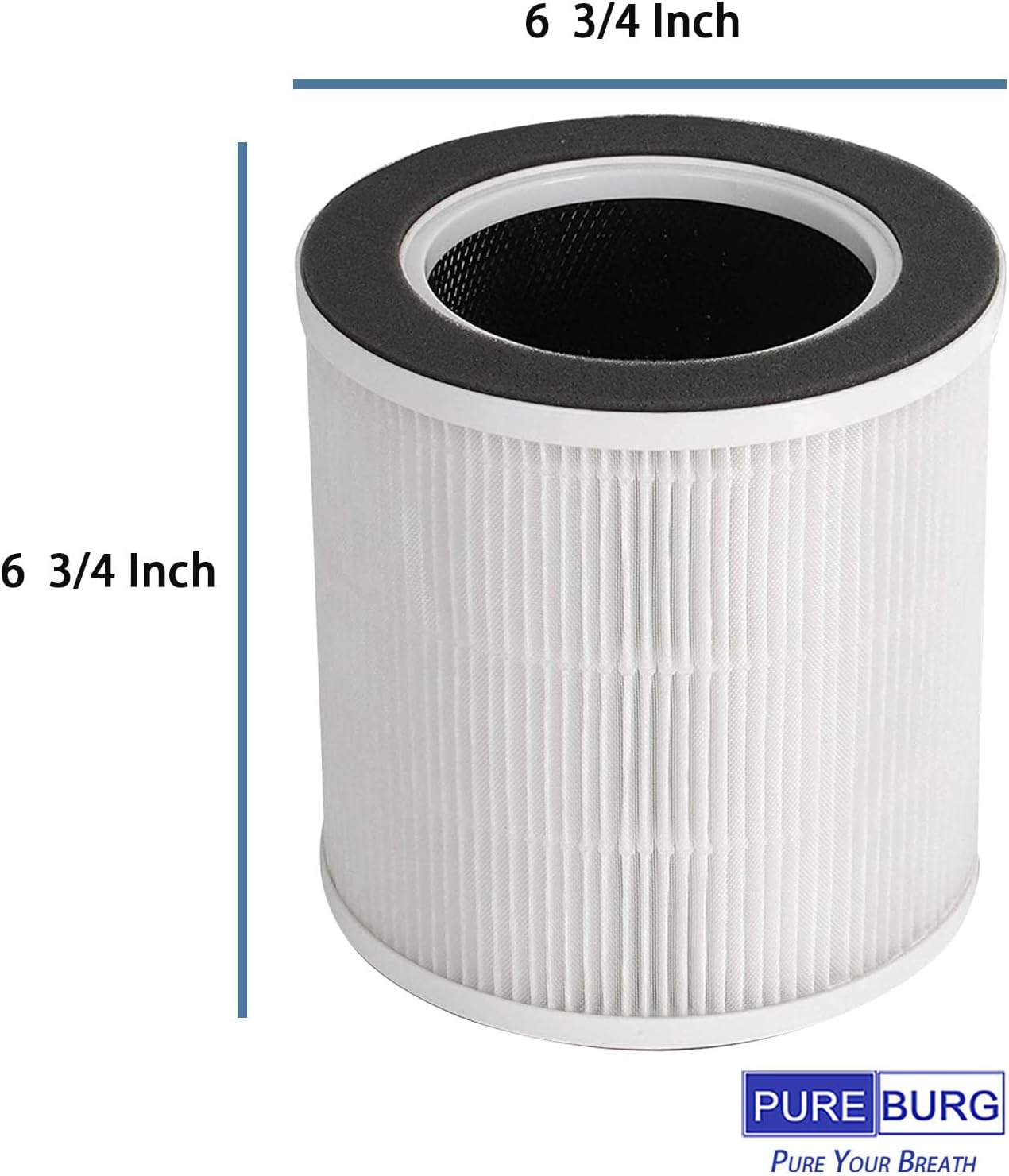
Image 6.1: Filter dimensions for compatibility reference.
7. Warranty and Support
PUREBURG is committed to providing top-notch quality and customer satisfaction. If you encounter any issues with your replacement filters or have questions regarding their use, please contact PUREBURG customer support through your retailer's platform or the official brand website for assistance.