
SDTYYP C16
LOKMAT C16 Smartwatch User Manual
Model: C16
1. Introduction
Thank you for choosing the LOKMAT C16 Smartwatch. This device is designed to enhance your daily life with its advanced features, including health monitoring, fitness tracking, and smart notifications. Please read this manual carefully to understand the proper operation and maintenance of your new smartwatch.

Figure 1.1: Front view of the LOKMAT C16 Smartwatch, displaying the time and date.
2. Package Contents
Ensure all items are present in the package:
- 1 x LOKMAT C16 Smartwatch
- 1 x Charging Cable
- 1 x User Manual
3. Specifications
| Processor | NRF 52840 |
| Display | 1.7" IPS Full Screen (280 x 320 resolution) |
| Battery Capacity | 350 mAh |
| Dimensions | 50 x 43 x 12.7 mm |
| Water Resistance | 3 ATM (30 meters deep) |
| Connectivity | Bluetooth 5.0 |
| Compatible OS | Android 6.0 and above, iOS 9.0 and above |
| Companion App | Da Fit |
| Case Material | Plastic |
| Strap Material | Silicone Gel |

Figure 3.1: Diagram illustrating the internal components of the LOKMAT C16 Smartwatch, highlighting the NRF52840 CPU and 128M memory.
4. Setup Guide
4.1 Charging the Smartwatch
Before first use, fully charge your smartwatch. Connect the provided charging cable to the charging contacts on the back of the watch and plug the USB end into a power adapter (not included) or a computer's USB port.
- A full charge typically takes about 2 hours.
- The watch display will show a charging indicator.
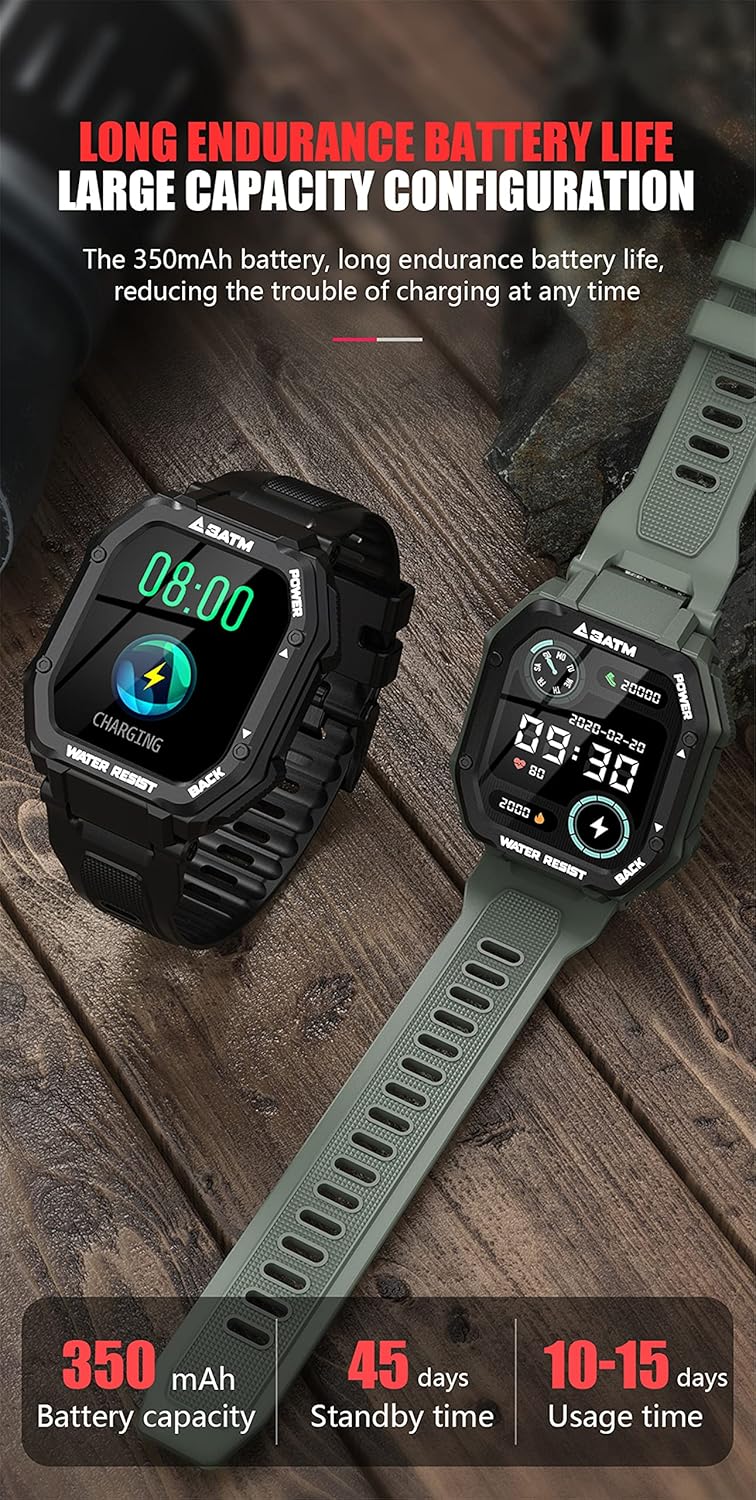
Figure 4.1: Illustration of the LOKMAT C16 Smartwatch being charged, demonstrating its long battery life capabilities.
4.2 Installing the Da Fit App
To unlock the full functionality of your smartwatch, you need to install the 'Da Fit' application on your smartphone.
- Scan the QR code provided in the quick start guide (if available) or search for "Da Fit" in your smartphone's app store (Google Play Store for Android, Apple App Store for iOS).
- Download and install the app.
- Ensure your smartphone's Bluetooth is enabled.
4.3 Pairing with Your Smartphone
Follow these steps to pair your LOKMAT C16 Smartwatch with the Da Fit app:
- Open the 'Da Fit' app on your smartphone.
- Follow the on-screen instructions to create an account or log in.
- Navigate to the "Device" or "Add Device" section within the app.
- The app will search for available devices. Select "C16" or "LOKMAT C16" from the list.
- Confirm the pairing request on both your smartphone and the smartwatch if prompted.
- Once successfully paired, the app will synchronize data with your watch.
5. Operating Instructions
5.1 Basic Navigation
The LOKMAT C16 Smartwatch features a touch screen and physical buttons for navigation.
- Touch Screen: Swipe left/right, up/down to navigate through menus and functions. Tap to select.
- Power Button (Top Right): Press to wake/sleep the screen. Long press to power on/off.
- Back Button (Bottom Right): Press to return to the previous screen or watch face.

Figure 5.1: The smartwatch display showing the tiled honeycomb user interface with various application icons.
5.2 Key Features and Functions
The LOKMAT C16 Smartwatch offers a range of features to support your health and fitness goals:
- Health Monitoring:
- Heart Rate Monitoring
- Blood Pressure Monitoring
- Blood Oxygen Monitoring
- Sleep Monitoring (tracks sleep time, deep sleep, light sleep)
- Fitness Tracking:
- Pedometer (step counting)
- Calorie Tracking
- Distance Tracking
- 20 Sports Modes (e.g., Walking, Running, Cycling, Basketball, Football, Climbing, Sit-ups, etc.)
- Smart Notifications:
- Call Reminders (with call rejection)
- Message Reminders (SMS, Twitter, Facebook, etc.)
- Convenience Features:
- Weather Display
- Camera Control
- Music Control
- Flashlight
- Theater Mode
- Stopwatch & Timer
- Alarm Clock
- Sedentary Reminder
- Breathing Training
- Brightness Adjustment
- Multiple Watch Faces (dynamic dials supported)
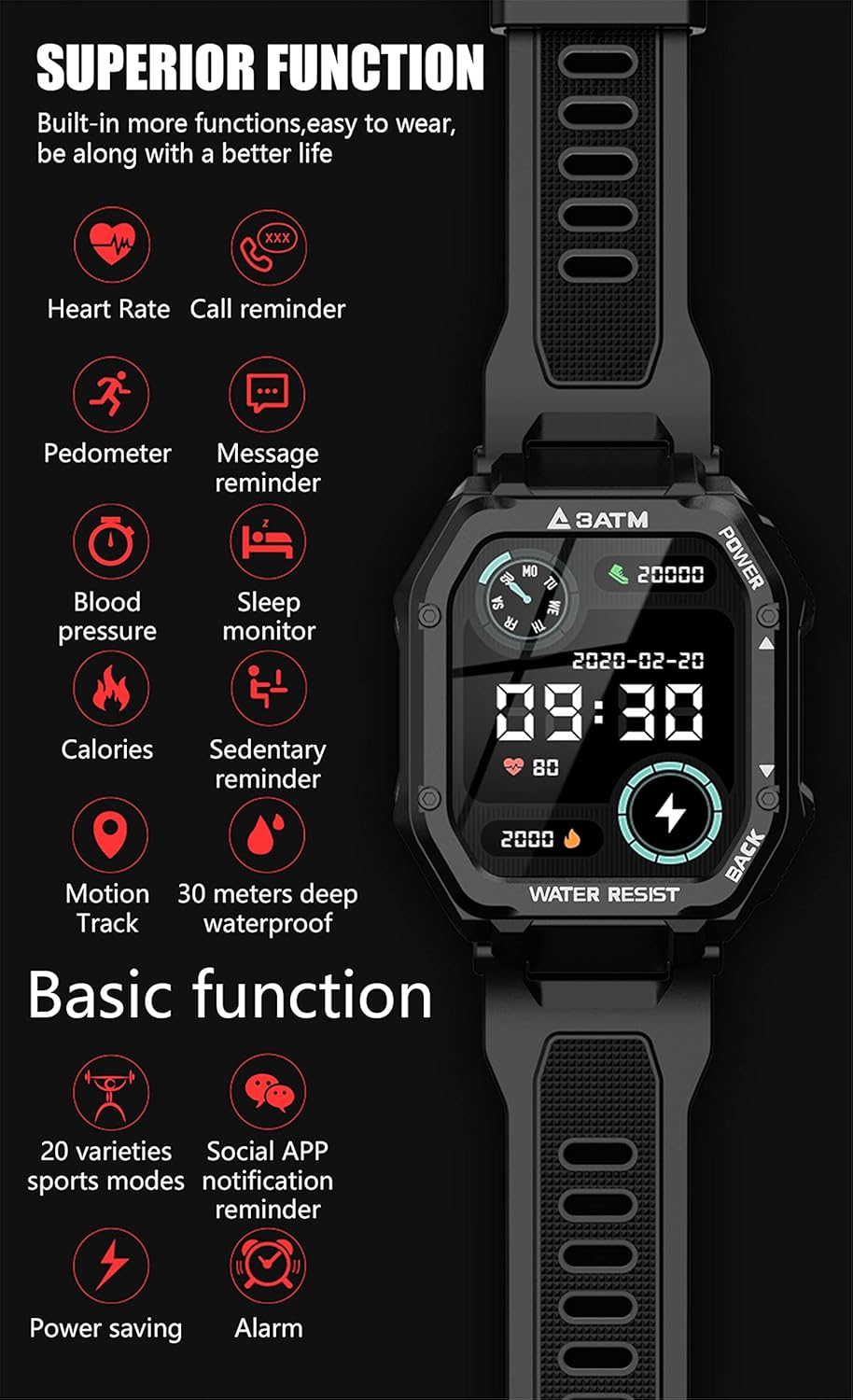
Figure 5.2: Overview of the superior functions available on the LOKMAT C16 Smartwatch, including heart rate, call reminder, pedometer, and more.

Figure 5.3: The smartwatch interface showing various sports modes, indicating its capability as a personal trainer.

Figure 5.4: Examples of dynamic watch faces available for the LOKMAT C16 Smartwatch, allowing for personalization.
6. Maintenance and Care
Proper care will extend the life of your LOKMAT C16 Smartwatch.
- Cleaning: Wipe the watch and strap regularly with a soft, damp cloth. Avoid using harsh chemicals or abrasive materials.
- Water Resistance: The watch is 3 ATM water-resistant, suitable for daily use like hand washing, rain, or splashes. It is not suitable for hot baths, saunas, or diving.
- Storage: Store the watch in a cool, dry place when not in use. Avoid extreme temperatures.
- Charging: Use only the provided charging cable. Do not attempt to charge the watch if it is wet.

Figure 6.1: The LOKMAT C16 Smartwatch demonstrating its 3 ATM deep waterproof capability, suitable for various environments.
7. Troubleshooting
If you encounter issues with your smartwatch, refer to the following common solutions:
| Problem | Solution |
|---|---|
| Watch does not turn on | Ensure the watch is fully charged. Long press the Power button for several seconds. |
| Cannot pair with smartphone |
|
| Data not syncing to app |
|
| Inaccurate health data | Ensure the watch is worn snugly on your wrist, about one finger's width from the wrist bone. Avoid excessive movement during measurements. Note that this device is not a medical device. |
8. Warranty and Support
For warranty information and technical support, please refer to the contact details provided by your retailer or visit the official LOKMAT website. Keep your purchase receipt as proof of purchase.
Return Policy: The product typically comes with a 30-day return policy for refund or replacement, as per retailer terms.
Ask a question about this manual
Ask about setup, troubleshooting, compatibility, parts, safety, or missing instructions. Manuals+ will review the question and use this page’s manual context to help answer it.