
FLOITTUY B0972B7BQN
FLOITTUY 4-inch Retro Twin Bell Alarm Clock User Manual
Model: B0972B7BQN
Introduction
Thank you for purchasing the FLOITTUY 4-inch Retro Twin Bell Alarm Clock. This manual provides detailed instructions for setting up, operating, and maintaining your new alarm clock. Please read this manual thoroughly before use to ensure proper function and longevity of your device.

Image: Front view of the FLOITTUY 4-inch Retro Twin Bell Alarm Clock in Modern Orange, showcasing its classic twin bell design and large, easy-to-read numerals.
Safety Information
- Keep the device away from water and high humidity environments.
- Do not expose the clock to extreme temperatures or direct sunlight.
- Use only the specified battery type (AA battery).
- Do not attempt to disassemble or repair the clock yourself. Contact customer support if issues arise.
- Keep out of reach of small children to prevent choking hazards from small parts.
Package Contents
- 1 x FLOITTUY 4-inch Twin Bell Alarm Clock (Modern Orange)
- 1 x Gift Bag
Product Overview
Familiarize yourself with the various parts and controls of your alarm clock.

Image: Detailed diagram of the back of the alarm clock, indicating the Light Button, Alarm Knob, Time Knob, Alarm Switch, and Battery Compartment.
- Time Knob: Used to set the current time.
- Alarm Knob: Used to set the desired alarm time.
- Alarm Switch: Toggles the alarm function ON or OFF.
- Light Button: Activates the backlight for viewing time in the dark.
- Battery Compartment: Holds the AA battery.
- Twin Bells: Produce the loud alarm sound.
Setup
1. Battery Installation
- Locate the battery compartment cover on the back of the clock.
- Remove the cover.
- Insert one (1) AA battery, ensuring the correct polarity (+/-) as indicated inside the compartment.
- Replace the battery compartment cover securely.
2. Setting the Current Time
- Rotate the Time Knob (located on the back) in either direction until the hour and minute hands display the correct current time.
Operating Instructions
1. Setting the Alarm Time
- Rotate the Alarm Knob (located on the back) to set the alarm hand to your desired wake-up time. For example, if you want the alarm to ring at 8:15, set the alarm hand to 8:15.
- Ensure the alarm switch is in the "ON" position.
Image: Visual guide demonstrating the four steps to set the alarm: 1. Set current time, 2. Adjust alarm needle, 3. Alarm rings when time matches, 4. Turn off alarm switch and reset alarm needle for next day.
2. Activating/Deactivating the Alarm
- To activate the alarm, slide the Alarm Switch (located on the back) to the "ON" position.
- To deactivate the alarm, slide the Alarm Switch to the "OFF" position. The alarm will stop ringing immediately.
3. Using the Backlight
- Press and hold the Light Button (located on the back) to illuminate the clock face.
- Release the button to turn off the backlight. This feature is designed for temporary viewing in low-light conditions.
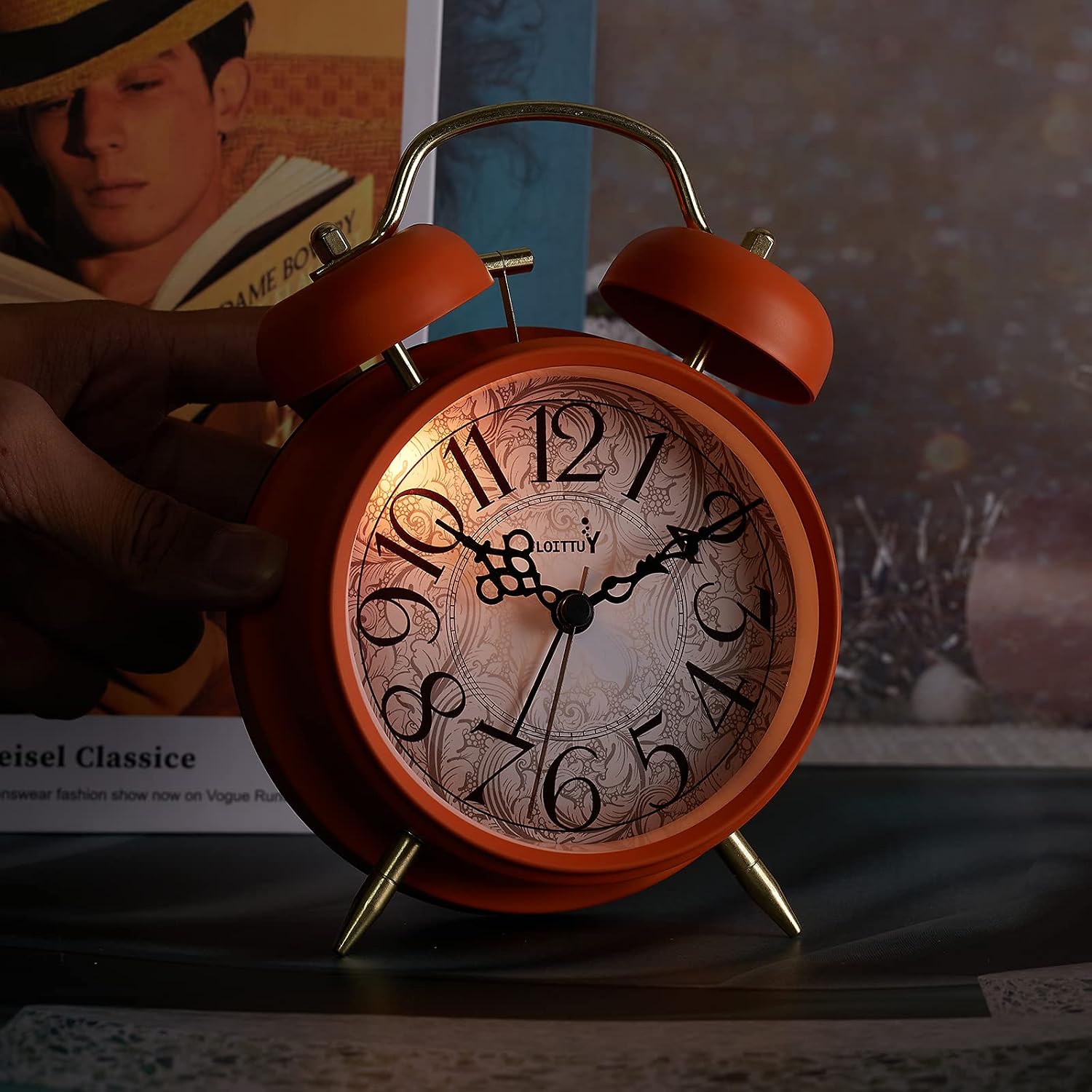
Image: The FLOITTUY alarm clock displaying its soft backlight, making the time visible in a dark setting.
Maintenance
- Cleaning: Wipe the clock with a soft, dry cloth. Do not use abrasive cleaners or solvents.
- Battery Replacement: Replace the AA battery when the clock hands slow down or the alarm sound weakens. Always dispose of used batteries responsibly.
- Storage: If storing the clock for an extended period, remove the battery to prevent leakage.
Troubleshooting
| Problem | Possible Cause | Solution |
|---|---|---|
| Clock not working / Hands not moving. | Battery is dead or incorrectly installed. | Replace the AA battery, ensuring correct polarity. |
| Alarm is not ringing. | Alarm switch is OFF, alarm time not set correctly, or battery is low. | Ensure alarm switch is ON. Verify alarm time is set correctly. Replace battery if needed. |
| Alarm sound is weak. | Low battery. | Replace the AA battery. |
| Backlight not working. | Low battery or button not pressed firmly. | Replace the AA battery. Press the light button firmly. |
Specifications
| Feature | Detail |
|---|---|
| Brand | FLOITTUY |
| Model | B0972B7BQN |
| Color | Modern Orange |
| Material | Metal |
| Dimensions (L x W x H) | 4.5 x 2.3 x 6.5 inches (approximate, based on product description) |
| Item Weight | 340 g |
| Power Source | 1 x AA Battery (not included) |
| Special Features | Loud Alarm, Soft Backlight, Silent Sweep Movement |
Warranty and Support
For any questions, concerns, or warranty inquiries regarding your FLOITTUY alarm clock, please contact the seller or manufacturer directly through your purchase platform. Please refer to your purchase receipt for specific warranty terms and contact information.
Manufacturer: Tophour
Ask a question about this manual
Ask about setup, troubleshooting, compatibility, parts, safety, or missing instructions. Manuals+ will review the question and use this page’s manual context to help answer it.