
Introduction
Thank you for choosing the CT Sounds CT-3200-1D Class D Car Audio Monoblock Amplifier. This amplifier is designed to deliver powerful and clear audio performance for your car's subwoofer system. This manual provides essential information for proper installation, operation, and maintenance to ensure optimal performance and longevity of your amplifier.
Please read this manual thoroughly before attempting installation or operation. Keep this manual for future reference.
Safety Precautions
- Always disconnect the vehicle's battery negative terminal before starting any electrical work.
- Ensure proper grounding of the amplifier to the vehicle chassis.
- Use appropriate gauge wiring for power, ground, and speaker connections as specified.
- Avoid mounting the amplifier in areas exposed to direct sunlight, excessive heat, moisture, or dust.
- Do not operate the amplifier if it is damaged or malfunctioning. Seek professional assistance.
- Keep the amplifier's ventilation clear to prevent overheating.
Product Overview
The CT-3200-1D is a compact yet powerful Class D monoblock amplifier. Its design focuses on efficiency and heat dissipation, allowing it to perform reliably even under demanding conditions.
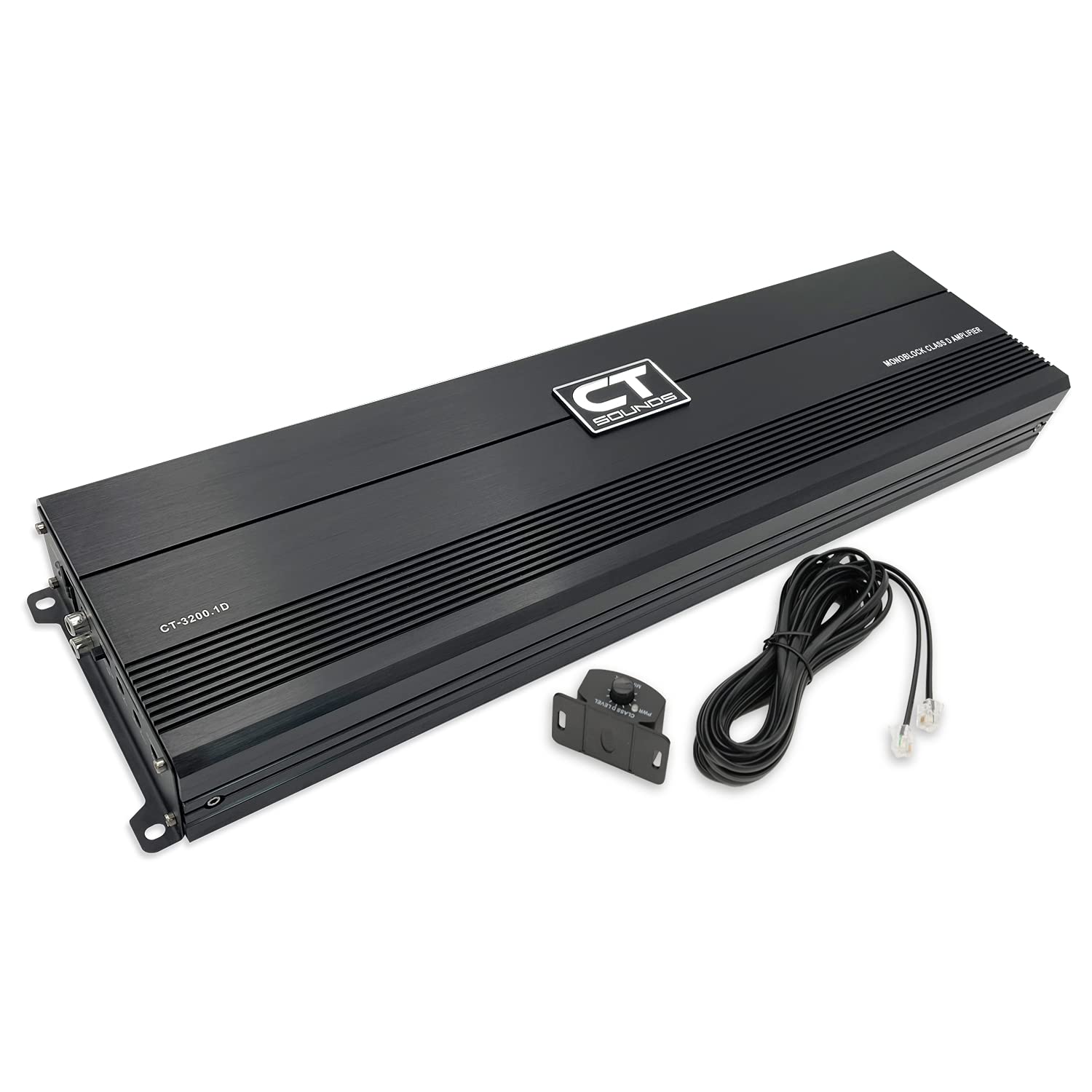
Figure 1: CT Sounds CT-3200-1D Monoblock Amplifier, showing the main unit, remote bass knob, and included wiring.

Figure 2: Top view of the CT-3200-1D amplifier, highlighting its sleek, compact design.
Video 1: Product Overview of the CT Sounds CT-3200.1D Monoblock Amplifier, detailing its features and capabilities.
Setup and Installation
Proper installation is crucial for the performance and safety of your amplifier. If you are unsure about any steps, consult a professional car audio installer.
1. Mounting the Amplifier
- Choose a secure, dry location with adequate ventilation. Avoid direct sunlight or heat sources.
- Ensure the mounting surface is strong enough to support the amplifier's weight.
- Use the provided mounting hardware to secure the amplifier firmly.

Figure 3: Angled view of the CT-3200-1D amplifier, showing its mounting tabs.
2. Wiring Connections
Refer to the diagram below for proper wiring connections. Always use high-quality wiring of the correct gauge.

Figure 4: Close-up of the power input (GND, REM, +12V) and speaker output terminals. Power and ground input terminals require 0 gauge wire, while speaker input terminals require 8 gauge wire.
- Power Input (GND, REM, +12V): Connect the ground (GND) terminal to a clean, unpainted metal surface on the vehicle chassis. Connect the remote (REM) terminal to the remote turn-on output of your head unit. Connect the +12V terminal directly to the positive terminal of your vehicle's battery via an appropriate fuse/circuit breaker. Use 0 gauge wire for power and ground.
- Speaker Output: Connect your subwoofer(s) to the speaker output terminals. Ensure correct polarity (+ to + and - to -). The amplifier supports a minimum speaker impedance of 1 Ohm. Use 8 gauge wire for speaker connections.
- Low Level Input (RCA): Connect the RCA cables from your head unit's pre-out to the amplifier's Low Level Input.
- Remote Bass Knob: Connect the included remote bass knob to the "REMOTE" port for convenient bass level adjustment.

Figure 5: View of the low level input (RCA), remote port, and crossover controls (Bass Boost, Gain, LPF, Subsonic).
Operating the Amplifier
Once installed, adjust the amplifier settings for optimal sound performance.
Control Panel Functions:
- PROTECT LED: Illuminates red if the amplifier enters protection mode due to overheating, low voltage, over current, or short circuit.
- POWER LED: Illuminates green when the amplifier is powered on and operating normally.
- GAIN Adjustment (0.2V - 6V): Controls the input sensitivity of the amplifier. Start with the gain at minimum and slowly increase until desired volume is achieved without distortion.
- BASS BOOST (0dB - 12dB): Adjusts the bass level. Use sparingly to avoid distortion.
- LPF (Low Pass Filter) (50Hz - 220Hz): Filters out high frequencies, allowing only low frequencies to pass to the subwoofer. Adjust to match your subwoofer's characteristics.
- SUBSONIC Filter (0Hz - 50Hz): Filters out extremely low frequencies below the audible range, protecting your subwoofer from damage and improving sound quality.
- REMOTE: Port for connecting the external bass level control knob.

Figure 6: Detailed view of the amplifier's control panel, illustrating the functions of each knob and port.
Maintenance
To ensure long-lasting performance from your CT Sounds amplifier, follow these maintenance guidelines:
- Cleaning: Regularly wipe the amplifier's exterior with a soft, dry cloth. Avoid using harsh chemicals or abrasive cleaners.
- Ventilation: Ensure that the amplifier's heatsink fins are free from dust and debris. Proper airflow is essential for heat dissipation.
- Connections: Periodically check all wiring connections (power, ground, remote, speaker, RCA) to ensure they are secure and free from corrosion. Loose connections can lead to poor performance or damage.
- Environment: Protect the amplifier from extreme temperatures and moisture.
Troubleshooting
If you experience issues with your amplifier, refer to the following common problems and solutions before contacting support.
| Problem | Possible Cause | Solution |
|---|---|---|
| No Power / Power LED Off | Blown fuse, loose power/ground connection, no remote turn-on signal. | Check inline fuse, verify all power and ground connections are secure, ensure remote wire is connected and receiving +12V. |
| Protection LED On | Overheating, speaker short circuit, low impedance load, low/high voltage. | Check speaker wiring for shorts, ensure proper impedance, verify vehicle's electrical system voltage, allow amplifier to cool down, ensure adequate ventilation. |
| No Sound Output | Loose RCA cables, incorrect gain setting, speaker wires disconnected, head unit issue. | Check RCA connections, adjust gain, verify speaker connections, test head unit functionality. |
| Distorted Sound | Gain set too high, improper crossover settings, poor quality audio source. | Reduce gain, adjust LPF and Subsonic filters, ensure clean audio signal from head unit. |
Specifications
Key technical specifications for the CT Sounds CT-3200-1D Monoblock Amplifier:
- RMS Power Output (14.4V):
- 1 Ohm: 3200 Watts
- 2 Ohm: 1600 Watts
- 4 Ohm: 900 Watts
- Frequency Response: 0 to 320 Hz
- Voltage: 14.4 Volts (Operation range: DC 9V - 16V)
- Mounting Type: Surface Mount
- Number of Channels: 1 (Monoblock)
- Power & Ground Input Terminals: 0 Gauge
- Speaker Input Terminals: 8 Gauge
- Minimum Speaker Impedance: 1 Ohm
- Bass Boost: 0dB - 12dB
- Gain Adjustment: 0.2V - 6V
- Low Pass Filter (LPF): 50Hz - 220Hz
- Subsonic Filter: 0Hz - 50Hz
- Protection Circuitry: High Voltage, Low Voltage, Over Current, High Temperature
- Dimensions (LxWxH): 25.96" x 5.625" x 2.187"
- Weight: Approximately 15.05 Pounds
Warranty and Support
CT Sounds stands behind the quality of its products. This amplifier comes with a manufacturer's warranty covering defects in materials and workmanship under normal use. Please refer to the official CT Sounds website or your purchase documentation for specific warranty terms and conditions, including duration and coverage details.
For technical support, warranty claims, or any questions regarding your CT Sounds CT-3200-1D amplifier, please contact CT Sounds customer service through their official website or the contact information provided with your purchase. When contacting support, please have your product model number (CT-3200-1D) and proof of purchase readily available.
Online Resources: For additional information, FAQs, and product updates, visit the official CT Sounds website: www.ctsounds.com