
Etekcity EKS-C302-KUS
Etekcity Food Kitchen Scale User Manual
Model: EKS-C302-KUS | Brand: Etekcity
Introduction
Welcome to your new Etekcity Food Kitchen Scale. This manual provides essential information for setting up, operating, and maintaining your scale to ensure accurate and reliable measurements for all your culinary needs. Please read this manual thoroughly before use and keep it for future reference.
What's in the Box
- 1 x Digital Kitchen Scale
- 3 x 1.5V AAA Batteries (Pre-Installed)
- 1 x Quick Start Guide
Setup
Battery Installation
The Etekcity Food Kitchen Scale requires 3 x AAA 1.5V DC batteries. These are included and pre-installed. Do not mix new and used batteries.
To replace batteries:
- Locate the battery compartment on the underside of the scale.
- Open the battery cover.
- Insert 3 new AAA batteries, ensuring correct polarity (+/-).
- Close the battery cover securely.

Operating Instructions
Power On/Off and Tare Function
To power on the scale, press the Z/T ON/OFF button. The display will light up and show "0g" when ready.
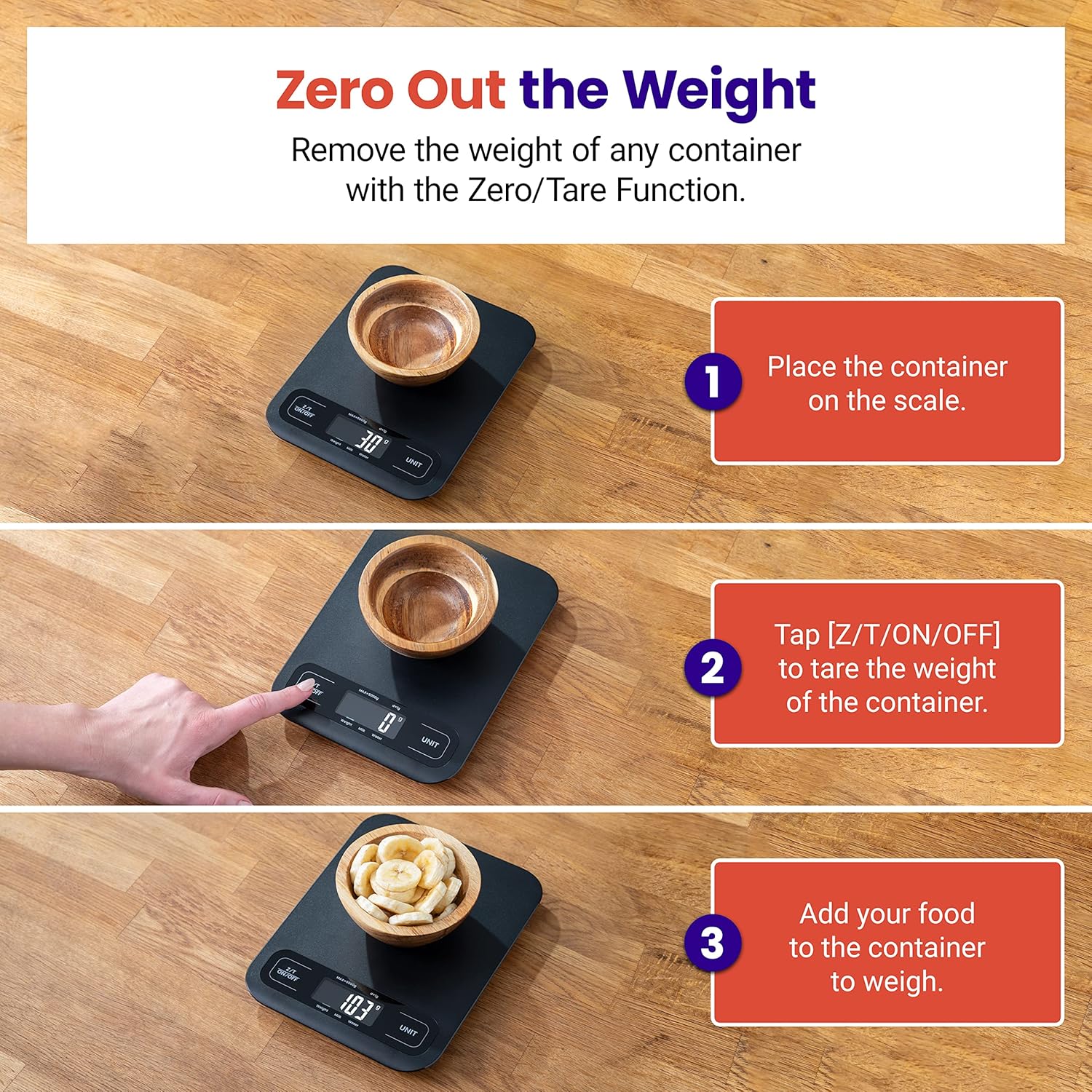
To use the Tare function (zero out the weight of a container):
- Place an empty container on the scale.
- Press the Z/T ON/OFF button. The display will reset to "0g".
- Add your ingredients to the container. The scale will display the net weight of the ingredients.
To power off the scale, press and hold the Z/T ON/OFF button for a few seconds until the display turns off. The scale also features an auto-off function after 3 minutes of inactivity.
Changing Units
To switch between measurement units (g, oz, lb:oz, ml (Milk & Water)), press the UNIT button. Each press will cycle through the available units.

Key Features
- Reliable Precision: Measures in increments of 1 g with a 5,000 g (11 lbs) capacity.
- Zero/Tare Function: Easily remove a container’s weight for accurate ingredient measurement.
- Multiple Units: Measure in oz, lb:oz, fl’oz (water/milk), g, or mL (water/milk).
- Large Platform: Dimensions of 8.0 x 6.1 x 0.7 inches (203 x 155.5 x 17.5 mm) accommodate larger items without obstructing the display.
- Easy to Clean: Sleek surface allows for quick and easy cleaning.

Specifications
| Property | Value |
|---|---|
| Weight Capacity | 176 oz / 5000 g / 11 lbs |
| Units | g / oz / lb:oz / ml (Milk & Water) |
| Measurement Increments | 1 g |
| Minimum Measurement | 2 g |
| Auto-Off | 3 Minutes |
| Power | 3 x AAA 1.5V DC |
| Product Dimensions | 7.99 x 6.12 x 0.69 inches; 0.04 ounces |
| Item model number | EKS-C302-KUS |
| Manufacturer | Etekcity |
| Color | Large Size-Black |
| Special Feature | Auto Shut Off |
| Display Type | VA |
| Weight Limit | 11 Pounds |
Maintenance
Cleaning
To clean the scale, wipe the surface with a damp cloth. Do not immerse the scale in water or use abrasive cleaners. Ensure the scale is dry before storage or next use.

Troubleshooting
Common Issues
- Display not turning on: Check battery installation and ensure batteries are not depleted. Replace if necessary.
- Inaccurate readings: Ensure the scale is placed on a flat, stable surface. Avoid placing it near strong electromagnetic fields. Recalibrate by turning off and on, then taring.
- "Lo" or "Err" message: "Lo" indicates low battery; replace batteries. "Err" indicates overload; remove items immediately to prevent damage.
For further assistance, please refer to the official user guide or contact Etekcity customer support.
Warranty & Support
For detailed warranty information and customer support, please visit the official Etekcity website or refer to the full User Manual (PDF).
Ask a question about this manual
Ask about setup, troubleshooting, compatibility, parts, safety, or missing instructions. Manuals+ will review the question and use this page’s manual context to help answer it.