
POTIPO POTIPO M10-TWS
POTIPO M10-TWS Bluetooth 5.1 Wireless Earbuds User Manual
Model: M10-TWS | Brand: POTIPO
Introduction
Thank you for choosing the POTIPO M10-TWS Bluetooth 5.1 Wireless Earbuds. These earbuds are designed to provide a high-quality audio experience with advanced features for daily use, sports, gaming, and travel. This manual will guide you through the setup, operation, and maintenance of your new earbuds.

Image: POTIPO M10-TWS Wireless Earbuds inside their charging case, displaying battery percentage and charge indicators.
Package Contents
Please check the package to ensure all items are present:
- 1 pair of POTIPO M10-TWS Wireless Earbuds
- 1 Charging Case
- 1 Charging Cable (USB Type-C)
- 4 Earbud Tips (various sizes)
- 1 User Manual
Setup
1. Initial Charging
Before first use, fully charge the earbuds and the charging case. Connect the provided USB Type-C cable to the charging case and a power source. The LED display on the case will show the charging progress.

Image: The charging case features an HD LED display that clearly shows the remaining power, preventing unexpected power depletion.
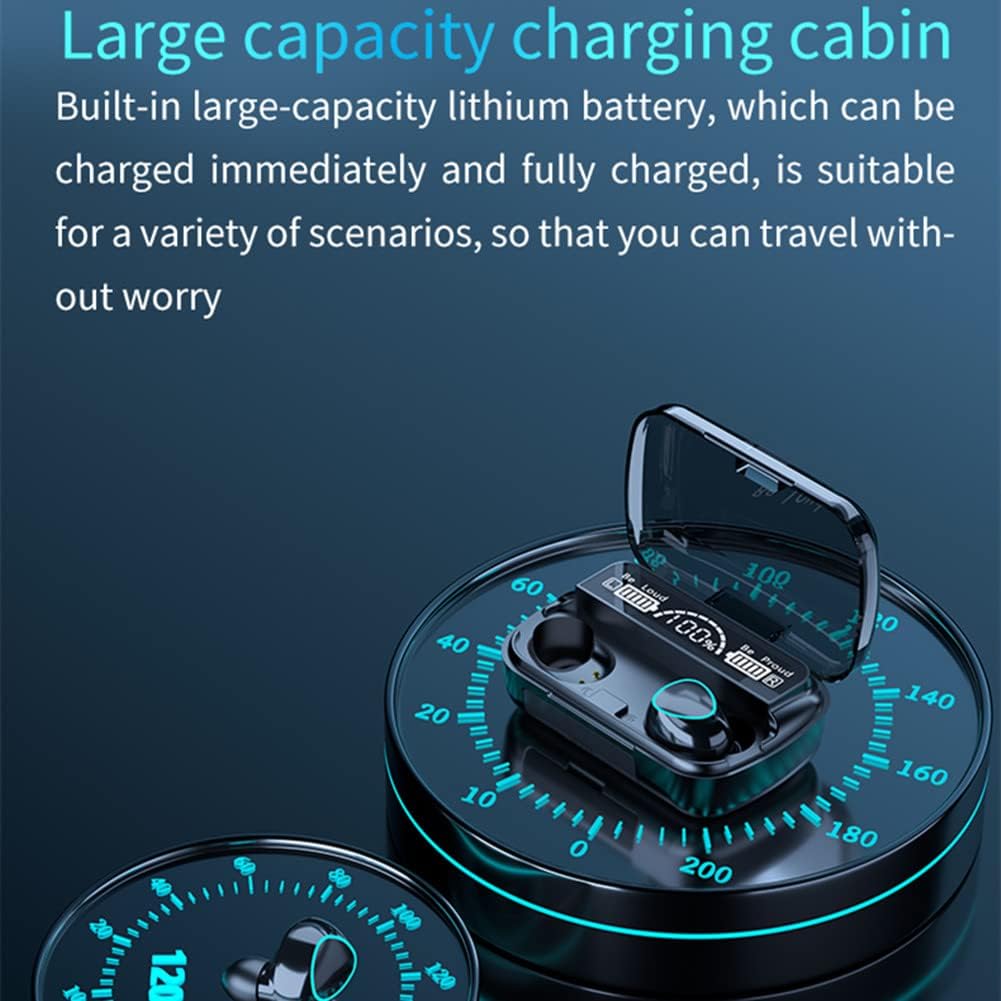
Image: The large capacity charging cabin with built-in lithium battery allows for immediate and full charging, suitable for various scenarios.
2. Bluetooth Pairing
- Take both earbuds out of the charging case. They will automatically power on and enter pairing mode.
- On your device (smartphone, tablet, etc.), enable Bluetooth.
- Search for "A10" in the list of available Bluetooth devices and select it to connect.
- Once connected, you will hear a confirmation prompt, and the earbuds will be ready for use.
The earbuds adopt the latest Bluetooth V5.1 chip, offering stable performance, high transmission speed, low power consumption, and strong compatibility with a connection distance of up to 10 meters.

Image: Diagram illustrating the Bluetooth 5.1 chip and its enhanced performance, along with a guide to touch controls for various functions.
Operating Instructions
Touch Controls
The earbuds feature a high-sensitivity touch panel for easy control of various functions:

Image: Close-up of an earbud highlighting the 3D touch control area for intelligent recognition and quick operation.
| Action | Function |
|---|---|
| Single Tap (Either Earbud) | Play/Pause Music, Answer/End Call |
| Double Tap (Left Earbud) | Previous Song |
| Double Tap (Right Earbud) | Next Song |
| Triple Tap (Left Earbud) | Volume Down |
| Triple Tap (Right Earbud) | Volume Up |
| Press and Hold (2 seconds) | Reject Call, Summon Voice Assistant (Siri, Google Assistant) |
| Press and Hold (5 seconds) | Power On/Off |
Charging Case as Phone Stand
The charging compartment is designed to double as a portable mobile phone stand. You can place your phone horizontally or vertically to watch videos or live streams without needing an additional stand.
Maintenance
Cleaning
Regularly clean your earbuds and charging case to ensure optimal performance and hygiene. Use a soft, dry, lint-free cloth. Do not use abrasive materials or harsh chemicals. Gently clean the earbud tips and charging contacts.
Water Resistance (IPX7)
The POTIPO M10-TWS earbuds are IPX7 waterproof and sweat-proof, making them suitable for strenuous exercise and various weather conditions. This nano-coating effectively prevents sweat from damaging internal components. While they are water-resistant, avoid prolonged submersion or exposure to hot water.

Image: Illustration demonstrating the IPX7 waterproof and sweat-proof capabilities of the earbuds, showing them submerged in water.
Battery Care
To prolong battery life:
- Avoid fully discharging the battery frequently.
- Store the earbuds and case in a cool, dry place when not in use.
- Charge the device regularly, even if not used for extended periods.
Troubleshooting
| Problem | Possible Cause | Solution |
|---|---|---|
| Earbuds not pairing with device | Bluetooth off, earbuds not in pairing mode, interference | Ensure Bluetooth is on. Take earbuds out of case to activate pairing. Turn off and on Bluetooth on your device. Try pairing again. |
| Only one earbud working | Earbuds not properly synced, low battery on one earbud | Place both earbuds back into the charging case, then take them out together. Ensure both are charged. |
| Poor sound quality or disconnections | Distance from device, interference, low battery | Move closer to your device. Avoid strong electromagnetic interference. Charge the earbuds. |
| Earbuds not charging | Charging contacts dirty, cable issue, power source issue | Clean charging contacts on earbuds and case. Try a different USB Type-C cable or power adapter. |
Specifications
| Feature | Detail |
|---|---|
| Model Name | POTIPO M10-TWS |
| Bluetooth Version | V5.1 |
| Noise Reduction Version | CVC8.0 |
| Working Distance | 10m (barrier-free) |
| Earbud Battery Capacity | 50mAh |
| Charging Case Battery Capacity | 2000mAh |
| Earbud Charging Time | Approx. 2 hours |
| Music Playback Time | 4-5 hours (single charge) |
| Talk Time | 4-5 hours |
| Water Resistance Rating | IPX7 |
| Material | Acrylonitrile Butadiene Styrene (ABS) |
| Product Weight | 129 Grams |
| Product Dimensions | 11 x 10 x 4 cm |
Warranty and Support
Your POTIPO M10-TWS earbuds come with standard consumer protection. For specific warranty details, please refer to the purchase documentation or contact your retailer.
For technical support or inquiries, please contact POTIPO customer service through the official website or your point of purchase. Keep your purchase receipt as proof of purchase for warranty claims.
The product is available for purchase since October 26, 2021.
Return Policy: This product typically has a 7-day return/replacement policy from the date of purchase, subject to retailer terms.
Related Documents - POTIPO M10-TWS
 |
PSIER S12 Wireless Earbuds User Manual: Features, Pairing, Charging, and Safety Comprehensive user guide for the PSIER S12 wireless earbuds. Covers product contents, specifications, power on/off, Bluetooth pairing, resetting, charging, wearing, controls, extended warranty, technical support, FCC certification, and safety precautions. |
 |
TIMU BTW98 Wireless Earbuds: Instruction Manual and User Guide Comprehensive instruction manual for TIMU BTW98 wireless earbuds. Learn how to connect, operate touch controls, troubleshoot common issues, and follow safety guidelines for your Bluetooth headphones. |
 |
Fitniv U8I Bluetooth Headphones User Manual User manual for the Fitniv U8I Bluetooth Headphones, covering package contents, features, wearing instructions, charging, pairing, controls, FAQs, specifications, and safety information. |
 |
Ear-Clip Bluetooth Earphones Product Manual User manual for Ear-Clip Bluetooth Earphones, detailing features, technical specifications, safety guidelines, and CE compliance. Features Bluetooth V6.0, open-ear design, 4h playback, 30h standby, and waterproof performance. |
 |
Lenovo LP75 Bluetooth Earphones User Manual and Features Discover how to use your Lenovo LP75 Bluetooth Earphones with this comprehensive user manual. Learn about safety warnings, power on/off instructions, product features like high-fidelity audio and comfortable fit, and frequently asked questions for troubleshooting connectivity and audio issues. |
 |
Lahtiwey BX30 Wireless Headphones: IPX7 Waterproof Bluetooth Earbuds with 80-Hour Playtime Explore the Lahtiwey BX30 TWS wireless headphones featuring Bluetooth 5.3, Hi-Res Audio, Bass Boost, IPX7 waterproofing, and an impressive 80-hour playtime with LED display. Ideal for sports and daily use. |
Ask a question about this manual
Ask about setup, troubleshooting, compatibility, parts, safety, or missing instructions. Manuals+ will review the question and use this page’s manual context to help answer it.