
POTIPO S20-TWS
POTIPO S20-TWS Wireless Earbuds User Manual
Model: S20-TWS | Brand: POTIPO
1. Introduction
This manual provides detailed instructions for the operation, maintenance, and troubleshooting of your POTIPO S20-TWS Wireless Earbuds. Please read this manual carefully before using the product to ensure proper function and longevity.
The POTIPO S20-TWS earbuds feature Bluetooth 5.1 connectivity, IPX5 water resistance, a stereo microphone with noise reduction, and are designed for various activities including sports, gaming, and travel.
2. Package Contents
Please verify that all items are present in your package:
- POTIPO S20-TWS Wireless Earbuds (Left and Right)
- Charging Case
- Charging Cable
- User Manual (this document)
Note: The product specifications mention "Cabo de carregamento, Estojinho de transporte" (Charging cable, Carrying case).
3. Product Overview
Familiarize yourself with the components of your POTIPO S20-TWS earbuds and charging case.

Figure 3.1: Overview of POTIPO S20-TWS earbuds and their charging cases, showing both black and white color options. The cases feature a digital display indicating battery level.

Figure 3.2: Close-up view of a single POTIPO S20-TWS earbud, highlighting its sleek design and the integrated touch panel for intelligent recognition of light touch.

Figure 3.3: Diagram illustrating the internal components of the earbud speaker, emphasizing the HIFI high-fidelity sound and surging bass capabilities.
4. Setup and First Use
4.1. Charging the Earbuds and Case
Before first use, fully charge the earbuds and the charging case.
- Connect the provided charging cable to the charging port on the case.
- Connect the other end of the cable to a USB power source (e.g., computer USB port, wall adapter).
- The digital display on the charging case will show the battery level. Allow sufficient time for a full charge.
- Place the earbuds into the charging case. They will begin charging automatically.

Figure 4.1: The charging case features a high-definition mirror smart display that shows the battery percentage, indicating the charging status of the case and earbuds.
4.2. Pairing with a Device
The earbuds support automatic pairing for convenience.
- Ensure the earbuds are charged.
- Open the charging case. The earbuds will automatically power on and enter pairing mode.
- On your device (smartphone, tablet, computer), enable Bluetooth.
- Search for available Bluetooth devices and select "POTIPO S20-TWS" from the list.
- Once connected, the earbuds will indicate successful pairing (e.g., voice prompt, LED indicator).

Figure 4.2: The earbuds automatically power on and connect to the last paired device when removed from the charging compartment, offering a "Smart Second Link" experience.
Note: If the earbuds do not connect automatically, ensure they are fully charged and try restarting your device's Bluetooth.
5. Operating Instructions
The POTIPO S20-TWS earbuds feature intuitive touch controls for various functions.
5.1. Touch Controls

Figure 5.1: Visual guide to the touch controls on the POTIPO S20-TWS earbuds, demonstrating actions like music switching, answering calls, playing/pausing, and summoning voice assistants.
| Action | Control |
|---|---|
| Play/Pause Music | Tap the headset 1 time |
| Next Song (Music Switching) | Tap the headset 2 times |
| Answer/Hang Up Call | Tap the headset 1 time |
| Summon Voice Assistant (Siri, Google Assistant, etc.) | Tap the headset for 2 seconds |
| Music Mediation (Volume Control) | Tap the headset 3 times |
| Power On/Off (Switch Machine) | Tap for 5 seconds |
5.2. Wearing the Earbuds
For optimal sound quality and comfort, ensure the earbuds are properly seated in your ears.
- Identify the Left (L) and Right (R) earbuds.
- Gently insert each earbud into the corresponding ear canal.
- Adjust the earbud until it feels secure and comfortable.
6. Key Features
6.1. IPX5 Waterproof and Sweatproof
The POTIPO S20-TWS earbuds are rated IPX5 waterproof, making them resistant to sweat and light splashes. This feature makes them suitable for exercise and outdoor activities.

Figure 6.1: The earbuds and case are shown with water droplets, illustrating their IPX5 waterproof and sweatproof capabilities, designed to prevent sweat from damaging internal components.
Note: IPX5 rating means protection against low-pressure water jets from any direction. Do not submerge the earbuds in water.
6.2. Low Latency for Gaming
Equipped with a V5.1 upgrade chip, these earbuds offer stable transmission and low latency, enhancing the gaming experience by minimizing audio delay.
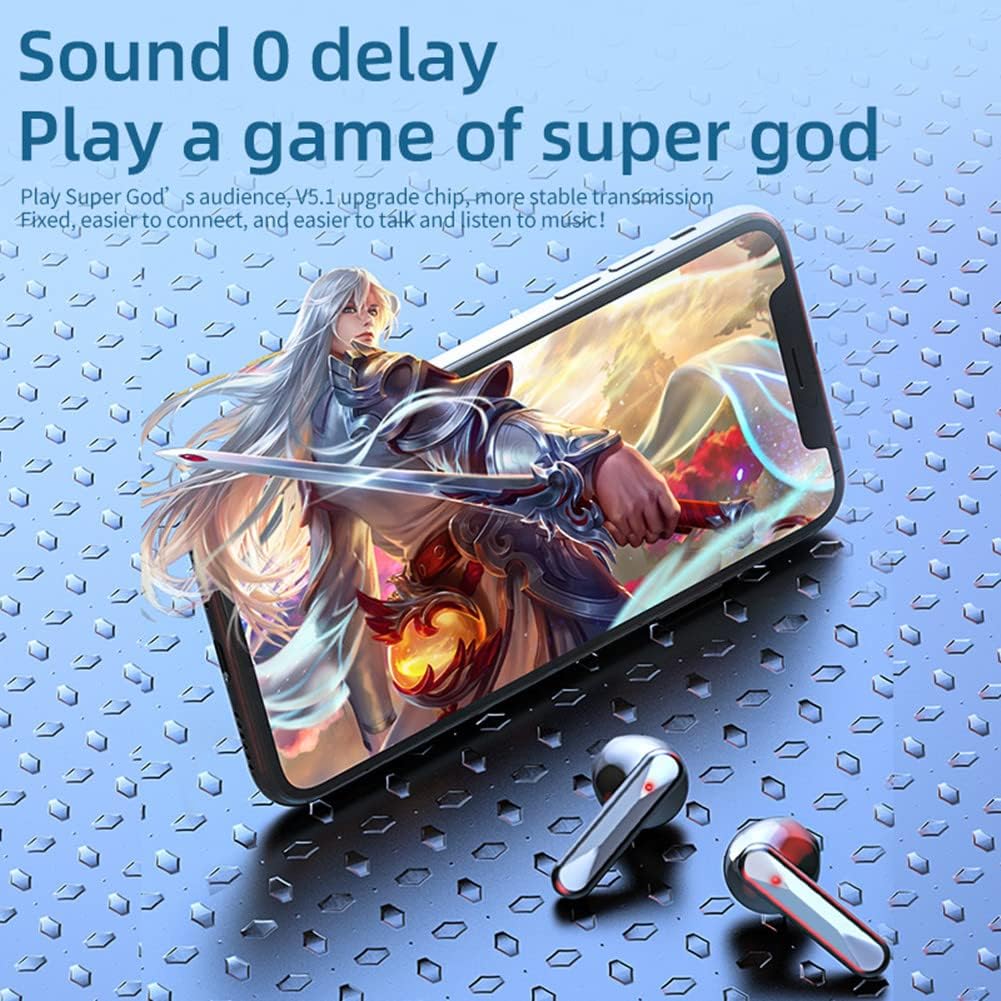
Figure 6.2: The earbuds are depicted alongside a smartphone displaying a game, highlighting their "Sound 0 delay" feature for an immersive gaming experience.
6.3. Compact Design and High Capacity
The charging case features a compact, portable design with a mirror material finish, making it easy to carry while providing ample battery capacity for extended use.

Figure 6.3: A hand holding the compact charging case, demonstrating its "Small stature, High capacity" and "Mirror material" design, along with its function as a portable storage compartment.
7. Maintenance and Care
Proper maintenance ensures the longevity and optimal performance of your earbuds.
- Cleaning: Regularly clean the earbuds and charging case with a soft, dry, lint-free cloth. Do not use abrasive cleaners or solvents.
- Storage: When not in use, store the earbuds in their charging case to protect them from dust and damage.
- Water Exposure: While IPX5 rated, avoid prolonged exposure to water or submersion. Dry the earbuds thoroughly if they get wet.
- Temperature: Avoid exposing the earbuds to extreme temperatures (hot or cold) or high humidity.
8. Troubleshooting
If you encounter issues with your POTIPO S20-TWS earbuds, refer to the following common solutions:
| Problem | Possible Cause | Solution |
|---|---|---|
| Earbuds not pairing | Low battery, Bluetooth off on device, out of range, pairing mode not active. | Charge earbuds and case. Ensure Bluetooth is enabled on your device. Place earbuds back in case and remove to re-enter pairing mode. Move closer to device. |
| No sound from one earbud | Earbud not connected, low battery, dirty contacts. | Ensure both earbuds are properly seated in the case for charging. Clean charging contacts on earbuds and case. Re-pair the earbuds. |
| Poor sound quality | Earbuds not properly seated, interference, low battery. | Adjust earbud position. Move away from sources of interference (e.g., Wi-Fi routers). Charge earbuds. |
| Touch controls not responding | Dirty touch panel, temporary software glitch. | Clean the touch panel. Place earbuds back in case, close, then reopen to reset. |
9. Specifications
Detailed technical specifications for the POTIPO S20-TWS Wireless Earbuds:
| Feature | Detail |
|---|---|
| Brand | POTIPO |
| Model | S20-TWS |
| Connectivity Technology | Bluetooth 5.1 |
| Ear Placement | In-Ear |
| Noise Control | Sound Isolation |
| Water Resistance Rating | IPX5 |
| Material | Silicone |
| Control Type | Media Control, Volume Control, Call Control |
| Product Dimensions | 10 x 5 x 5 cm |
| Product Weight | 102 g |
| Included Components | Charging Cable, Carrying Case |
| Specific Uses | Sport, Gaming, Travel |
10. Warranty and Support
For warranty information and customer support, please refer to the contact details provided with your purchase or visit the official POTIPO website.
The product is available with extended warranty options:
- 12-month extended warranty against failures and defects.
- 24-month extended warranty against failures and defects.
For technical assistance or service inquiries, please contact your retailer or the manufacturer directly.
Ask a question about this manual
Ask about setup, troubleshooting, compatibility, parts, safety, or missing instructions. Manuals+ will review the question and use this page’s manual context to help answer it.