ULANZI MT-24 Portable Desktop Tripod & VIJIM VL120 RGB Camera Light
User Manual
Introduction
This manual provides detailed instructions for the setup, operation, and maintenance of your ULANZI MT-24 Portable Desktop Tripod and VIJIM VL120 RGB Camera Light. Please read this manual thoroughly before using the product to ensure proper function and longevity.

Image: The ULANZI MT-24 Portable Desktop Tripod and VIJIM VL120 RGB Camera Light shown together, highlighting their compact design and versatility.
Setup
1. ULANZI MT-24 Tripod Assembly
The ULANZI MT-24 tripod comes pre-assembled. To prepare for use:
- Unfold the Legs: Gently pull the three legs outwards until they lock into position, forming a stable base.
- Adjust Leg Angle: The tripod features two support ways. Adjust the lock button at the bottom of each leg to change the leg angle for different heights and stability.
- Ball Head Adjustment: Loosen the main knob on the ball head to adjust the angle of your camera or device. Tighten the knob to secure the position.

Image: Diagram illustrating the two support ways and height adjustments of the ULANZI MT-24 tripod, showing different leg angles and resulting heights.
2. VIJIM VL120 RGB Camera Light Initial Charge
Before first use, fully charge the VIJIM VL120 RGB Camera Light.
- Connect Charger: Use the provided USB Type-C cable to connect the light's charging port to a compatible USB power source (e.g., wall adapter, computer USB port).
- Charging Indicator: The display on the light will show charging progress. A full charge typically takes approximately 2.5 hours.

Image: Close-up of the VIJIM VL120 RGB light, highlighting its Type-C charging port and indicating charging time and working time.
3. Attaching Devices to the Tripod
The tripod features a standard 1/4-inch screw mount for cameras and a cold shoe mount for accessories.
- Camera Attachment: Screw your camera onto the 1/4-inch screw on the ball head. Ensure it is securely tightened.
- Accessory Attachment (Cold Shoe): The ball head includes a patented cold shoe design. Slide accessories like the VIJIM VL120 RGB light, microphones, or monitors into the cold shoe slot until secure.
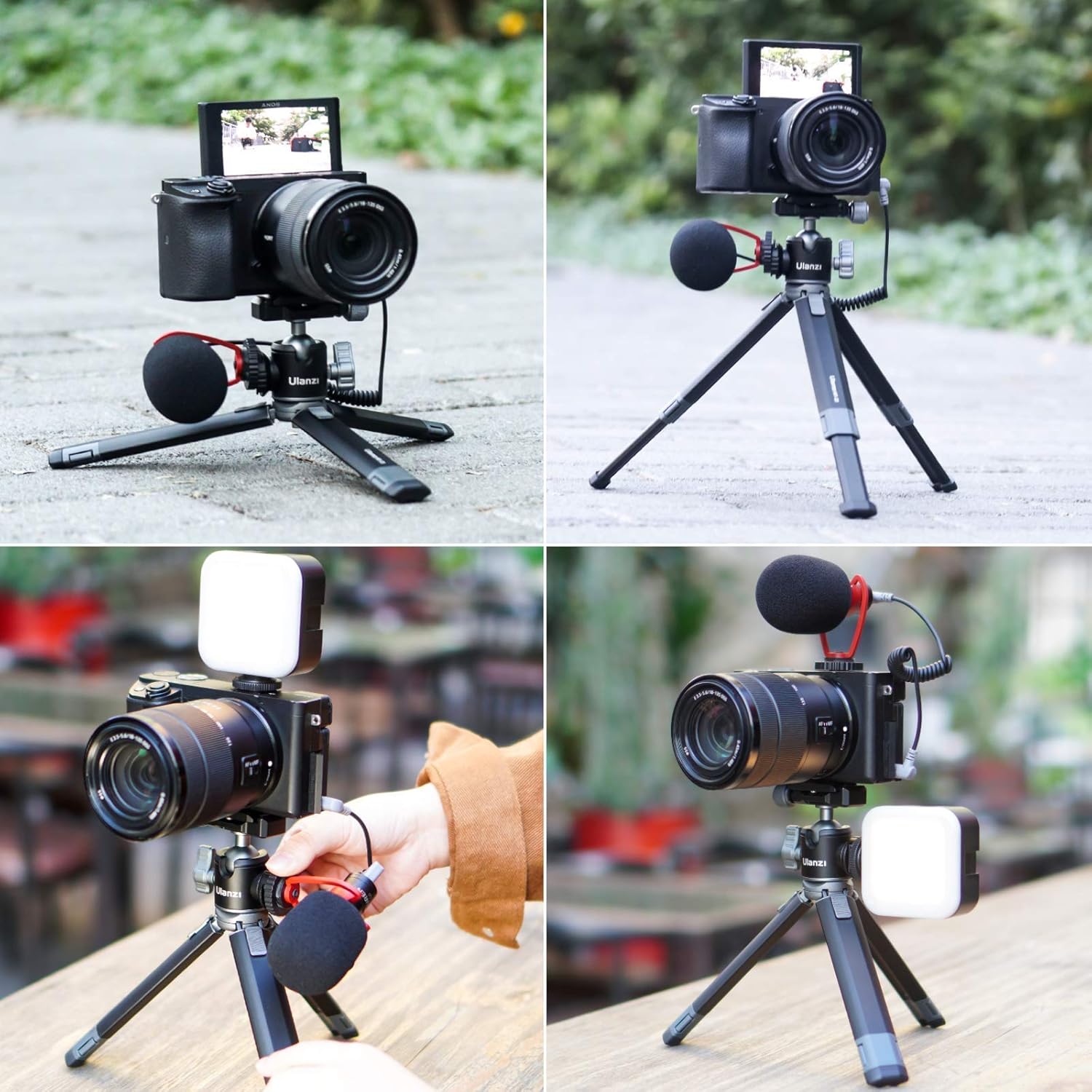
Image: A camera securely mounted on the ULANZI MT-24 tripod, demonstrating its use as a stable base for photography and videography.

Image: A camera, microphone, and the VIJIM VL120 RGB light all mounted on the ULANZI MT-24 tripod, showcasing its versatility for a complete setup.
Operating Instructions
1. ULANZI MT-24 Tripod Operation
- Height Adjustment: Adjust the leg angles using the bottom lock button to achieve desired height and stability. The tripod supports heights from approximately 4.33 inches to 8.66 inches.
- Ball Head Rotation: Loosen the main knob on the ball head to allow for 180-degree rotation and 360-degree panoramic adjustment. This enables precise positioning for various shooting angles, including panoramic photography.
- Cold Shoe Use: Utilize the integrated cold shoe mount on the ball head to attach external accessories like the VIJIM VL120 RGB light, microphones, or other compatible devices.

Image: Detailed view of the ULANZI MT-24 tripod's ball head, illustrating its 180-degree rotatable and 360-degree panoramic adjustment capabilities, along with the patented cold shoe design.
2. VIJIM VL120 RGB Camera Light Operation
The VIJIM VL120 RGB light offers versatile lighting options. Refer to the light's display for current settings.
- Power On/Off: Press and hold the power button to turn the light on or off.
- Brightness Adjustment (0-100%): Use the control dial or buttons to adjust the brightness level from 0% to 100%.
- Color Temperature Adjustment (2500K-9000K): Switch to CCT mode to adjust the color temperature from warm (2500K) to cool (9000K) light.
- RGB Color Adjustment (0-359 HSI): Switch to HSI mode to select any color from the 360-degree color spectrum. Adjust Hue (H), Saturation (S), and Intensity (I) to achieve desired color.
- Special Light Effects (20 Kinds): The light features 20 built-in special effects to simulate various scenes, such as Cop Car, Ambulance, Fire Engine, Lightning, Fireworks, TV, Candle, Party, Fault Bulb, Pulsing, Strobe, RGB Strobe, Paparazzi, Emergency, H/L Beam, Red Flash, Green Flash, Blue Flash, HSI Slow, and HSI Fast. Use the mode button to cycle through these effects.

Image: Visual guide for the VIJIM VL120 RGB light, demonstrating the effects of 0-100% brightness adjustment, 2500K-9000K color temperature adjustment, and 0-359 RGB color adjustment.
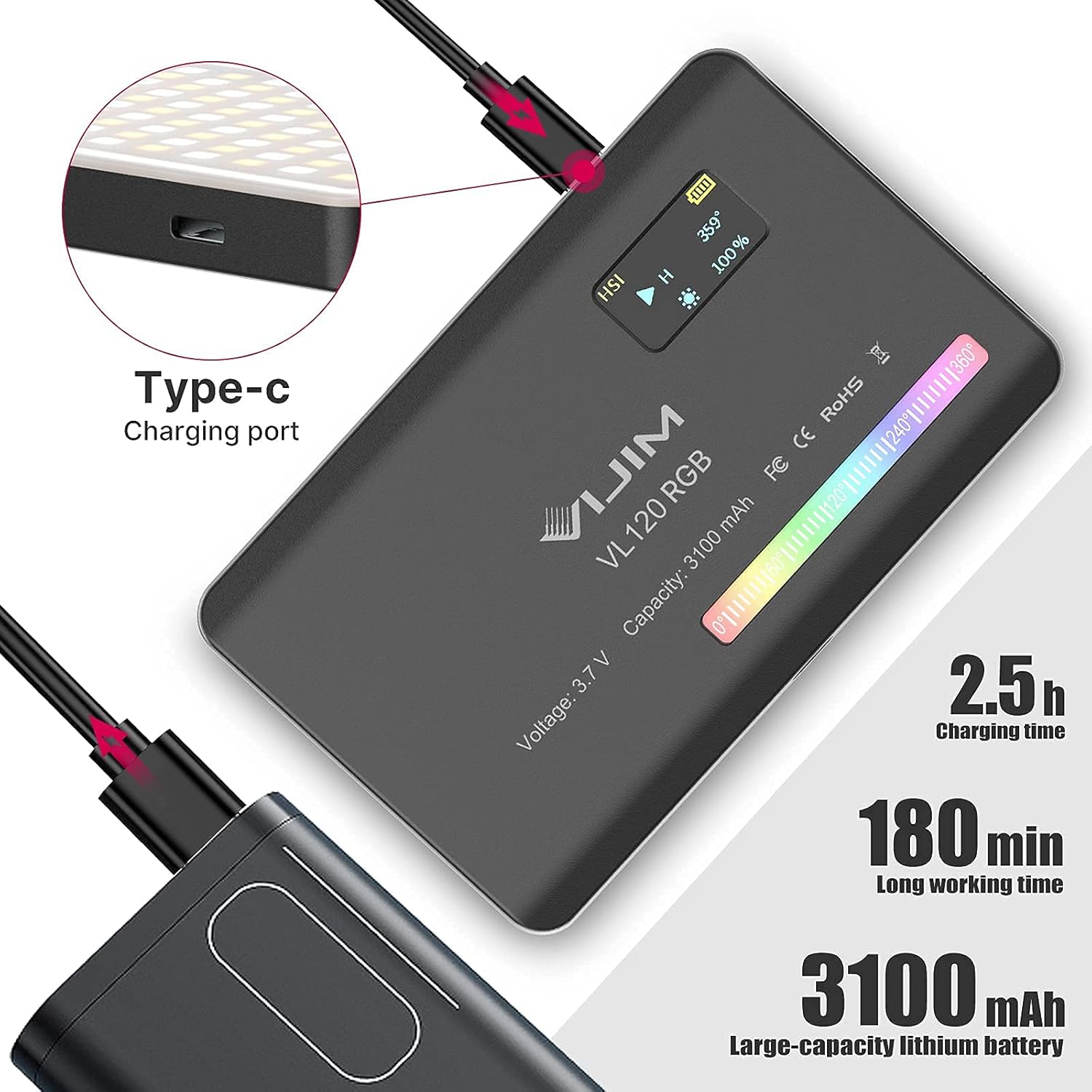
Image: An infographic displaying the 20 different light effects available on the VIJIM VL120 RGB light, designed to simulate various real-world scenarios for creative lighting.
Maintenance
- Cleaning: Use a soft, dry cloth to clean the tripod and light. For stubborn dirt, a slightly damp cloth can be used, but ensure no moisture enters the light's ports or internal components. Avoid harsh chemicals or abrasive cleaners.
- Storage: Store the tripod and light in a cool, dry place away from direct sunlight and extreme temperatures. Ensure the light is fully charged before long-term storage to preserve battery health.
- Handling: Handle both devices with care. Avoid dropping or subjecting them to strong impacts, which can damage internal components or deform the tripod legs.
Troubleshooting
| Problem | Possible Cause | Solution |
|---|---|---|
| VIJIM VL120 Light does not turn on. | Battery is depleted. | Charge the light using the provided Type-C cable. |
| Light output is dim or inconsistent. | Low battery; incorrect brightness setting. | Recharge the light. Adjust brightness level to 100%. |
| Tripod is unstable. | Legs not fully extended or locked; uneven surface; overloaded. | Ensure legs are fully extended and locked. Place on a flat surface. Do not exceed recommended weight capacity. |
| Ball head does not hold position. | Locking knob is loose. | Tighten the ball head locking knob securely. |
Specifications
| Feature | Detail |
|---|---|
| Product Name | ULANZI MT-24 Portable Desktop Tripod + VIJIM VL120 RGB Camera Light |
| Brand | PICTRON |
| Model Name | MT-24 |
| Compatible Devices | Camera |
| Material | Aluminum |
| Special Feature | Portable |
| Tripod Head Type | Ball Heads |
| VIJIM VL120 Light Battery Capacity | 3100 mAh |
| VIJIM VL120 Light Charging Port | Type-C |
| VIJIM VL120 Light Color Temperature Range | 2500K-9000K |
| VIJIM VL120 Light RGB Range | 0-359 HSI |
| VIJIM VL120 Light Effects | 20 kinds |
Warranty and Support
For warranty information and technical support, please refer to the official PICTRON website or contact their customer service directly. Details regarding specific warranty periods and terms are typically provided by the manufacturer at the time of purchase or on their official product pages.
Manufacturer: PICTRON
For further assistance, visit: PICTRON Official Store on Amazon


